00194477_Install_Win2003_manual.pdf - 第17页
Installation Manual for Windows 2003 Server (manual setup) Edition 04/2006 Fig. 2-15: Local Area Connection Fig. 2-16: Configure Network connection → Select the network comp onent “Internet Protocol (TCP/IP)” → Select th…
Installation Manual for Windows 2003 Server (manual setup) Edition 04/2006
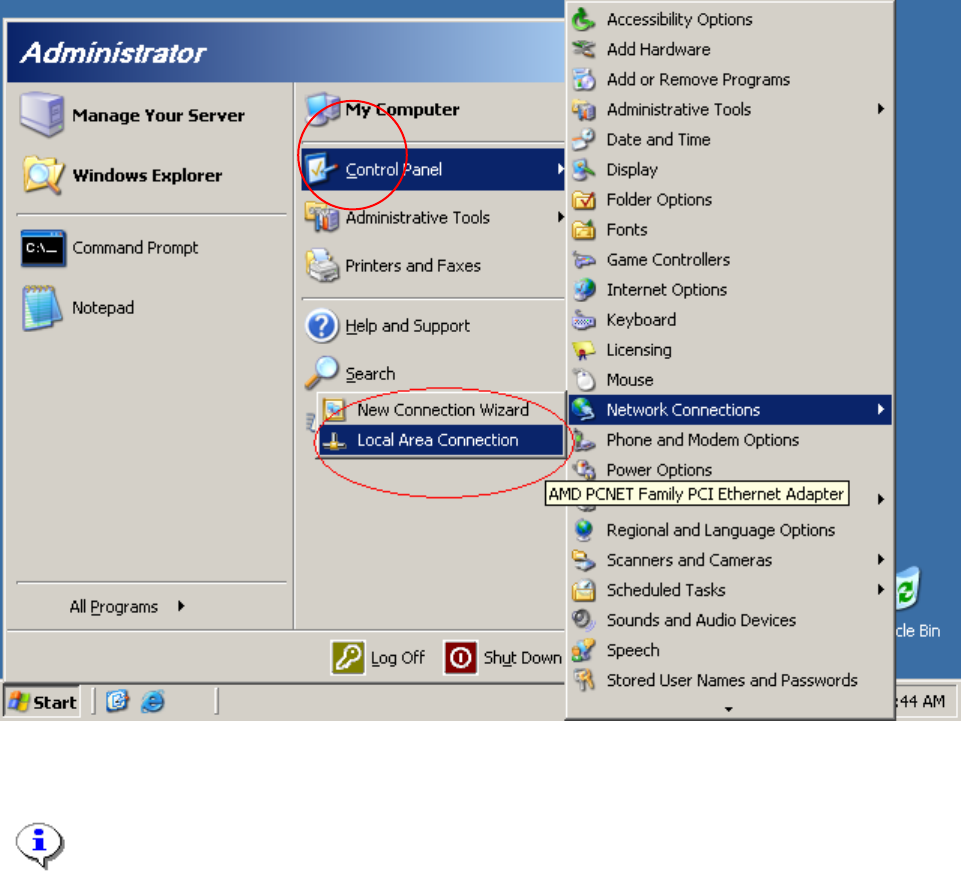
Fig. 2-14: Network configuration
Note:
Normally you will see one network connection “Local Area Connection”.
→ Click on “Local Area Connection”
16 / 34
Installation Manual for Windows 2003 Server (manual setup) Edition 04/2006
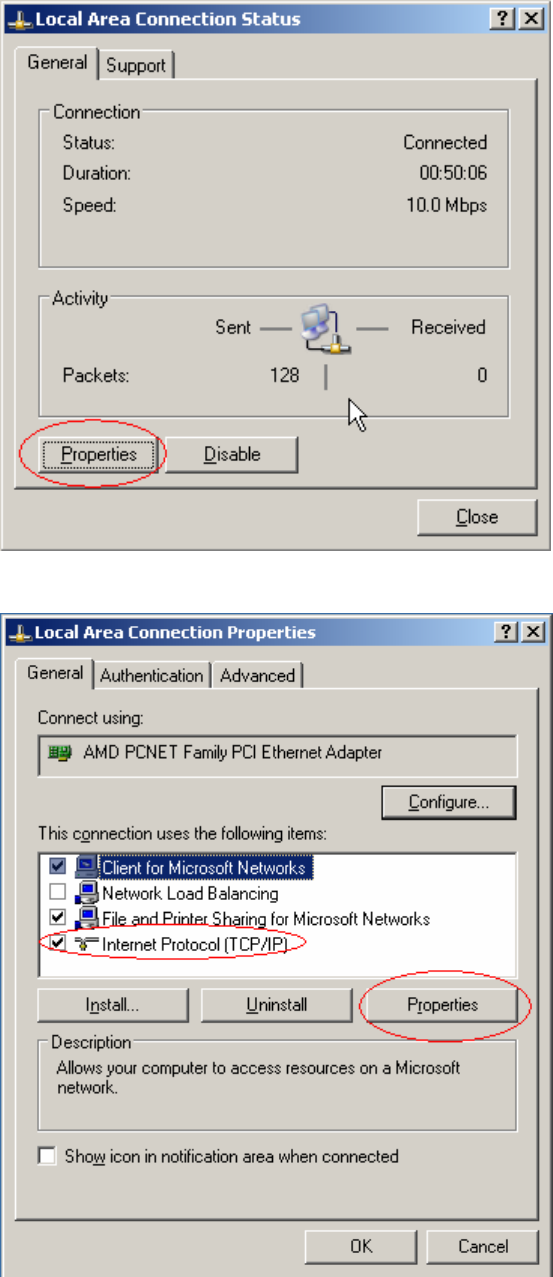
Fig. 2-15: Local Area Connection
Fig. 2-16: Configure Network connection
→ Select the network component “Internet Protocol (TCP/IP)”
→ Select the button Properties
17 / 34
Installation Manual for Windows 2003 Server (manual setup) Edition 04/2006
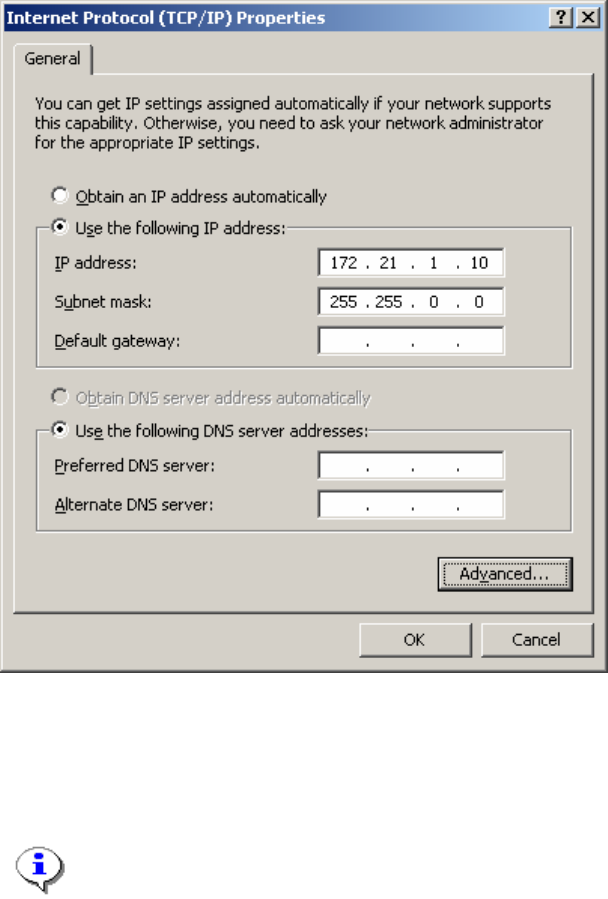
Fig. 2-17: TCP IP Configuration
→ Select the option “Use the following IP address”
→ Enter the IP address as well as the network mask.
Note:
This configuration is for an island configuration. The customer might have other
configuration parameter here for you to enter.
Click the button Ok and close all opened dialogs.
18 / 34