00194477_Install_Win2003_manual.pdf - 第7页
Installation Manual for Windows 2003 Server (manual setup) Edition 04/2006 Fig. 2-2: Windows 2003 Server Licensing Agreement Read the License agreement. → Press F8 to agree. Note: If an operating system already exists on…
Installation Manual for Windows 2003 Server (manual setup) Edition 04/2006
2 Installation of the Windows 2003 Server Operating
System
2.1 Installation of the Windows 2003 Server Base system
→ Insert the CD "Windows 2003 Server" into the CD-ROM.
The message "Press any key to reboot from CD" appears during the startup phase of the computer.
→ Press any key to boot from CD.
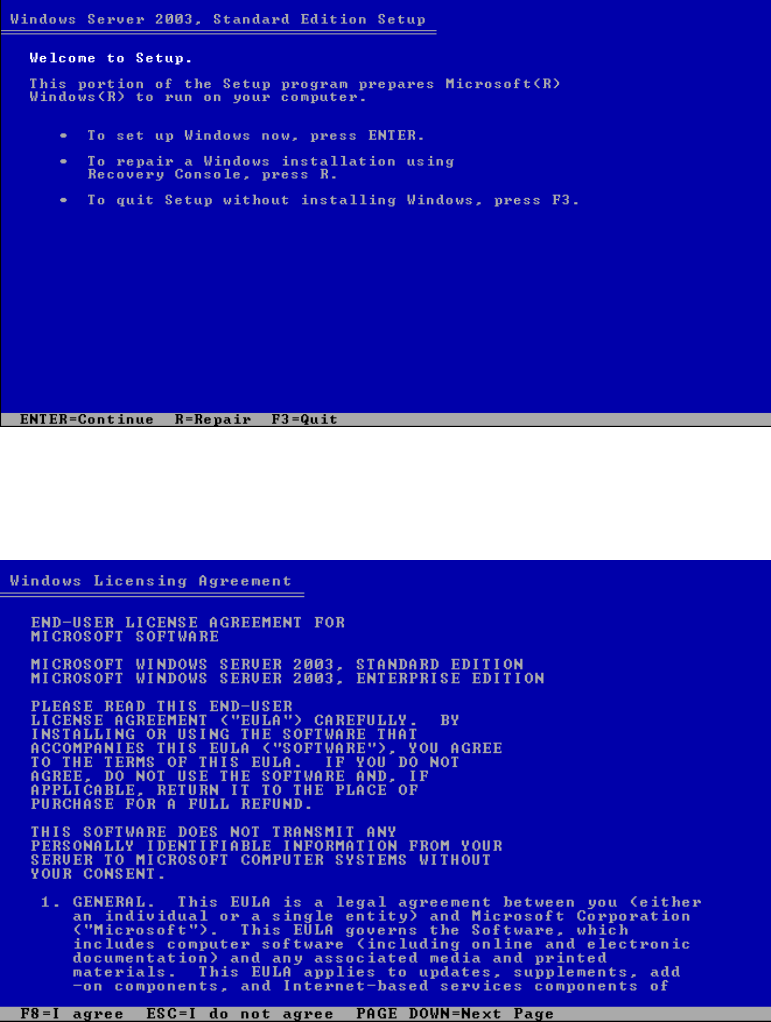
The following dialog appears:
Fig. 2-1: Windows 2003 Server
→ Press Enter to continue.
The dialog "End-user License agreement" appears.
6 / 34
Installation Manual for Windows 2003 Server (manual setup) Edition 04/2006
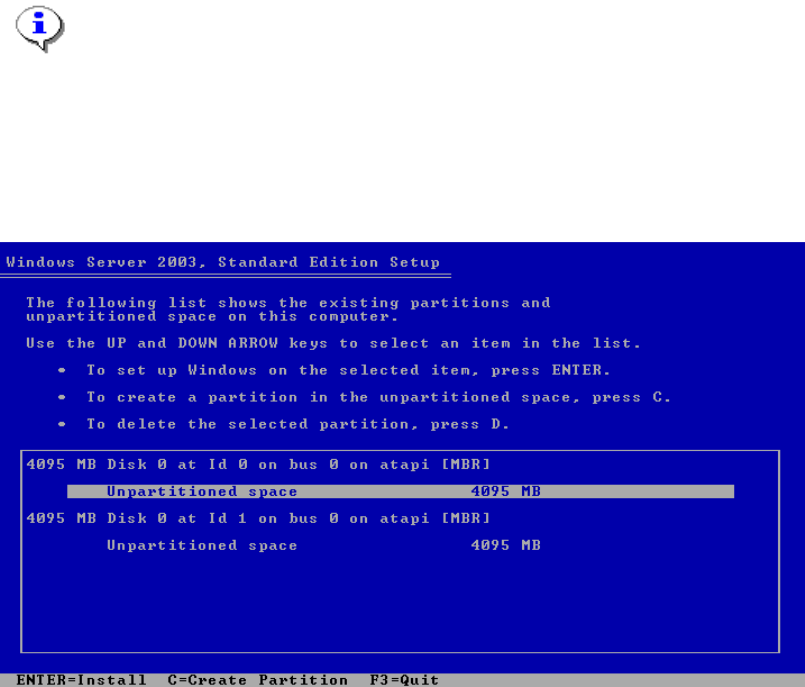
Fig. 2-2: Windows 2003 Server Licensing Agreement
Read the License agreement.
→ Press F8 to agree.
Note:
If an operating system already exists on your computer the message "The following list
shows the existing partitions and unpartitioned space on this computer” appears. In that
case please delete all old partitions. The result is an unpartitioned space.
Normally if the disk is new it is not formatted and you see the following dialog.
Fig. 2-3: Windows 2003 Server partitions
→ Press Enter.
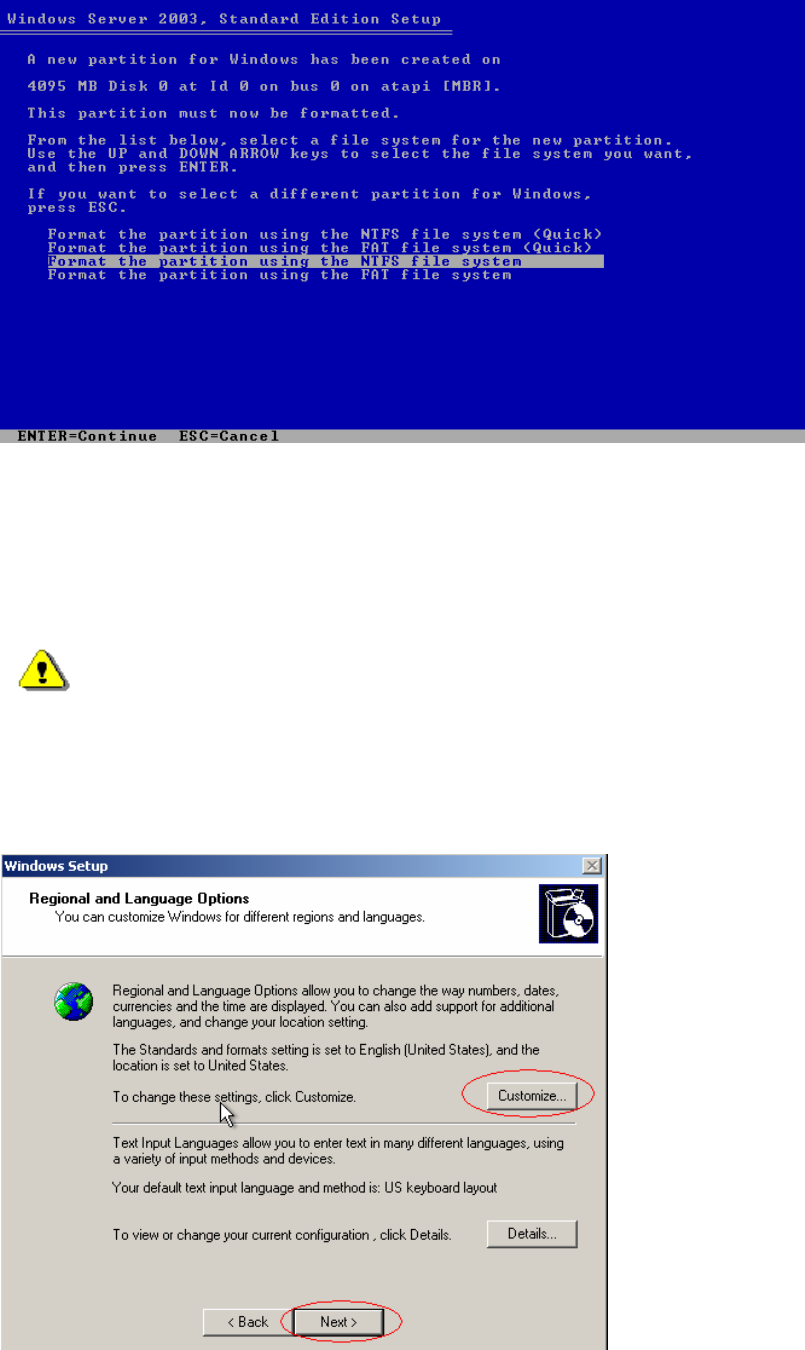
The following dialog appears:
7 / 34
Installation Manual for Windows 2003 Server (manual setup) Edition 04/2006
Fig. 2-4: Windows 2003 Server partitions
→ Select "Format the partition using the NTFS file system".
→ Press Enter to continue.
→ Please wait while the computer reboots.
Warning:
Do not press a key, when the message "Press any key to reboot from CD" appears during
the startup phase of the computer.
The installation of Windows 2003 Server will continue with the graphical part:
Fig. 2-5: Windows 2003 Server: Regional and Language Settings
8 / 34