00194477_Install_Win2003_manual.pdf - 第5页
Installation Manual for Windows 2003 Server (manual setup) Edition 04/2006 5 / 34 1 General 1.1 Scope This document describes how to insta ll the Windows 2003 Server operating sy stem. 1.2 System requirement s Please see…
Installation Manual for Windows 2003 Server (manual setup) Edition 04/2006
4 / 34
Installation Manual for Windows 2003 Server (manual setup) Edition 04/2006
5 / 34
1 General
1.1 Scope
This document describes how to install the Windows 2003 Server operating system.
1.2 System requirements
Please see the actual version description of your application and version for details.
These requirements depend on software application, version and configuration you plan for.
Installation Manual for Windows 2003 Server (manual setup) Edition 04/2006
2 Installation of the Windows 2003 Server Operating
System
2.1 Installation of the Windows 2003 Server Base system
→ Insert the CD "Windows 2003 Server" into the CD-ROM.
The message "Press any key to reboot from CD" appears during the startup phase of the computer.
→ Press any key to boot from CD.
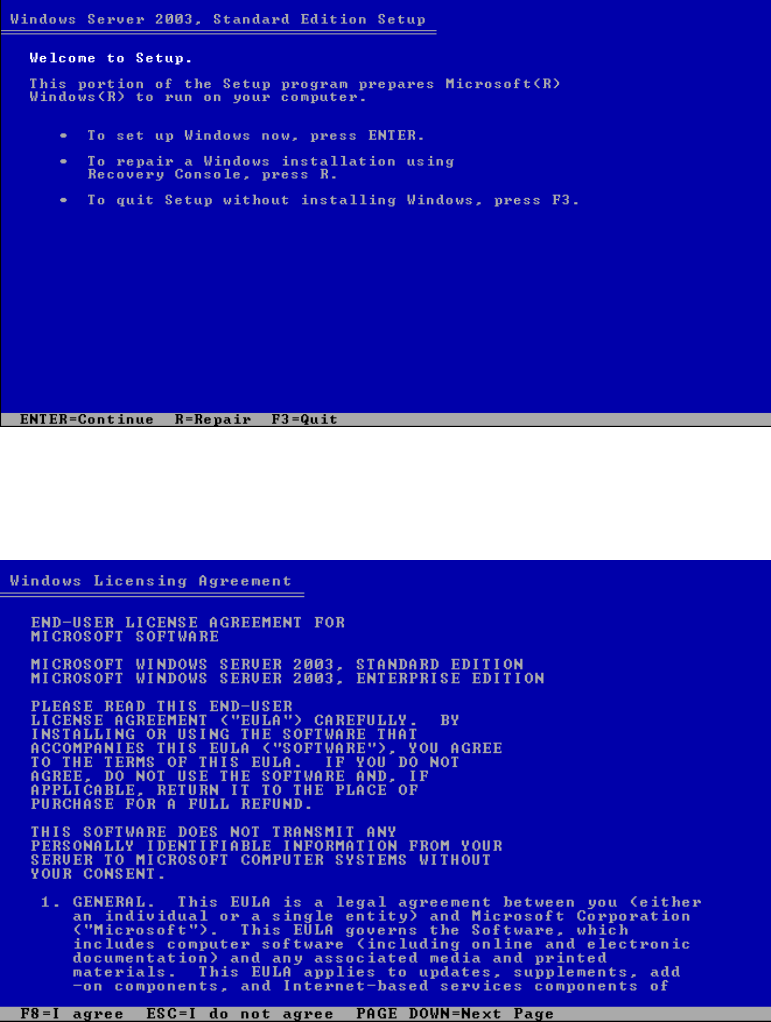
The following dialog appears:
Fig. 2-1: Windows 2003 Server
→ Press Enter to continue.
The dialog "End-user License agreement" appears.
6 / 34