00194477_Install_Win2003_manual.pdf - 第33页
Installation Manual for Windows 2003 Server (manual setup) Edition 04/2006 Fig. 2-3737 Boot Screen after mirroring 2.4.4 Create a boot disk for booti ng from the mirrored disk set → Format a new floppy disk. → Copy follo…
Installation Manual for Windows 2003 Server (manual setup) Edition 04/2006
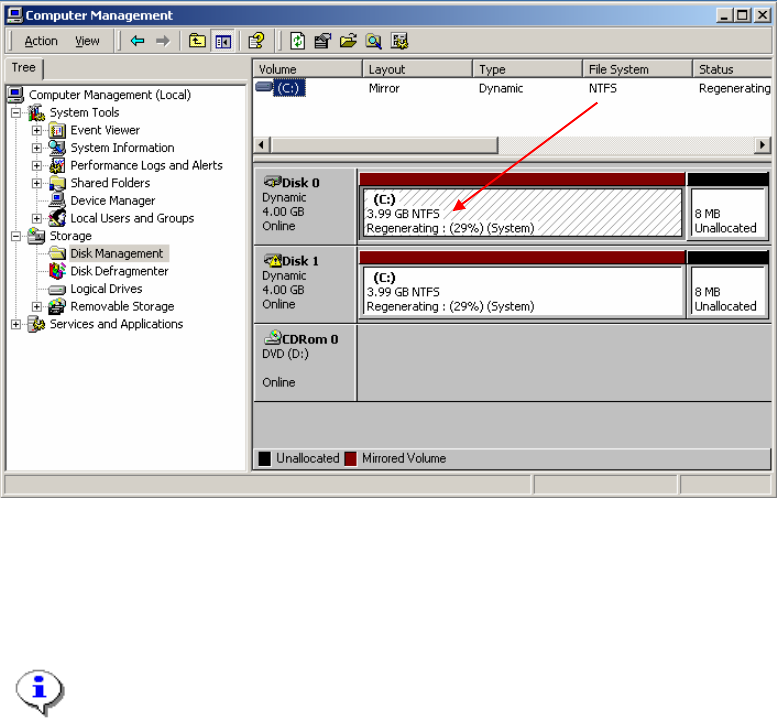
Fig. 2-36 Computer Management
You can see how much percentage to mirror set was build. You can wait until the mirror set is
completely built.
Note:
The Disk mirroring takes 1,5 hours. Please don’t close the dialog before the mirroring was
done.
Close all dialogs after the disk mirroring was done.
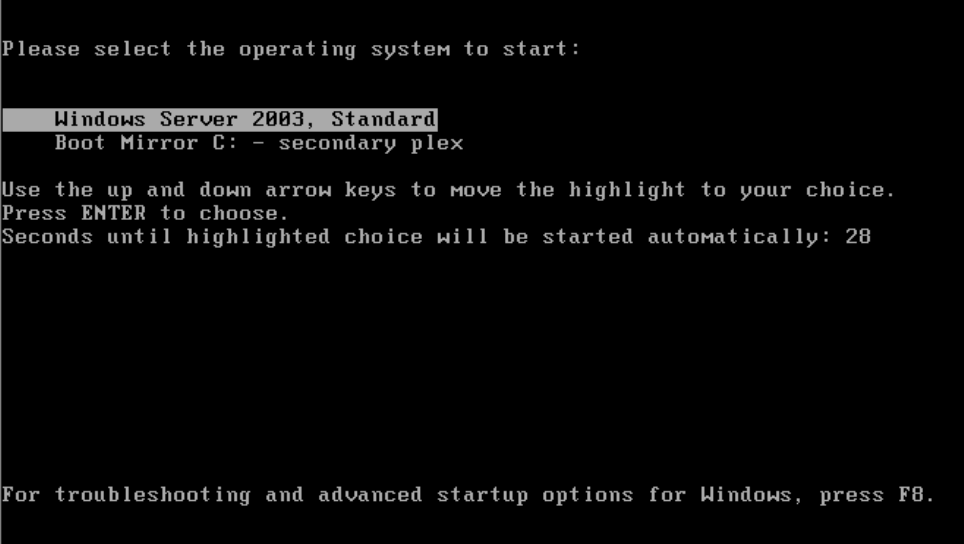
This should be your Boot screen after mirroring and reboot
32 / 34
Installation Manual for Windows 2003 Server (manual setup) Edition 04/2006
Fig. 2-3737 Boot Screen after mirroring
2.4.4 Create a boot disk for booting from the mirrored disk set
→ Format a new floppy disk.
→ Copy following files from the c: drive and root directory to the floppy disk:
– boot.ini
– ntdetect.com
– ntldr
Store the floppy disk on a location for emergency cases.
33 / 34

Order No.: 00194477-02 Siemens Aktiengesellschaft
To be ordered from:
Siemens AG, Automation and Drives
Electronic Assembly Systems
Rupert-Mayer-Strasse 44
81379 Munich, Germany
Printed in the Federal Republic of Germany.
Siemens AG 2006 All ri
g
hts reserved Sub
j
ect to chan
g
e without
p
rior notice