00194477_Install_Win2003_manual.pdf - 第18页
Installation Manual for Windows 2003 Server (manual setup) Edition 04/2006 Fig. 2-17: TCP IP Configuration → Select the option “Use the following IP address” → Enter the IP address as well as the network mask . Note: Thi…
Installation Manual for Windows 2003 Server (manual setup) Edition 04/2006
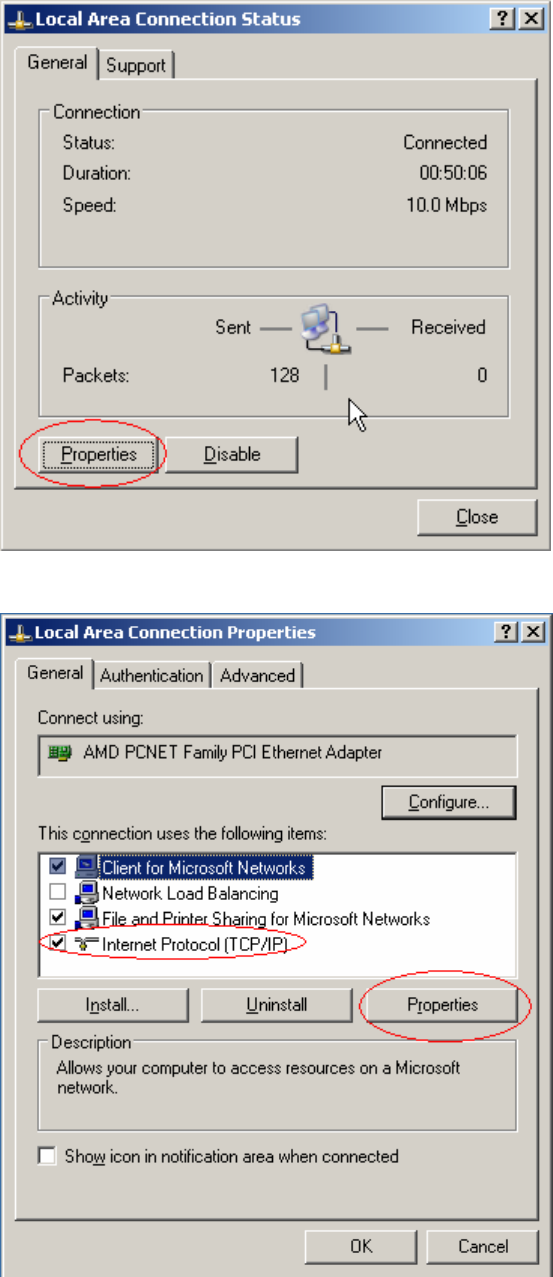
Fig. 2-15: Local Area Connection
Fig. 2-16: Configure Network connection
→ Select the network component “Internet Protocol (TCP/IP)”
→ Select the button Properties
17 / 34
Installation Manual for Windows 2003 Server (manual setup) Edition 04/2006
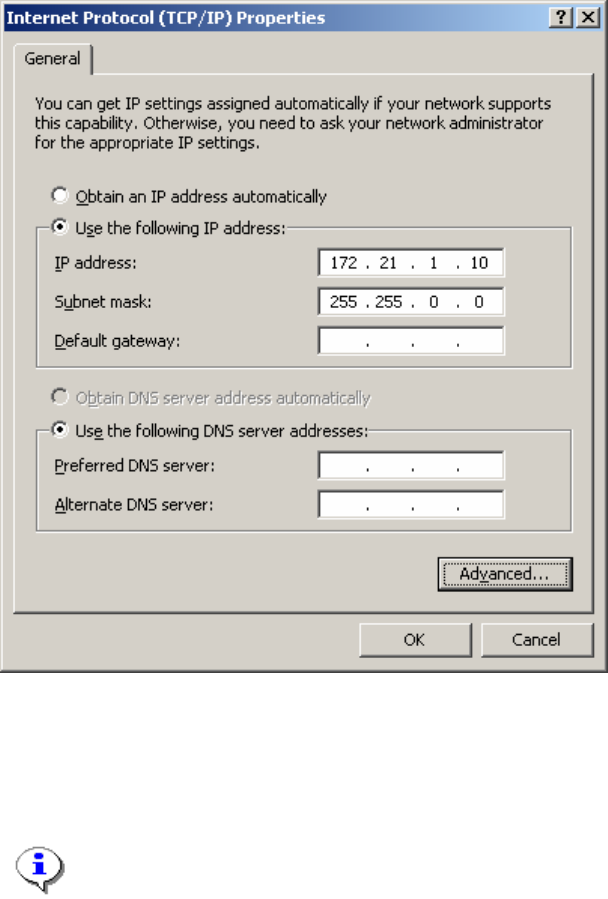
Fig. 2-17: TCP IP Configuration
→ Select the option “Use the following IP address”
→ Enter the IP address as well as the network mask.
Note:
This configuration is for an island configuration. The customer might have other
configuration parameter here for you to enter.
Click the button Ok and close all opened dialogs.
18 / 34
Installation Manual for Windows 2003 Server (manual setup) Edition 04/2006
2.3 Customize Hardware configuration
Depending on the hardware you are using, it might be necessary to manually install the drivers of your
manufacturer. This happens when the hardware is newer than the Windows version you are using.
Note:
You can use this as a guideline to install commonly missing drivers. This guideline might not
cover all procedures. Please consult the documentation for the hardware manufacture.
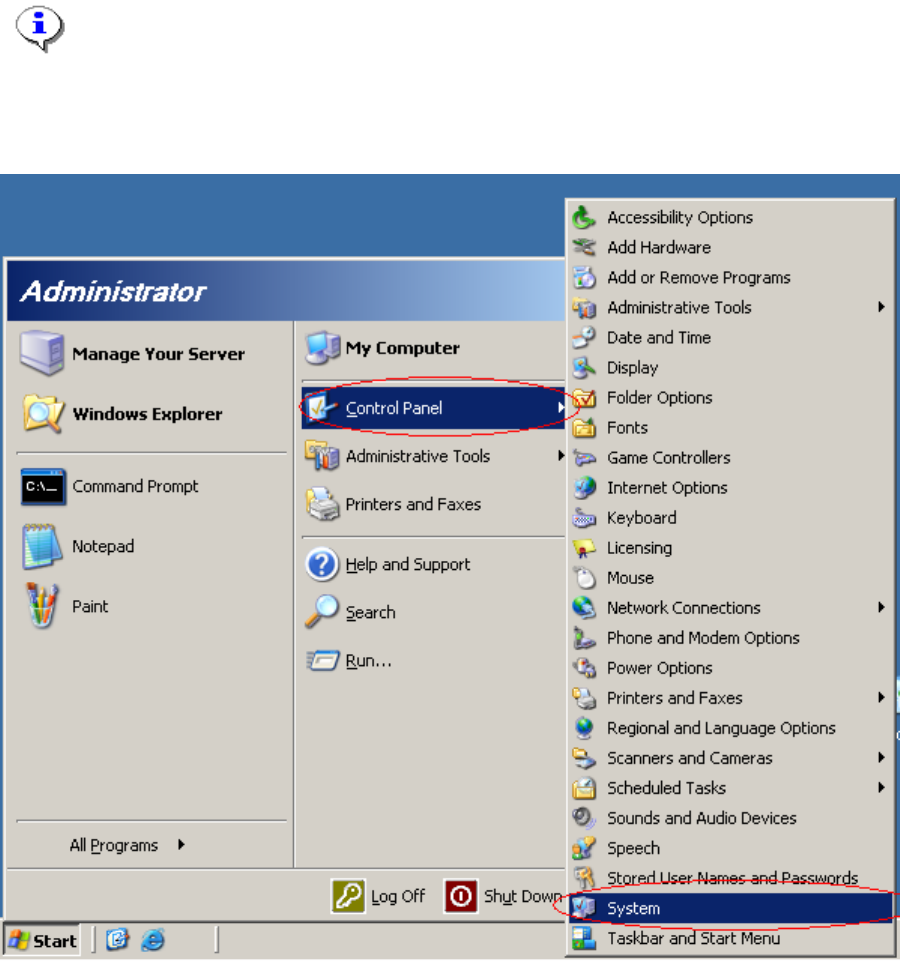
→ Open the Control Panel by activating Start->Control Panel -> System.
19 / 34