00194477_Install_Win2003_manual.pdf - 第32页
Installation Manual for Windows 2003 Server (manual setup) Edition 04/2006 Fig. 2-36 Computer Management You can see how much pe rcentage to mirror set wa s build. You can wait until the mirror set is completely built. N…
Installation Manual for Windows 2003 Server (manual setup) Edition 04/2006
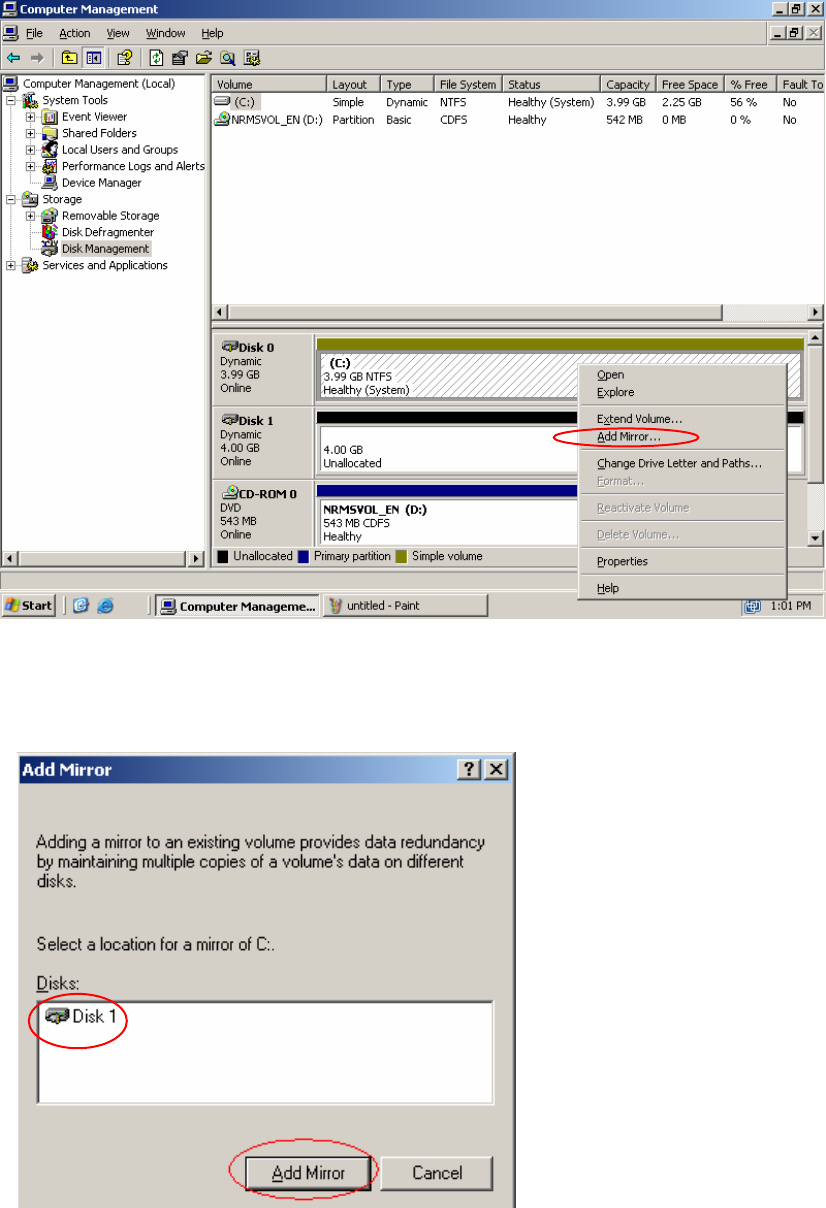
Fig. 2-34 Add Mirror Menu
→ Navigate the cursor to the hatched field (1) from Disk 0 and press the right mouse button.
→ Now select "Add Mirror..." and press the left mouse button.
2
Fig. 2-35 Add Mirror
→ Choose now "Disk 1" and confirm with Add Mirror.
31 / 34
Installation Manual for Windows 2003 Server (manual setup) Edition 04/2006
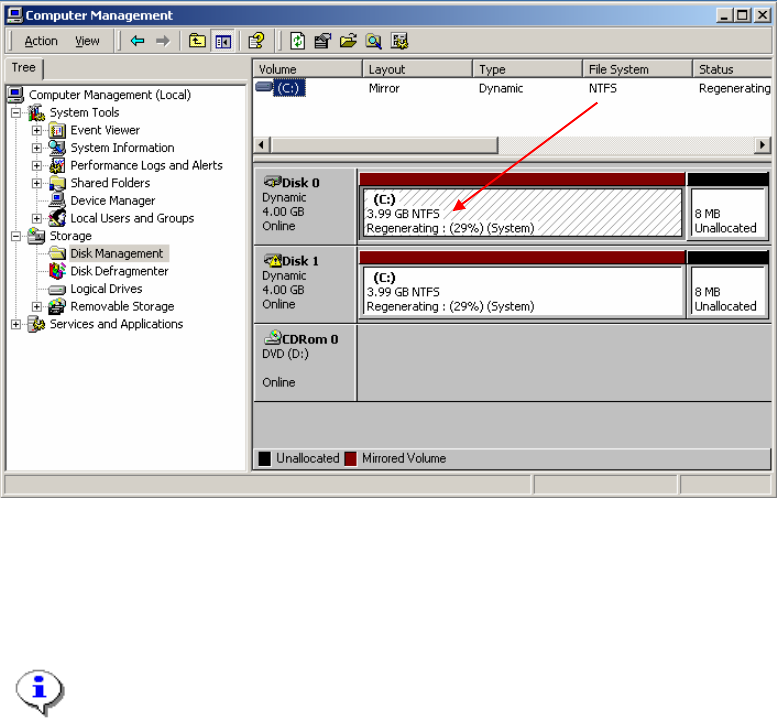
Fig. 2-36 Computer Management
You can see how much percentage to mirror set was build. You can wait until the mirror set is
completely built.
Note:
The Disk mirroring takes 1,5 hours. Please don’t close the dialog before the mirroring was
done.
Close all dialogs after the disk mirroring was done.
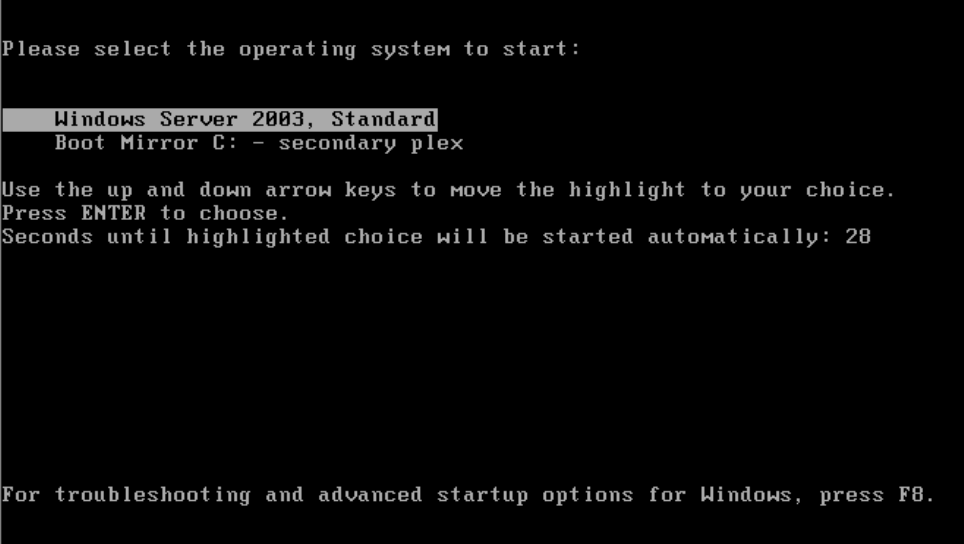
This should be your Boot screen after mirroring and reboot
32 / 34
Installation Manual for Windows 2003 Server (manual setup) Edition 04/2006
Fig. 2-3737 Boot Screen after mirroring
2.4.4 Create a boot disk for booting from the mirrored disk set
→ Format a new floppy disk.
→ Copy following files from the c: drive and root directory to the floppy disk:
– boot.ini
– ntdetect.com
– ntldr
Store the floppy disk on a location for emergency cases.
33 / 34