Infinity DI.pdf - 第34页
INFINITY TECHNI CAL REFEREN CE ADJUS TMEN TS AND SETTI NGS Chapter Issu e 4 Aug 01 Infinity Dual Imag e Manual 1.29 4. Select Conf irm to continue. 5. Scroll do wn the page to S creen Locate Distance , this is the distan…
1.28 Infinity Dual Image Manual Chapter Issue 4 Aug 01
INFINITY
TECHNICAL REFERENCE
ADJUSTMENTS AND SETTINGS
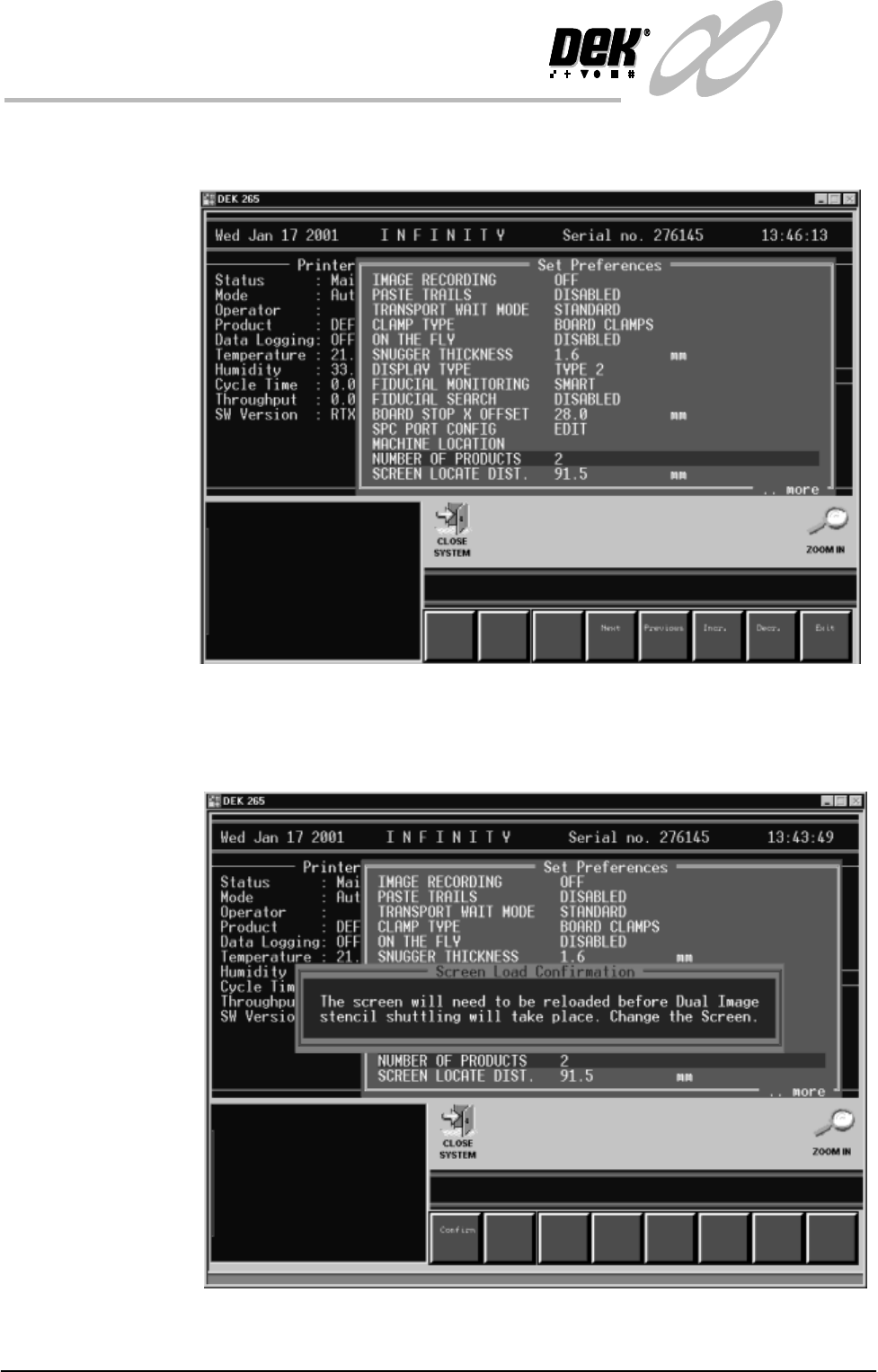
3. Scroll down the menu for the parameter - Number of Products. Using the
incr. or decr. softkeys, set this parameter to 2.
Figure 1-21 Selecting the Number of Products Option
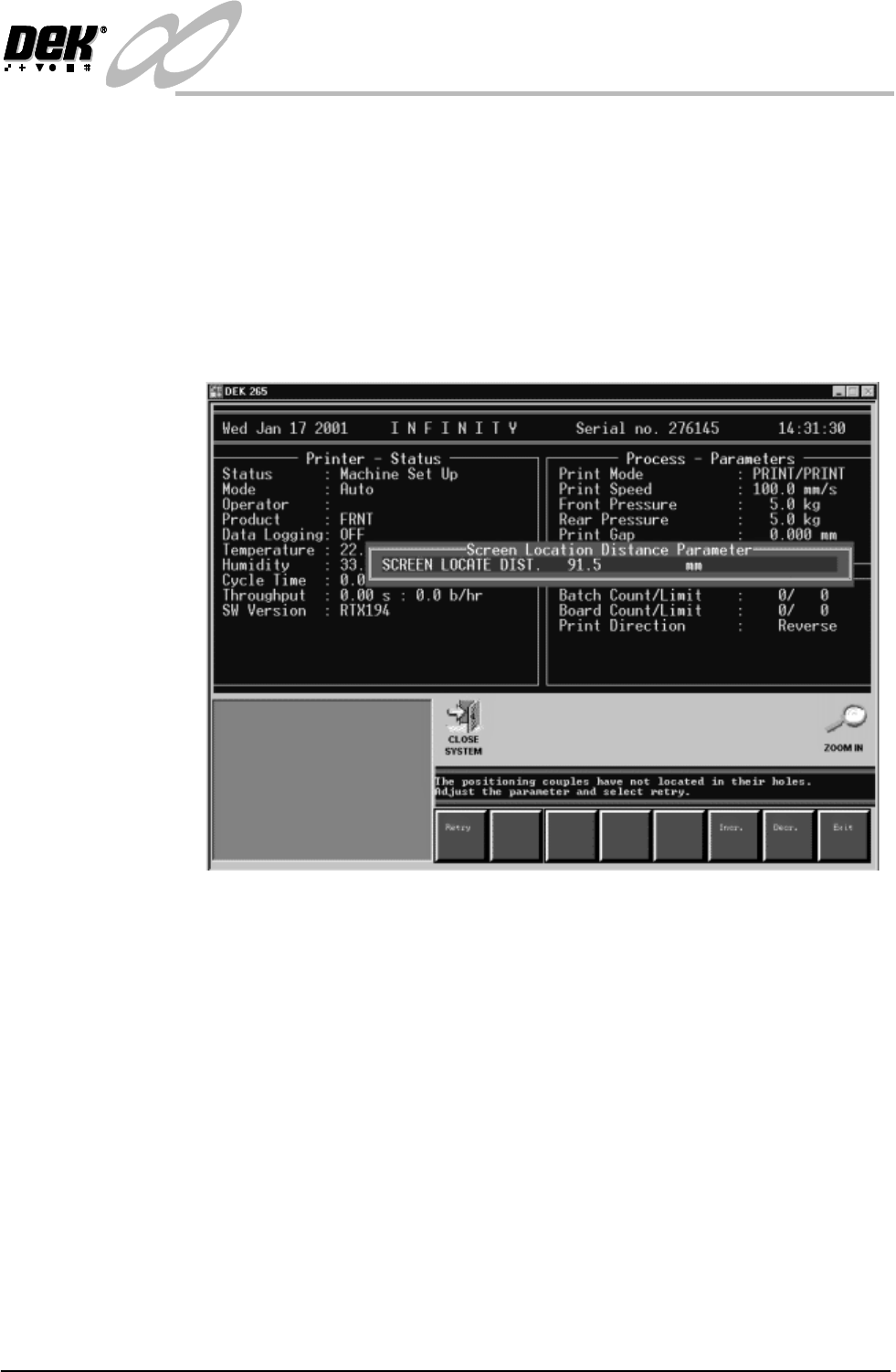
As the machine is going to be run in Dual image mode a configuration error
prompt message is displayed to warn the user that the screen needs to be of the
correct type.
Figure 1-22 Screen Load Configuration Prompt
INFINITY
TECHNICAL REFERENCE
ADJUSTMENTS AND SETTINGS
Chapter Issue 4 Aug 01 Infinity Dual Image Manual 1.29
4. Select Confirm to continue.
5. Scroll down the page to Screen Locate Distance, this is the distance from
the leading edge of the screen to the centre of the slot in the runner adaptor
(or bracket - see Adapting a 29 inch screen). This distance is defaulted to 91.5
mm.
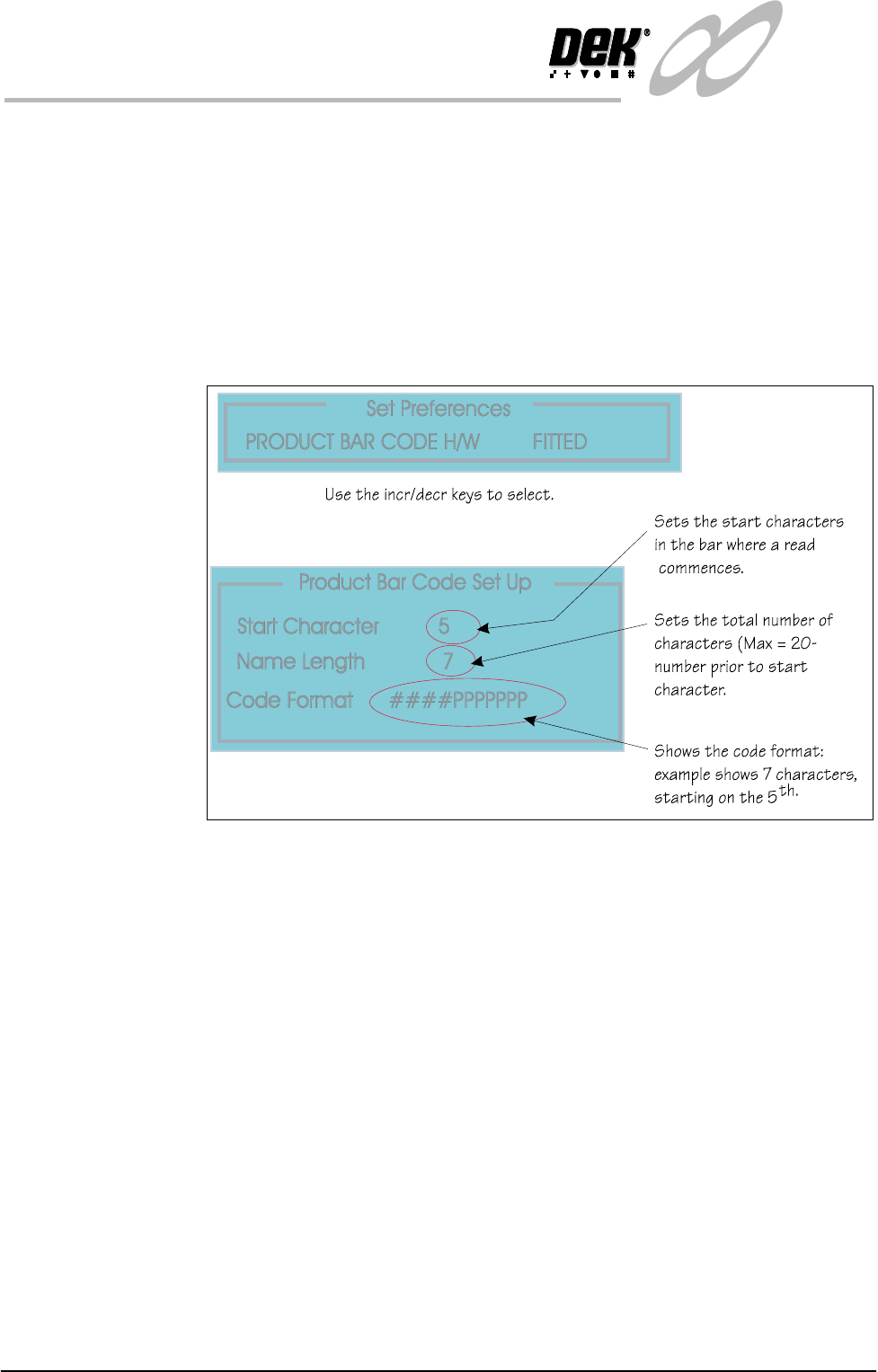
6. Select Change Screen and load the correct screen. If the actuators do not
engage the slot cleanly the screen locate distance parameter is used to make
finite adjustments. A message is displayed in the operator prompt panel as
shown in the figure. The sensor associated with this measurement is the
Screen at Rear, a long throw opto through beam type
Figure 1-23 Adjusting Screen Locate Distance
1.30 Infinity Dual Image Manual Chapter Issue 4 Aug 01
INFINITY
TECHNICAL REFERENCE
ADJUSTMENTS AND SETTINGS
Bar Code Set Up The information below applies to the Bar Code Reader option if fitted. To set the
bar code parameters the following pages may be edited.
Product Bar Code Set the product bar code first followed by the remote bar code.
Set Preferences To edit the bar code follow the procedure below:
1. Select Maint. (F8 function key).
2. Select Set Prefs (F5).
The Set Prefs page is displayed.
Figure 1-24 Setting the Bar Code Read Characters