Infinity DI.pdf - 第35页
1.30 Infinity Dual Imag e Manual Chapter Issue 4 Aug 01 INFINITY TECHNIC AL RE FERENCE ADJUS TMENT S AND SET TINGS Bar Code Set Up The information below applies to the Bar Code Reader option if fitted. T o set the bar co…
INFINITY
TECHNICAL REFERENCE
ADJUSTMENTS AND SETTINGS
Chapter Issue 4 Aug 01 Infinity Dual Image Manual 1.29
4. Select Confirm to continue.
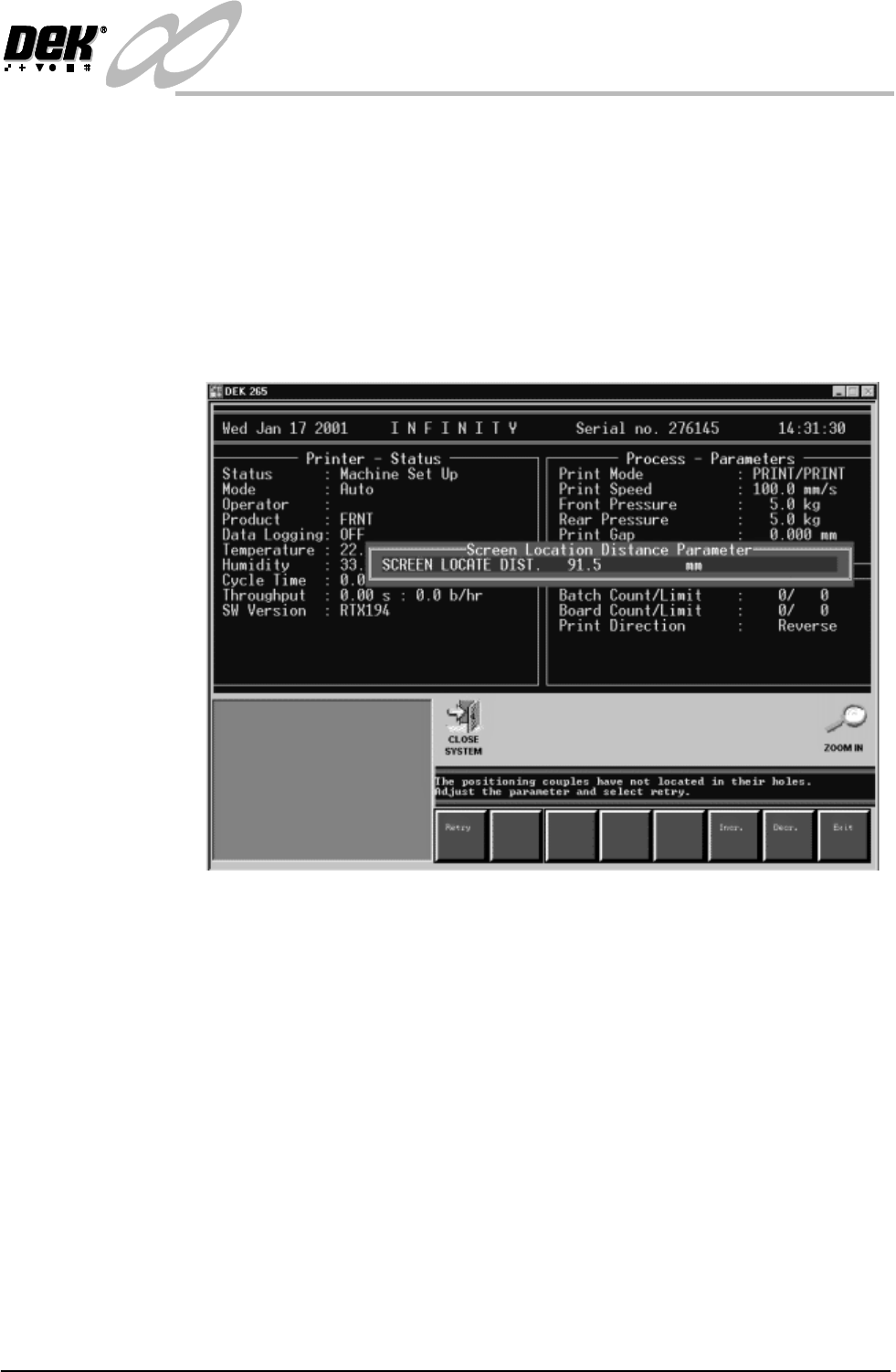
5. Scroll down the page to Screen Locate Distance, this is the distance from
the leading edge of the screen to the centre of the slot in the runner adaptor
(or bracket - see Adapting a 29 inch screen). This distance is defaulted to 91.5
mm.
6. Select Change Screen and load the correct screen. If the actuators do not
engage the slot cleanly the screen locate distance parameter is used to make
finite adjustments. A message is displayed in the operator prompt panel as
shown in the figure. The sensor associated with this measurement is the
Screen at Rear, a long throw opto through beam type
Figure 1-23 Adjusting Screen Locate Distance
1.30 Infinity Dual Image Manual Chapter Issue 4 Aug 01
INFINITY
TECHNICAL REFERENCE
ADJUSTMENTS AND SETTINGS
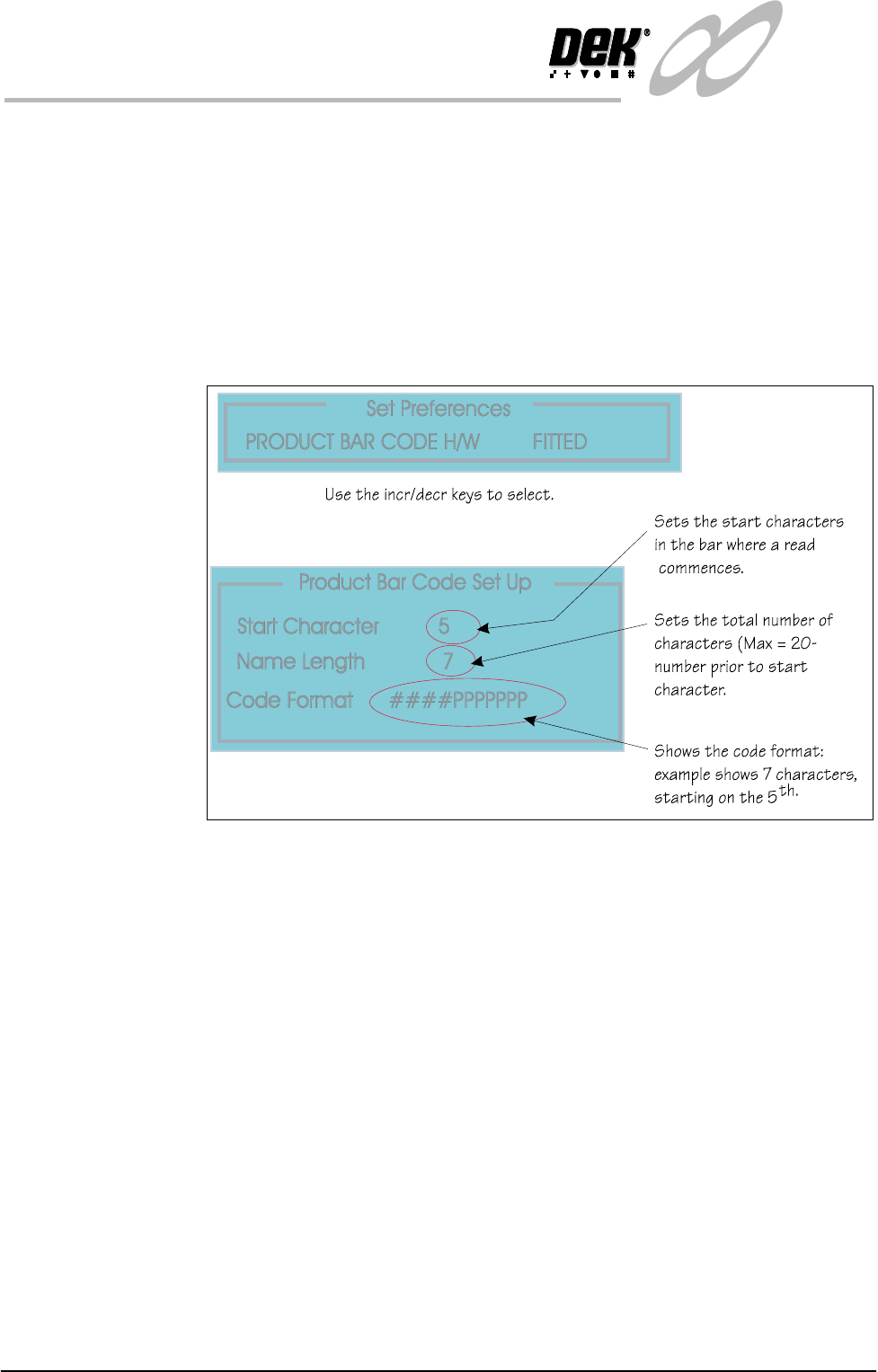
Bar Code Set Up The information below applies to the Bar Code Reader option if fitted. To set the
bar code parameters the following pages may be edited.
Product Bar Code Set the product bar code first followed by the remote bar code.
Set Preferences To edit the bar code follow the procedure below:
1. Select Maint. (F8 function key).
2. Select Set Prefs (F5).
The Set Prefs page is displayed.
Figure 1-24 Setting the Bar Code Read Characters
INFINITY
TECHNICAL REFERENCE
ADJUSTMENTS AND SETTINGS
Chapter Issue 4 Aug 01 Infinity Dual Image Manual 1.31
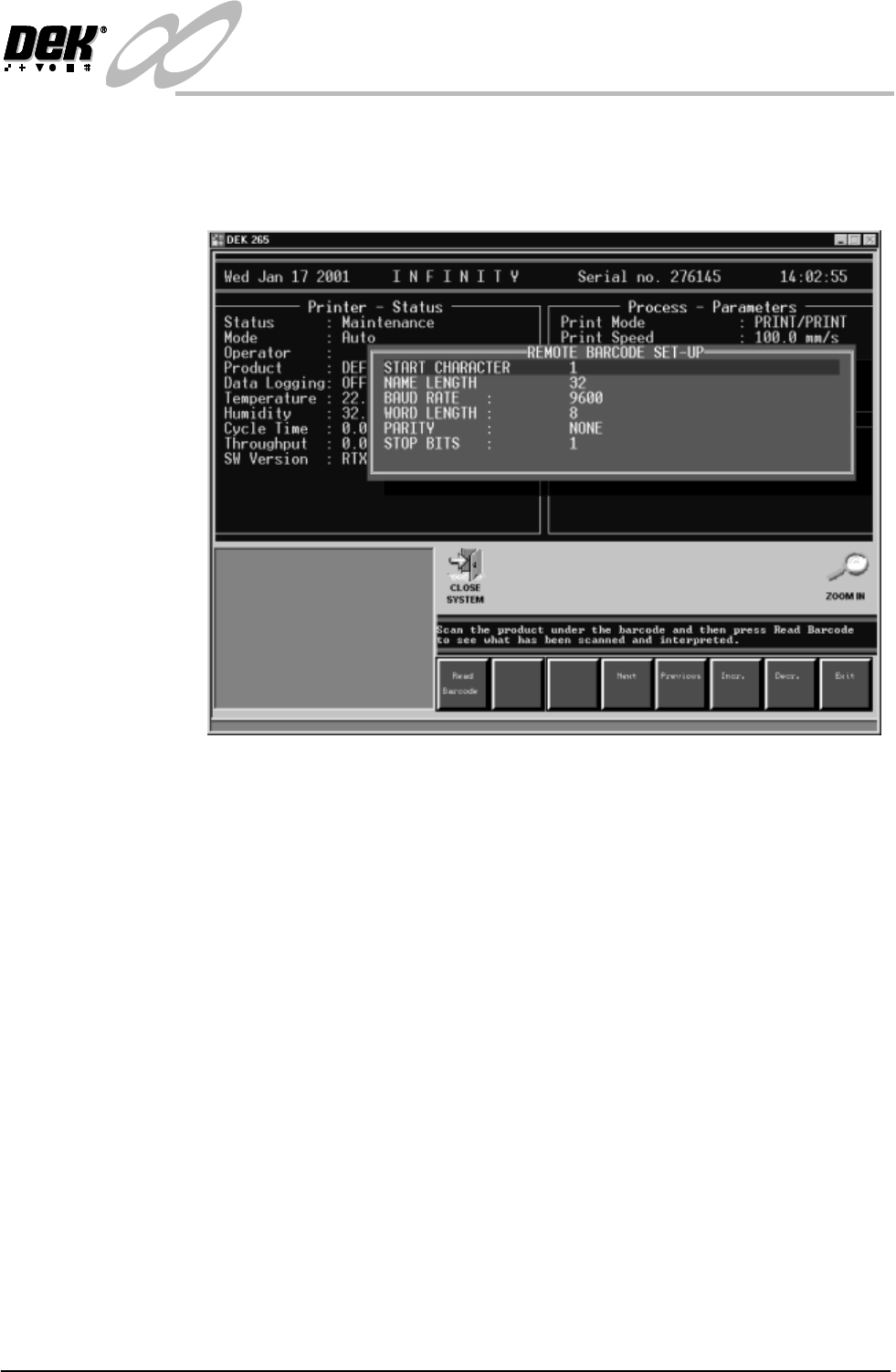
Remote Bar Code To set up the remote bar code (fitted to the external frame).
3. Select Set up Bar Code (F1). Place the product under the remote bar code
and then press Read Barcode to see what has been scanned and interpreted.
Figure 1-25 Set Up Remote Bar Code
4. Select Exit when complete.
5. Select Maint. (F8).
6. Select Set Prefs. (F5).