Infinity DI.pdf - 第53页
2.6 Infinity Dual Imag e Manual Chapter Issue 3 Jan 01 INFINITY OPERATOR SET U P Change Scre en Where r equired fit the runner adaptors to the left and right side of the dual image screen (if the y are not already f itte…

Chapter Issue 3 Jan 01 Infinity Dual Image Manual 2.5
INFINITY
OPERATOR
SET UP
5. Select Exit when complete.
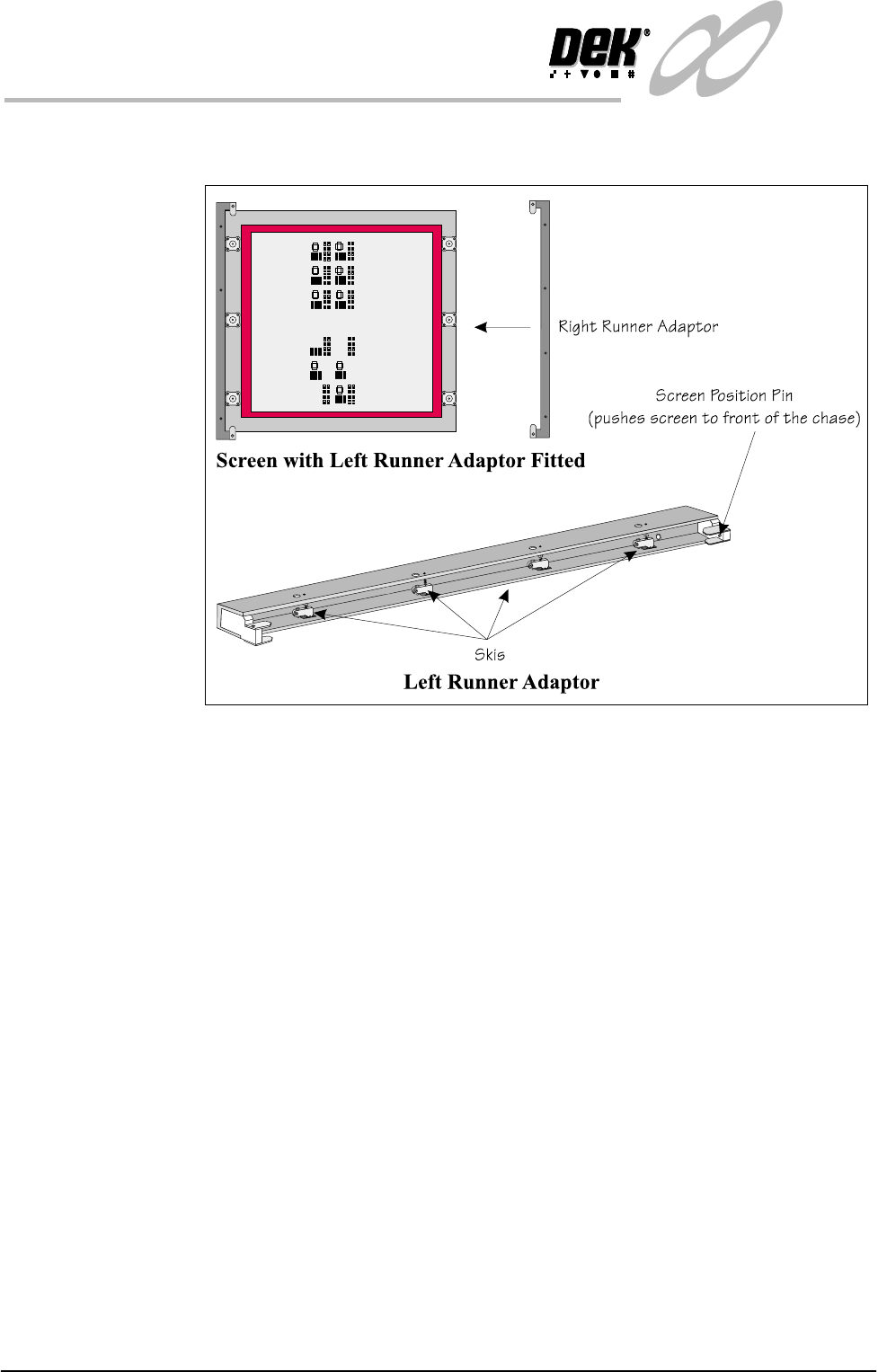
2.6 Infinity Dual Image Manual Chapter Issue 3 Jan 01
INFINITY
OPERATOR
SET UP
Change Screen Where required fit the runner adaptors to the left and right side of the dual image
screen (if they are not already fitted).
Figure 2-2 Fit the Runner Adaptors to the Screen
6. Select Change Screen (F5).
7. When prompted, lift the front cover and remove the screen that is fitted.
8. Load the dual image screen into the printer.
9. Close the printhead cover.
10.Press the System button.
The screen loads into the machine but does not load to either Product A or
Product B locations.

Chapter Issue 3 Jan 01 Infinity Dual Image Manual 2.7
INFINITY
OPERATOR
SET UP
Change Tooling For information on tooling options see the Tooling section of this chapter.
NOTE
DEK recommend that only magnetic tooling pins are changed by the operator.
Other tooling options may require board configuration files to be altered.
11.Select Change Tooling (F6).
12.Select Head (F2).
13.Raise the head using the two button control.
14.Fit the head prop.
15.Place the tooling in the correct location for the products to be printed
NOTE
The use of the plural in products above is deliberate as it is a requirement for
both product A and product B tooling to be placed or adjusted at this time. For
details see the ‘Tooling’ section later in this chapter.
WARNING
BOARD CLAMPS. EXTREME CARE MUST BE EXERCISED WHEN
WORKING IN THE TOOLING AREA OF THE MACHINE TO AVOID
INJURY. THE FOILS ON THE FRONT AND REAR BOARD CLAMPS
ARE VERY SHARP.
16.Remove the head prop and lower the printhead using the two button
controller.
17.Select Exit (twice).
The machine is now set up ready to print the products. Reference should be made
to the Operator Manual - Step Through Guide for printing a batch or to set up
other functions such as clean screen rates etc.