00198228-02_IM-MaterialSetupAssistant_DE_EN.pdf - 第98页
Configuration Configuration Settings in EDM 98 SIPLACE Material Setup Assistant 2.2 SIPLACE Material Setup Assistant 2 .2 3.4 3 . 4 C o n f ig u r a t io n S e t t in g s in E D M Configuration Settings in EDM 3.4.1 3 . …
Configuration
Configuration Settings in the ASM Material Manager
SIPLACE Material Setup Assistant 2.2 SIPLACE Material Setup Assistant 2.2 97
3.3.2
3.3.2 Selecting Material Reuse
Selecting Material Reuse
Use the option to specify if components are to be kept in the pre-setup area or not.
► Open the ASM Material Manager.
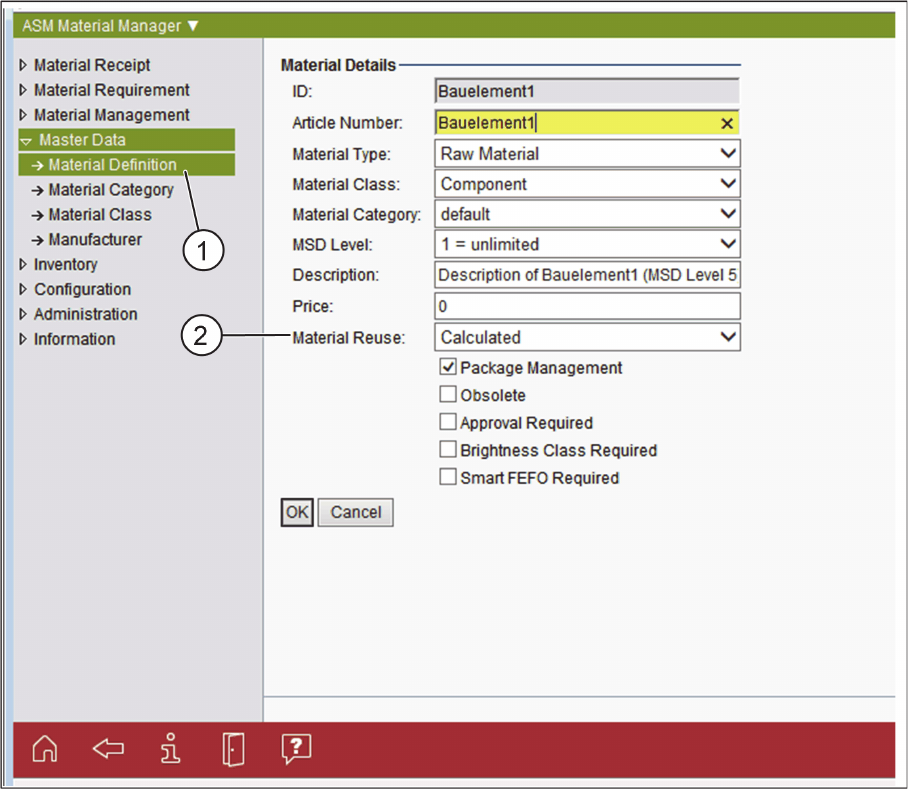
ASM Material Manager- Selecting the Material Reuse Option
► In the tree structure of the ASM Material Manager, select Master Data => Material Definition (1).
► In the Material Details, select the Material Reuse option for the relevant material (2).
Material Reuse
Select if the material is to be kept ready in the Active Feeder Pool. The following options are available:
▪ Calculated
– It is calculated if the material is to be kept ready in the Active Feeder Pool or if it is to be returned
to the warehouse.
▪ Permanent
– The material is to be kept ready permanently in the Active Feeder Pool. For example, this is the
case for standard material that is always used even if there is currently no reuse specified for this
material. This material is not put into the warehouse but is kept in the pre-setup area (e.g. on the
AFP hardware).
▪ Never
– The material is never to be kept ready in the Active Feeder Pool.
► Confirm with OK.
Configuration
Configuration Settings in EDM
98 SIPLACE Material Setup Assistant 2.2 SIPLACE Material Setup Assistant 2.2
3.4
3.4 Configuration Settings in EDM
Configuration Settings in EDM
3.4.1
3.4.1 Disabling the Production Schedule Inserter
Disabling the Production Schedule Inserter
The Production Schedule Inserter must be disabled. ASM Material Setup Assistant already enters the
recipes into the production schedule of the SIPLACE Line Control GUI. Disabling the Production Sched
-
ule Inserter prevents the recipes from being entered twice into the Production Schedule of the SIPLACE
Line Control GUI.
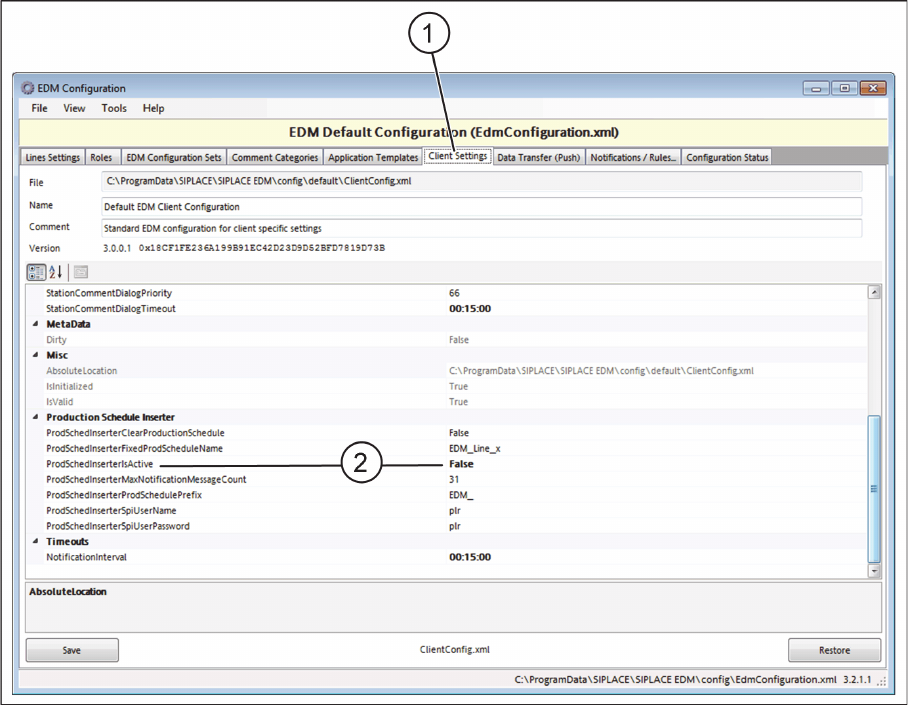
► Start EDM Configuration.
► Select the Client Settings tab.
► Set the ProdSchedInserterIsActive entry to False.
EDM Configuration - Disabling the Production Schedule Inserter
3.4.2
3.4.2 Suppressing the Display of a Callback When Changing the EDM Production Schedule
Suppressing the Display of a Callback When Changing the EDM Production Schedule
Create a rule that suppresses the display of a callback before the EDM Production Schedule is changed.
acpage