00196864-01_IM_OIS_SIS 9.3_DE EN.pdf - 第18页
OIS 9.3 / Installation Manual Ausgabe 07/2011 Edition 3.2.3 Installing OIS Client NOTICE OIS Server must be installed and runnin g before installing OIS Client! Figure 3-18: Selecting machine type ► Select the machine ty…
OIS 9.3 / Installation Manual Ausgabe 07/2011 Edition
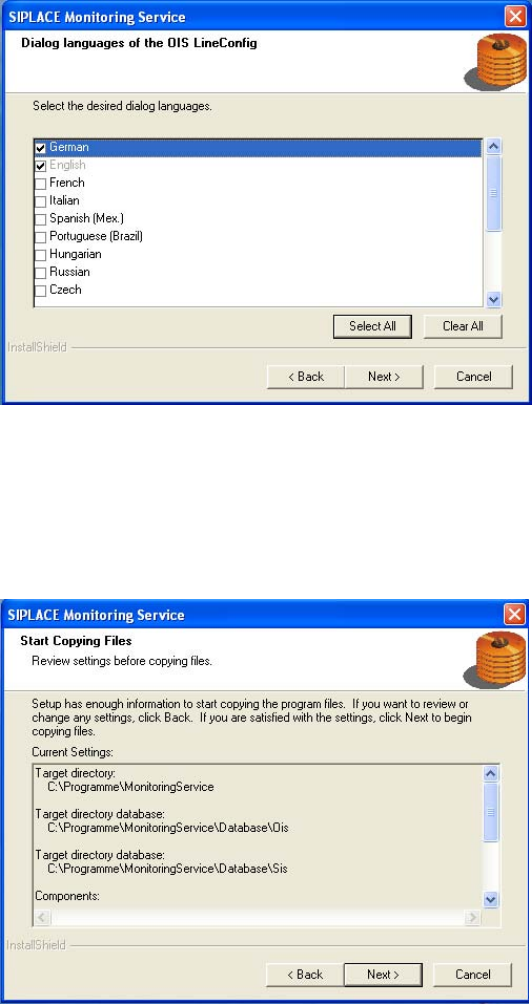
Figure 3-16: Selecting dialog languages for OIS LineConfig
► Select the desired languages.
The languages are only relevant for the OIS LineConfig dialog. German and English are
always installed.
► Continue by clicking the Next> button.
Figure 3-17: Reviewing settings
This shows a summary of the settings and entries you have made so far.
► Check the settings.
► If you wish to change your entries, click <Back to return to the appropriate dialog.
► Click Next> to start the actual installation process.
The software is then installed.
► Continue with section 3.2.3 on page 18.
17
OIS 9.3 / Installation Manual Ausgabe 07/2011 Edition
3.2.3 Installing OIS Client
NOTICE
OIS Server must be installed and running before installing OIS Client!
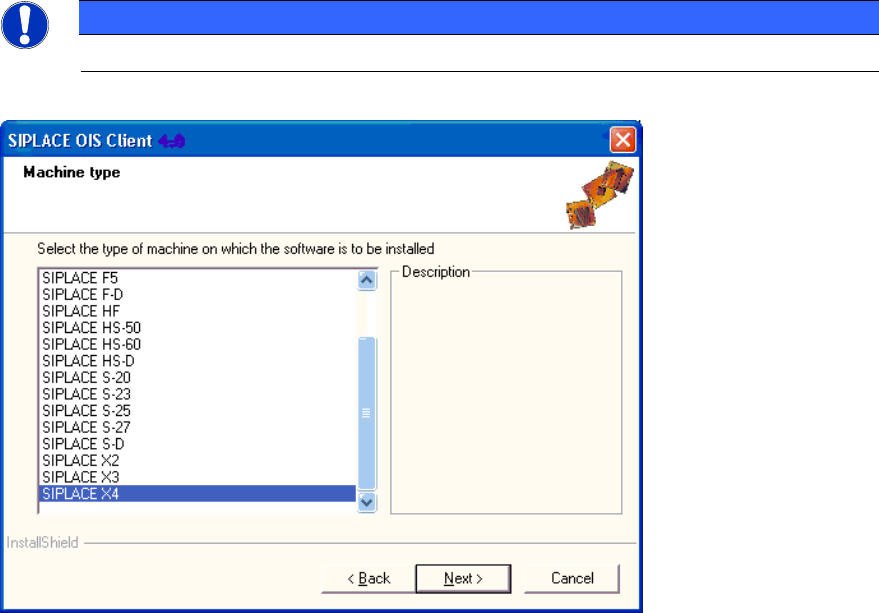
Figure 3-18: Selecting machine type
► Select the machine type on which OIS Client is to be installed.
► Select the Personal Computer type for machines with station software version 70x.
► Continue by clicking the Next> button.
18
OIS 9.3 / Installation Manual Ausgabe 07/2011 Edition
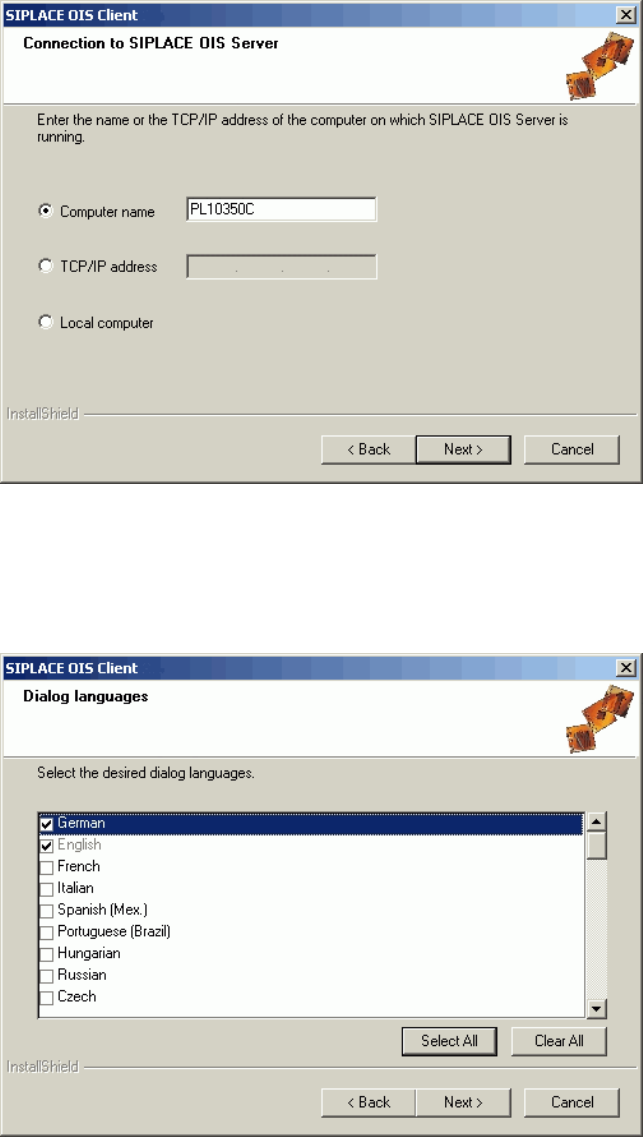
Figure 3-19: Entering connection to OIS Server
► Enter the TCP/IP address or the computer name of the OIS Server.
► If you are installing OIS Client on the OIS Server computer, select Local Computer.
► Continue by clicking the Next> button.
Figure 3-20: Selecting dialog languages for OIS Client
► Select the desired languages.
German and English are always installed.
► Continue by clicking the Next> button.
19