00196864-01_IM_OIS_SIS 9.3_DE EN.pdf - 第19页
OIS 9.3 / Installation Manual Ausgabe 07/2011 Edition Figure 3-19: Entering connection to OIS Server ► Enter the TCP/IP address or the computer name of the OIS Server. ► If you are installing OIS Client on the OIS Server…
OIS 9.3 / Installation Manual Ausgabe 07/2011 Edition
3.2.3 Installing OIS Client
NOTICE
OIS Server must be installed and running before installing OIS Client!
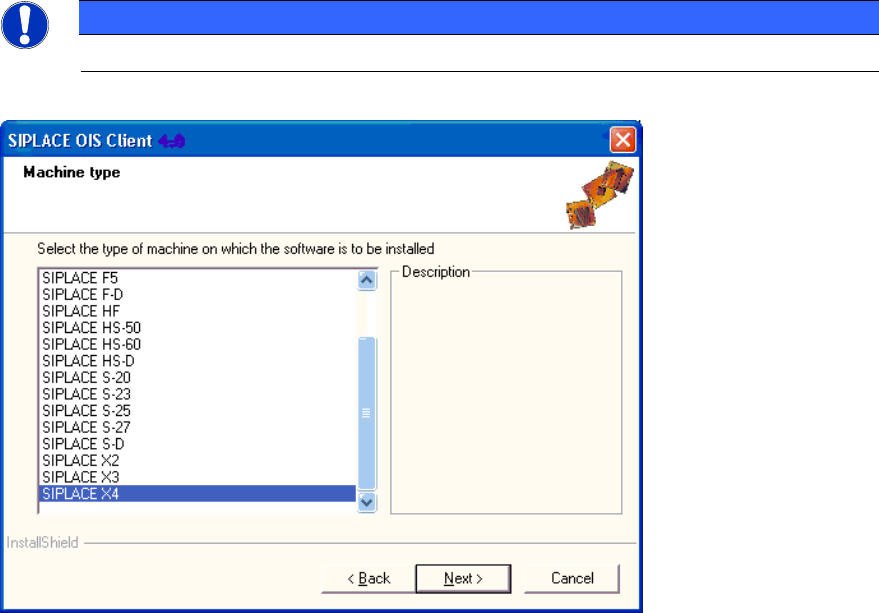
Figure 3-18: Selecting machine type
► Select the machine type on which OIS Client is to be installed.
► Select the Personal Computer type for machines with station software version 70x.
► Continue by clicking the Next> button.
18
OIS 9.3 / Installation Manual Ausgabe 07/2011 Edition
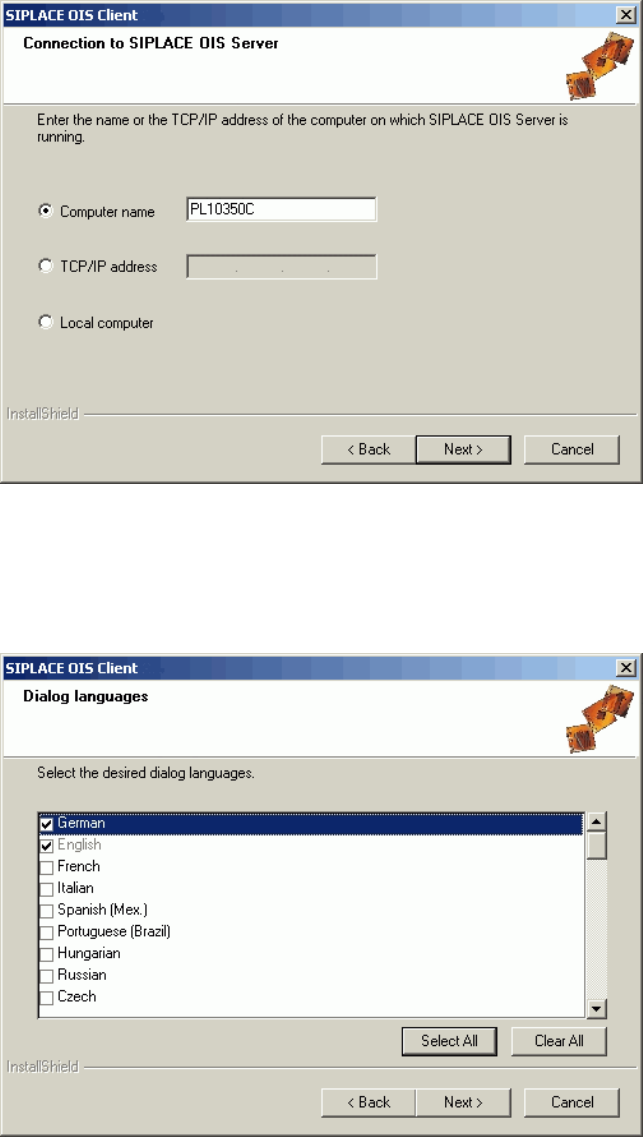
Figure 3-19: Entering connection to OIS Server
► Enter the TCP/IP address or the computer name of the OIS Server.
► If you are installing OIS Client on the OIS Server computer, select Local Computer.
► Continue by clicking the Next> button.
Figure 3-20: Selecting dialog languages for OIS Client
► Select the desired languages.
German and English are always installed.
► Continue by clicking the Next> button.
19
OIS 9.3 / Installation Manual Ausgabe 07/2011 Edition
CAUTION
When installing some languages a warning is displayed that a reboot is required to install
the language. In this case you will have to reboot the computer after installation, logging
in under the same account you are currently using in order to finish the installation
successfully.
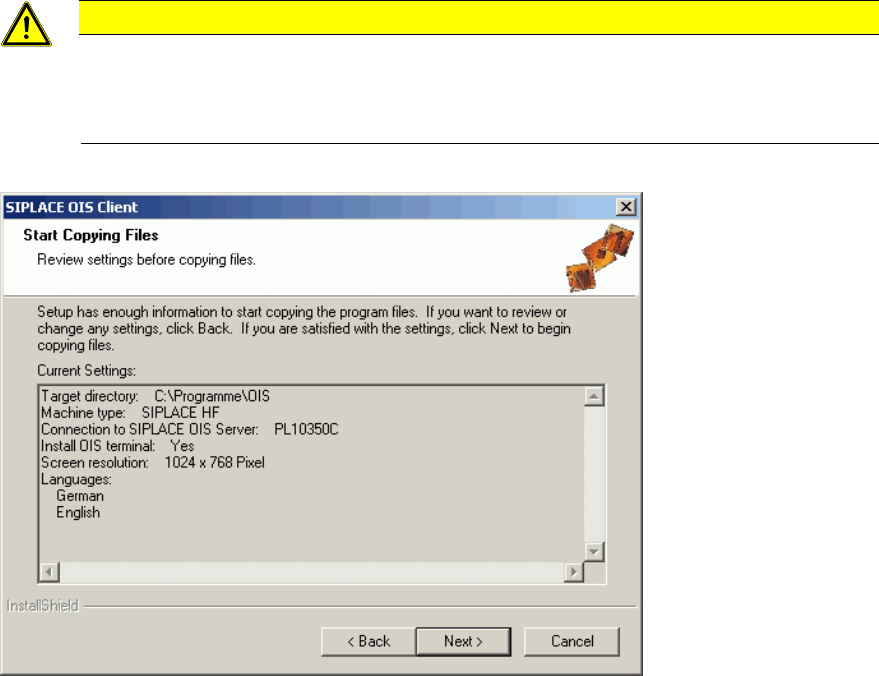
Figure 3-21: Reviewing settings
This shows a summary of the settings and entries you have made so far.
► Check the settings.
► If you wish to change your entries, click <Back to return to the appropriate dialog.
► Click Next> to start the actual installation process.
The software is then installed.
► Continue with section 3.2.4 on page 21.
20