00196864-01_IM_OIS_SIS 9.3_DE EN.pdf - 第26页
OIS 9.3 / Installation Manual Ausgabe 07/2011 Edition 26
OIS 9.3 / Installation Manual Ausgabe 07/2011 Edition
3.7 Identify Station (only OIS client)
For a station to be monitored, it must be identified.
For a station with station software version 70x, the station identification is not necessary.
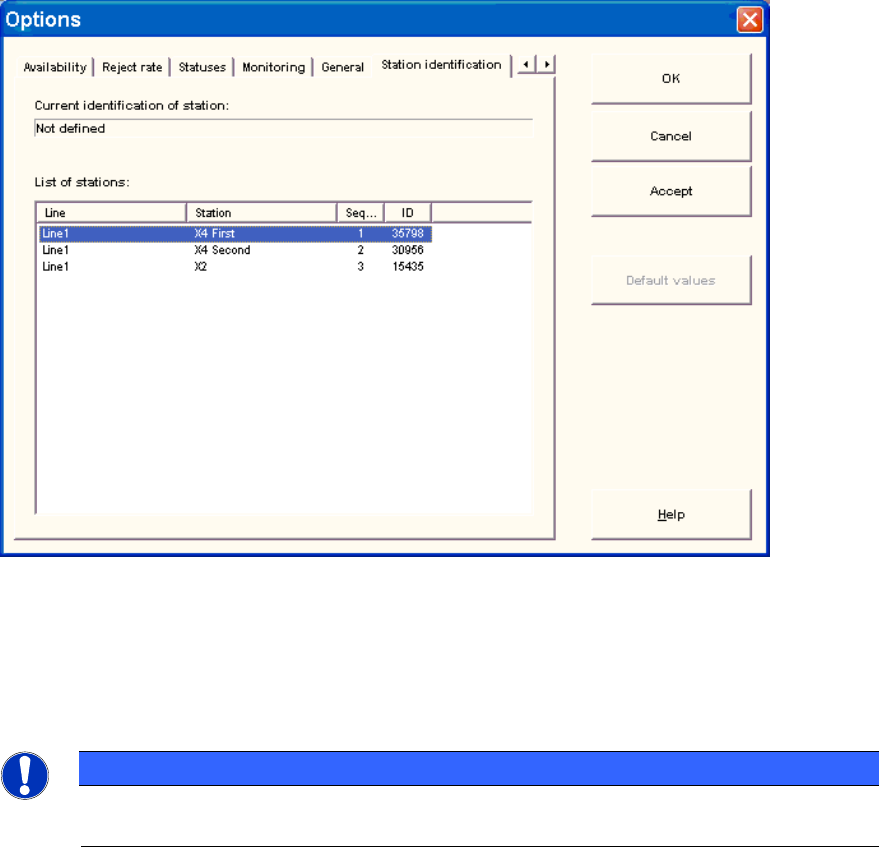
► Select the Station identification item from the Options menu.
Figure 3-24: Identifying station
► Select the appropriate station in the OIS Client from the list.
► Double-click the station to identify it.
► Close the dialog by clicking OK.
NOTICE
To select the station, the line configuration must be created first on the OIS Server using
OIS LineConfig, see the Administration Guide (item number 00196862-xx).
25
OIS 9.3 / Installation Manual Ausgabe 07/2011 Edition
26
OIS 9.3 / Installation Manual Ausgabe 07/2011 Edition
27