46230812.pdf - 第34页
Page 32 TECHNICAL PUBLICATIONS T46230812 Rev . D DH Positioning System Assembly , P/T This Document Supports Assembly 46230812 4. Place the set up template on the rotary table beneath head 1 and secure it in position usi…
Page 31
TECHNICAL PUBLICATIONS
DH Positioning System Assembly, P/T T46230812 Rev. D
This Document Supports Assembly 46230812
X-Y Axes Encoder Adjustments
Purpose:
This procedure ensures that the positioning of the X-Y axis encoder settings
correspond with the position of head 1.
If any of the rotary encoders are misaligned, the head 1 position does not
correspond to the pattern program values.
Prerequisite Adjustment:
Rotary Disk Alignment
Special Tools:
Set Up Template (46367805)
Set up tool
(43806307 for jumper wire and large head tooling)
(43806311 for standard, 5mm and 5.5mm tooling)
(43806312 for 5mm s/l tooling)
Span Adjustment head (47088701)
Head Drive Shaft (47084401)
Adjustment Procedure:
1. Push the STOP button.
2. Palm the machine down as detailed in the Operation Manual, then set
the limit switch actuators to the following set up dimensions.
X-axis: 3/4 inch from the end of the X-frame casting to the end of
the limit switch actuator.
Y-axis: 1/4 inch from the end of the sheet metal actuator mounting
surface to the edge of the limit switch actuator block.
3. Using the head drive shaft tool, manually position the head tooling on
both insertion heads to the tool safe position to prevent possible
damage to the insertion tooling during positioning system movements.
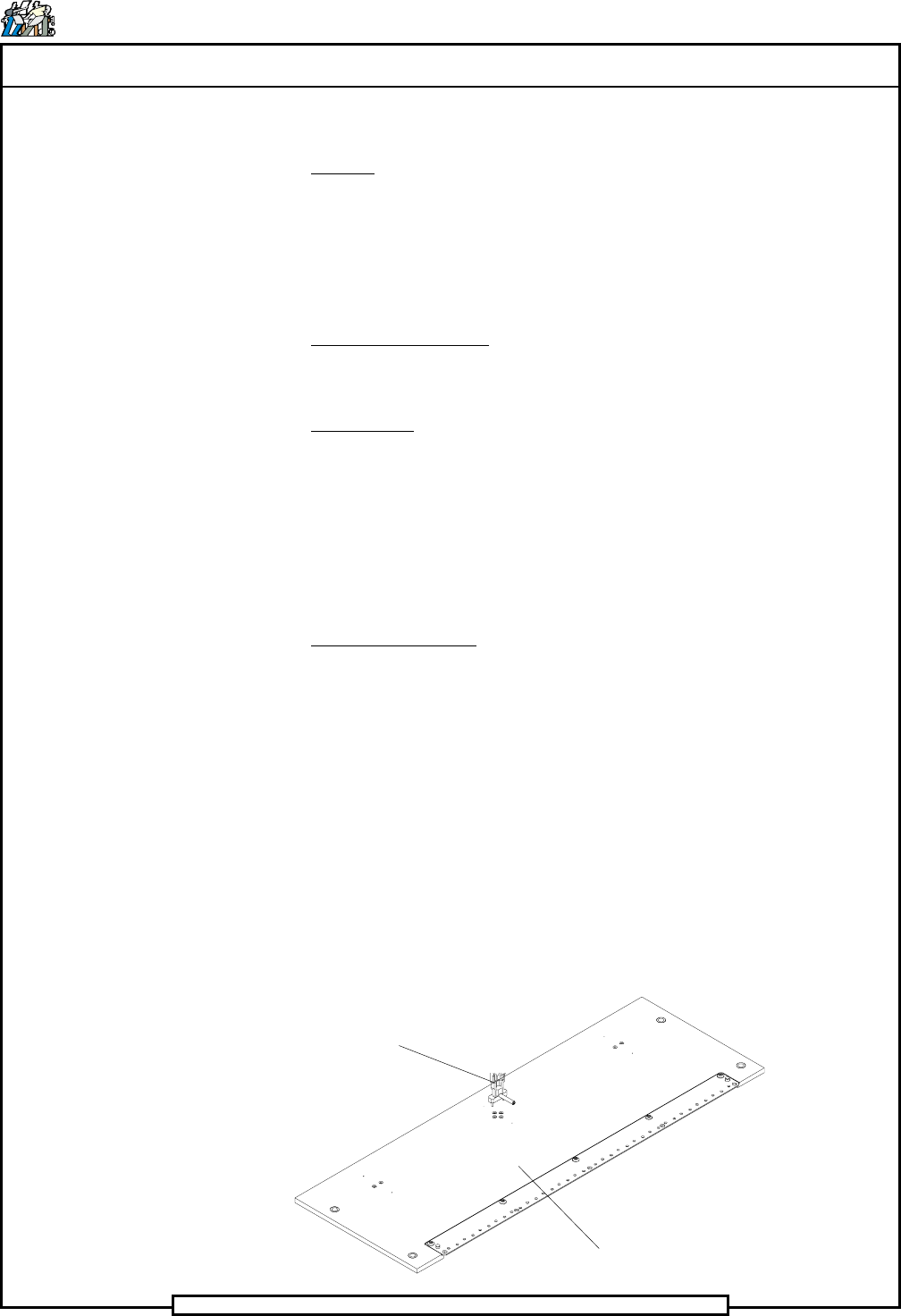
Set Up Template
Set Up Tool
Page 32
TECHNICAL PUBLICATIONS
T46230812 Rev. D DH Positioning System Assembly, P/T
This Document Supports Assembly 46230812
4. Place the set up template on the rotary table beneath head 1 and secure
it in position using the locator pins and thumb screws.
5. Activate the IM Diagnostics as follows. Refer to the IM-UPS and IM
Diagnostics documentation for specific details relating to the operation
of the machine terminal.
Select the IM Diagnostics icon.
When the machine is in the IM Diagnostics function, power is provided
to the machine. Exercise caution when performing the following
procedures to avoid Injury to personnel and equipment.
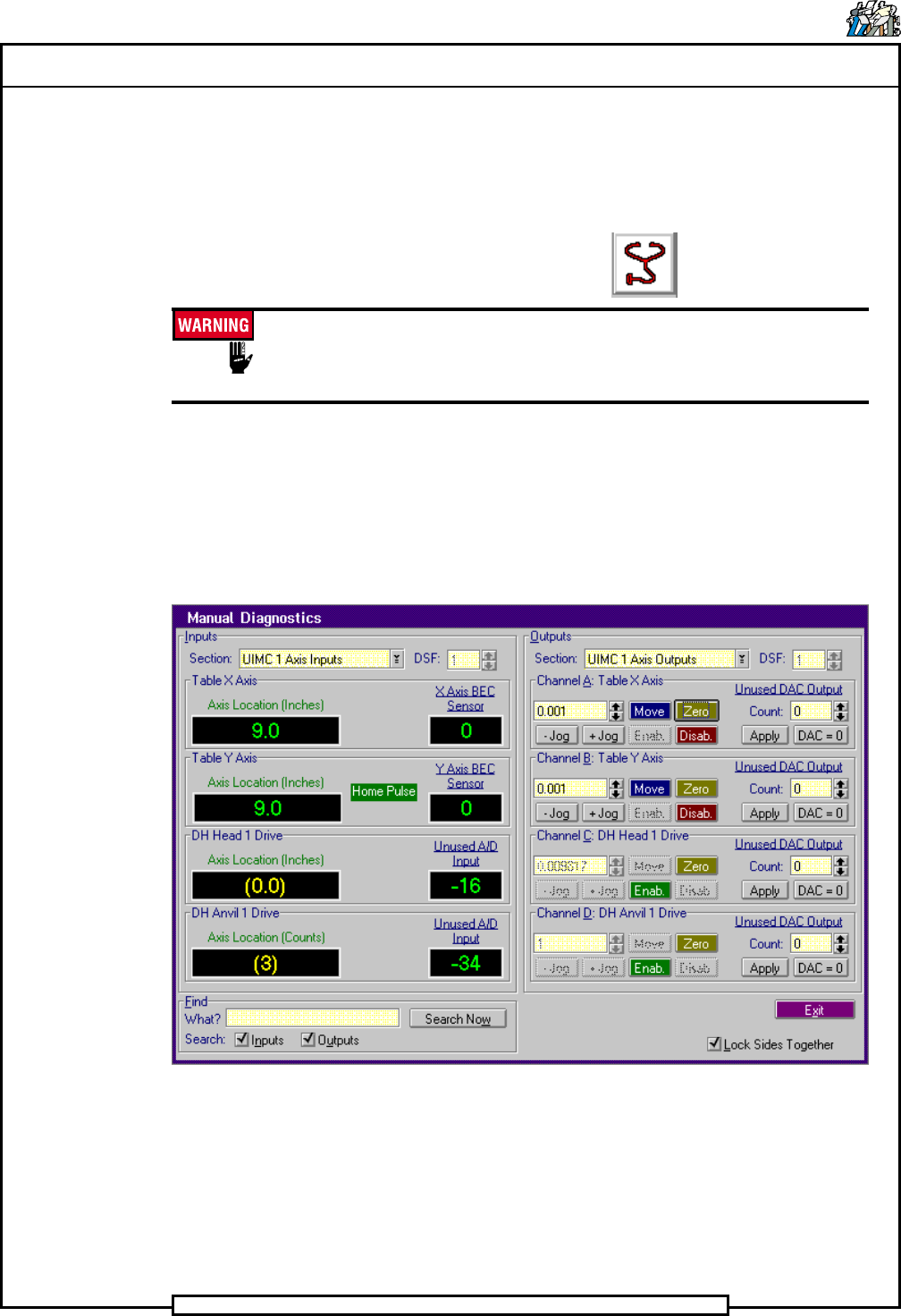
6. After the IM Diagnostics has completed its initialization, select the
following. Diagnostics>Manual Diagnostics
The Manual Diagnostics screen is displayed
7. In the Outputs side of the Manual Diagnostics screen, select the
following. Section>UIMC 1 Axis Outputs
8. Palm the machine up and push the INTLK RESET push button.
9. Select Channel B: Table Y Axis>Zero
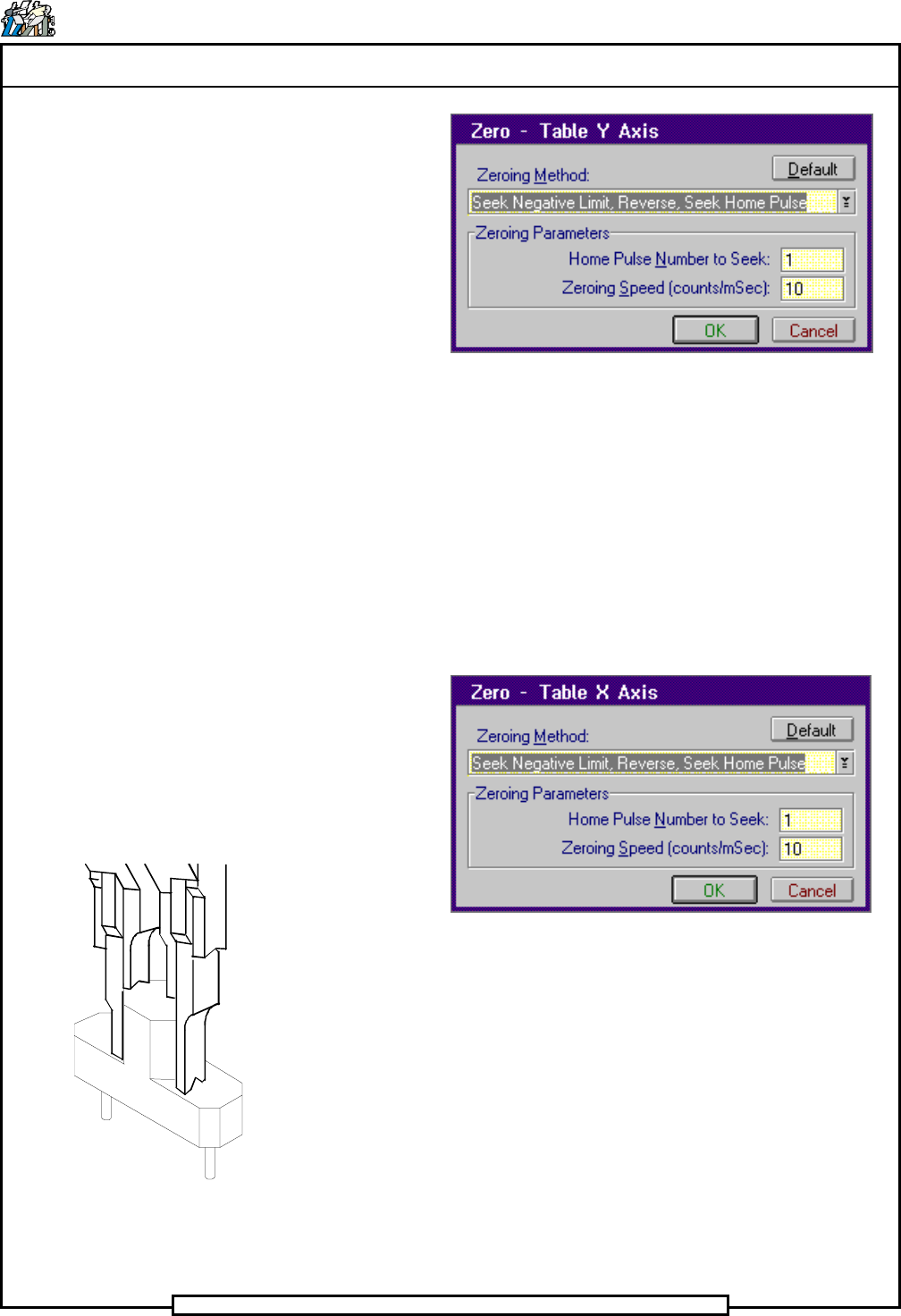
The Zero - Table Y Axis dialog screen is displayed.
Page 33
TECHNICAL PUBLICATIONS
DH Positioning System Assembly, P/T T46230812 Rev. D
This Document Supports Assembly 46230812
10. In the Zero - Table Y Axis dialog screen select Default then OK
The Manual Diagnostics screen is displayed.
- In the Channel B: Table Y Axis increment box, click on the up
or down ¯ arrows until 1.0 appears in the increment box.
- Click on the + Jog button until the Axis Location for the Table
Y Axis indicator in the Input side of the screen reads 9.0.
11. Select Channel A: Table X Axis>Zero
The Zero - Table X Axis dialog screen is displayed.
12. In the Zero - Table X Axis dialog screen select Default then OK
The Manual Diagnostics screen is displayed.
- In the Channel A: Table X Axis increment box, click on the up
or down ¯ arrows until 1.0 appears in the increment box.
- Click on the + Jog button until the Axis Location for the Table
X Axis indicator in the Input side of the screen reads 9.0.
13. In the Outputs side of the Manual Diagnostics screen, select the
following. Section>UIMC 2 Axis Outputs
Set up Tool in Outside Formers