00195424-01.pdf - 第29页
In stal latio ns- u nd K onf igura tio nsa nleit ung SIPL ACE Explo rer 3 I ns tall ation des SIP LACE Expl orer Au sgab e 05 /200 7 D E 3. 1 Ers tin stal latio n vo n SI PLAC E E xplo rer 2.2 29 3 Abb. 3 - 1 SIP LACE Ex…

3 Installation des SIPLACE Explorer Installations- und Konfigurationsanleitung SIPLACE Explorer
3.1 Erstinstallation von SIPLACE Explorer 2.2 Ausgabe 05/2007 DE
28
HINWEIS
Bevor Sie SIPLACE Explorer V2.2 installieren können, muss Java 2 SE 5.0 Update 7 auf
Ihrem Computer installiert sein. 3
HINWEIS
Falls Ihnen die Support Media DVD nicht zur Verfügung steht, können Sie folgende Software-
Komponenten von der SIPLACE Explorer Installations CD installieren:
- Tomcat 5.5.9
- J2SE Runtime Environment 5.0.07
- MS XML Core Services 6.0
Gehen Sie dazu vor, wie unter “Bundled Web Server Installation” auf Seite 111 beschrieben.3
3
(3)Optionen zu SIPLACE Explorer V.2.2
Die Optionen Backflush V1.0, SIPLACE Traceability Option 1.0 und SIPLACE Maintenance
Manager V1.0 müssen Sie extra bestellen und installieren. Diese sind nicht im
Leistungsumfang des SIPLACE Explorer V2.2 enthalten. 3
3.1.1 Installationsvorgang SIPLACE Explorer 2.2 - Erstinstallation
HINWEIS
Sie müssen über Windows Administrator-Rechte verfügen, um die Installation ausführen zu
können. 3
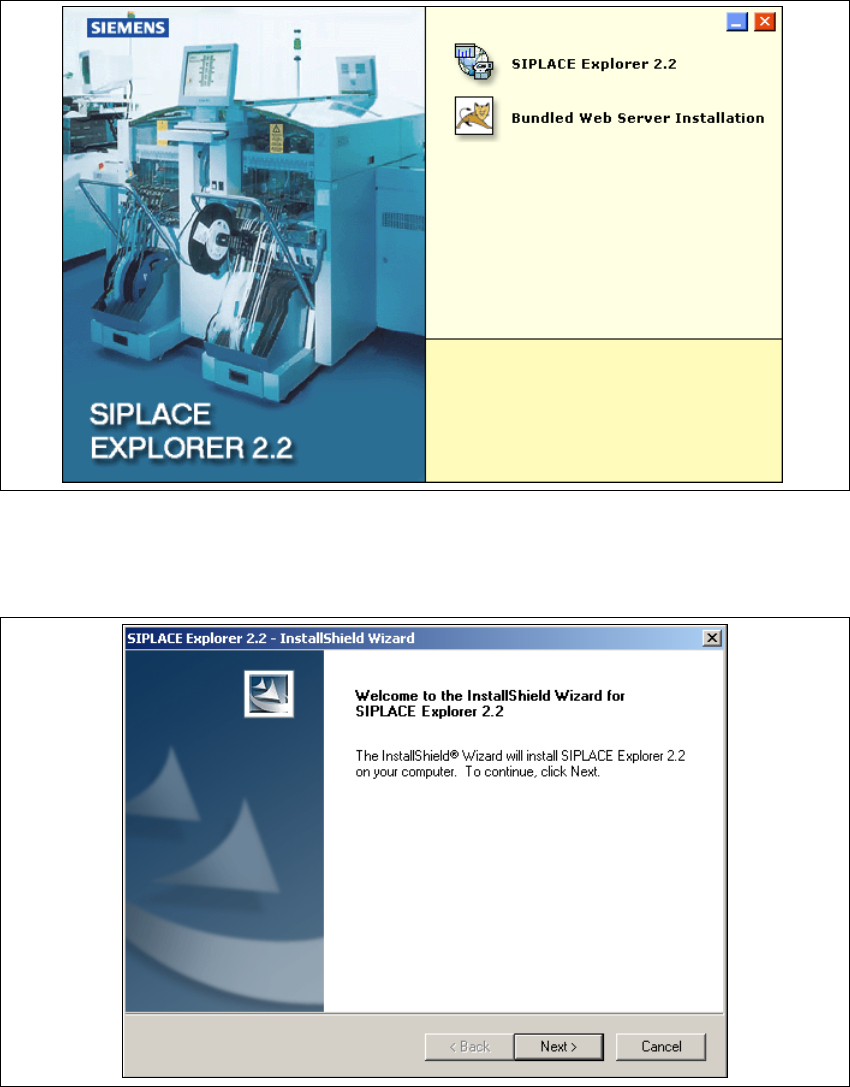
→ Legen Sie die SIPLACE Explorer CD in Ihr CD-Rom-Laufwerk ein. Es erscheint der Start
Screen.
Installations- und Konfigurationsanleitung SIPLACE Explorer 3 Installation des SIPLACE Explorer
Ausgabe 05/2007 DE 3.1 Erstinstallation von SIPLACE Explorer 2.2
29
3
Abb. 3 - 1 SIPLACE Explorer setup - Start Screen
→ Wählen Sie SIPLACE Explorer 2.2 aus.
→ Die benutzergeführte Installation von SIPLACE Explorer wird gestartet.
3
Abb. 3 - 2 SIPLACE Explorer setup - Willkommen im SIPLACE Explorer
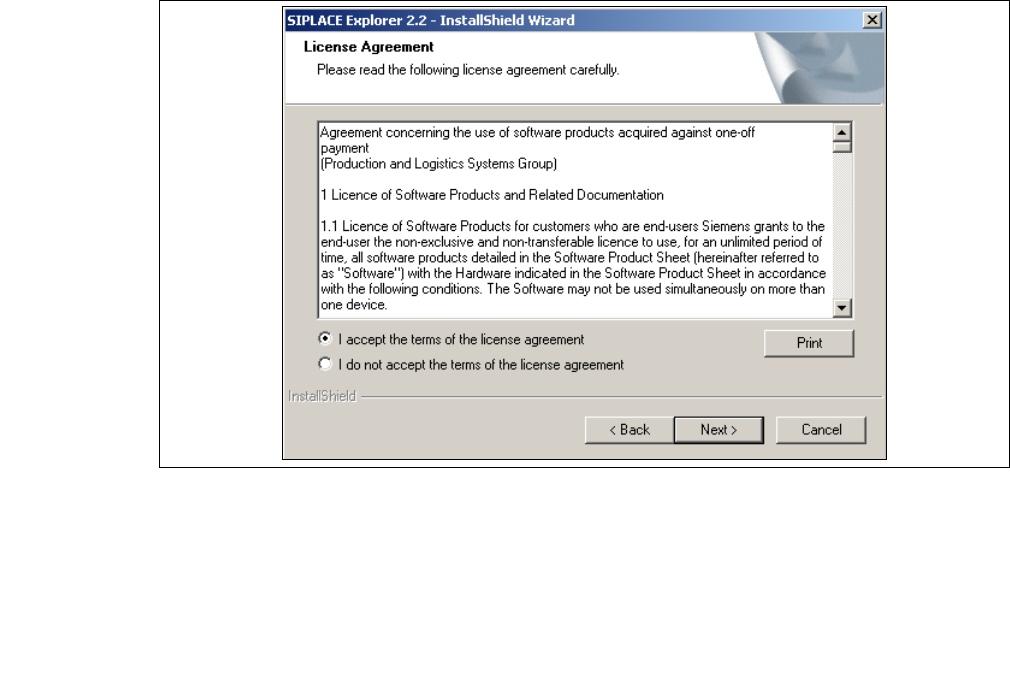
→ Beenden Sie alle anderen Programme und klicken Sie dann auf Next (Weiter). Das
Dialogfenster License Agreement wird geöffnet.
3 Installation des SIPLACE Explorer Installations- und Konfigurationsanleitung SIPLACE Explorer
3.1 Erstinstallation von SIPLACE Explorer 2.2 Ausgabe 05/2007 DE
30
→ Lesen Sie die Lizenzbestimmungen. Wenn Sie zustimmen, I accept ... anklicken, ansonsten I
do not accept .... Wenn Sie I do not accept ... anklicken, wird die Installation beendet.
3
Abb. 3 - 3 SIPLACE Explorer Setup - Lizenzvereinbarungen
→ Bestätigen Sie Ihre Auswahl mit Next (Weiter).
→ Damit SIPLACE Explorer lauffähig ist, muss J2SE Runtime Environment 5.0. Update 7 oder
höher auf Ihrem PC installiert sein. Wenn es bereits installiert ist beginnt die Installation des
SIPLACE Explorer automatisch.
→ Wenn beim Installationsversuch J2SE RTE 5.0.07 nicht gefunden wird, erscheint auf Ihrem
Bildschirm das Fenster Locate J2SDK (Finden).