QP132三级参考手册.pdf.pdf - 第118页
Chapter 10 Pallet Change Station

Notes:
Chapter 9 9.2 Training Evaluation
Edition 1.0 9-8 QP-132 Level 3 Tutorial

Chapter 10
Pallet Change Station
10.1 Pallet Change Station Adjustment
10.1.1 Pallet Change Station
1. Remove the cover for the OUT-side, Top cover for the change station,
and Acrylic shutter cover.
2. Adjust the pallet change station speed controller to
Pallet OUT : 3.0 turns from the fully closed position.
Pallet IN : 3.0 turns from the fully closed position.
10.1.2 Pallet Change Station Forward and Backward
End Sensors
1. Press [SET] → [MANUAL] → [I/O] → [STANDARD I/O] → [OUTPUT]
and turn on Y066 P.OUT OUT FWD to move the OUT-Pallet Loader to
the forward end position.
2. Move the sensor to find the position where the sensor just turns ON.
3. Move the sensor 1 mm to ON direction.
4. Turn on Y067 P.OUT OLT BWD to move the OUT-Pallet Loader to the
backward end position.
10.1.3 Pallet Stopper
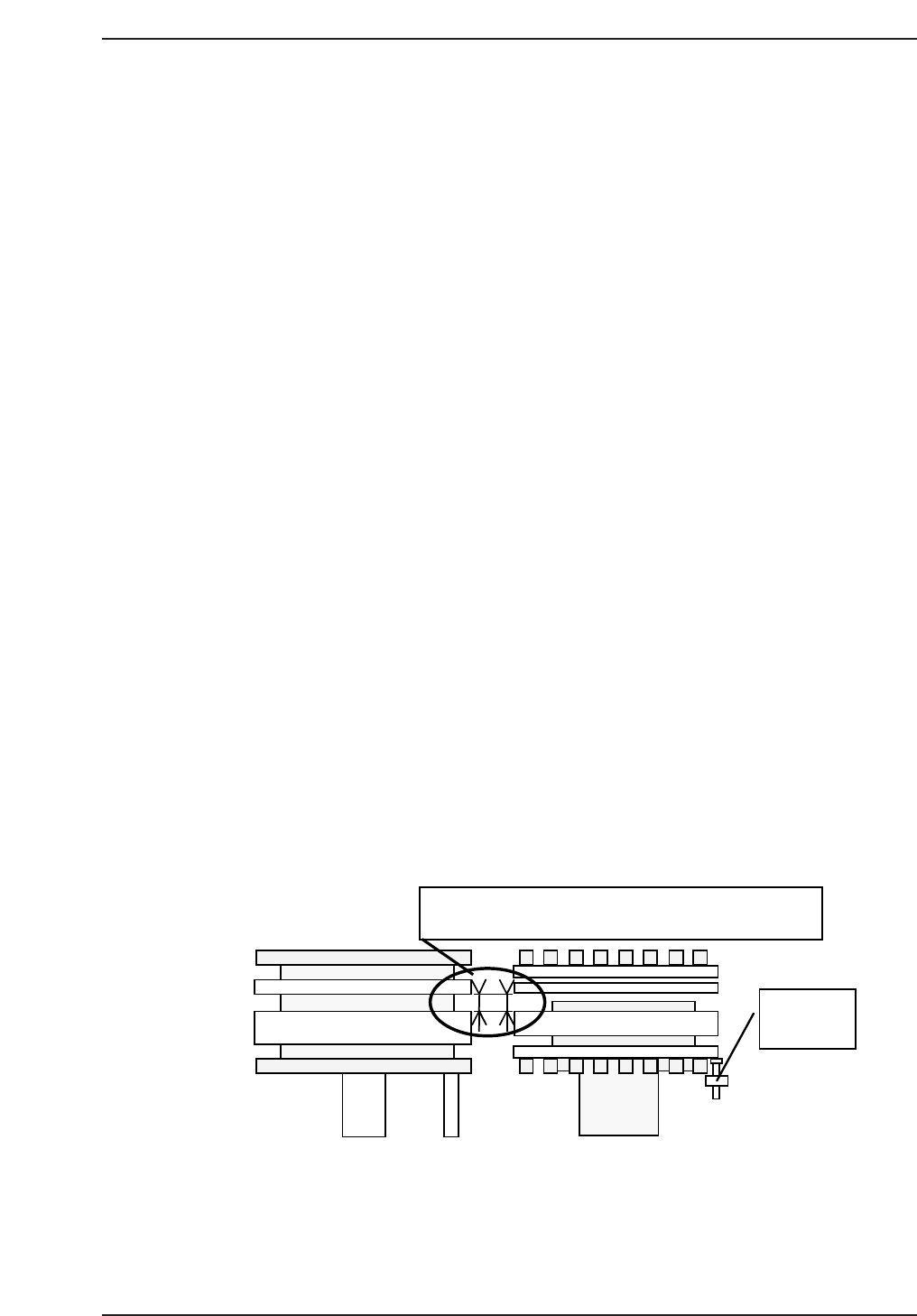
1. Check the positions of OUT-pallet loader shifting rail, forward end and
vertical direction against the guide rail when the pallet change station is
closed.
2. If not positioned, move the forward end stopper to adjust.
QP132T10001
Forward-end
stopper
When OUT shift is at backward-end, check that the guide
rails width of pallet change station and OUT shift, are parallel.
Chapter 10 10.1 Pallet Change Station Adjustment
Edition 1.1 10-1 QP-132 Level 3 Tutorial