TM1611_Stick Parts Support of Setup Verification.pdf - 第13页
SMT Software Engineering Group IM Operations Y AMAHA MOTOR CO., L TD. MD OC-SOFT50044 13/23 3. Function ( ( ( ( VGOS V 1.x/V2.x ) ) ) ) 3.1. Summary ( ( ( ( VGO S V1.x/V2.x ) ) ) ) This section explain ho w to…
SMT Software Engineering Group
IM Operations YAMAHA MOTOR CO., LTD.
MDOC-SOFT50044
12/23
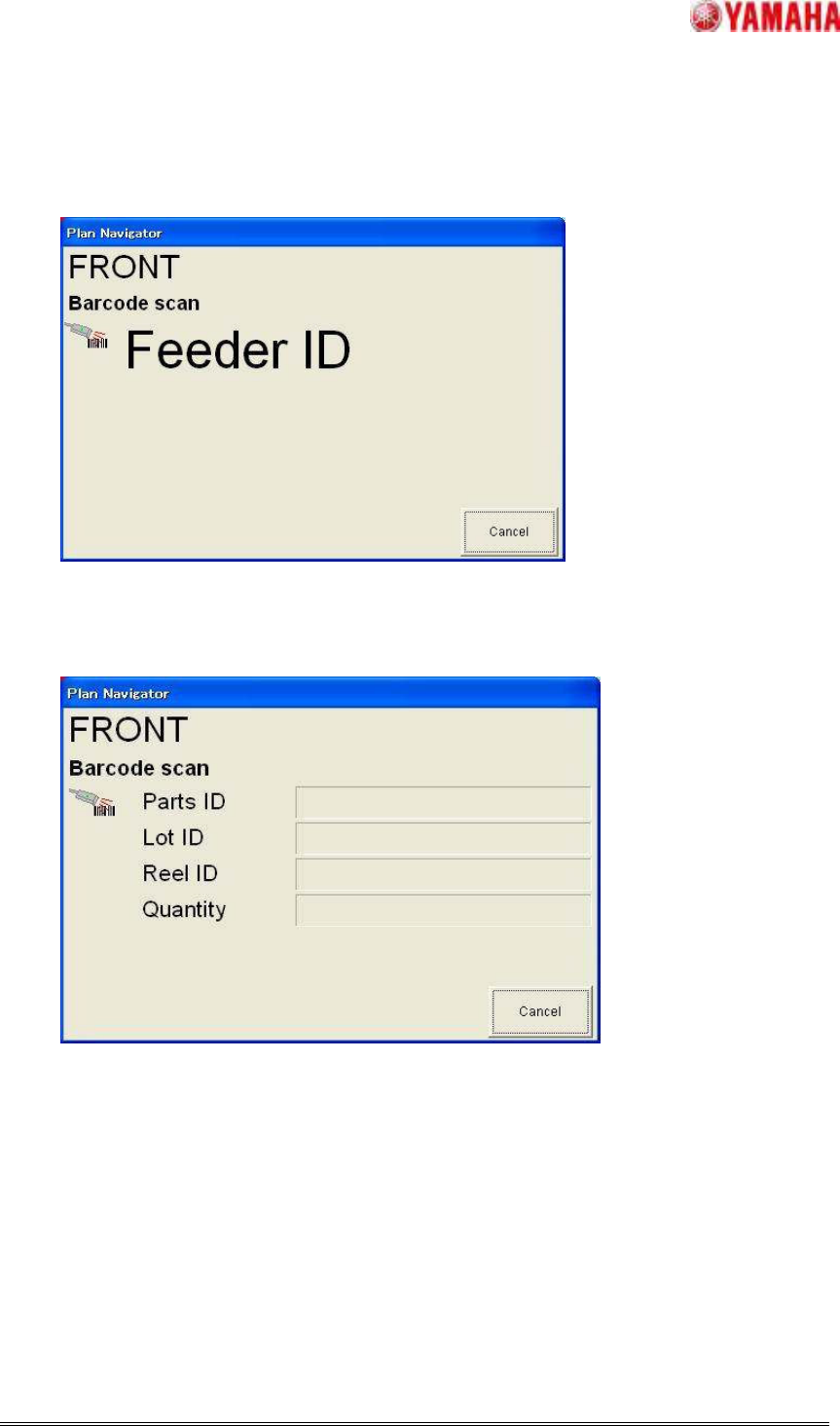
2. The contents of the Plan Navigator will change as shown below.
Use a barcode reader to read the feeder ID shown on the new feeder.
3. The contents of the Plan Navigator will change as shown below.
Use a barcode reader to read the parts barcode on the parts to be refilled.
【Note】The parts ID, lot ID and reel ID can be read in any order.
Step3. Replenish parts.
1. Production will resume.
SMT Software Engineering Group
IM Operations YAMAHA MOTOR CO., LTD.
MDOC-SOFT50044
13/23
3. Function(
((
(VGOS V1.x/V2.x)
))
)
3.1. Summary(
((
(VGOS V1.x/V2.x)
))
)
This section explain how to check the setup of the stick parts by IT Option “Setup Verificaion
(Mounter Inline Setup)”.
3.2. Setting(
((
(VGOS V1.x/V2.x)
))
)
For details of how to set Stick parts is made check target, refer to Chapter 4, “Basic Setup Verify
Settings”of the Setup Verification (Machine) USER'S MANUAL.
SMT Software Engineering Group
IM Operations YAMAHA MOTOR CO., LTD.
MDOC-SOFT50044
14/23
3.3. Setup Work on Machine(
((
(VGOS V1.x/V2.x)
))
)
3.3.1. Setting Multi Stick Parts
Step1.Set the parts in a feeder.
1. Click [Support] – [Parts Setup], check the contents displayed in the Operation Navigate,
and prepare the required parts.
2. Set the parts in a feeder.
Step2. Set the first parts in place.
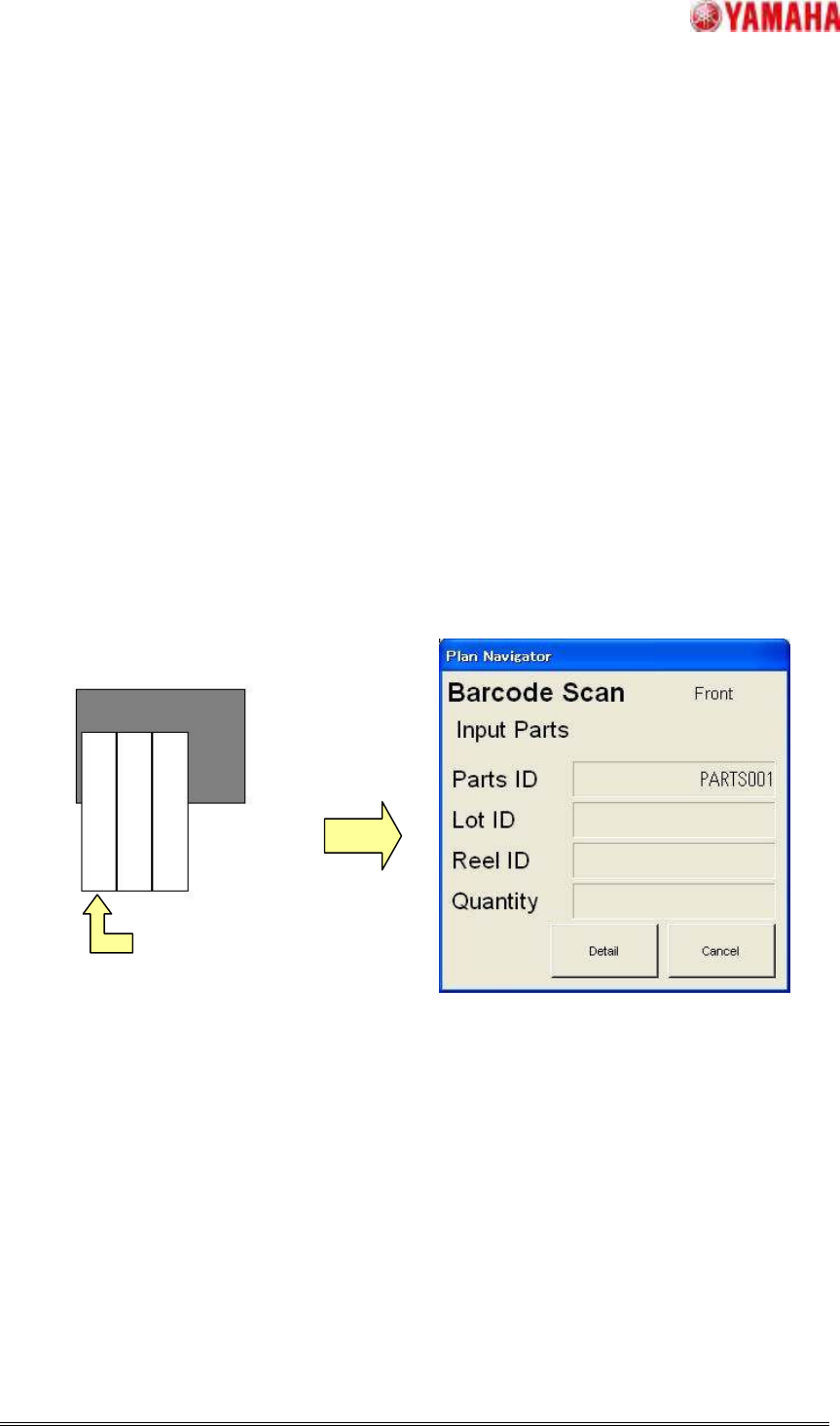
1 Use a barcode reader to read the barcode on the first stick set in the feeder.
When the first barcode is read, the [Plan Navigator] dialog box will appear. So, read the
parts ID, lot ID and reel ID barcodes.
【Note】The parts ID, lot ID and reel ID can be read in any order.
Image that saw Multi Stick Feeder on
PARTS001
PARTS003
PARTS002
Read the first stick parts