TM1611_Stick Parts Support of Setup Verification.pdf - 第21页
SMT Software Engineering Group IM Operations Y AMAHA MOTOR CO., L TD. MD OC-SOFT50044 21/23 2. T he contents of the Plan Naviga tor will chan ge as shown belo w. Use a barcode reader t o re ad the feeder ID sh…
SMT Software Engineering Group
IM Operations YAMAHA MOTOR CO., LTD.
MDOC-SOFT50044
20/23
3.4. Replacing/Refilling Parts on the Machine(
((
(VGOS V1.x/V2.x)
))
)
3.4.1. Refilling Stick Parts
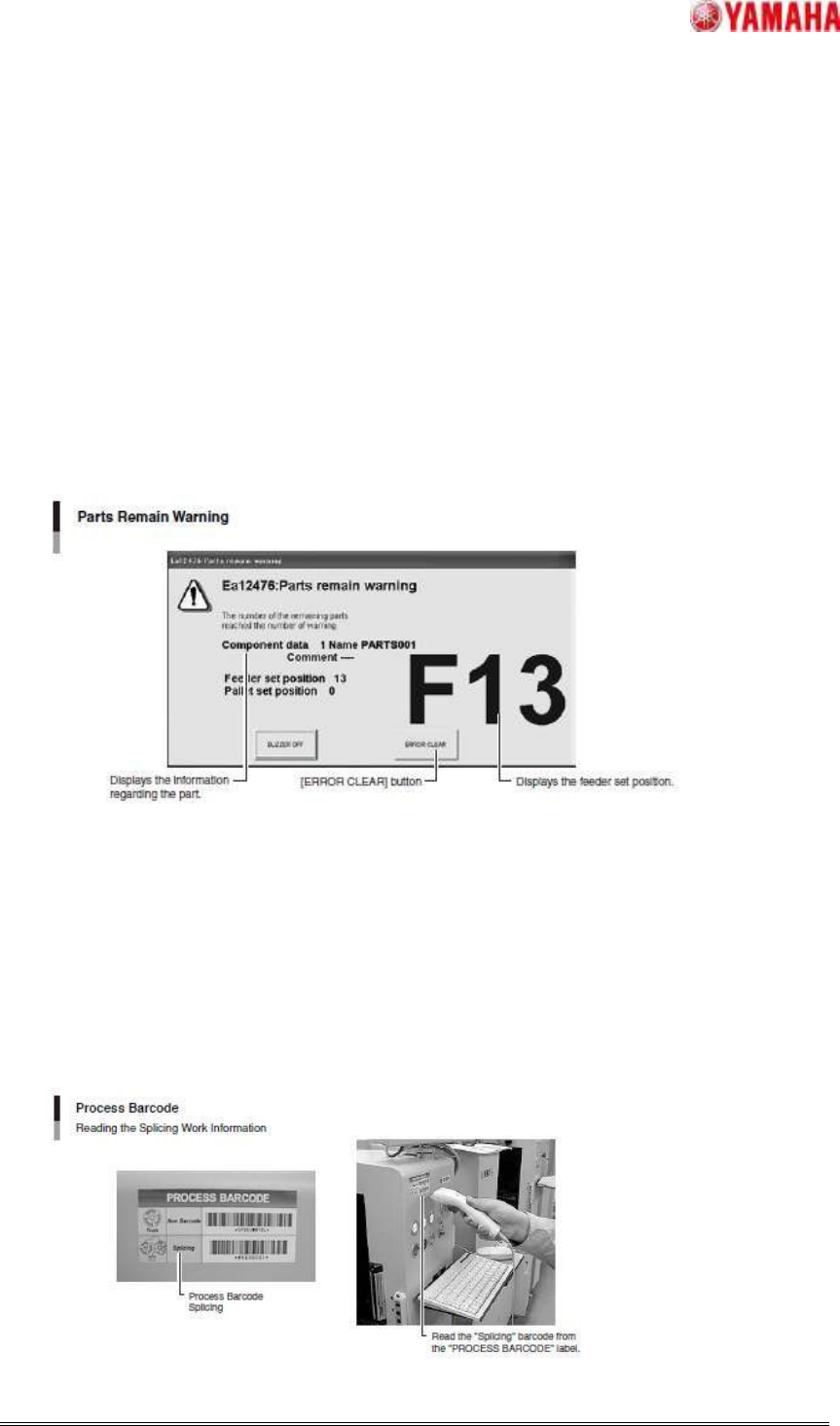
Step1. A warning appears when the number of remaining parts drops below the preset
number.
1. The following [Parts remain warning] dialog box appears and the yellow warning lamp
flashes.
Click the [ERROR CLEAR] button to close the dialog box.
2. The information shown in the [Prepare] tab page (Support window) appears.
The corresponding part in the [Detail] field is highlighted in yellow. Prepare the parts to be
added.
Step2. Register parts information.
1. Use a barcode reader to read the "SPLICING" barcode given on the "PROCESS
BARCODE" label affixed to the machine.
SMT Software Engineering Group
IM Operations YAMAHA MOTOR CO., LTD.
MDOC-SOFT50044
21/23
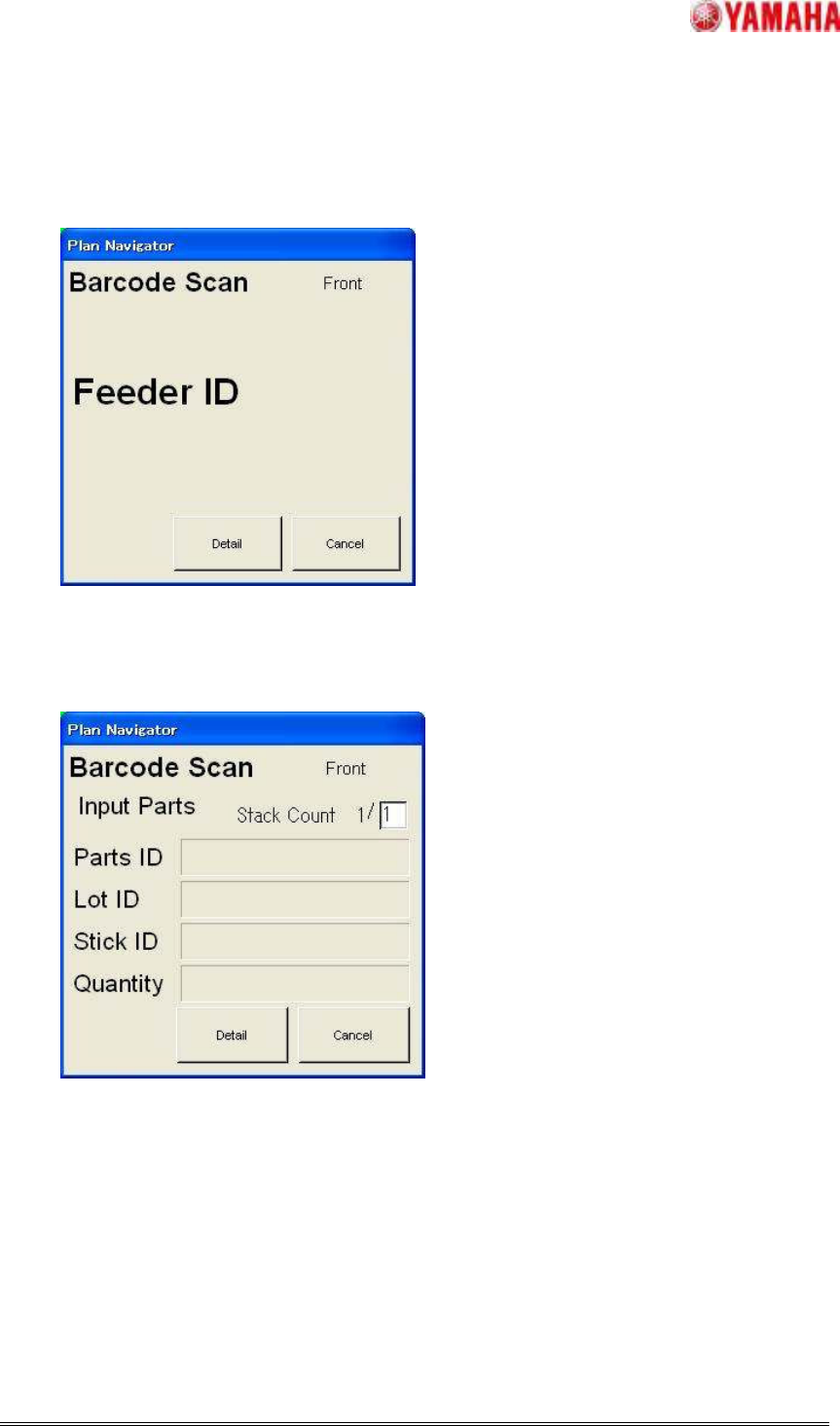
2. The contents of the Plan Navigator will change as shown below.
Use a barcode reader to read the feeder ID shown on the new feeder.
3. The contents of the Plan Navigator will change as shown below.
Use a barcode reader to read the parts barcode on the parts to be refilled.
【Note】The parts ID, lot ID and reel ID can be read in any order.
SMT Software Engineering Group
IM Operations YAMAHA MOTOR CO., LTD.
MDOC-SOFT50044
22/23
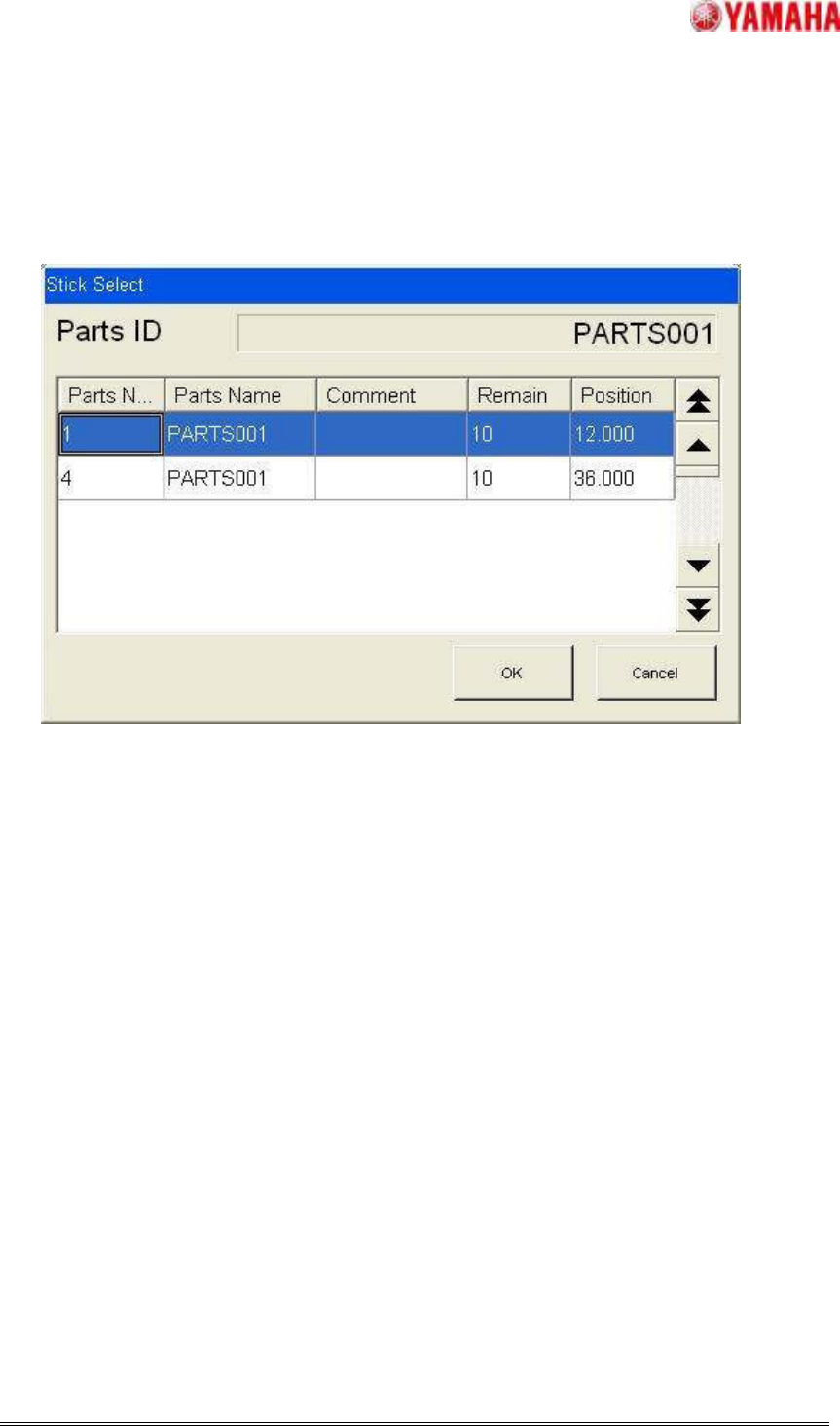
Step3. The parts to be refilled is selected.
(Only when there are plural parts which have same parts name on one feeder.)
1. Click the refilling target stick parts on the Stick Select dialog, and click [OK] button.
Step4. Replenish parts.
1. Production will resume.