TM1611_Stick Parts Support of Setup Verification.pdf - 第3页
SMT Software Engineering Group IM Operations Y AMAHA MOTOR CO., L TD. MD OC-SOFT50044 3/23 2.2. Setting ( ( ( ( VGOS V3.x ) ) ) ) The following procedures m ake the s tick parts into the c heck target. S tep1.…
SMT Software Engineering Group
IM Operations YAMAHA MOTOR CO., LTD.
MDOC-SOFT50044
2/23
1. Introduction
The target model and version are as follows.
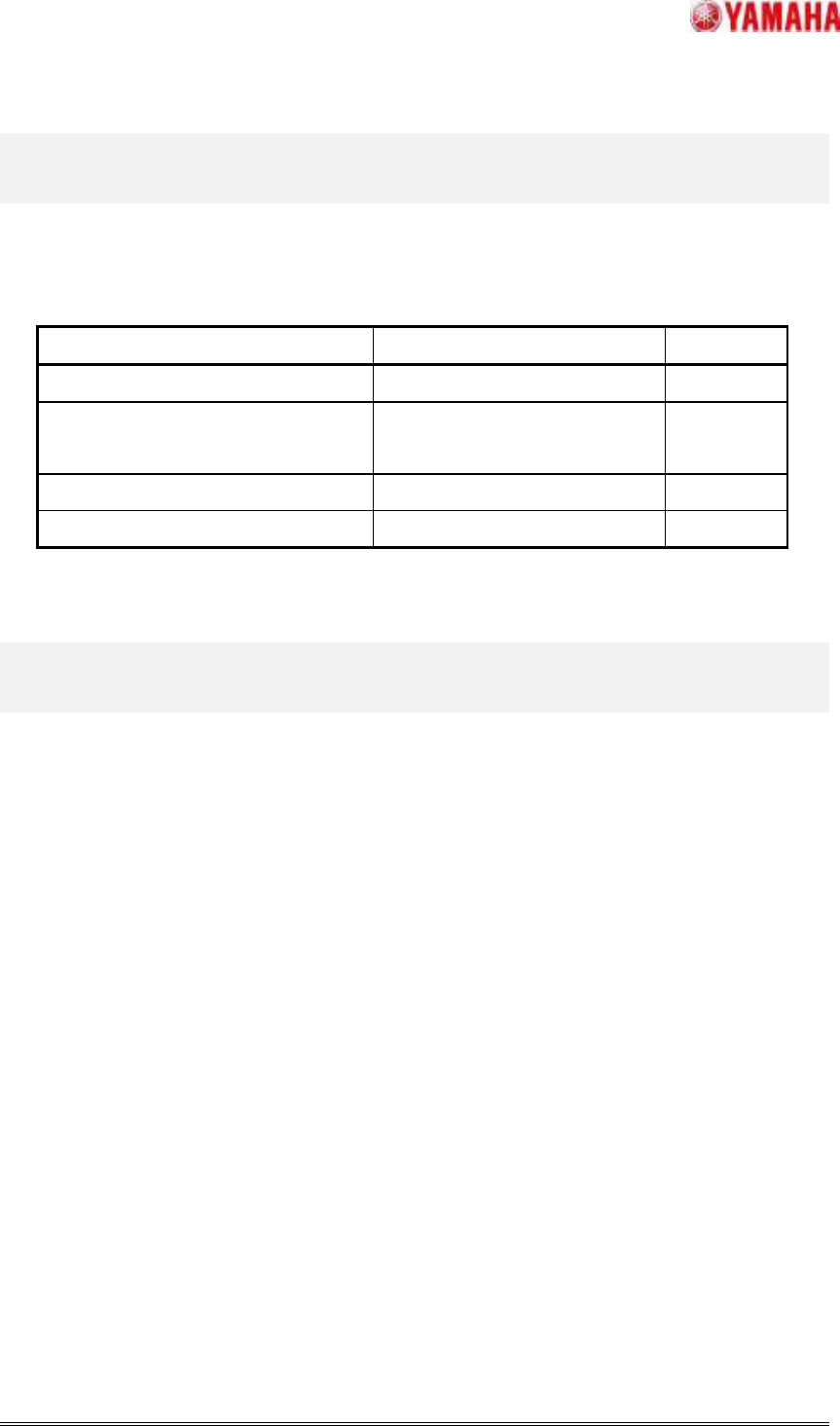
Table 1.1 The target model sand version
Target Model Target Version Remarks
IT System Server V1.10STD R1.000 or later
YS Series Mounter,
YG12 Series Mounter, YG300
V3.10STD R1.000 or later
YG Series Mounter V2.22STD R1.000 or later
Xg Series Mounter V1.17STD R1.000 or later
2. Function(
((
(VGOS V3.x)
))
)
2.1. Summary(
((
(VGOS V3.x)
))
)
This section explain how to check the setup of the stick parts by IT Option “Setup Verificaion
(Mounter Inline Setup)”.
SMT Software Engineering Group
IM Operations YAMAHA MOTOR CO., LTD.
MDOC-SOFT50044
3/23
2.2. Setting(
((
(VGOS V3.x)
))
)
The following procedures make the stick parts into the check target.
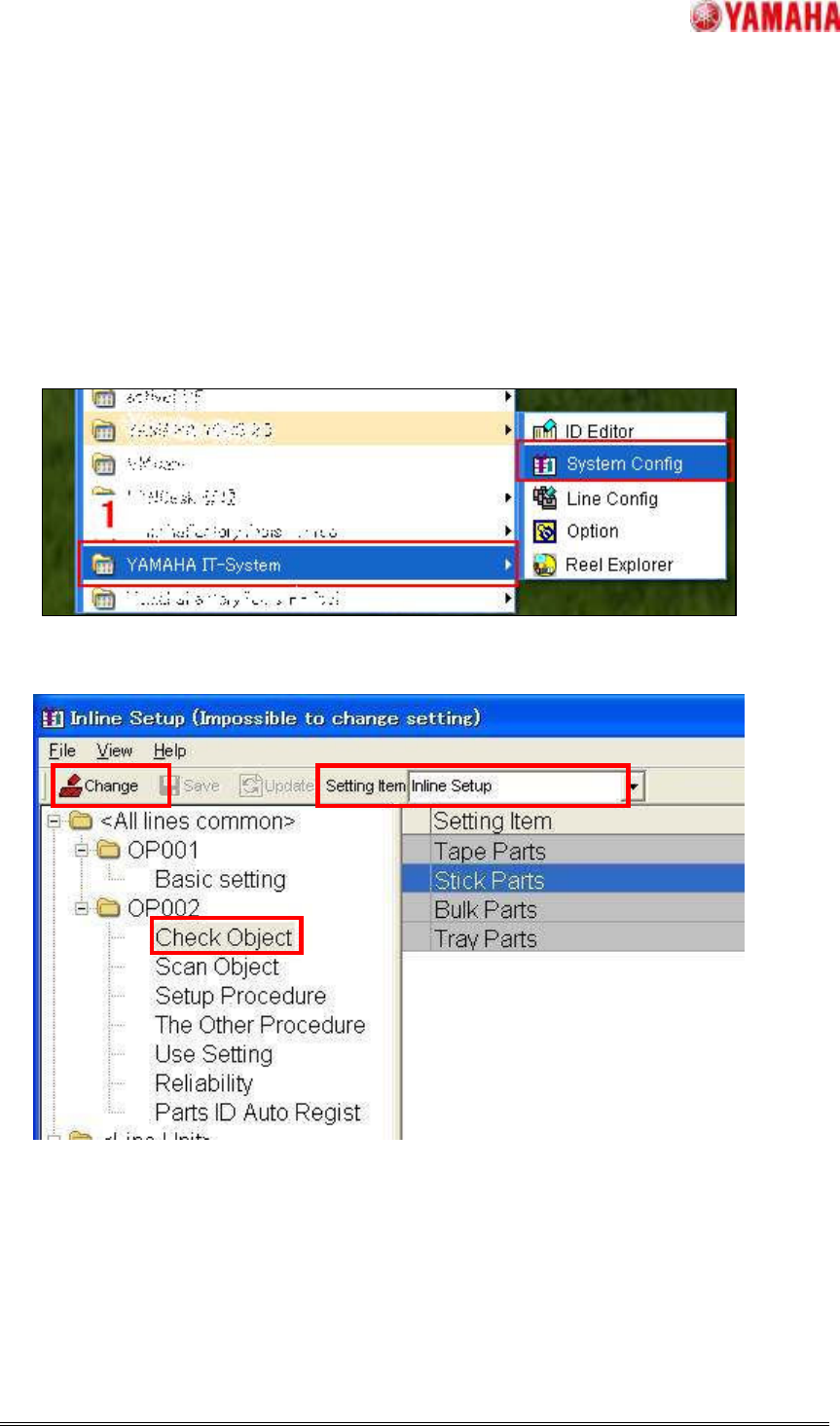
Step1. On a PC containing the YAMAHA IT-System,
1. Select [Start]-[ Program]-[YAMAHA IT-System]-[System Config]
2. Select [Inline Setup] on [Setting Item] tool bar in the window of System Config.
3. Select [OP002]-[Check Object] contained in the folder of <Line Unit> which has the target
machine of this setting or <All line common>.
4. Click [Change] button.
4
44
4
2
22
2
3
33
3
SMT Software Engineering Group
IM Operations YAMAHA MOTOR CO., LTD.
MDOC-SOFT50044
4/23
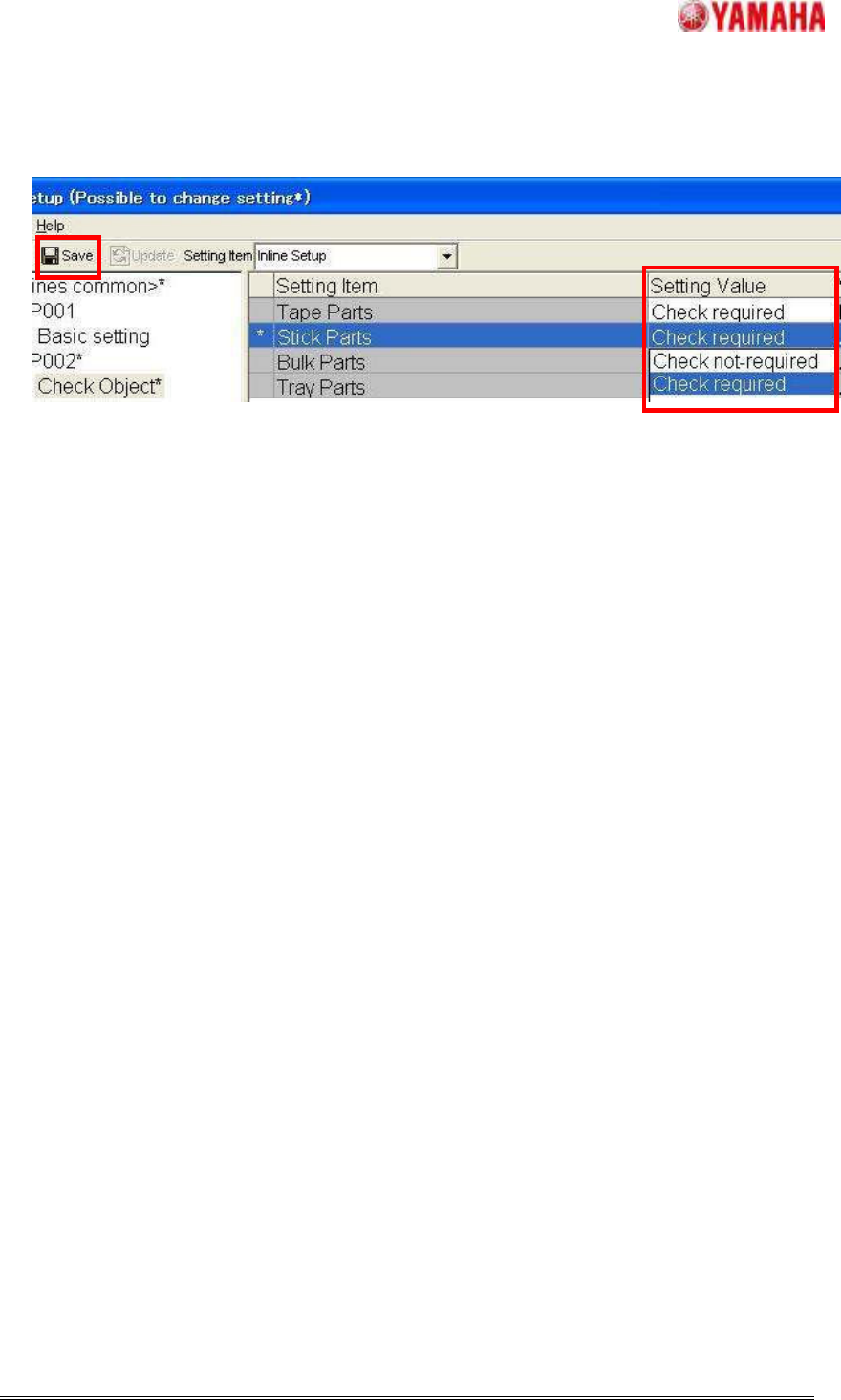
5. Select [Check required] on [Stick Parts]-[Setting Value] combo box.
6. Click [Save] button and finish.
6
66
6
5
55
5