TM1611_Stick Parts Support of Setup Verification.pdf - 第8页
SMT Software Engineering Group IM Operations Y AMAHA MOTOR CO., L TD. MD OC-SOFT50044 8/23 2. T he Plan Navigator s hows t he position in whic h the feeder is to be set. So, set the feeder into the specif ied po…
SMT Software Engineering Group
IM Operations YAMAHA MOTOR CO., LTD.
MDOC-SOFT50044
7/23
Step4. Set the feeder in place.
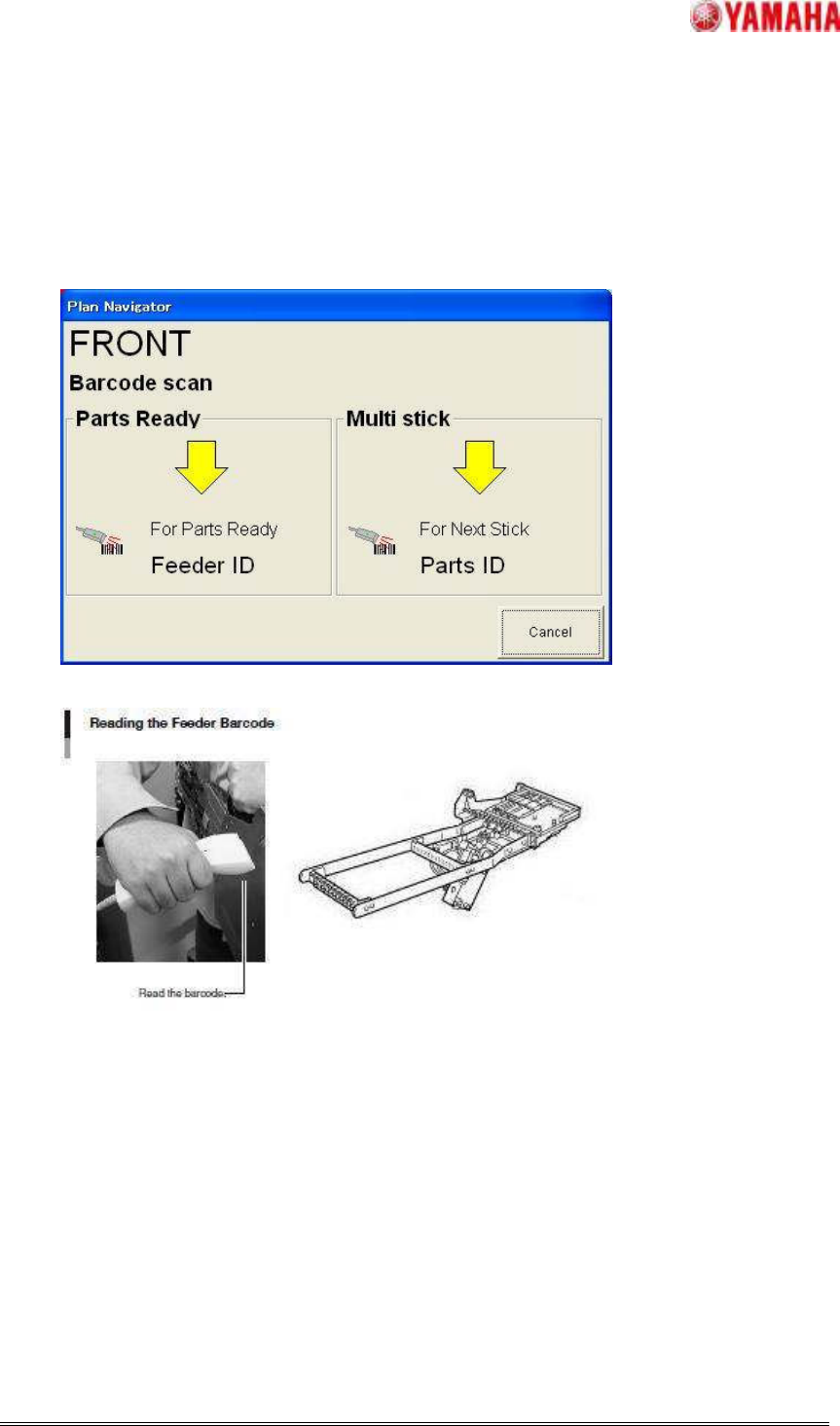
1. The contents of the Plan Navigator will change as shown below.
If all the stick parts are read, Use a barcode reader to read the Feeder ID of feeder that
sets stick parts.
SMT Software Engineering Group
IM Operations YAMAHA MOTOR CO., LTD.
MDOC-SOFT50044
8/23
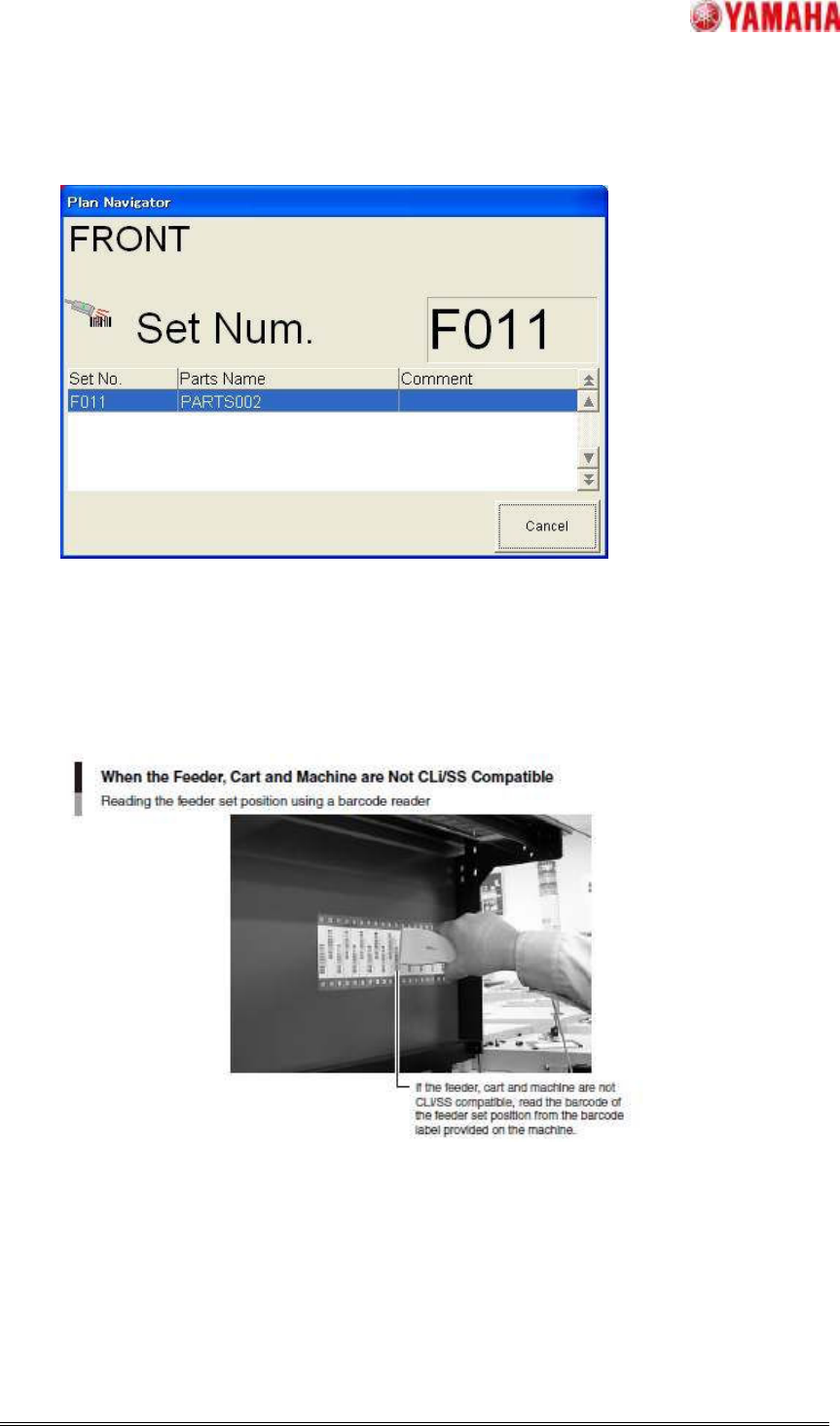
2. The Plan Navigator shows the position in which the feeder is to be set.
So, set the feeder into the specified position on the machine.
If the feeder, cart and machine are CLi compatible or if they are SS compatible, the feeder
set position will be recognized automatically.
If they are not CLi/SS compatible, read the barcode of the position where the new feeder
is set from the feeder set position barcode label provided on the machine.
SMT Software Engineering Group
IM Operations YAMAHA MOTOR CO., LTD.
MDOC-SOFT50044
9/23
2.3.2. Setting Other Multi Stick Parts
Step1.Set the parts in a feeder.
1. Click [Monitor] – [Production], check the contents displayed in the Operating Navigation,
and prepare the required parts.
2. Set the parts in a feeder.
Step2. Set the first parts in place.
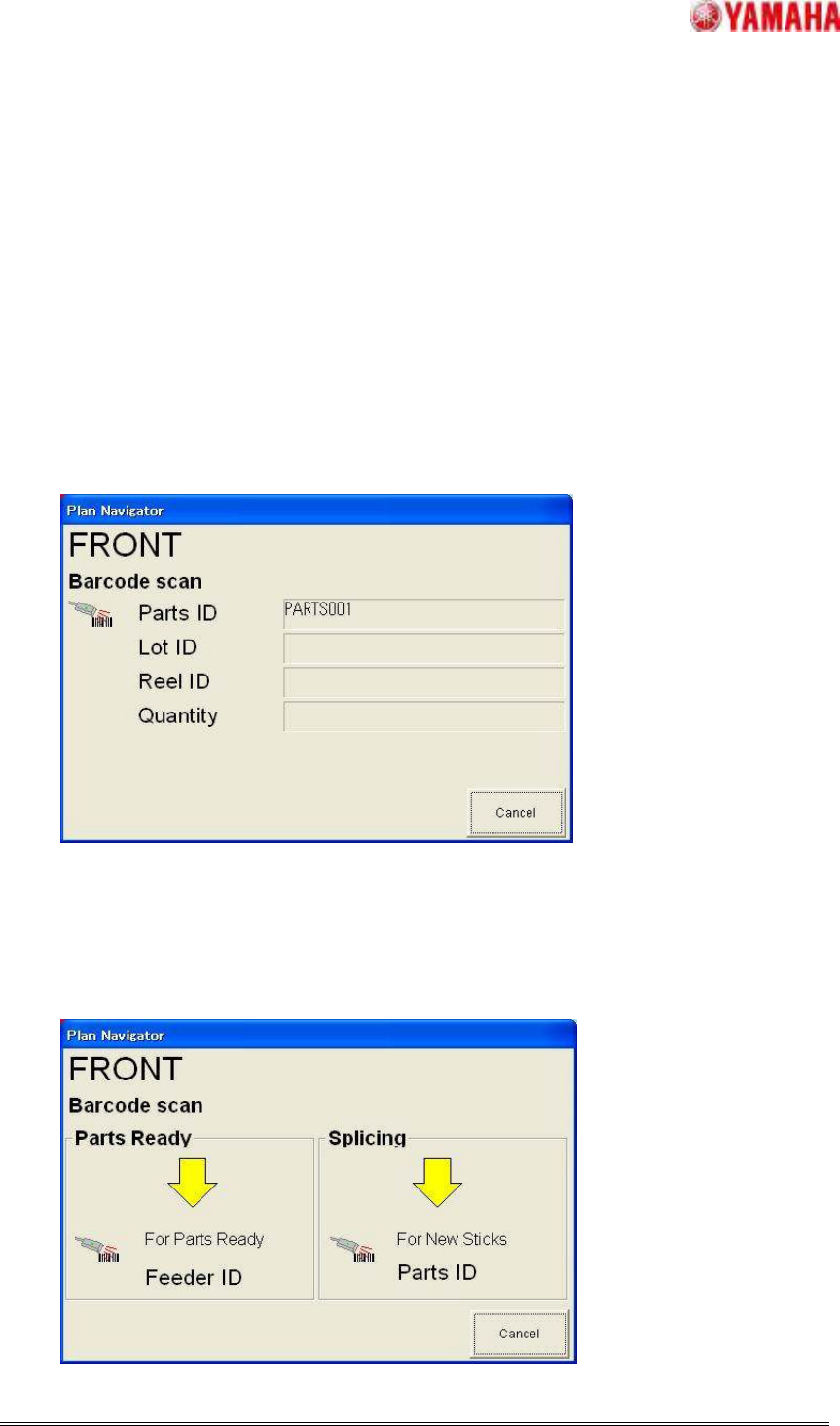
1 Use a barcode reader to read the barcode on the stick set in the feeder.
When the first barcode is read, the [Plan Navigator] dialog box will appear. So, read the
parts ID, lot ID and reel ID barcodes.
【Note】The parts ID, lot ID and reel ID can be read in any order.
Step3. Set the feeder in place.
1. The contents of the Plan Navigator will change as shown below.
Use a barcode reader to read the feeder ID shown on the new feeder.