00193688-04.pdf - 第129页
In st alla tio n an d Co nf ig ura tio n G ui de S IP LAC E Ex plor er 5 De in sta ll at ion Edi tio n 12/200 5 EN 5.3 R epai r 129 5. 3 Re p air 5 Fig. 5 - 6 S IP LAC E Expl ore r 2.0 SP1 - i nst all shi el d wiz ard → …
5 Deinstallation Installation and Configuration Guide SIPLACE Explorer
5.2 Modify Edition 12/2005 EN
128
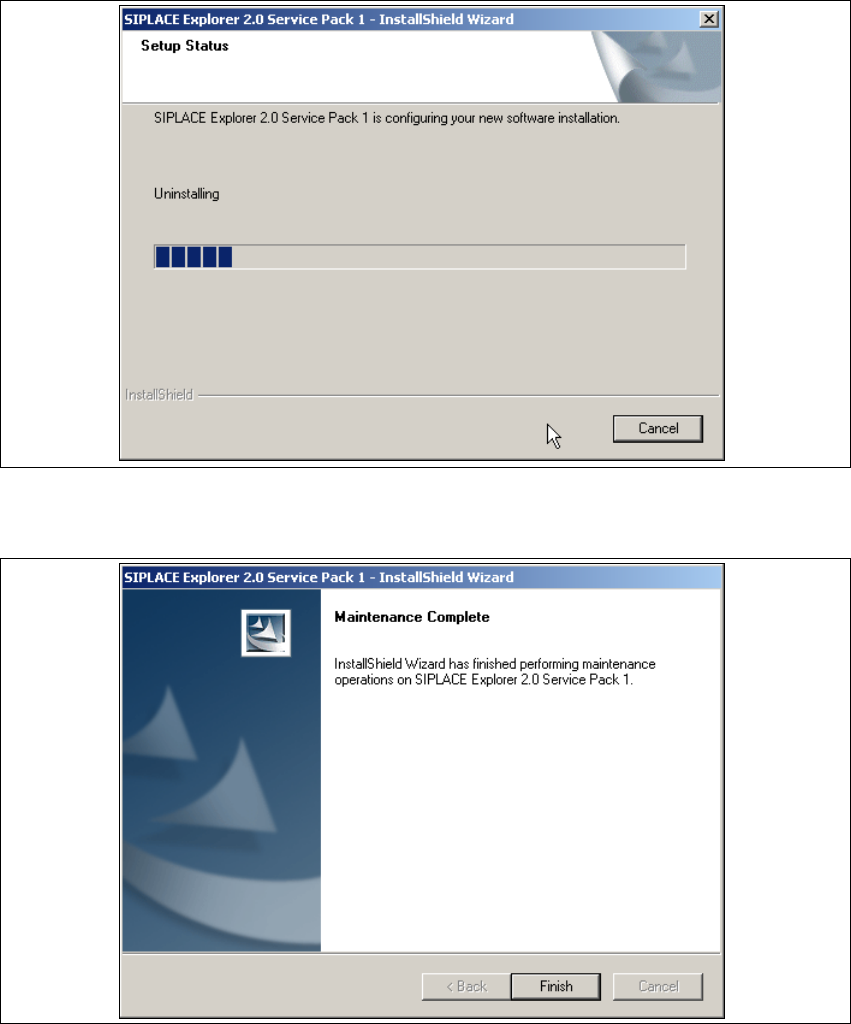
→ Deinstallation will be performed. The Setup Status dialog box shows you which features will
be deinstalled or installed.
5
Fig. 5 - 4 SIPLACE Explorer 2.0 SP1 - install shield wizard
→ SIPLACE Explorer 2.0 SP1 deinstallation/installation has been completed.
5
Fig. 5 - 5 Modify complete
→ Click on Finish to close the SIPLACE Explorer 2.0 SP1 - InstallShield Wizard.
Installation and Configuration Guide SIPLACE Explorer 5 Deinstallation
Edition 12/2005 EN 5.3 Repair
129
5.3 Repair
5
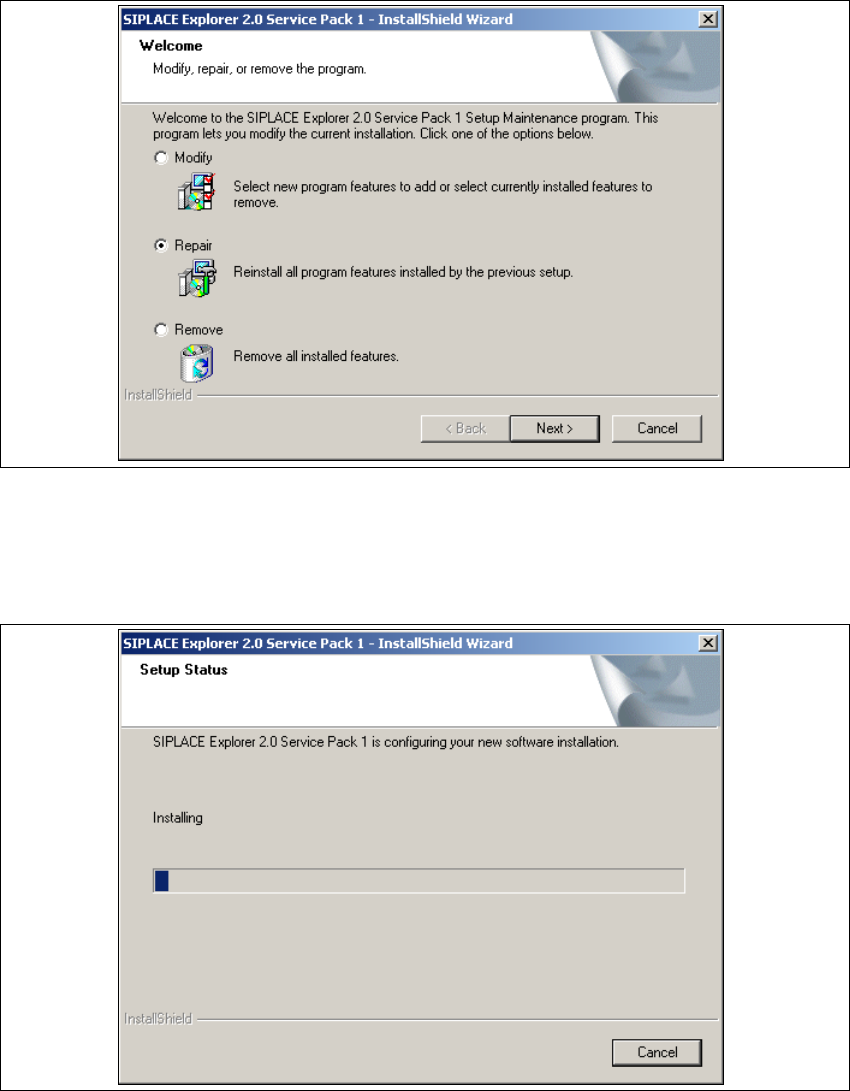
Fig. 5 - 6 SIPLACE Explorer 2.0 SP1 - install shield wizard
→ Click on Repair and then on Next to continue.
→ The recovery process will be performed. The Setup Status dialog box shows you which
features will be deinstalled or installed.
5
Fig. 5 - 7 SIPLACE Explorer 2.0 SP1 - install shield wizard
5 Deinstallation Installation and Configuration Guide SIPLACE Explorer
5.3 Repair Edition 12/2005 EN
130
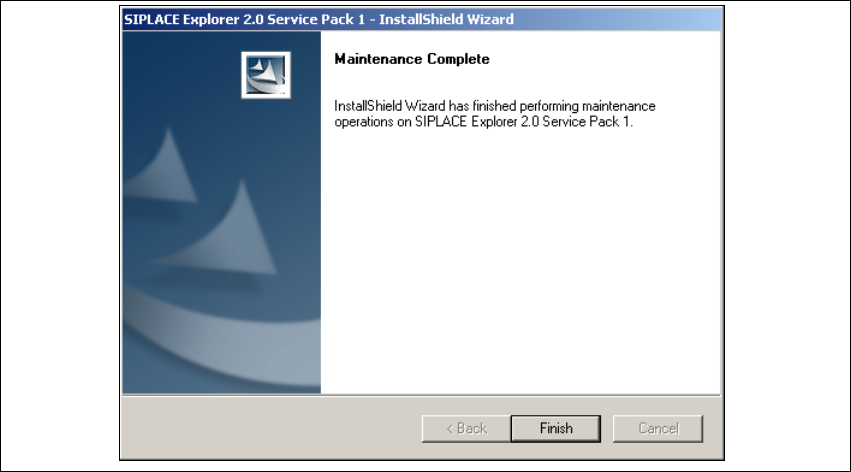
→ SIPLACE Explorer 2.0 SP recovery has been completed.
5
Fig. 5 - 8 Repair complete
→ Click on Finish to close the SIPLACE Explorer 2.0 SP1 - InstallShield Wizard.