00193688-04.pdf - 第53页
In st alla tio n an d Co nf igur at ion G uide SI P LACE E xpl ore r 3 I ns tal li ng SIP LAC E Ex plor er Edi tio n 12/200 5 EN 3 . 2 Upd ate-I n stal la tio n of S IPL ACE E xpl ore r 2. 0 SP1 53 3.2 .1 SI PLA CE Exp l…

3 Installing SIPLACE Explorer Installation and Configuration Guide SIPLACE Explorer
3.2 Update-Installation of SIPLACE Explorer 2.0 SP1 Edition 12/2005 EN
52
3.2 Update-Installation of SIPLACE Explorer 2.0 SP1
To update from SIPLACE Explorer V2.0 to SIPLACE Explorer V2.0 SP1, you must already have
an executable version of SIPLACE Explorer V2.0 installed on your system.
3
The update procedure requires that you update the following software components: 3
– Java 2 SDK 1.4 to Java 2 JRE 1.5 (see page 29)
Before you install SIPLACE Explorer V2.0 SP1, make sure that Java 2 JRE 1.5 has been
installed on your computer. Install Java 2 JRE 1.5 on the same computer as SIPLACE
Explorer V.2.0. SP1.
3
– Tomcat 5.0 to Tomcat 5.5 (see page 43)
If you wish to install a configuration with web release, you will also need to install the option
Tomcat 5.5. Tomcat 5.5 is necessary for making websites available with SIPLACE Explorer
V.2.0 Runtime Environment and SIPLACE Explorer V.2.0 Factory Configuration Utility.
3
You do not need to install Tomcat 5.5 on the same computer as SIPLACE Explorer V.2.0
SP1.
3
NOTE
Before installing Tomcat 5.5, make sure that all versions of Tomcat < 5.5 have been
deinstalled. 3
After performing the update, you can also install additional SIPLACE Explorer options: 3
– SIPLACE Explorer V.2.0 SP1 options:
The two options Backflush V1.0 an SIPLACE Traceability Option V1.0 are not included in
the SIPLACE Explorer V2.0 SP1 delivery package and must be ordered (installed)
separately.
3
NOTE
Perform the update installation in the following order:
- Java 2 JRE 1.5 (see page 29)
- Tomcat 5.5 (see page 43)
- SIPLACE Explorer 2.0 SP1 (see page 53) 3
Installation and Configuration Guide SIPLACE Explorer 3 Installing SIPLACE Explorer
Edition 12/2005 EN 3.2 Update-Installation of SIPLACE Explorer 2.0 SP1
53
3.2.1 SIPLACE Explorer 2.0 SP1 - Update Installation
NOTE
You must have Windows 2000 administrator privileges to perform installation. 3
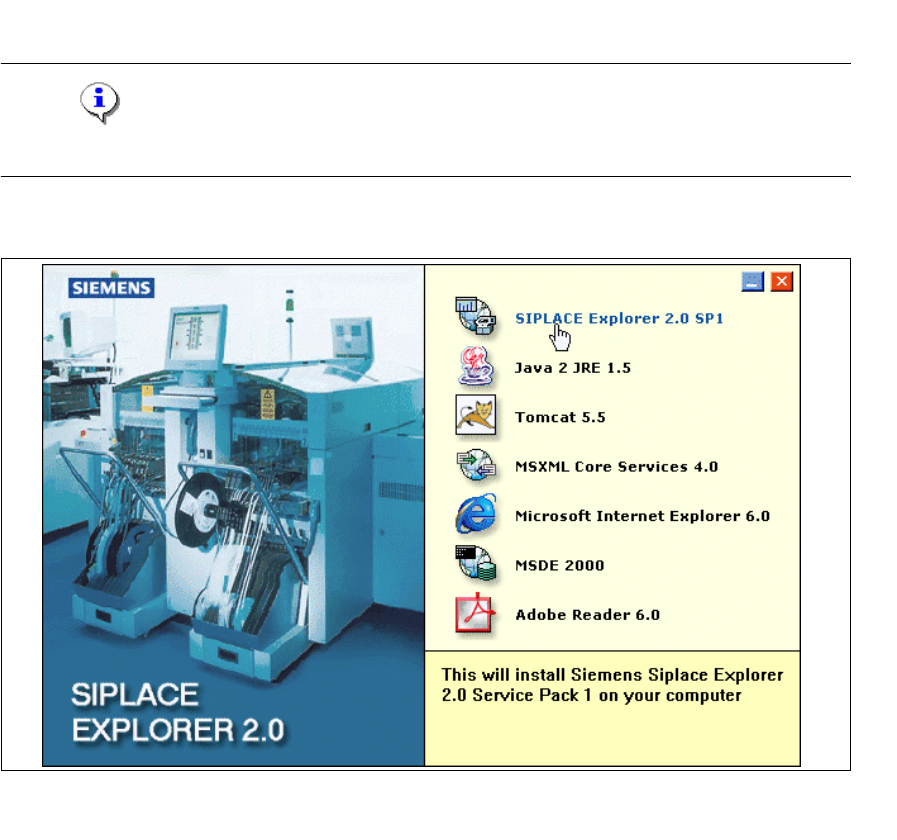
→ Place the SIPLACE Explorer CD in your CD-ROM drive. The Start screen will appear.
3
Fig. 3 - 38 SIPLACE Explorer setup - Start Screen
→ Select SIPLACE Explorer 2.0 SP1.
3 Installing SIPLACE Explorer Installation and Configuration Guide SIPLACE Explorer
3.2 Update-Installation of SIPLACE Explorer 2.0 SP1 Edition 12/2005 EN
54
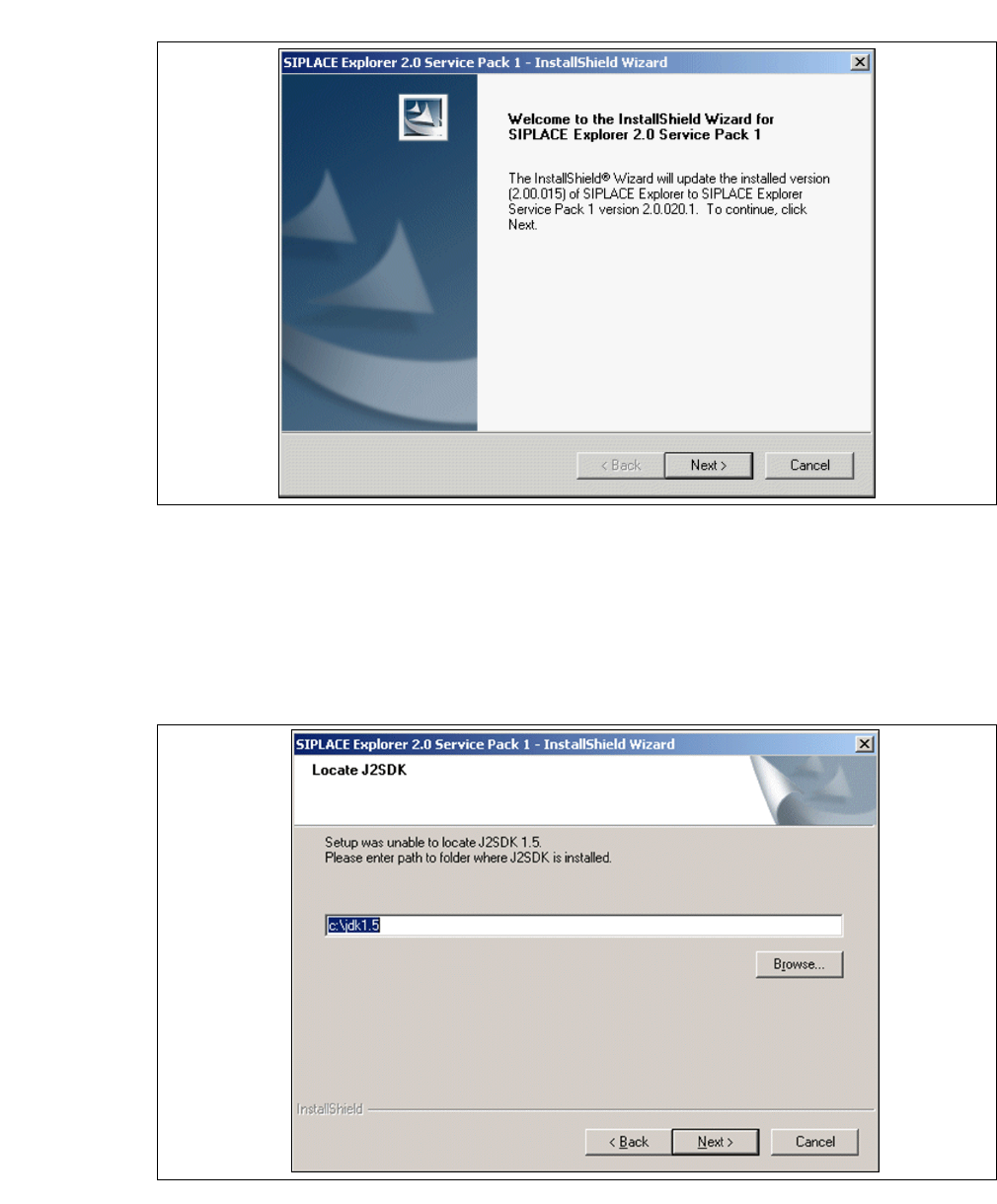
→ You will be guided through the SIPLACE Explorer installation procedure.
3
Fig. 3 - 39 SIPLACE Explorer welcome
→ Exit all other programs and then click on Next.
→ To run SIPLACE Explorer you need to have JAVA 2 JRE v.1.5 installed on your PC. If it is
already installed on your PC, installation will begin automatically.
→ However, if the installation procedure is unable to find J2 JRE v.1.5.X, the Locate J2SDK
dialog box will appear on your screen.
3
Fig. 3 - 40 SIPLACE Explorer setup - locate JAVA 2 SDK