00193688-04.pdf - 第14页
2 S yst em Co mp on en ts a nd Co nfi gu rat io ns In st alla tio n a n d Co nf ig ura tio n G ui de S IP LAC E Ex plor er 2. 1 Ov e rvi ew of S yst em Co mpon en ts Ed iti on 12 /2 00 5 EN 14 2 F ig. 2.1 - 2 S IPL AC E …
Installation and Configuration Guide SIPLACE Explorer 2 System Components and Configurations
Edition 12/2005 EN 2.1 Overview of System Components
13
SIPLACE Explorer "Runtime Environment" can monitor multiple SIPLACE lines at the same time.
The computer on which SIPLACE Explorer "Runtime Environment" is installed is know as the
SIPLACE Explorer host. This host can simultaneously monitor up to five SIPLACE lines with up
to 20 stations. If you have also installed Factory Configuration Utility, you can configure factory
reports. 2
Another benefit is the creation of a special factory website for the monitoring of multiple production
lines at a particular factory. This special factory website provides a "single entry point" for all line
applications currently in use. 2
SIPLACE Explorer V2.0 supports central organization of User Management via the Factory Con-
figuration Utility. This includes administration of all users with certain rights at line level. If central
organization of User Management is not used, only two standard users will be available at line
level: administrator and operator. Other users can not be created at line level. 2
2
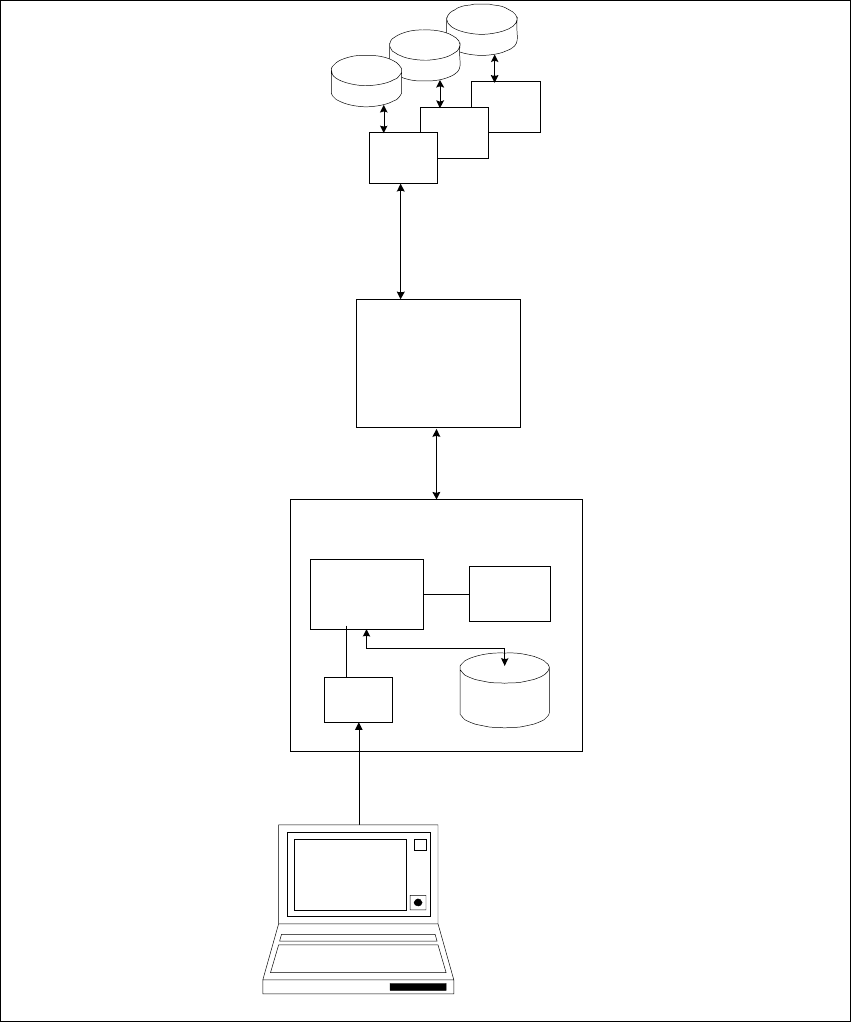
The typical architecture is shown in the diagram below. 2
2 System Components and Configurations Installation and Configuration Guide SIPLACE Explorer
2.1 Overview of System Components Edition 12/2005 EN
14
2
Fig. 2.1 - 2 SIPLACE Explorer factory architecture
System DB
System DB
Factory
website
Factory Host
Factory
DB
Factory
Configuration
utility
MS Excel
Reports
Web Client
SIPLACE Explorer
Application 1 ... 5
SIPLACE
Explorer Host
System DB
Installation and Configuration Guide SIPLACE Explorer 2 System Components and Configurations
Edition 12/2005 EN 2.1 Overview of System Components
15
The SIPLACE Explorer server software package includes various components and standalone
tools, corresponding to the installation option you have chosen.
2
"Runtime Environment":
– Archive Browser Utility
–Console
– Line Configuration
– Performance Analyzer
– SE Manager
– SE Security Manager
"Factory Configuration Utility"
"Development Environment":
– DB Service Utility
– Mail Configuration Utility
– Template Builder
– SE Developer Studio
– Line Configurator
– Equipment Editor
– System Database
– Application Logic
– Bean Factory
– User Manager
– Website Builder
– Event Report