AX501最新3.6x版英文操作手册.pdf.pdf - 第13页
4022 593 51894 Operatin g Man ual 09.01 AX-301/501, AX-3/5 13 2 2.2 Rear side items Figure 9 Rear side items 1 Electrical main swit ch. 2 Rear-l eft-upper door o f the base , cov ering th e air supply unit, pro viding ai…
4022 593 51894 Operating Manual
09.01 AX-301/501, AX-3/5 12
2
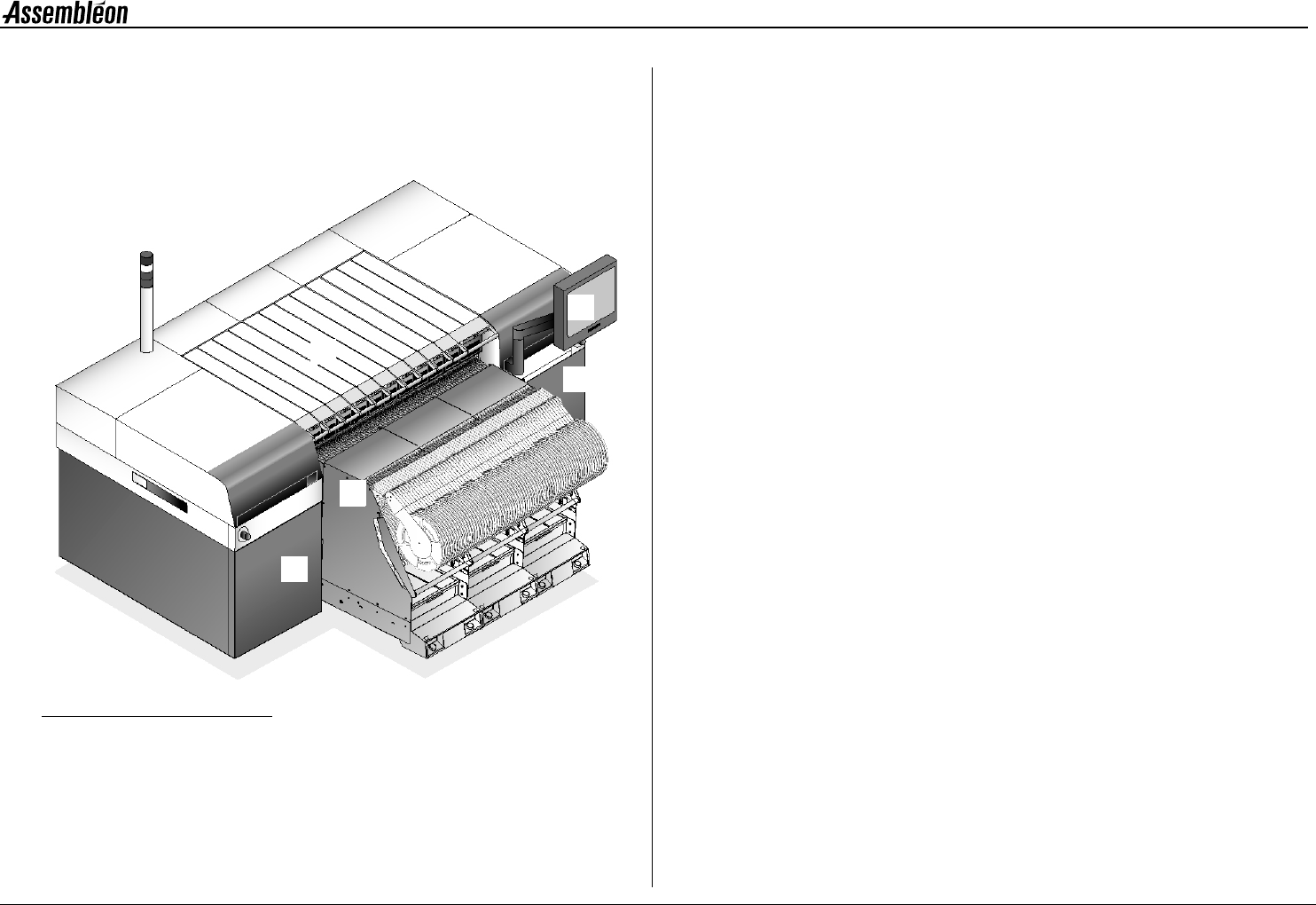
CHAPTER 2 General machine information
2.1 Front side items
Figure 8 Front side items
1 Lamp post
• White Emergency activated / machine stopped /idle state.
• Blue Request for operator interference, caused by faulty
conditions.
• Green Safe running mode.
• Beeper Request for operator interference.
2Touch screen.
The graphical user interface for operating the machine.
3 Run-in, run-out covers.
Protecting the run-in and run-out.
4 Pick and place modules.
Picking components from the feeder and placing it on a board.
5 Feeder trolley.
6 Front-left door of the base.
7 Front-right door of the base.
1
2
3
4
5
3
6
7
4022 593 51894 Operating Manual
09.01 AX-301/501, AX-3/5 13
2
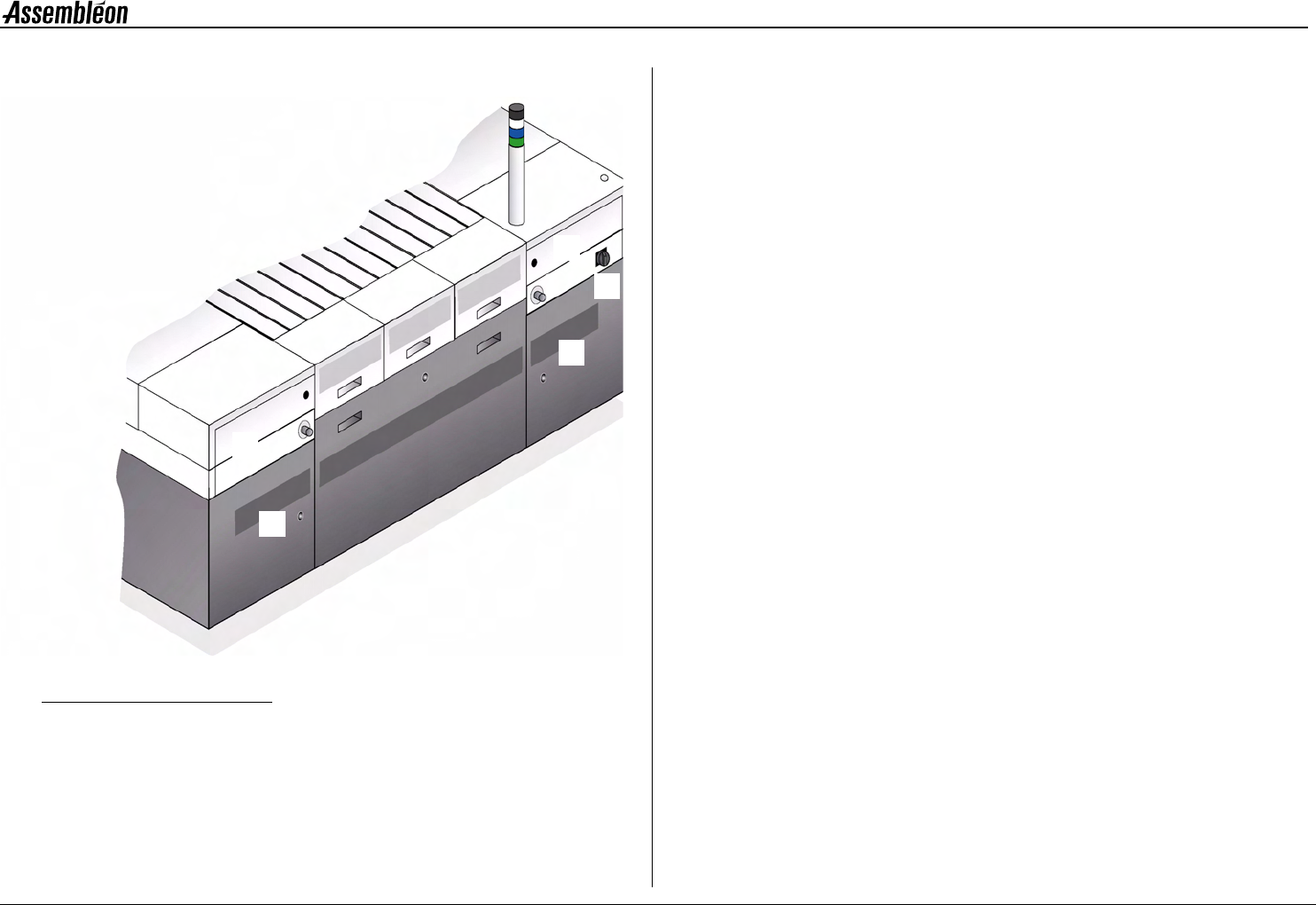
2.2 Rear side items
Figure 9 Rear side items
1 Electrical main switch.
2 Rear-left-upper door of the base,
covering the air supply unit, providing air for picking components
and bulk feeders.
3 Rear left-lower door of the base.
4 Rear right-upper door of the base.
5 Rear right-lower door of the base.
1
2
3
4
5