AX501最新3.6x版英文操作手册.pdf.pdf - 第32页
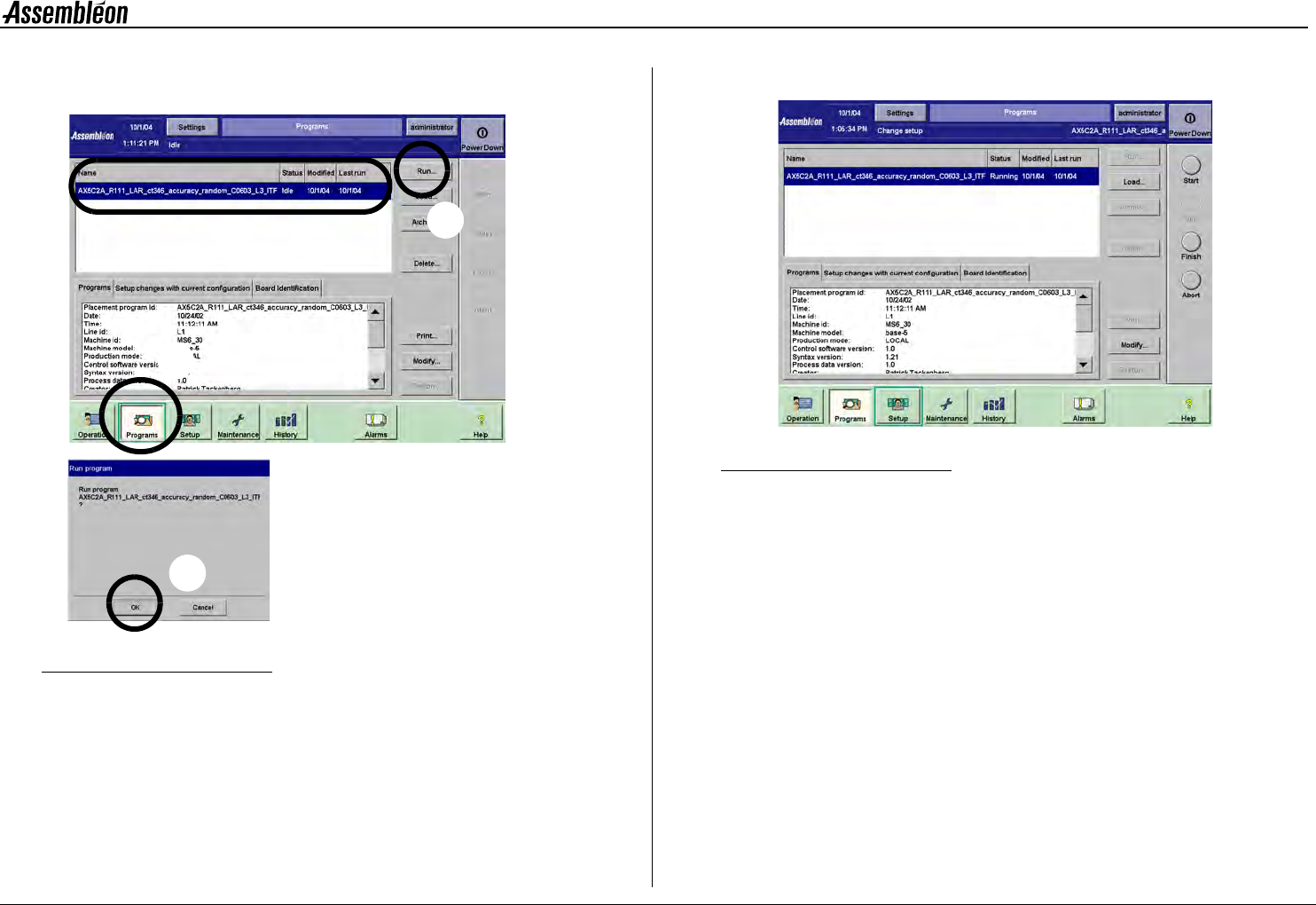
4022 593 51894 Operatin g Man ual 09.01 AX-301/501, AX-3/5 32 8 8.2 Run curr ent pr ogram Figure 37 Run placement program • Select ’Pr ogram s’ (1). • Sel ect desir ed placemen t program (2). • Sel ect ’Run’ (3). • Confi…
4022 593 51894 Operating Manual
09.01 AX-301/501, AX-3/5 31
8
CHAPTER 8 New program selection
In case of an error, see chapter 10. Error Handling
NOTE: To maximize production time it is important to prepare for
a change over in advance, see CHAPTER 7.
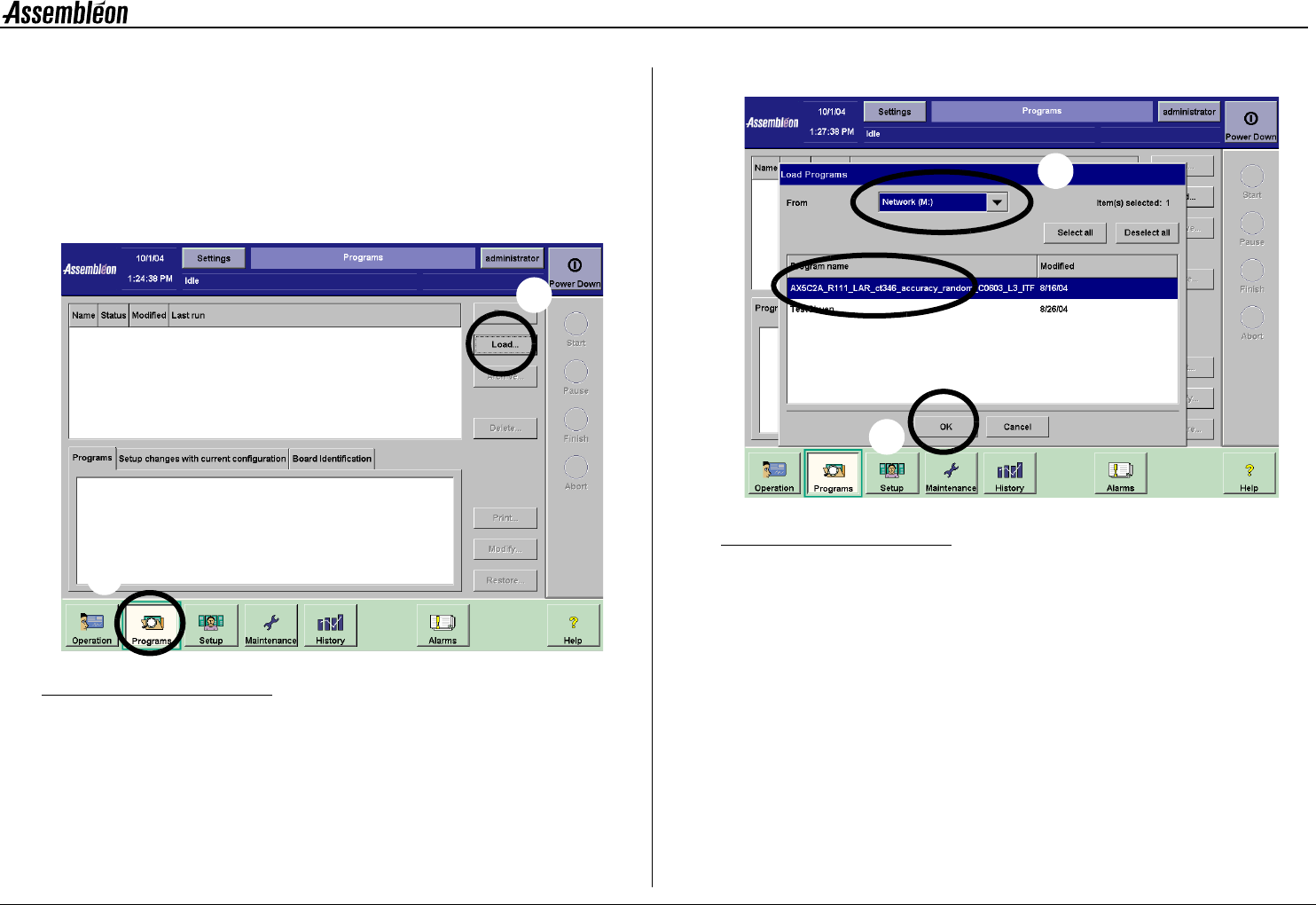
8.1 Select the new placement program
Figure 35 New placement program selection
Figure 36 New placement program selection
1 Select ’Programs’ (1).
2 Select ’Load’ to open the ’Load programs’ screen (2).
3 Select source drive (3).
4 Select desired program (4).
5 Confirm by ’OK’ (5).
1
2
3
5
4
4022 593 51894 Operating Manual
09.01 AX-301/501, AX-3/5 33
8
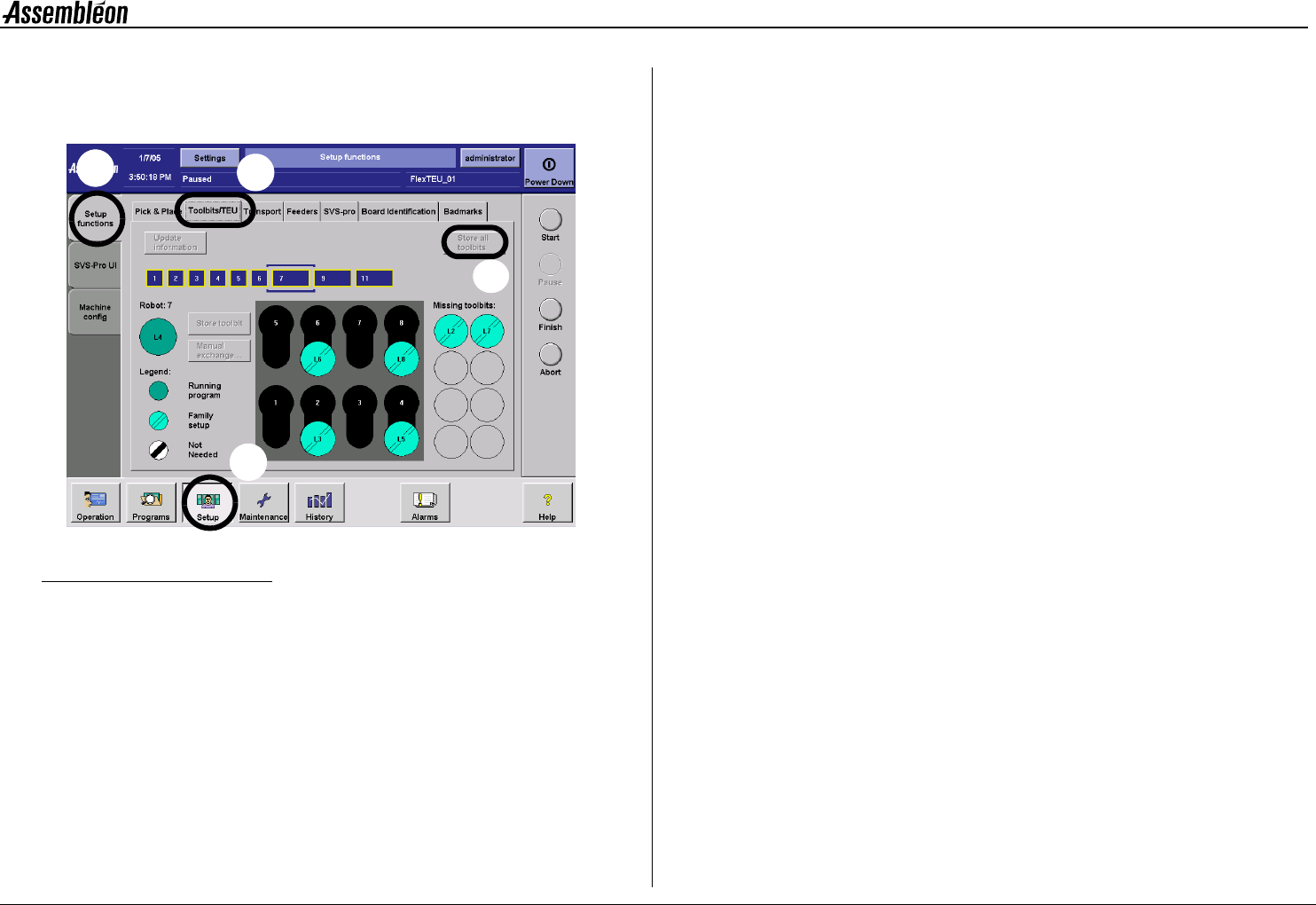
8.3 Move all toolbits to the toolbit exchange
units
Figure 39 Move all toolbits to the toolbit exchange units
To move all toolbits from the placement heads to the toolbit exchange
unit:
• Select ’Setup’ (1).
• Select ’Setup functions’ (2).
• Select ’Toolbit/TEU’ (3).
• Select ’Store all toolbit’ (4).
1
2
3
4