AX501最新3.6x版英文操作手册.pdf.pdf - 第33页
4022 593 51894 Operatin g Man ual 09.01 AX-301/501, AX-3/5 33 8 8.3 Mo ve all toolbits to the toolbit e xchange units Figure 39 Move all toolbits to the toolbit exchange units T o mov e all toolbit s from th e placem ent…
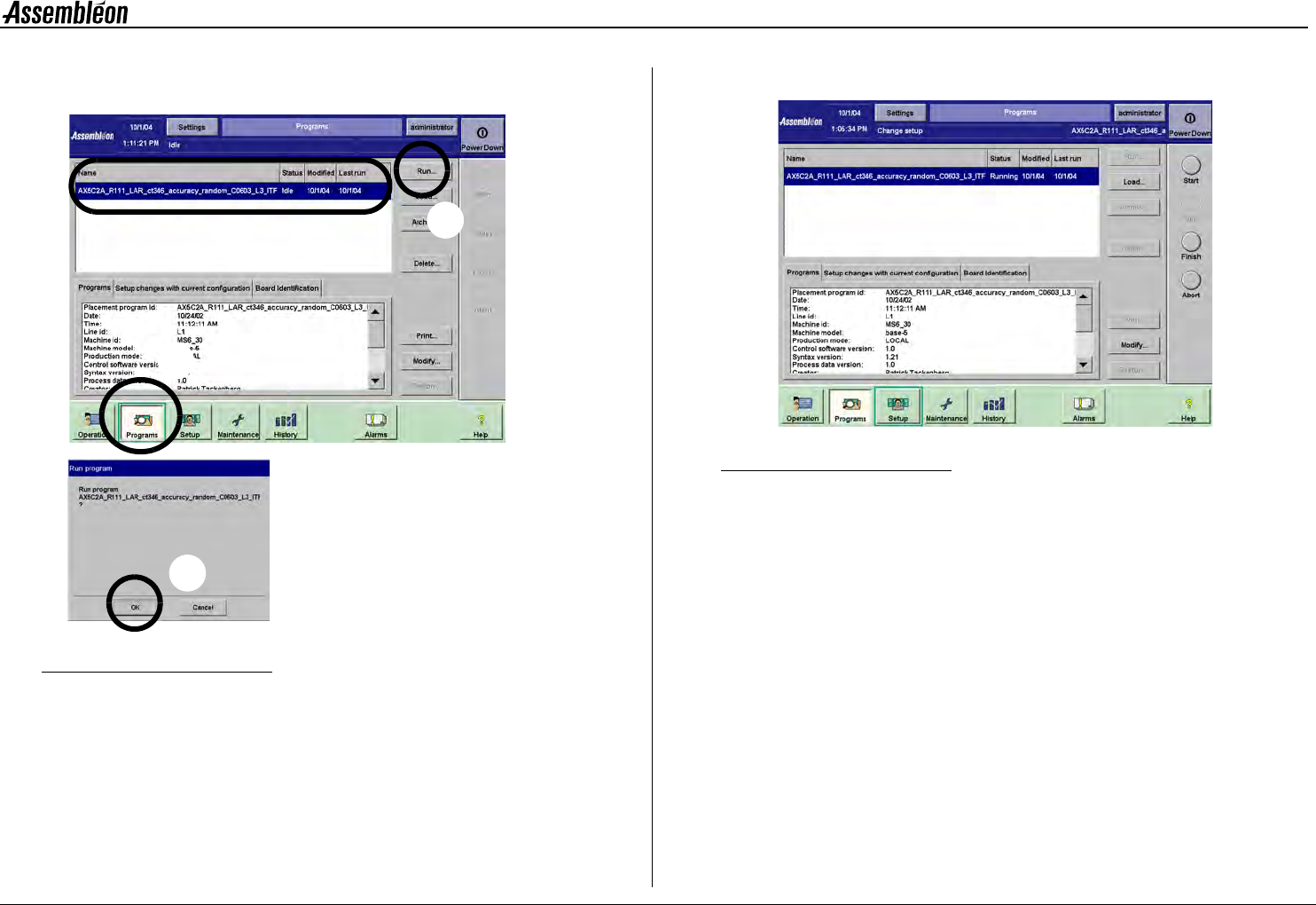
4022 593 51894 Operating Manual
09.01 AX-301/501, AX-3/5 33
8
8.3 Move all toolbits to the toolbit exchange
units
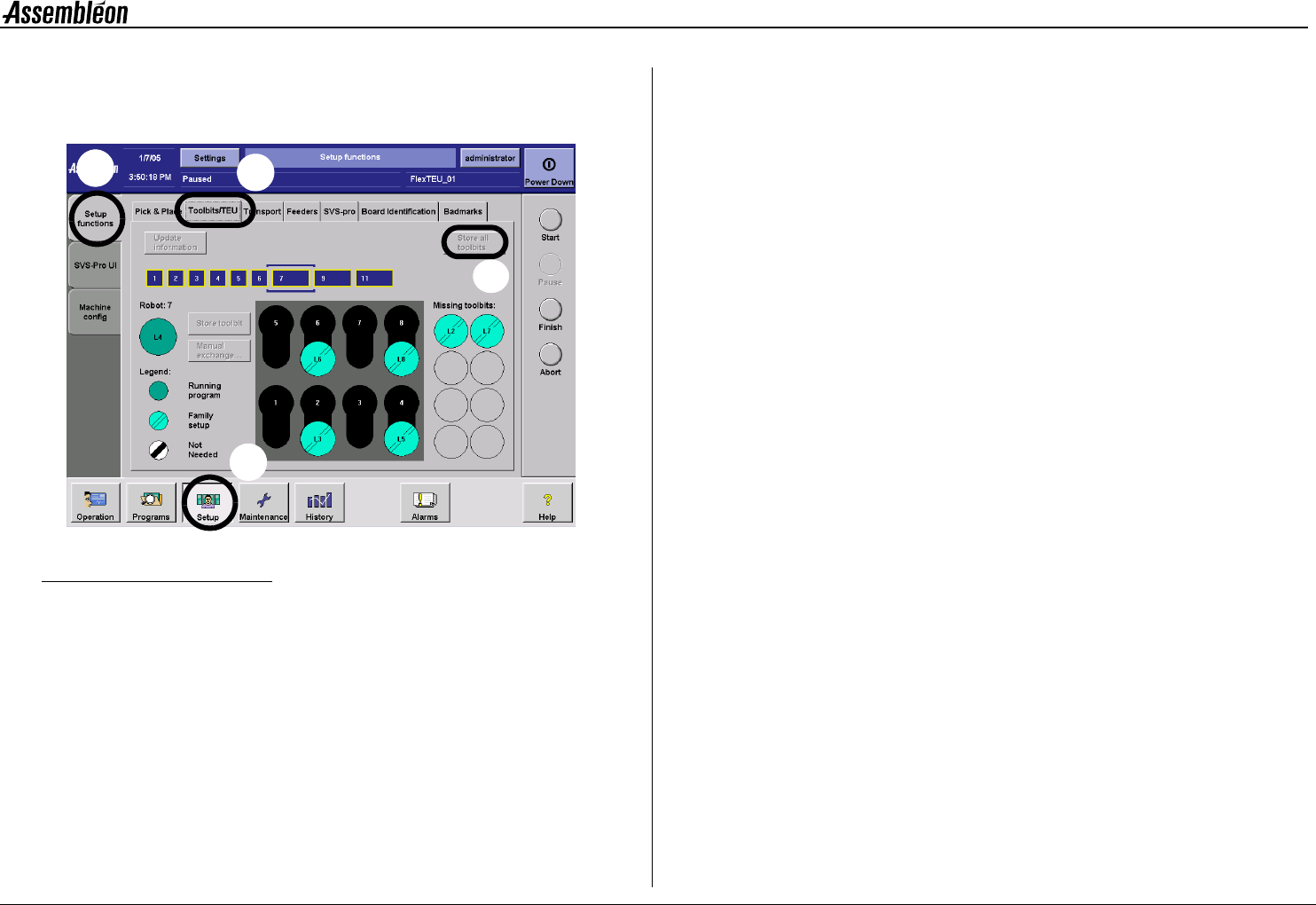
Figure 39 Move all toolbits to the toolbit exchange units
To move all toolbits from the placement heads to the toolbit exchange
unit:
• Select ’Setup’ (1).
• Select ’Setup functions’ (2).
• Select ’Toolbit/TEU’ (3).
• Select ’Store all toolbit’ (4).
1
2
3
4
4022 593 51894 Operating Manual
09.01 AX-301/501, AX-3/5 34
8
8.4 Remove the support plates
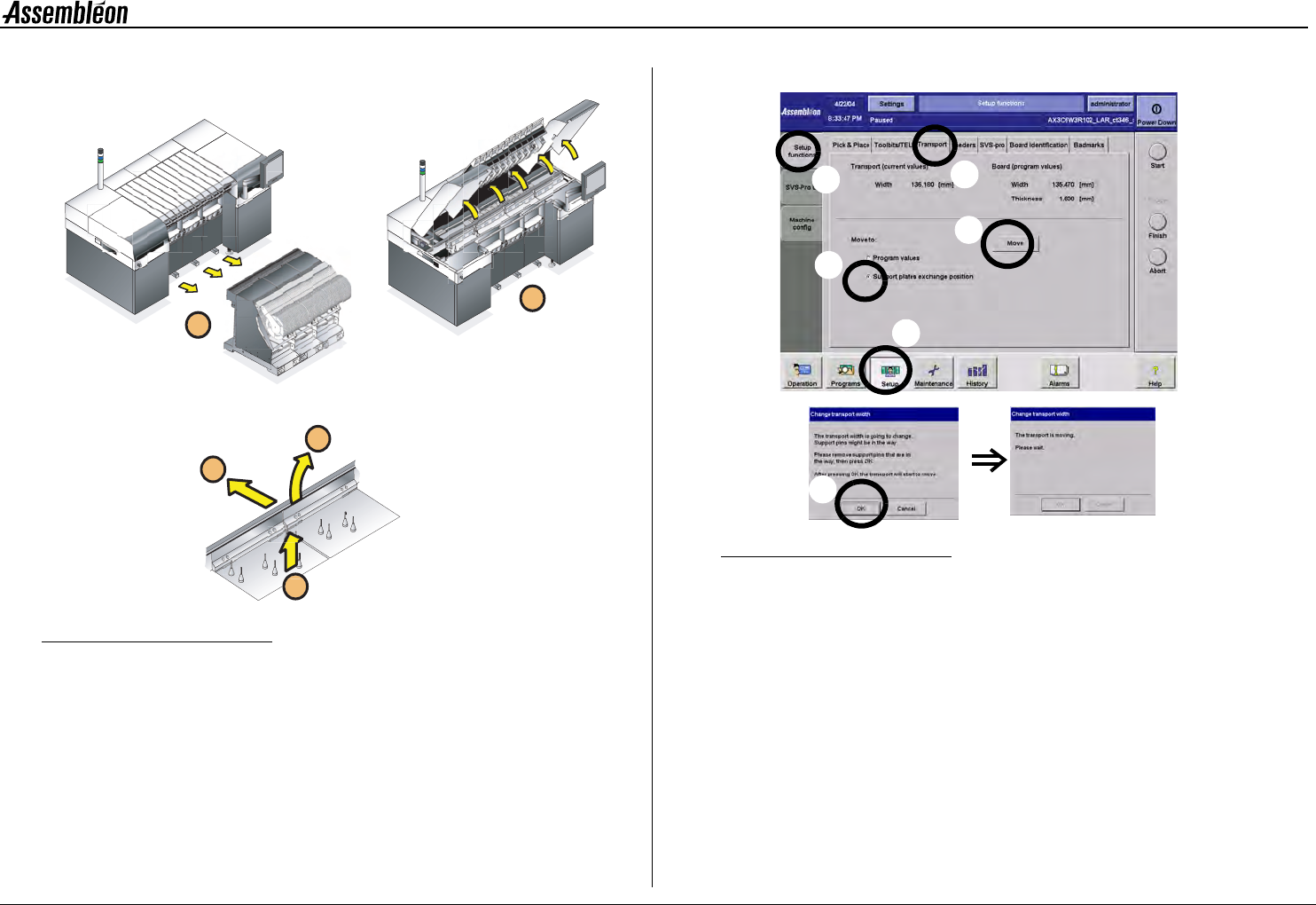
Figure 40 Remove the board support plates
NOTE: Use, when necessary, the stepstool to prevent an unsafe
work load.
1 Move rear transport rail to its most rear position.
Figure 41 Moving the rear transport rail to its most rear position
•
Select ’setup’ (a), ’setup functions’ (b), ’transport tab’ (c),
’support plates exchanges position’ (d), followed by ’move’(e).
• Check if the transport is free to move and confirm (f).
• Wait until the transport rail has finished its movement.
2 Remove all trolleys.
3 Open all robots, run-in and run-out covers.
4 Take away the rear support strips.
5 Take out the support plates.
6 Clean the transport area, trolley slots and dump bins with a
vacuum cleaner.
2
1
5
4
3
f
a
e
d
b
c