AX501最新3.6x版英文操作手册.pdf.pdf - 第41页
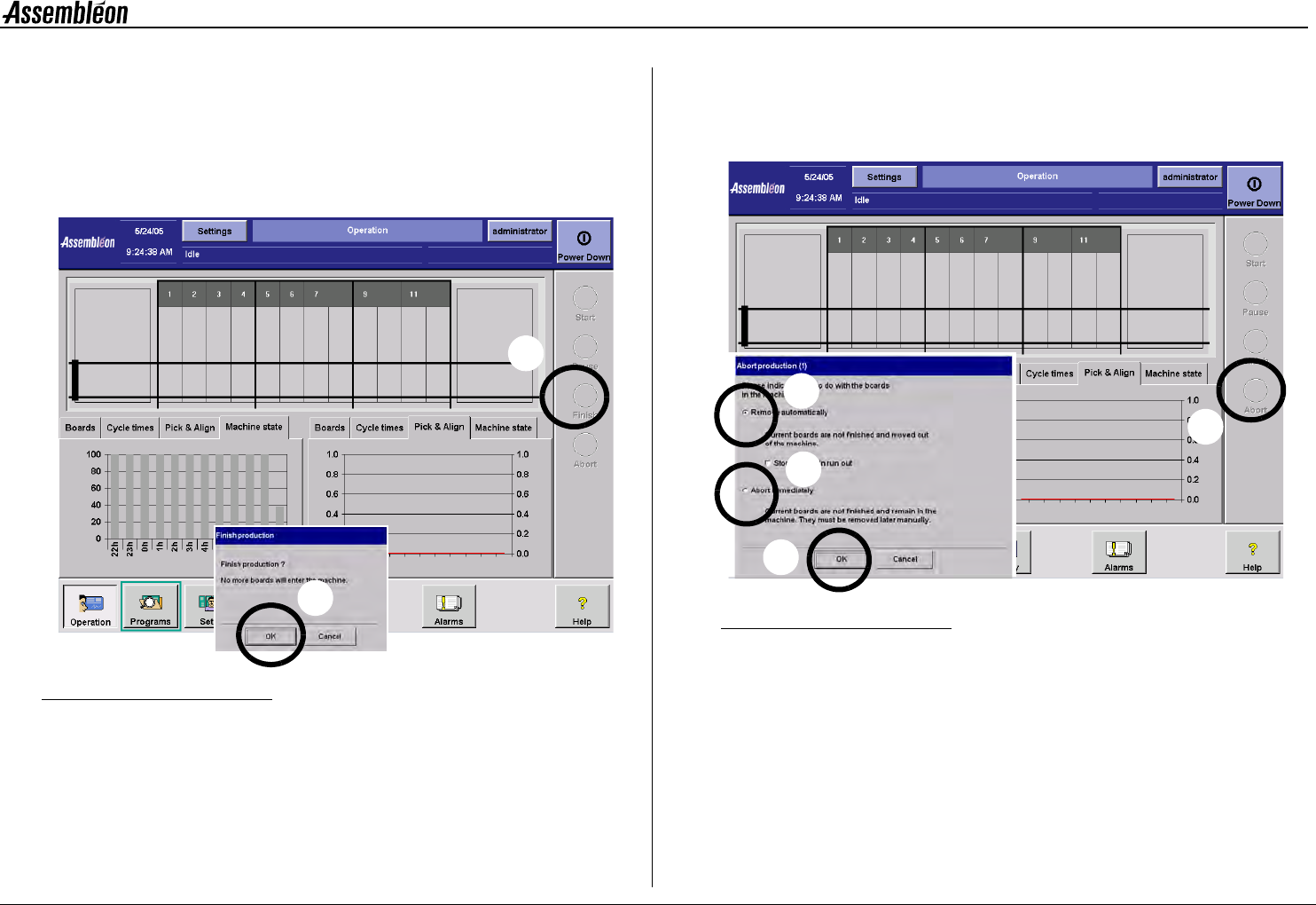
4022 593 51894 Operatin g Man ual 09.01 AX-301/501, AX-3/5 41 9 9.6 Log o ff Figure 53 Log off screen T o log off: • Sel ect (1). • Confirm with ’OK’ (2). 1 2
4022 593 51894 Operating Manual
09.01 AX-301/501, AX-3/5 40
9
9.4 Finish production
Finish production:
• Prevents the machine from loading new boards.
• Finishes production for boards already in the machine.
• Ends production when the machine is empty.
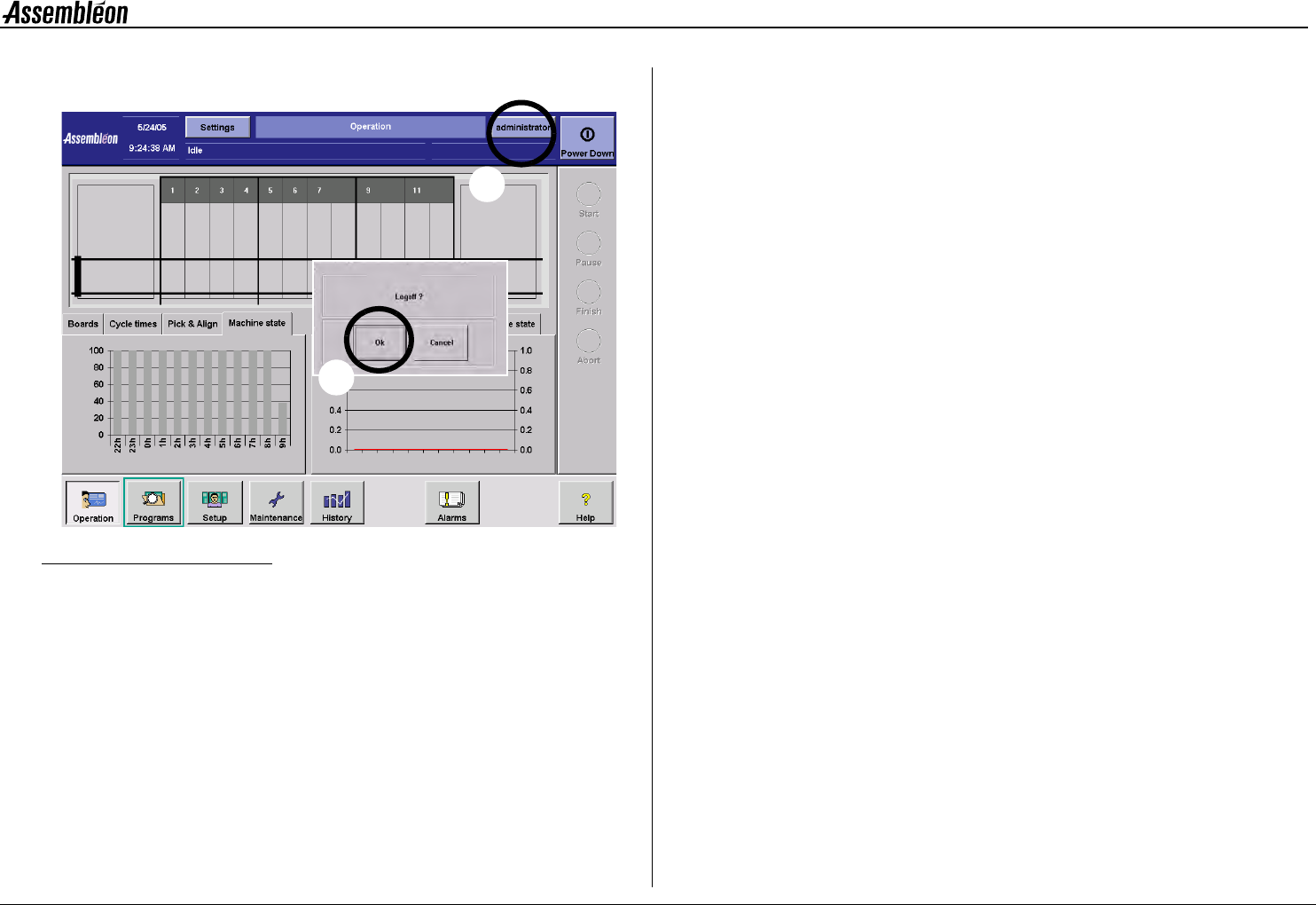
Figure 51 Finish production
To finish production:
• Select “Finish” production (1).
• Confirm with “OK” (2).
9.5 Abort production
Abort production stops production immediately. Boards present in the
machine are not finished.
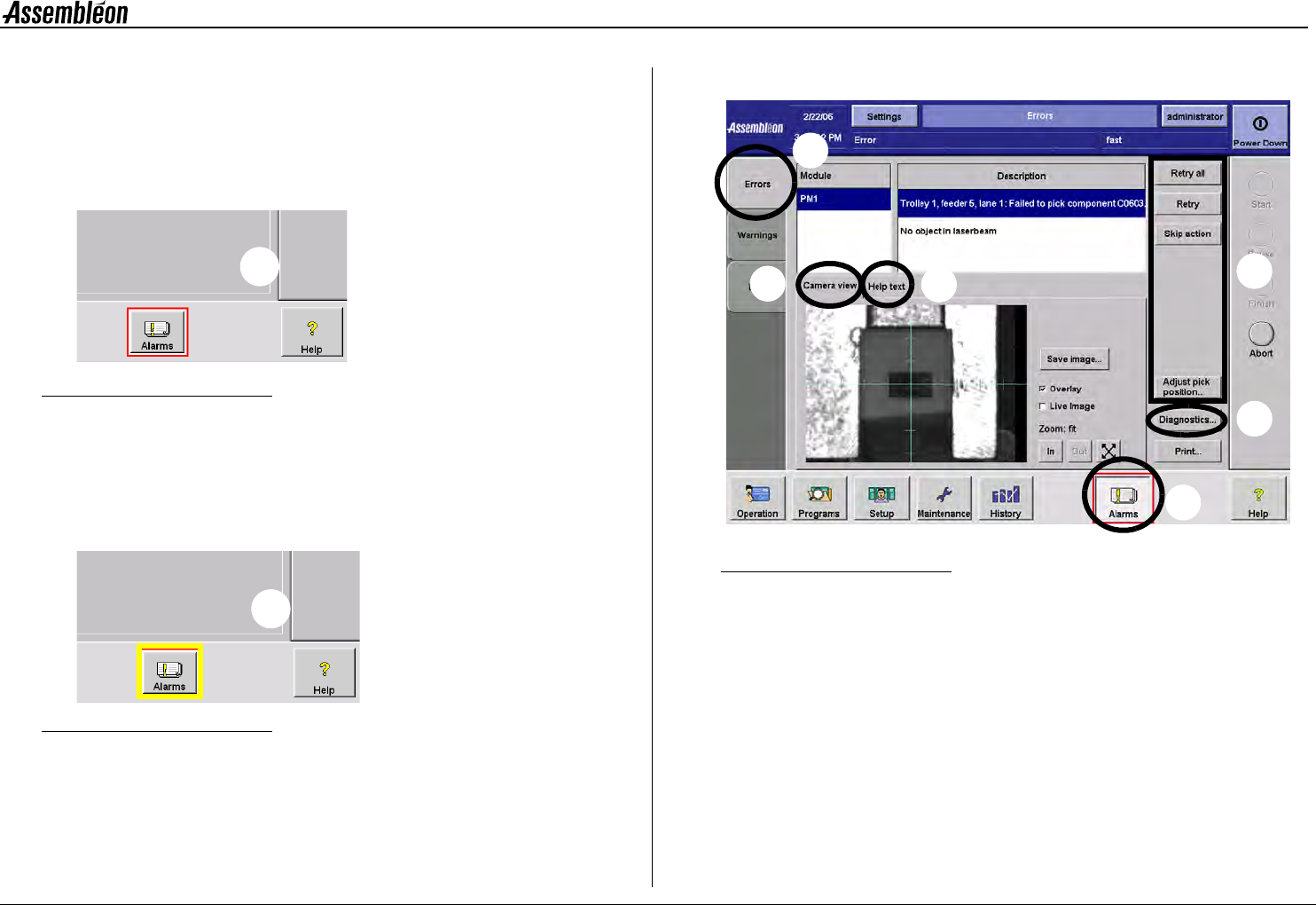
Figure 52 Abort production
To abort production:
• Select “abort” (1).
• To empty the machine select “remove automatically” (2a).
• To leave the boards in the machine select
“abort immediately” (2b).
• Confirm with “OK” (3).
1
2
1
2b
2a
3
4022 593 51894 Operating Manual
09.01 AX-301/501, AX-3/5 42
10
CHAPTER 10 Error Handling
10.1 Errors and warnings, recognition
A coloured border shown around the alarm button indicates a machine or
process malfunction:
Figure 54 Error indication
•
A red border indicates an error (1).
Machine stopped, error has to be solved before production can
continue.
Beeps and Blue lamp on lamp post turn on.
Figure 55 Warning indication
•
A yellow border indicates a warning (2).
Machine proceeds, but problem should be solved for optimal
operation.
10.2 Display errors
Figure 56 Alarm screen selection
•
Select ’Alarms’ (1).
• Select ’Errors’ (2).
• Use available information on:
- Module(s) causing error(s) (A).
- Details on error(s) (B).
- Help instructions on selected error (C).
- Camera view related to the error situation (D),
see section 10.2.1. Camera view.
- Access to diagnostics environment (E),
see section 10.3.1. Diagnostics toolbox.
• Solve the problem on the machine.
1
2
2
3
1
A
B
D
C
E