AX501最新3.6x版英文操作手册.pdf.pdf - 第28页
4022 593 51894 Operatin g Man ual 09.01 AX-301/501, AX-3/5 28 5 2 Cl ean with a va cuum clean er: - waste d componen ts in tran sport area. - waste d componen ts on feeder posi tions or feed er trolle y . 3 R emo ve the …
4022 593 51894 Operating Manual
09.01 AX-301/501, AX-3/5 27
5
CHAPTER 5 Pre start inspections
In case of an error call for assistance.
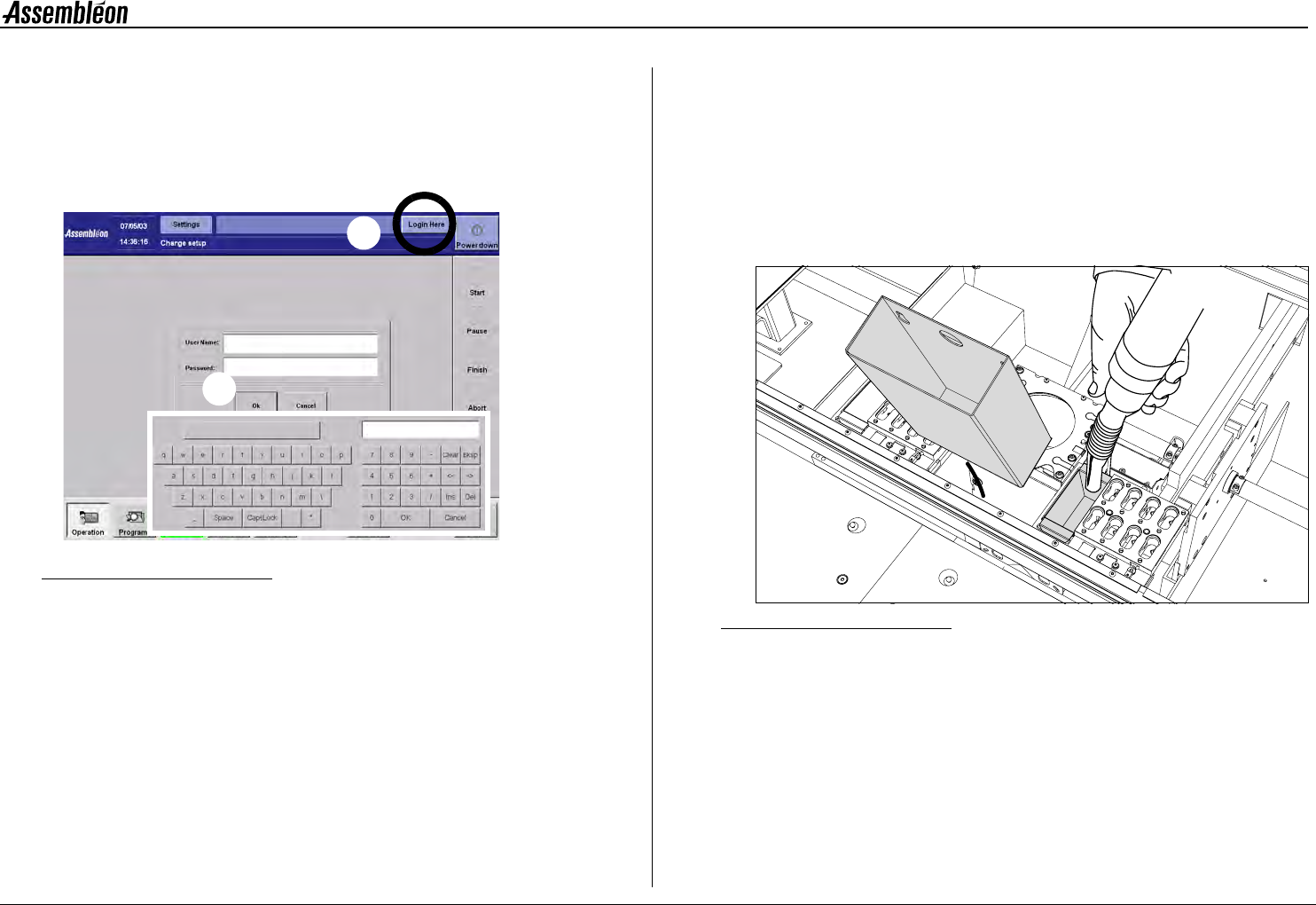
5.1 Logging in
Figure 29 Logging in screen
1 Activate the ’Login’ screen.
2 Activate the keyboard by touching the login area.
• Type in user name, followed by ’OK’.
• Type in password, followed by ’OK’.
5.2 Machine cleaning
NOTE: Never use compressed air for cleaning. (Waste would be
blown into fine mechanical parts, causing damage and
malfunctioning of the machine.)
NOTE: Use, when necessary, the stepstool to prevent an unsafe
work load during machine cleaning.
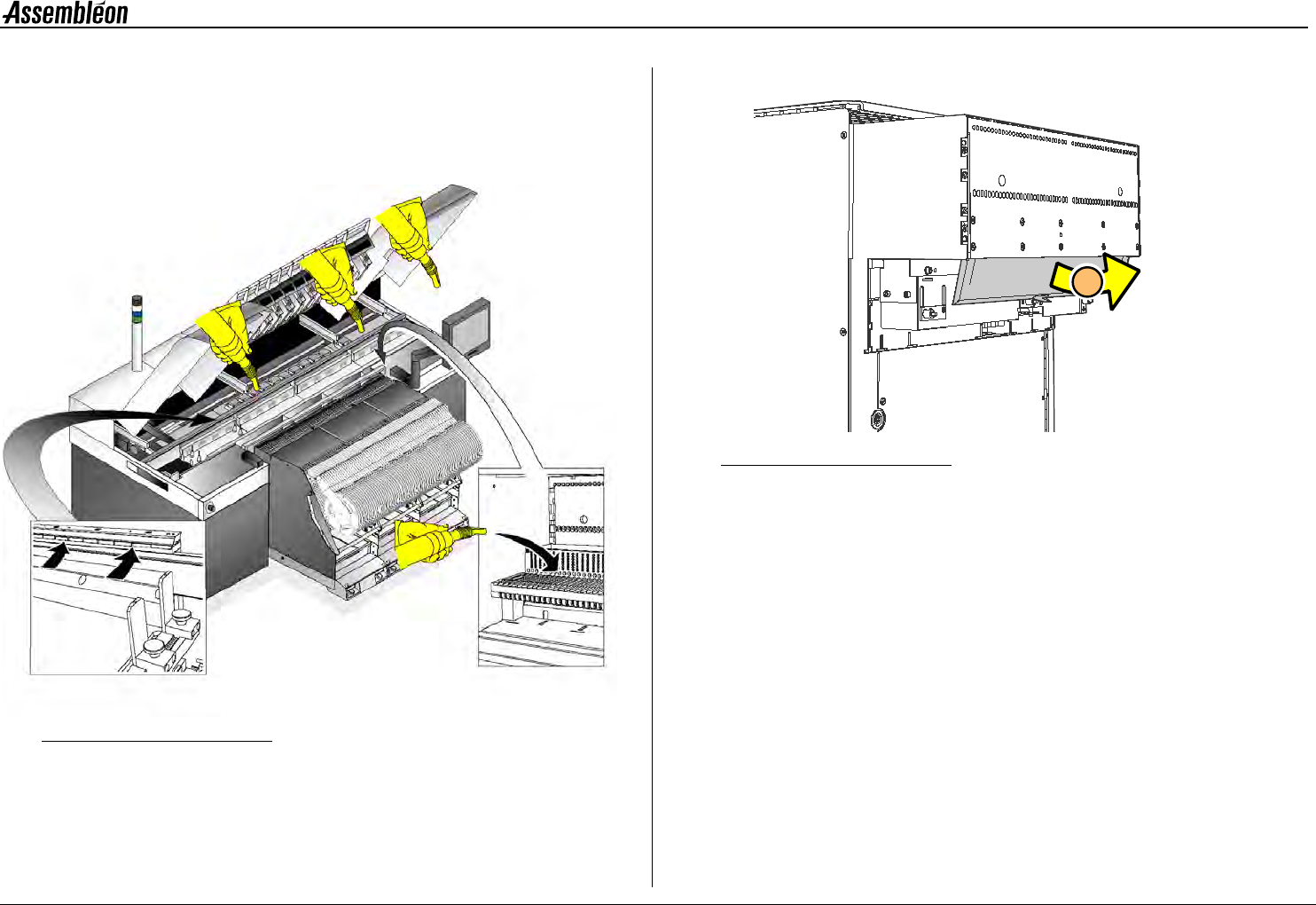
1 Open all robots, and empty all dump bins.
Figure 30 Dump bins, cleaning
1
2
1
4022 593 51894 Operating Manual
09.01 AX-301/501, AX-3/5 28
5
2 Clean with a vacuum cleaner:
- wasted components in transport area.
- wasted components on feeder positions or feeder trolley.
3 Remove the components from under the ’fingers’ of the front board
clamp.
Figure 31 Machine cleaning
A-Series feeder trolley only:
Figure 32 A-series trolley cleaning
4 Remove the A-Series feeder trolley from the machine, see 2.5.1.
Open the lid and remove components from the feeder trolley.
3
2
2
2
2
4