AX501最新3.6x版英文操作手册.pdf.pdf - 第38页
4022 593 51894 Operatin g Man ual 09.01 AX-301/501, AX-3/5 38 9 9.2.3 Monitor and impr ov e machine performance Figure 48 Monitor and improve machine performance T o moni tor an d impro ve th e performan ce, sel ect the …
4022 593 51894 Operating Manual
09.01 AX-301/501, AX-3/5 37
9
CHAPTER 9 Production
In case of an error, see chapter 10. Error Handling.
9.1 Start production
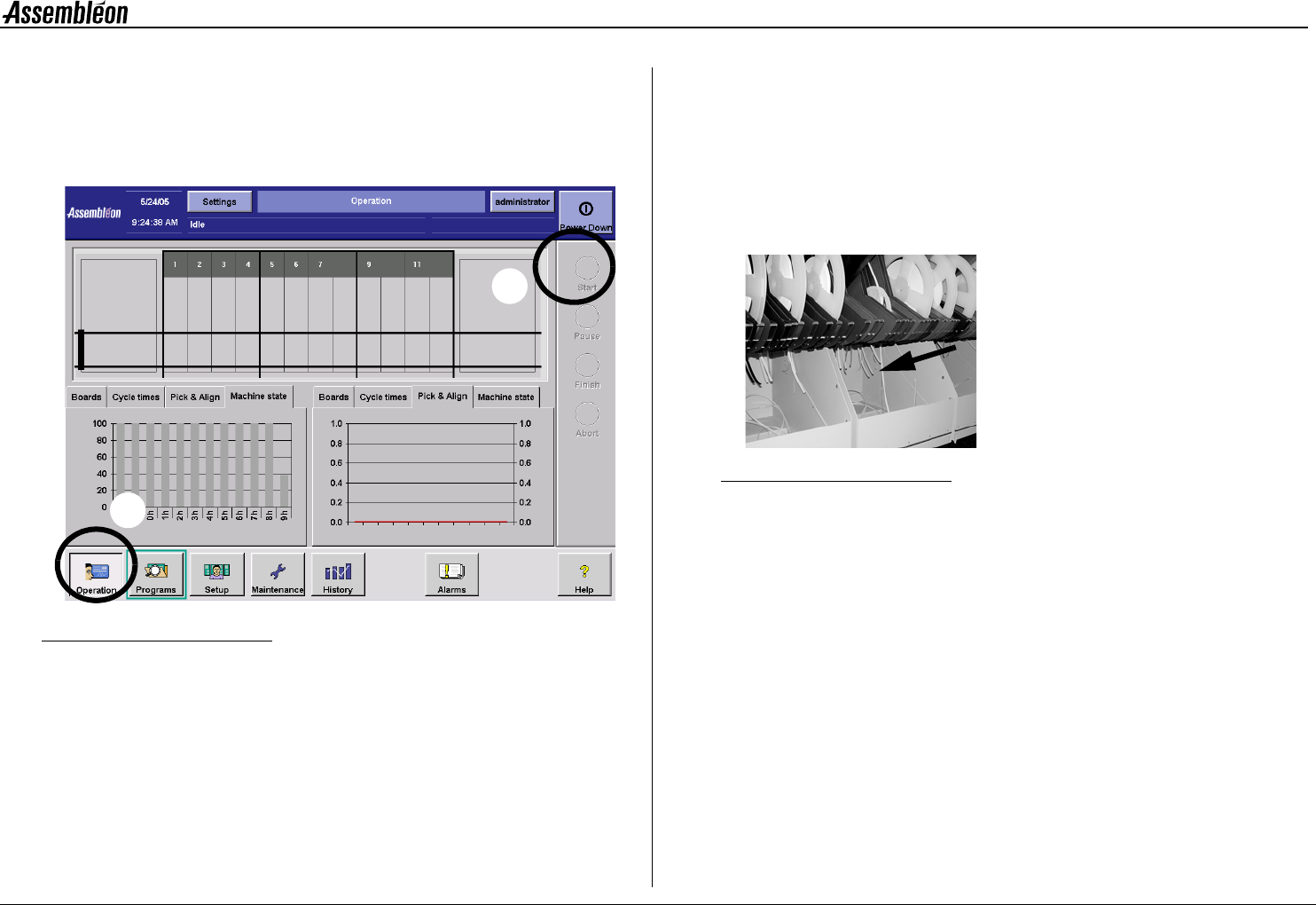
Figure 46 Start production
To start production:
• Select ’Operation’ button (1).
• Select ’Start’ button (2).
If no error message appears, the machine starts production.
If an error message does appear, see chapter 10. Error Handling.
9.2 Maintain production
9.2.1 Tape splicing
See Appendix.
9.2.2 Tape cutting on the feeders
Cut and remove carrier tape and top foil regularly.
Figure 47 Tape cutting
1
2
"
4022 593 51894 Operating Manual
09.01 AX-301/501, AX-3/5 38
9
9.2.3 Monitor and improve machine performance
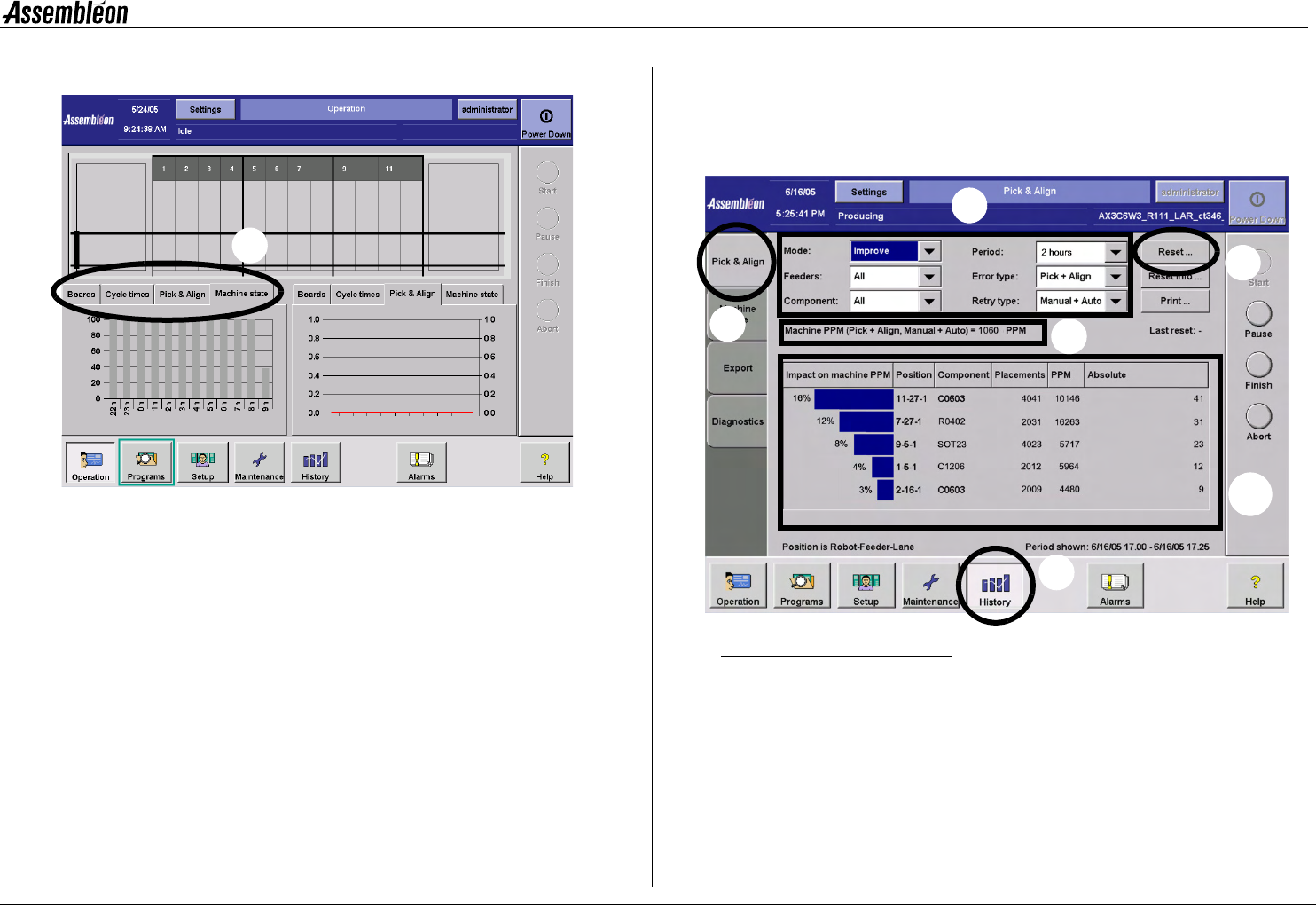
Figure 48 Monitor and improve machine performance
To monitor and improve the performance, select the tabs (1). For more
information, see the following paragraphs.
9.2.3.1 'Pick & Align'
'Pick & Align', that shows where to improve.
Improve the shown 'Trolley-feeder-lane' combinations to achieve the
biggest PPM improvement on machine level.
To show the improve mode:
1Select 'History'
2 Select 'Pick & Align'
3 Set parameters:
• ‘Improve’ mode
• ‘All’ feeders
• ‘All’ components
• ‘2 hours’ period
• ‘Pick + Align’ error type
• ‘Manual + Auto’ retry type
Figure 49
4 Monitor the machine PPM level: is it above specification?
a No: do not take any action (chances are that the PPM level gets
worse after action).
b Yes: improve the shown 'Robot-feeder-lane' combinations with
highest percentages.
5 After making improvements: select 'Reset'.
Enter a description of the improvement actions (can later be
1
1
2
4
5
3
4b
4022 593 51894 Operating Manual
09.01 AX-301/501, AX-3/5 39
9
viewed after selecting ‘Reset info . . .’).
After 30 minutes, start again at step 1.
9.2.3.2 'Boards'
'Boards', with specific production information on all running, aborting
and leaving programs with boards on the transport. The numbers of all
good, suspected, incomplete and skipped boards are given for each
placement program. Button 'Reset' resets the board count for this screen
only.
9.2.3.3 ’Cycle times'
Cycle times', with the cycle times of the boards:
■ 'Best' shows the shortest time between two transport return
strokes when the machine produces or is in error. This value is
set to zero after a change over.
■ 'Average' shows the average of all cycle times of the current
batch (the average time between two transport return strokes
while the machine produces or is in error). This value is set to
zero after a change over.
■ Button 'Reset' resets the board count for this screen only.
9.2.3.4 'Machine state'
'Machine state', with the machine state. The diagram shows the different
machine states (non scheduled, unscheduled down, scheduled down,
setup, stand-by and productive), in the same way as the 'History -
Machine state' screen.
9.3 Pause production
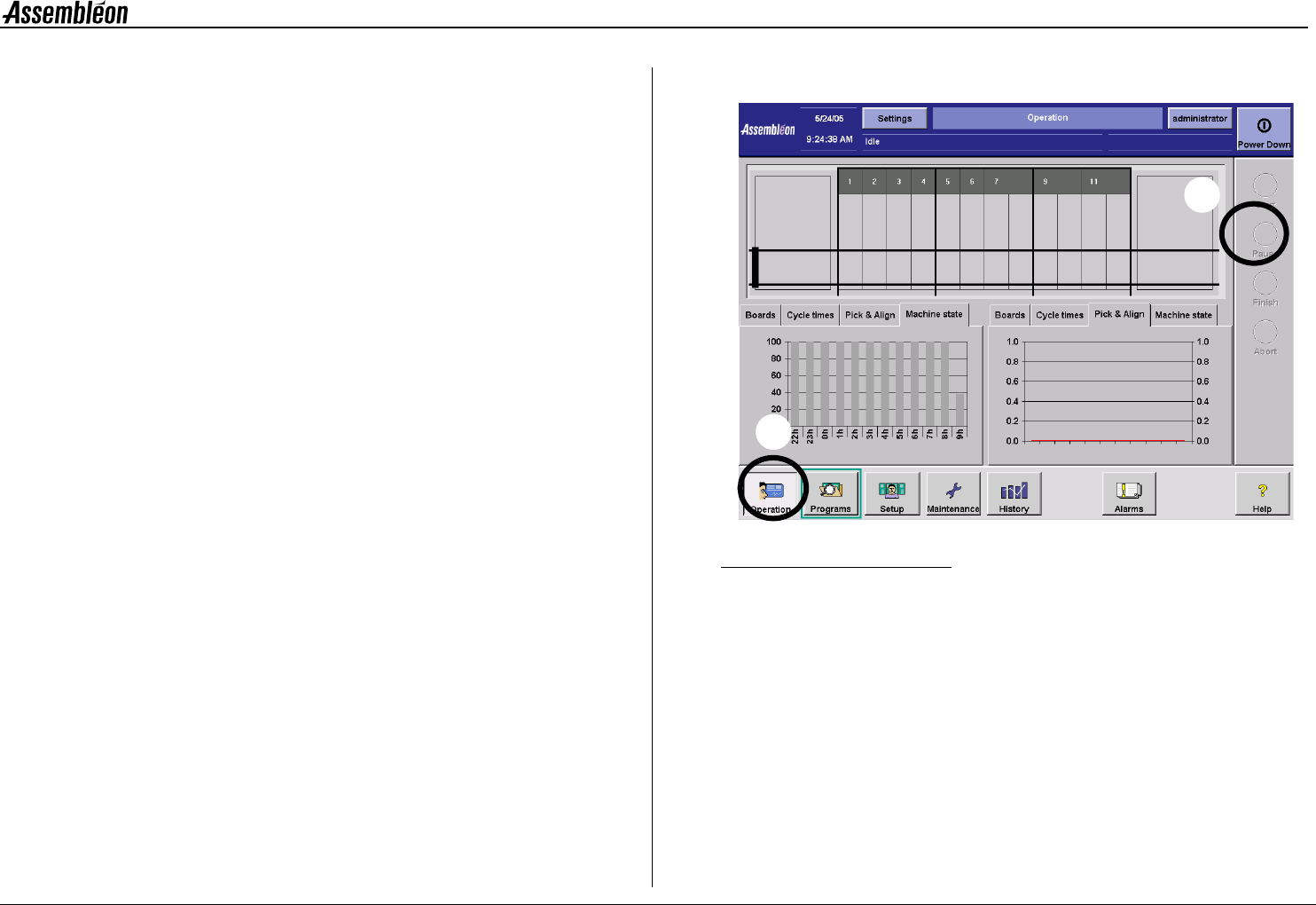
Figure 50 Pause production
To temporary stop production:
• Select Operation (1).
• Select Pause (2).
1
2