德森印刷机说明书之操作手册-4d1321fc284ac850ac024234.pdf - 第15页
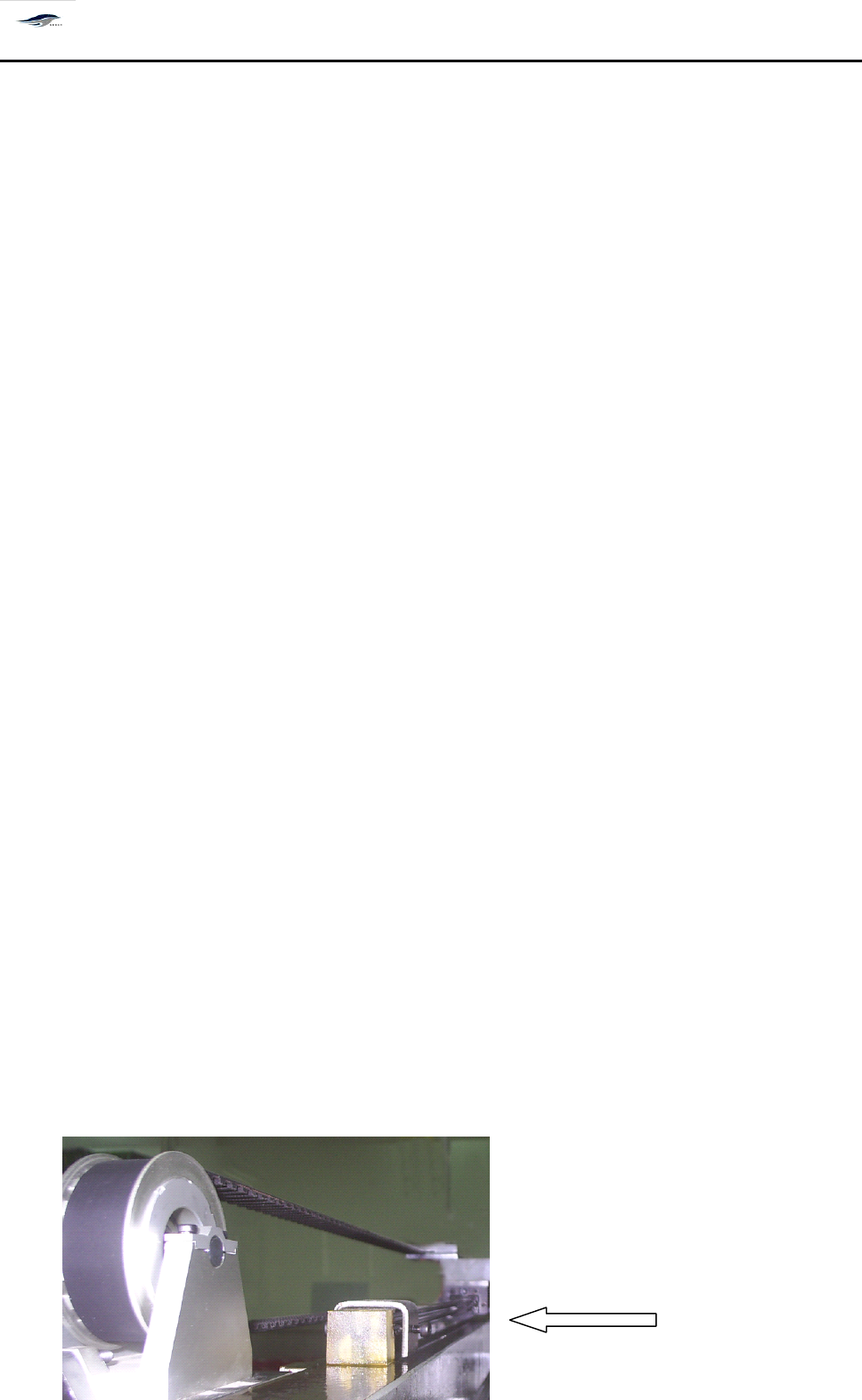
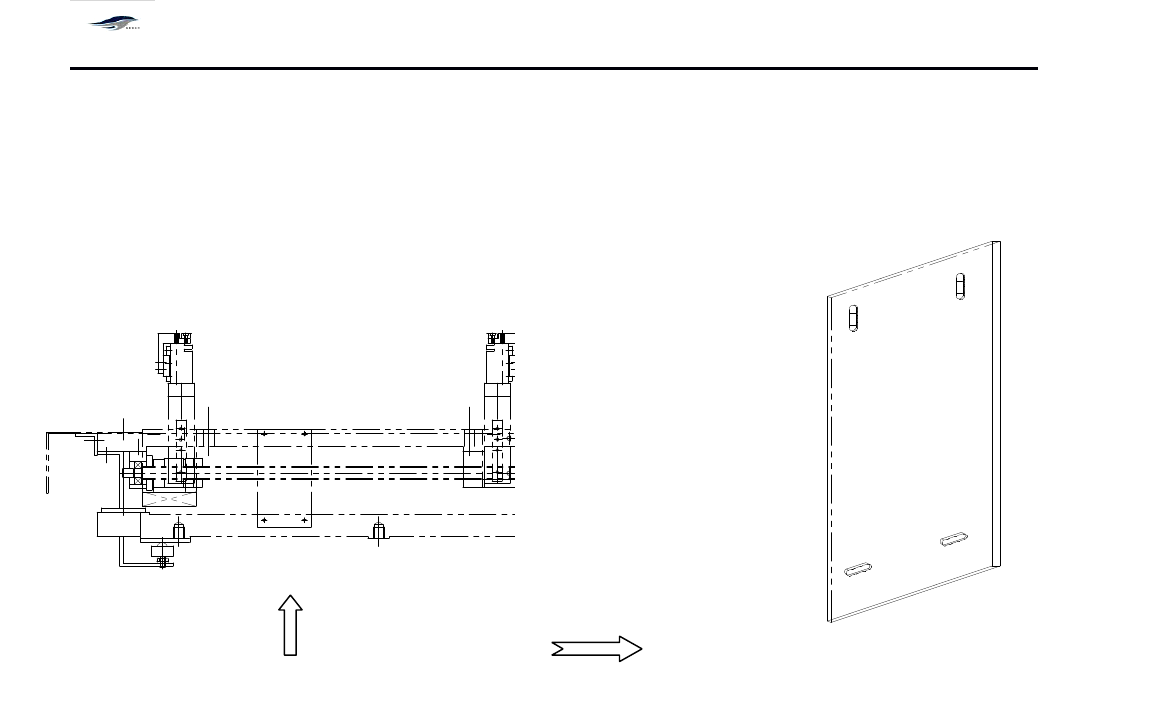
深圳德森精密设备有限公司 Shenzhen Desen Pre cision Machine Co., Ltd. - 15 - 图 2-1 导轨固定夹 Fig ure 2-1 G uide R ail A ttac hing Clamp 图 2-2 工作台固定板 Fig ure 2-2 W orkbenc h F ixing Plate 2.2 2.2 2.2 2.2 操作环 境 2.2 2.2 2.2 2.2 Operation Op…
深圳德森精密设备有限公司
Shenzhen Desen Precision Machine Co., Ltd.
- 14 -
第二章
设备安装与调试
Chapter
Chapter
Chapter
Chapter
II
II
II
II
Equipment
Equipment
Equipment
Equipment
Installation
Installation
Installation
Installation
and
and
and
and
Debugging
Debugging
Debugging
Debugging
2.1
2.1
2.1
2.1
开箱
2.1
2.1
2.1
2.1
Open
Open
Open
Open
Box
Box
Box
Box
1.
对照《装箱清单》所列各项进行查验。
Check with the "Packing List " and inspect each item in details.
2.
检查机器各部分是否有损坏,包括另箱包装的显示器、三色灯、日光灯及刮刀等,并
将它们重新安装到印刷机上。
Inspect whether any part of the machine has damage d , including addition al packing
of monitor, the tricolor signal lamp , the daylight lamp , the squeegee and so on, and
installs them on the print ing machine.
3.
务必将运输时安装在滑块两端的各导轨的导轨固定夹滑到导轨的两端(如图 2 – 1
示)
。
Release all the protection clips on the guide rail and fix it at the end of both sides .
(Figure 2-1)
4.
将运输时安装的工作台固定板取下(如图 2 – 2
示) 。
Remove the protection table from the work table . (Figure 2-2)
5.
检查各联接处是否有松动脱落,各运动部分传输皮带有无脱落。
Inspect joint s for fall ing- off or loose ness; check conveying belt of moving parts for
falling-off .
6.
检查各直线导轨上的滑块有无滑脱。
Check whether any slide in the guide rail falls off.
7.
检查电气组件是否固定、接触是否良好。
Check w hether the electrical parts are fixed and contact is good.
导轨固定夹
Guide rail attaching clamp
深圳德森精密设备有限公司
Shenzhen Desen Precision Machine Co., Ltd.
- 15 -
图 2-1 导轨固定夹
Figure 2-1 Guide Rail Attaching Clamp
图 2-2 工作台固定板
Figure 2-2 Workbench Fixing Plate
2.2
2.2
2.2
2.2
操作环境
2.2
2.2
2.2
2.2
Operation
Operation
Operation
Operation
Environment
Environment
Environment
Environment
环境温度:不论印刷机内有无工件,该机的工作环境温度最好在 23 ± 5 ℃ 之间。
Operation T emperature: the working temperature of the machine should be within 23 ± 5 ℃
whether or not any working parts inside printing machine.
相对湿度:该系列机的工作环境相对湿度应< 80% 。
Relative h umidity : the relative humidity of working environment for the series machine
should be less than 80% .
2.3
2.3
2.3
2.3
设备安置及高度调整
2.3
2.3
2.3
2.3
Machine
Machine
Machine
Machine
placement
placement
placement
placement
and
and
and
and
height
height
height
height
adjustment
adjustment
adjustment
adjustment
1.
将印刷机移动安置到选定位置。 调节机器下部四个可调机脚 (可调整范围: ± 20mm
) ,
确定所需的设备高度。
Moves the print ing machine to designate d position. Adjust the height and horizontal
深圳德森精密设备有限公司
Shenzhen Desen Precision Machine Co., Ltd.
- 16 -
level of the machine with the adjustable feet ( Adjustable range: ± 20mm ) .
2.4
2.4
2.4
2.4
电源气源
2.4
2.4
2.4
2.4
Power
Power
Power
Power
supply
supply
supply
supply
and
and
and
and
air
air
air
air
source
source
source
source
1)
请使用 AC 220V 、 50/60H
Z
具有额定电流的稳定电源,用户在使用本机器过程中如电
压不稳定,应自备稳压电源。
Please use AC 220V, 50/60HZ regulated power supply with rated current. If the
voltage is unstable in application of the machine , please work together with the UPS .
2)
请使用稳定的压力为 4.5 ~ 6kgf/cm2 的工业气源。
Please use the air source with stable air pressure of 4.5~6kgf/ cm2 .
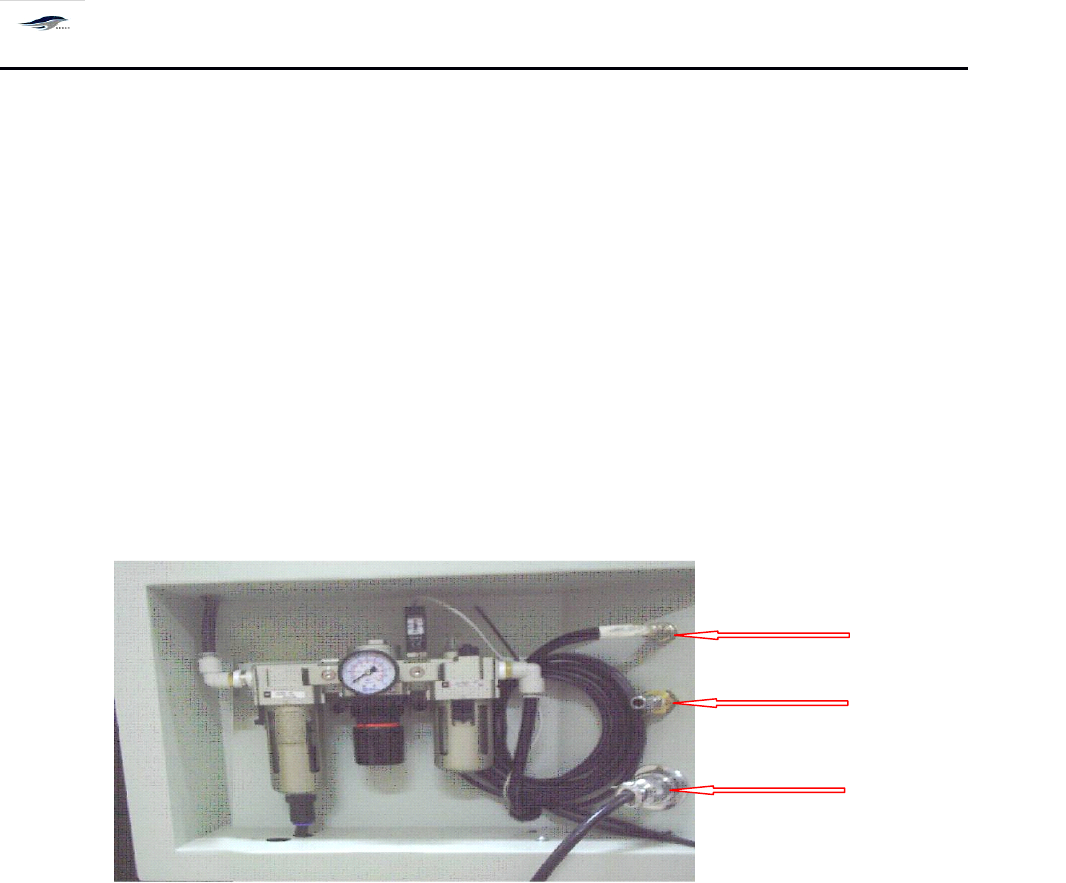
图 2-3 电气源接口位置图
Figure 2-3 Position of Power Supply Interface
2.5
2.5
2.5
2.5
工控机控制系统安装
2.5
2.5
2.5
2.5
Control
Control
Control
Control
System
System
System
System
Installation
Installation
Installation
Installation
of
of
of
of
Industry
Industry
Industry
Industry
Control
Control
Control
Control
Computer
Computer
Computer
Computer
按图 2-4 将工控机控制系统中显示器、键盘及鼠标等安装到印刷机主机上,并与工控机
连接,然后接通电源。
Equip the monitor, the keyboard and the mouse in the control system of the industry control
computer with the main machine of the printing machine , also connect them with the
industry control computer, and then connect power supply. S ee Figure 2-4.
FMI interface
Compressed air
dddddpplug
Power cable