德森印刷机说明书之操作手册-4d1321fc284ac850ac024234.pdf - 第30页
深圳德森精密设备有限公司 Shenzhen Desen Pre cision Machine Co., Ltd. - 30 - 主工具栏 第四章 操作系 统说明 Chapter Chapter Chapter Chapter IV IV IV IV D esc ript ion D esc ript ion D esc ript ion D esc ript ion of of of of O p erating O p erating…
深圳德森精密设备有限公司
Shenzhen Desen Precision Machine Co., Ltd.
- 29 -
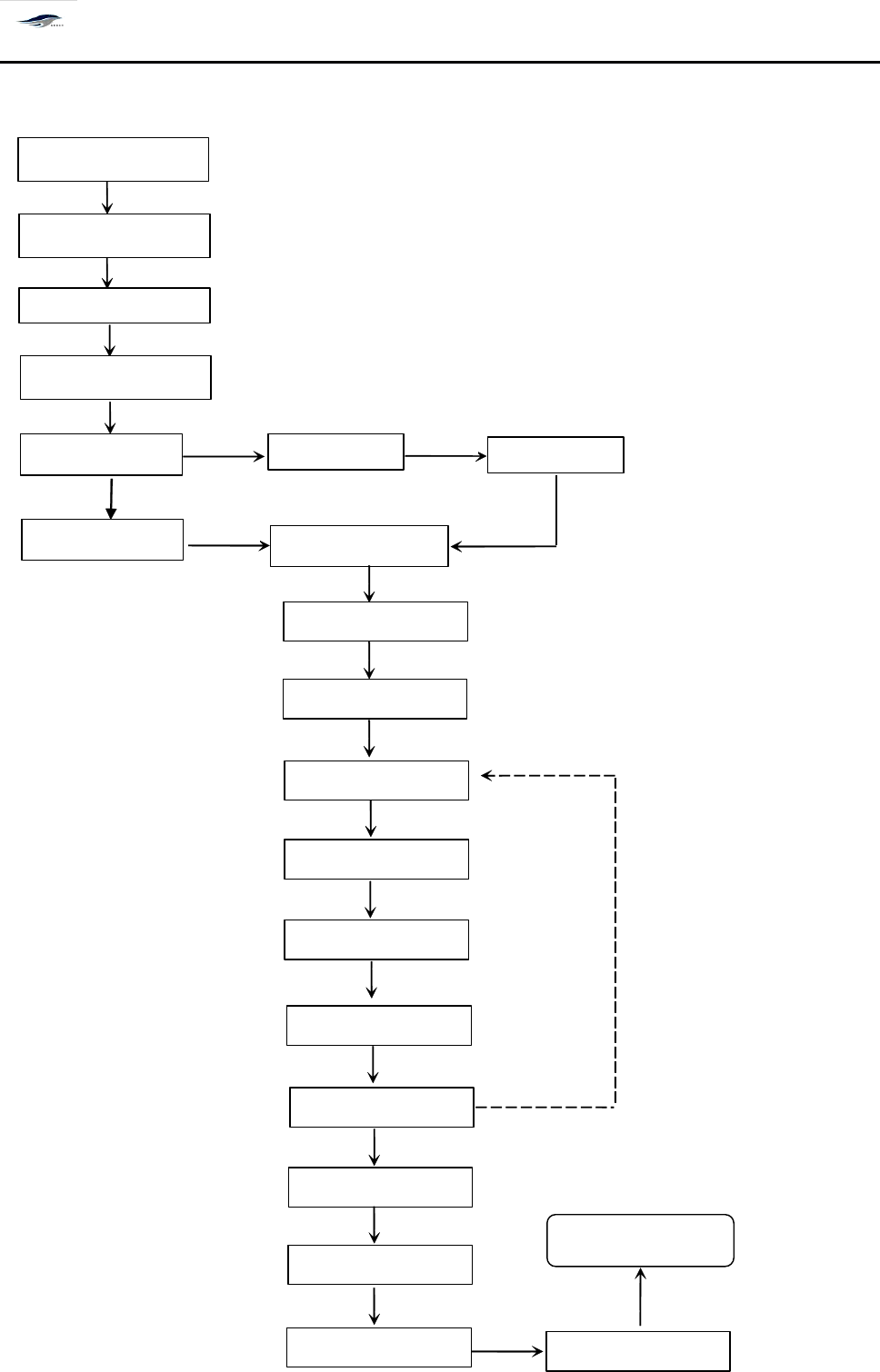
Open the general power switch
Open the air supply switch
Open machine
’
s main power s witch
Enter the main interface of machine
Return to zero
Create a new file
Production Edit
Open a file
Steel mesh locate
Save a file
PCB board incoming
Start production
PCB board is in place
Visual calibration
S o lder paste for painting
Steel mesh cleaning
Stop production
Exit the main interface
Close the main power switch
Conti
nue
with
produ
ction
Close the air supply switch
Close the general power switch
深圳德森精密设备有限公司
Shenzhen Desen Precision Machine Co., Ltd.
- 30 -
主工具栏
第四章 操作系统说明
Chapter
Chapter
Chapter
Chapter
IV
IV
IV
IV
Description
Description
Description
Description
of
of
of
of
Operating
Operating
Operating
Operating
System
System
System
System
4.1
4.1
4.1
4.1
系统启动
4.1
4.1
4.1
4.1
System
System
System
System
startup
startup
startup
startup
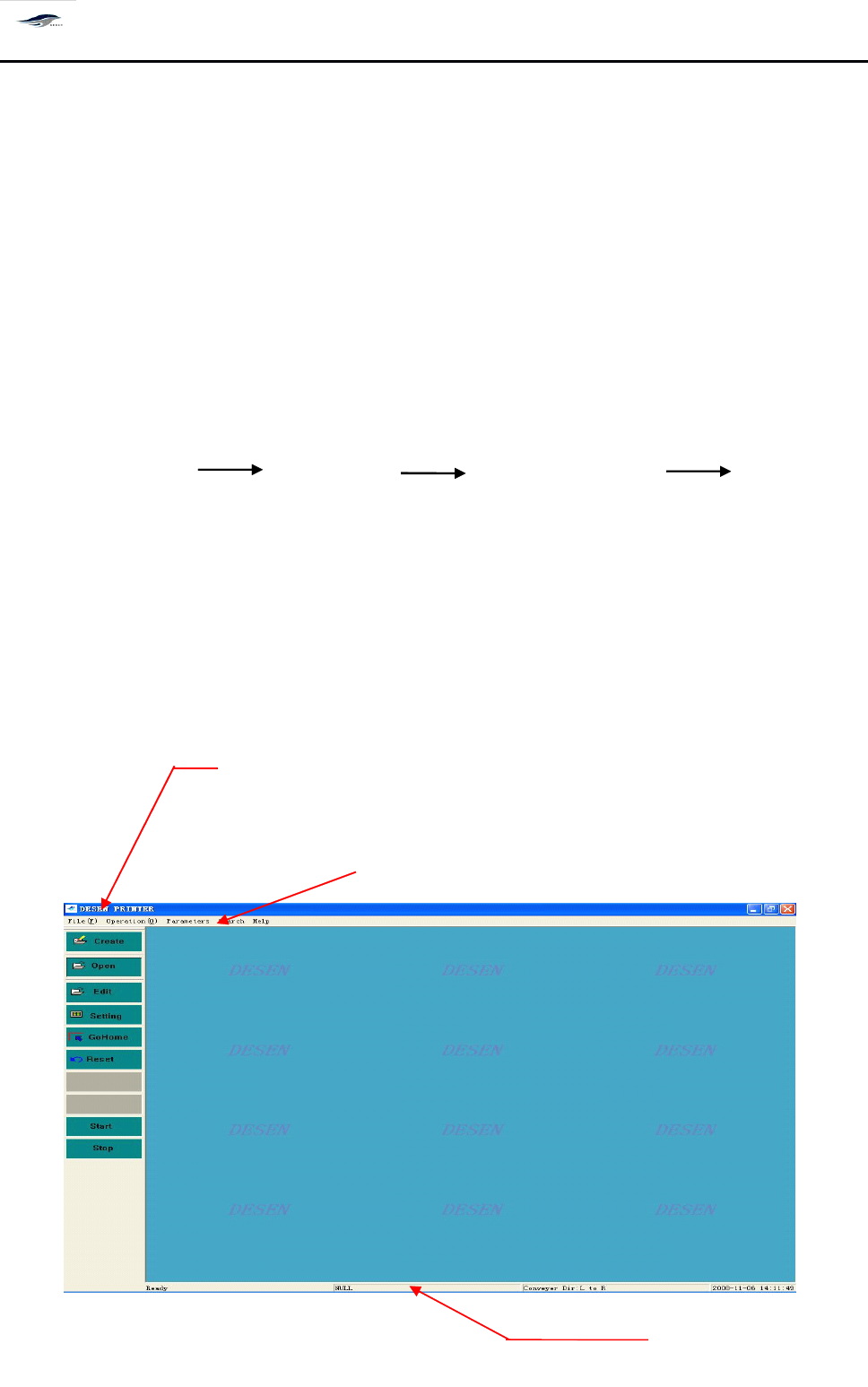
打开机器主电源开关,将自动进入主窗口画面。操作程序如下:
Switch on the main power switch of the printing machine to enter the main interface
automatically . T he operating sequence is as bellow:
打开总电源开关 打开气源开关 打开机器主电源开关 进入机器主画
面(主菜单)
Switch on the main power switch, switch on the air supply switch, switch on the main power
switch of printing machine, enter the main interface (main menu) of printing machine
4.2
4.2
4.2
4.2
主窗口组成
4.2
4.2
4.2
4.2
Composition
Composition
Composition
Composition
of
of
of
of
main
main
main
main
interface
interface
interface
interface
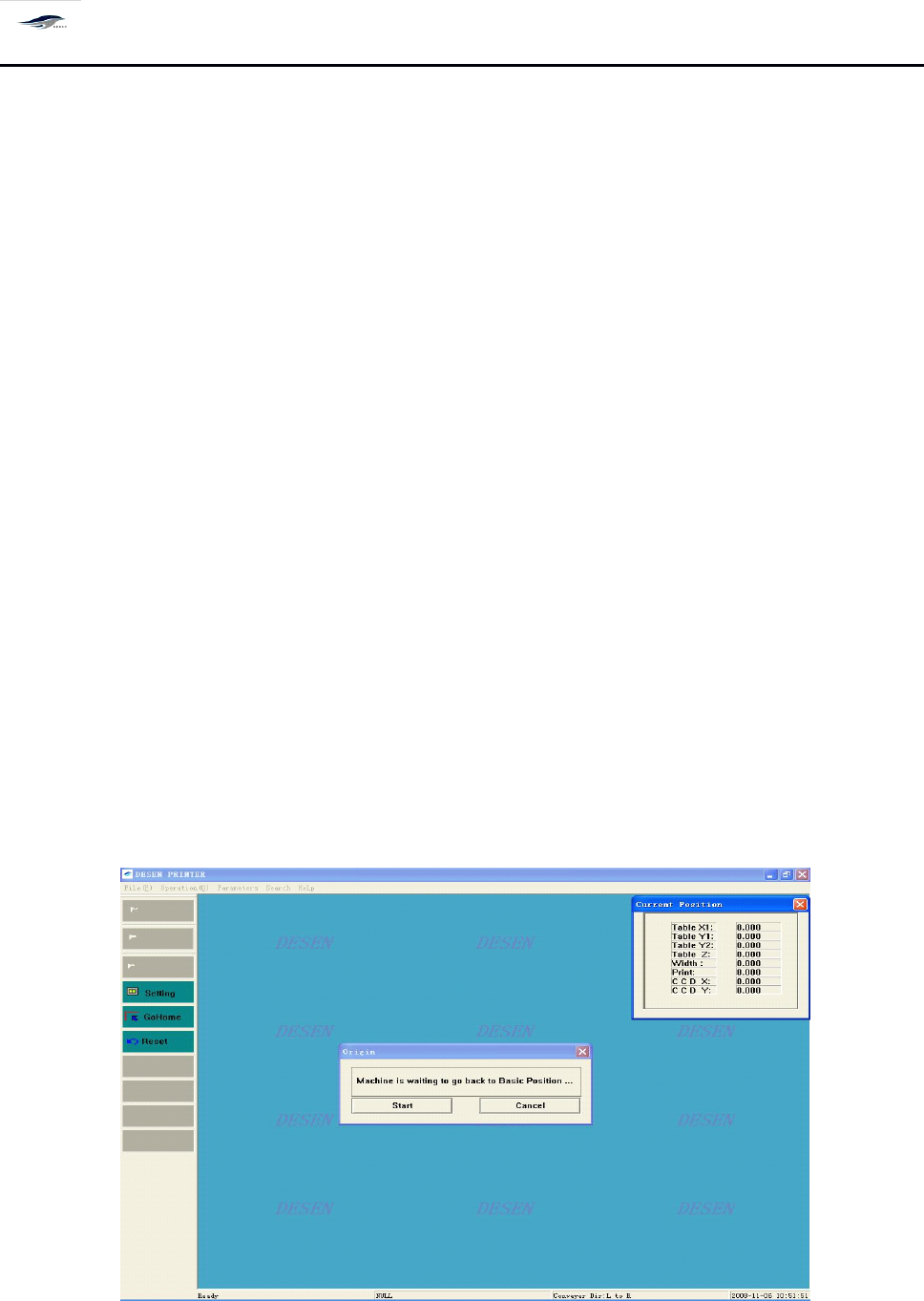
Main tool bar
主菜单栏
Main menu
信息栏
Information bar
深圳德森精密设备有限公司
Shenzhen Desen Precision Machine Co., Ltd.
- 31 -
图 4-1 主窗口画面
Figure 4-1 Main Interface
主窗口包括三部分:
The main interface consists of three parts as follows:
主菜单栏
Main menu bar
主工具栏
Main tool bar
信息栏
Information bar
4.2.1
4.2.1
4.2.1
4.2.1
归零操作
4.2.1
4.2.1
4.2.1
4.2.1
Return-to-zero
Return-to-zero
Return-to-zero
Return-to-zero
operation
operation
operation
operation
在主窗口显示的 “ 现在进行归零操作吗? ” 对话框中,选择 “ 否
”
,机器仍回到主窗口画
面;选择 “ 是
”
,机器进行归零操作,出现如图 4 – 2 画面,并显示 [ 当前位置 ] 对话框,显示 各
运动轴当前的坐标值:
Choosing “ No ” in the dialog box read as “ Return-to-zero now? ” in the main interface will make the
printing machine return to the main interface; and choose “
Yes
” will make the printing machine take
the return-to-zero operation. F or the latter circumstance, Figure 4-2 will emerge and display the
“ Current location ” dialog box, with the current coordinate values of kinematical axes displayed.
图 4-2 归零操作
Figure 4-2 Return-to-zero Operation