德森印刷机说明书之操作手册-4d1321fc284ac850ac024234.pdf - 第51页
深圳德森精密设备有限公司 Shenzhen Desen Pre cision Machine Co., Ltd. - 51 - 图 4- 27 〈人工清洗〉对话框 Fig ure “ Manual Cleaning ” D ialog B ox 在 “ 人工清洗 ” 对话框中单击 “ 打开门开关 ” 按钮, 将 机器前罩门打开, 并单击 “ CCD 回位 ” 按钮,使 CCD 部分回到原点位置。 Click “ O pen D …
深圳德森精密设备有限公司
Shenzhen Desen Precision Machine Co., Ltd.
- 50 -
图 4- 26 〈详细数据〉
Figure 4-26 Detailed Data
进入方式:主工具中 [ 程序编辑 ]+[ 详细数据 ]
To
enter the dialog box, click Edit Program and Detailed Data in the main tool bar respectively.
可设置视觉校正的取象方式 —— 双照或只第一次双照;还可对印刷精度进行设置。
It
can set the image taking manner, double-image-taking or the double-image-taking of the
first time, of visual calibration. I
t
can also set the printing precision.
注意:
Cautions:
Cautions:
Cautions:
Cautions:
a)
在设置视觉校正的取象方式时,如选择只第一次双照,则开始生产时只首次双照,
以后每次进板只对 PCB 板进行单照。
a) If the double-image-taking of the first time is chosen when setting the image taking manner
of visual calibration, only double-image-taking of the first time is taken in earlier stage of
production. A nd only single-image-taking is practiced for PCB boards in the board incoming of
each time;
b)
如在此对话框中选择手动的 “ 人工清洗方式
”
,在正常生产过程中,机器会按此
对话框中所输入的 “ 清洗间隔 ” 参数生产完一定数量的产品后自动停下,并出现 “ 人 工
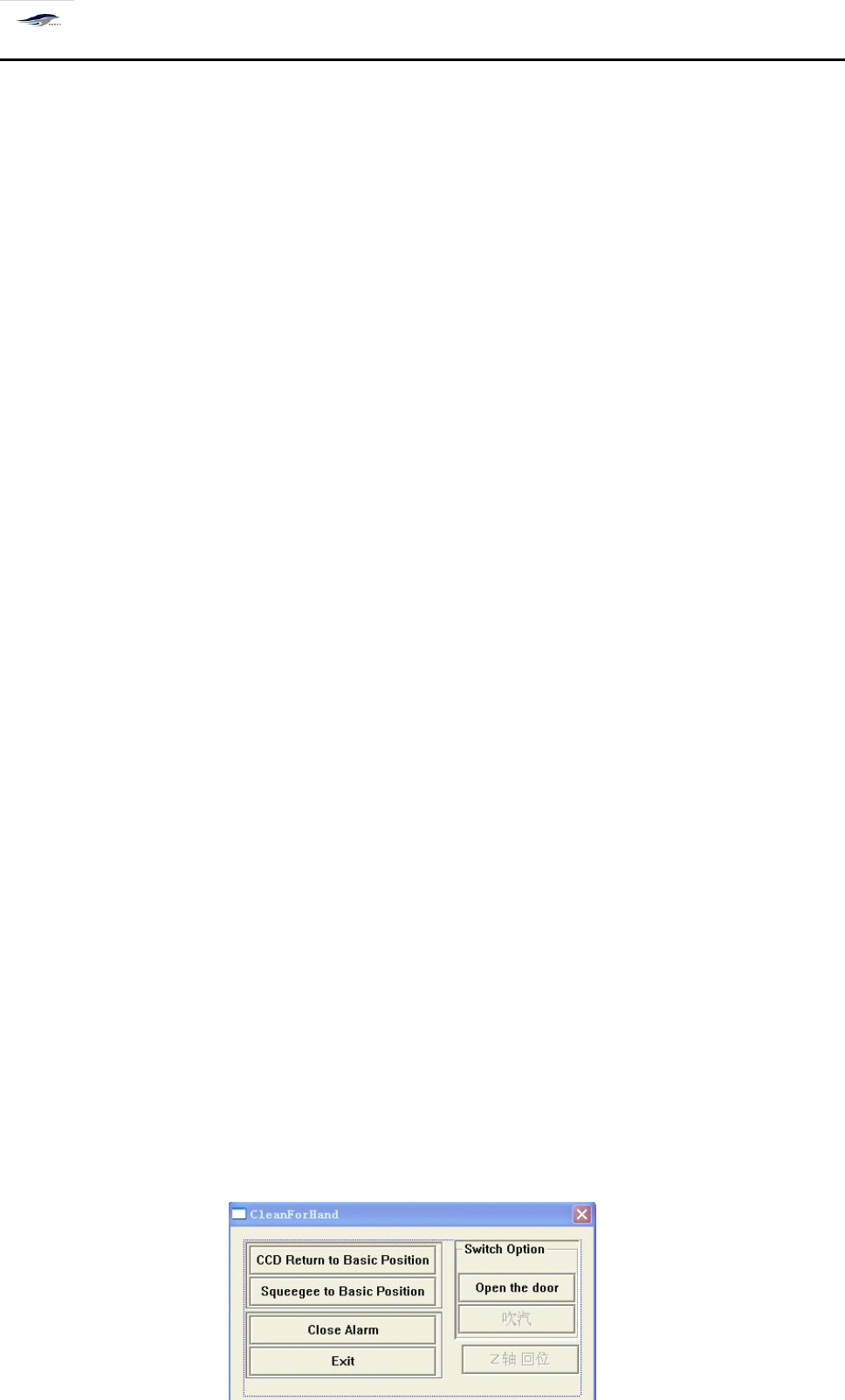
清洗 ” 对话框,如图 4 – 27 所示,等待人工清洗网板,步骤如下:
b) If “ Manual cleaning manner ” is chosen in the dialog box, in normal production, the
printing machine will stop automatically after producing some products based on the
“ Cleaning interval ” parameter inputted in the dialog box, meanwhile, “ Manual cleaning ”
dialog box as shown in Figure 4-27 will emerge, waiting for the manual cleaning of screen.
T he steps are as follows:

深圳德森精密设备有限公司
Shenzhen Desen Precision Machine Co., Ltd.
- 51 -
图 4- 27 〈人工清洗〉对话框
Figure “ Manual Cleaning ” Dialog Box
在
“ 人工清洗
”
对话框中单击 “ 打开门开关
”
按钮, 将机器前罩门打开, 并单击 “ CCD
回位 ” 按钮,使 CCD 部分回到原点位置。
Click “ Open Door Switch ” in the “ Manual Cleaning ” dialog box to open the printing
machine
’
s
front door, then click “ CCD Return ” to make CCD return to the origin partially.
此时可将手伸到网板下进行人工清洗网板。
At this time, hand can stretch under the screen for manual cleaning.
清洗完成后将前罩门关闭,并按下机器操作面板上的继续操作 “ START ” 按钮,黄
色指示灯会亮,机器继续开始生产。
Close the front door after the cleaning and press the “ START ” button on the operation panel
of printing panel for continuous operation. T hen the yellow indicator light will be on and
the printing machine starts production continuously.
2.
2.
2.
2.
[PCB
[PCB
[PCB
[PCB
定位 ]
]
]
]
2.
2.
2.
2.
PCB
PCB
PCB
PCB
Locating
Locating
Locating
Locating
PCB 定位調試的操作程式
It
is the operation program for location and debugging of PCB boards.
1)
首行要确认停板气缸的位置居中且合适;
1) Firstly, confirm whether the position of board stop cylinder is in the middle and appropriate;
移动挡板气缸 打开停板气缸 打开运输开关 PCB 从入口处
进板 关闭运输开关 打开 PCB 吸板阀 关闭停板气缸(收回)
平台顶板 导轨夹紧 CCD 回位
Move the board stop cylinder, open the board stop cylinder, switch on the transport switch ,
feed PCB boards from the entrance, switch off the transport switch, switch on the PCB board
absorbing valve, close the board stop cylinder (withdraw), platform top slab, clamp guide rail,
and make CCD return.
注意:点击 “ 平台顶板 ” 按钮,使 PCB 支撑块处入顶板位置,手动将 PCB 放于支撑块上
,
深圳德森精密设备有限公司
Shenzhen Desen Precision Machine Co., Ltd.
- 52 -
确认 PCB 板上表面是否与导轨两中间压板表面平齐。 如果不平齐, 请手动调节 “ 平
台调节旋钮 ” 使之平齐。
Caution: click “ Platform
Top
Slab ” button to make OCB bearing block
at
the top slab position,
then place the PCB board on the bearing block manually to confirm whether the upper
surface of PCB board parallel with the surface of the surfaces of the middle pressure
plate
s
of guide rail. I f they are not parallel, adjust “ Platform Adjusting Knob ” manually to
make them parallel to each other.
3.
3.
3.
3.
[
[
[
[
钢网定位 ]
]
]
]
3.
3.
3.
3.
Locate
Locate
Locate
Locate
Steel
Steel
Steel
Steel
Mesh
Mesh
Mesh
Mesh
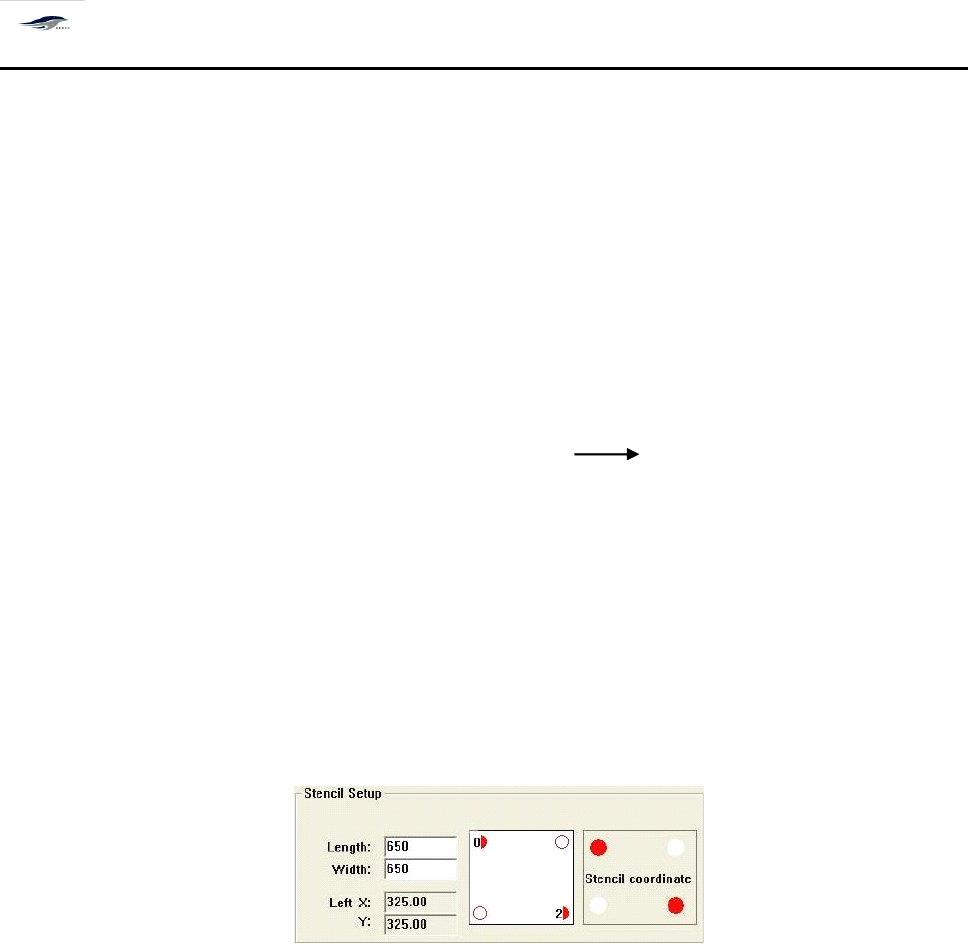
居中开的钢网只需输入长宽自动生成 X , Y 坐标值 根据钢网坐标值将钢网定位,
非居中开钢网除了输入长宽外, 还需要在钢网坐标处点击红色小点, 输入 mark 点到钢网边 的
最小绝对值。如下图 :
F or a steel mesh situated in the middle, only the length needs to be inputted to create values of
coordinates X and Y automatically. T he steel mesh can be located in accordance with the coordinate
values. F or a steel mesh not situated in the middle,
it
is necessary to input the length, click the small
red points
at
the steel mesh
’
s
coordinates and input the minimum absolute value between fiducial
mark to steel mesh
’
s
edge. S ee the figure below.
4.
4.
4.
4.
[
[
[
[
标志点设置 ]
]
]
]
4.
4.
4.
4.
Setting
Setting
Setting
Setting
of
of
of
of
Fiducial
Fiducial
Fiducial
Fiducial
mark
mark
mark
mark
1)
在以上程序完成以后,我们需要通过调用图像处理功能及标志点位置选择的辅助功
能使 PCB 板和 Stencil 网板对得更准。 先选择标志点位置, 双击生产编辑窗口中 PC B
坐标红色小点,出现 Input 窗口输入标志点到 PCB 板边缘 X 、 Y 坐标的最小绝对值
;
如图 4 – 28 所示:
1) After the above steps are finished,
it
is necessary to make the alignment between PCB board
and Stencil screen more accurate by utilizing the image processing function and the auxiliary
function of choosing fiducial mark. C hoose the position of fiducial mark, double click the small
red points of PCB board
’
s
coordinates in the Production Edit interface, then Input dialog box
will emerge. I nput the minimum absolute values from the fiducial mark to the X and Y
coordinates of edges of PCB board. S ee Figure 4-28.