DECAN_S2_Operation(ENG_Ver4.1).pdf - 第14页
Chap ter 2 This chapter describes how to supply the power and the items to be checked before starting production. Supplying Pow e r and W arming up Advanced Chip Shooter DE CAN S2 O pe rat ion H an db ook 2-1 Pr oced ure…

MEMO
Advanced Chip Shooter
Machine Overview
DECAN S2 Operation Handbook
1-6
Chapter 2
This chapter describes how to supply the power and the items to be
checked before starting production.
Supplying Power and Warming up
Advanced Chip Shooter
DECAN S2 Operation Handbook
2-1
Procedure Preparing for Production > Check the power and air pressure
Procedure Preparing for Production
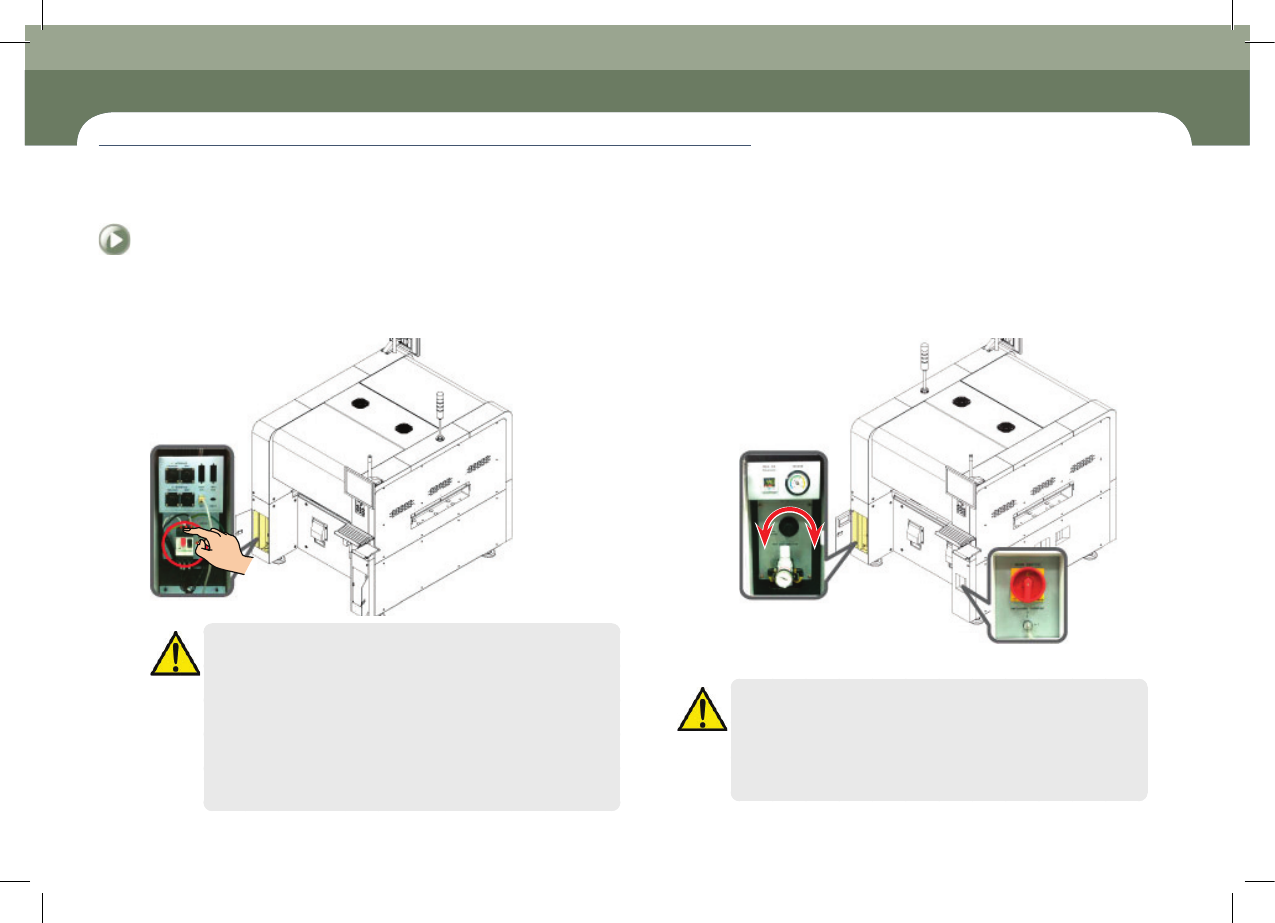
1. Check the power and air pressure
Step 1.
Check the power connection
Caution
ㆍ Be sure to check around and inside the machine before turning
on the main switch.
ㆍ Check if there is any foreign matter such as a chip on the feeder
base, and whether the feeder is correctly installed.
ㆍ Check if the nozzle is blocked with any foreign matter such as
solder and the operation of the nozzle spring is smooth.
ㆍ Check whether the safety doors at the front and rear are open. If
opened, close them.
Chapter 2
Supplying Power and Warming up
This chapter describes how to supply the power and the items to be checked before starting production.
Step 2.
Check the air pressure (Within the range of 0.45~0.55 Mpa)
* Regulator pressure control
ㆍ Pressure increase (Clockwise)
ㆍ Pressure reduction (Counterclockwise)
Step 3.
Check the main switch is on
Caution
ㆍ Check the room temperature before turning on the first machine
(Recommended temperature: above 20℃)
ㆍ If the temperature is below 20℃, ensure that the room
temperature is 20℃. And then wait for 30 minutes before turning
on the machine torevent the condensation of air.
Procedure Preparing for Production
Chapter 2
This chapter describes how to supply the power and the items to be
checked before starting production.
Supplying Power and Warming up
Advanced Chip Shooter
DECAN S2 Operation Handbook
2-2
Procedure Preparing for Production > Turning the main switch on/off
Procedure Preparing for Production
Supplying Power and Warming up
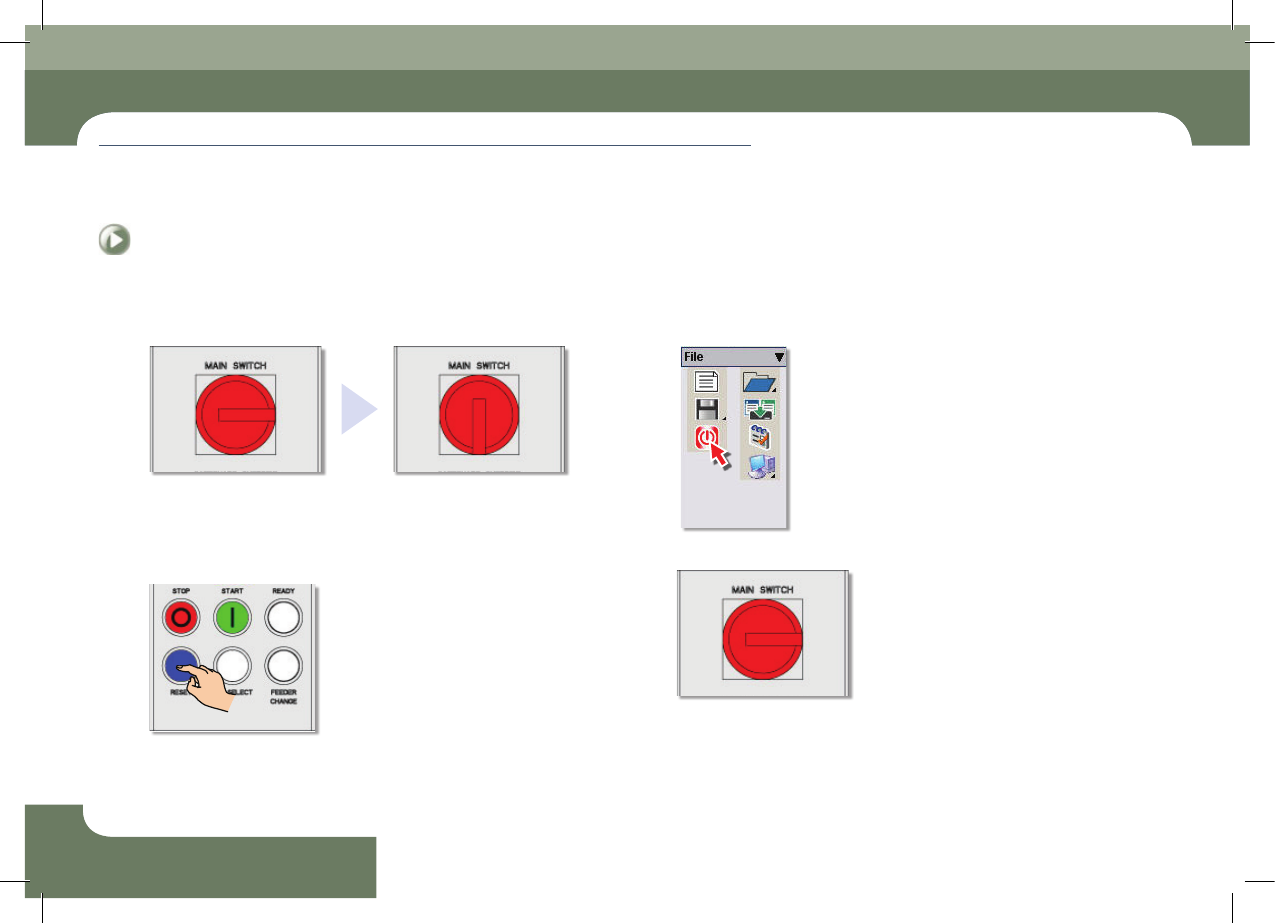
2. Turning the main switch on/off
Step 1.
Turning the main switch on
- Power supply turned off
- Power supply turned on
Step 2.
Turn the main switch off
① Press the 'RESET' button
② Click the MMI 'Exit' icon.
③ Turn the power switch off.