DECAN_S2_Operation(ENG_Ver4.1).pdf - 第41页
DE CAN S2 O pe rat ion H an db ook 3 -22 Chap ter 3 This chapter describes the production procedure. Pr oduction Advanced Chip Shooter Pr oduc ti on > Lo ading t he PCB f ile Production Pr oduction 1. Loading th e PCB…
DECAN S2 Operation Handbook
3-21
Chapter 3
This chapter describes the production procedure.
Production
Advanced Chip Shooter
Preparation For Operation Ⅱ > Check and teach positions
Preparation For Operation Ⅱ
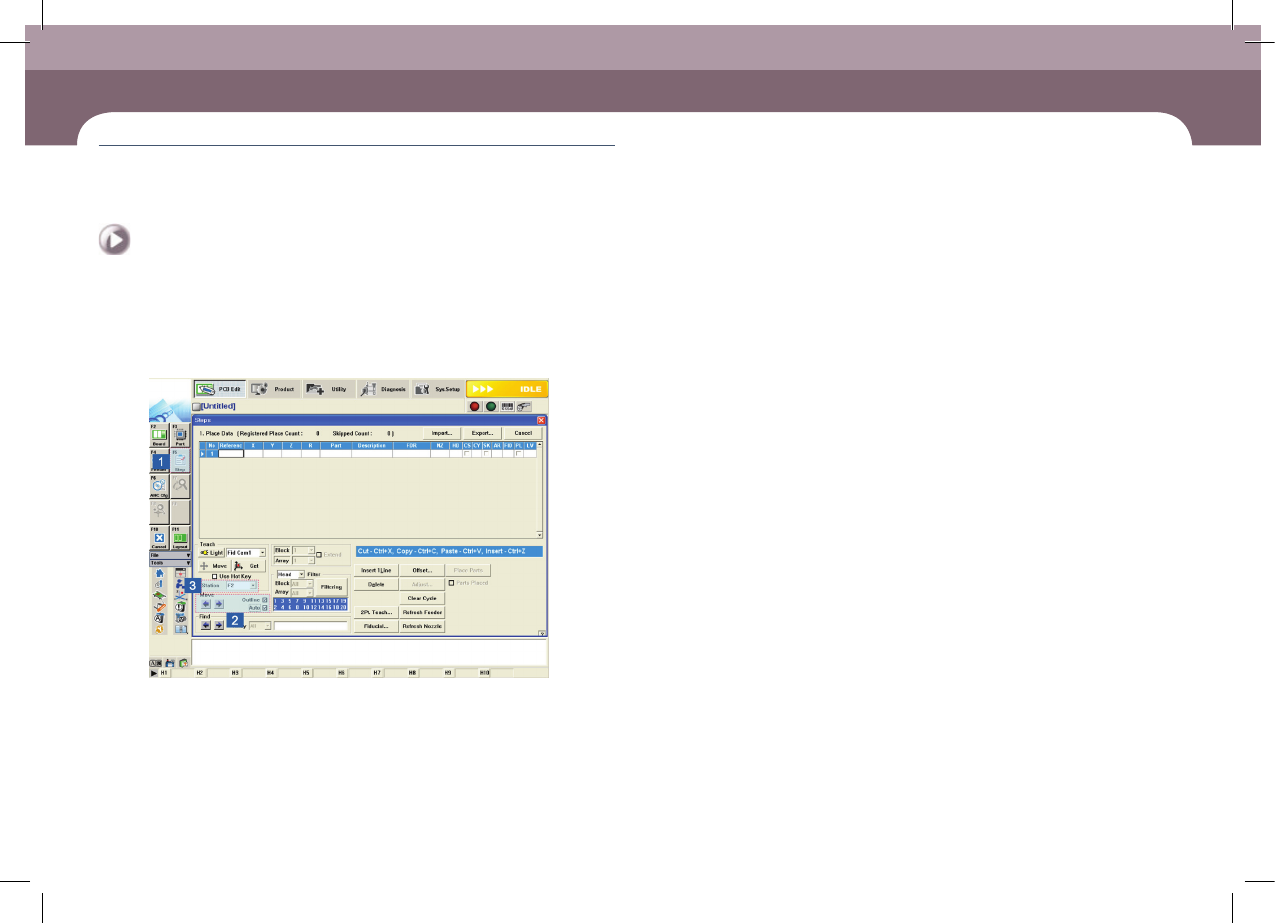
4. Check the placement point
Step 1.
Check the placement point of the PCB
① Select the 'Step' submenu in the 'PCB Edit' menu.
② Select the <Auto> check box and click the arrow button to check the placement
position.
③ Once placement points for the current work station have been checked, click
the combo box in the <Station> group to select another work station
④ Check the placement points for other work stations in the same manner
Step 2.
Teach the placement point
If the currently set placement point is incorrect, teach it again.
DECAN S2 Operation Handbook
3-22
Chapter 3
This chapter describes the production procedure.
Production
Advanced Chip Shooter
Production > Loading the PCB file
Production
Production
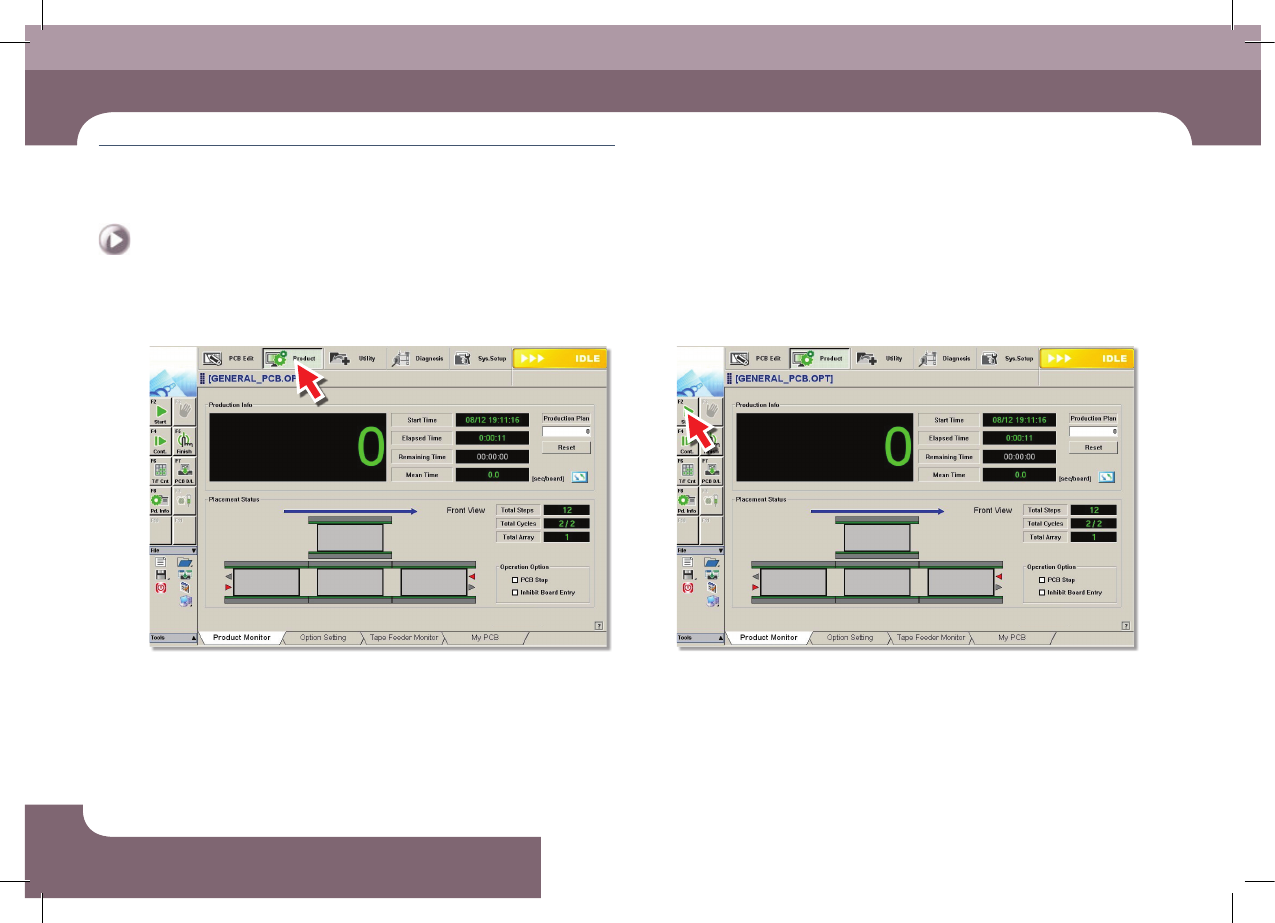
1. Loading the PCB file
Step 1.
Select the 'Product' menu
ㆍ Displays the 'Product Monitor' screen.
Step 2.
Select the 'Start' submenu (F2)
ㆍ If the 'Start' submenu is selected, the PCB program is downloaded automatically.
Production
DECAN S2 Operation Handbook
3-23
Chapter 3
This chapter describes the production procedure.
Production
Advanced Chip Shooter
Production > Starting production (Automatic production)
Production
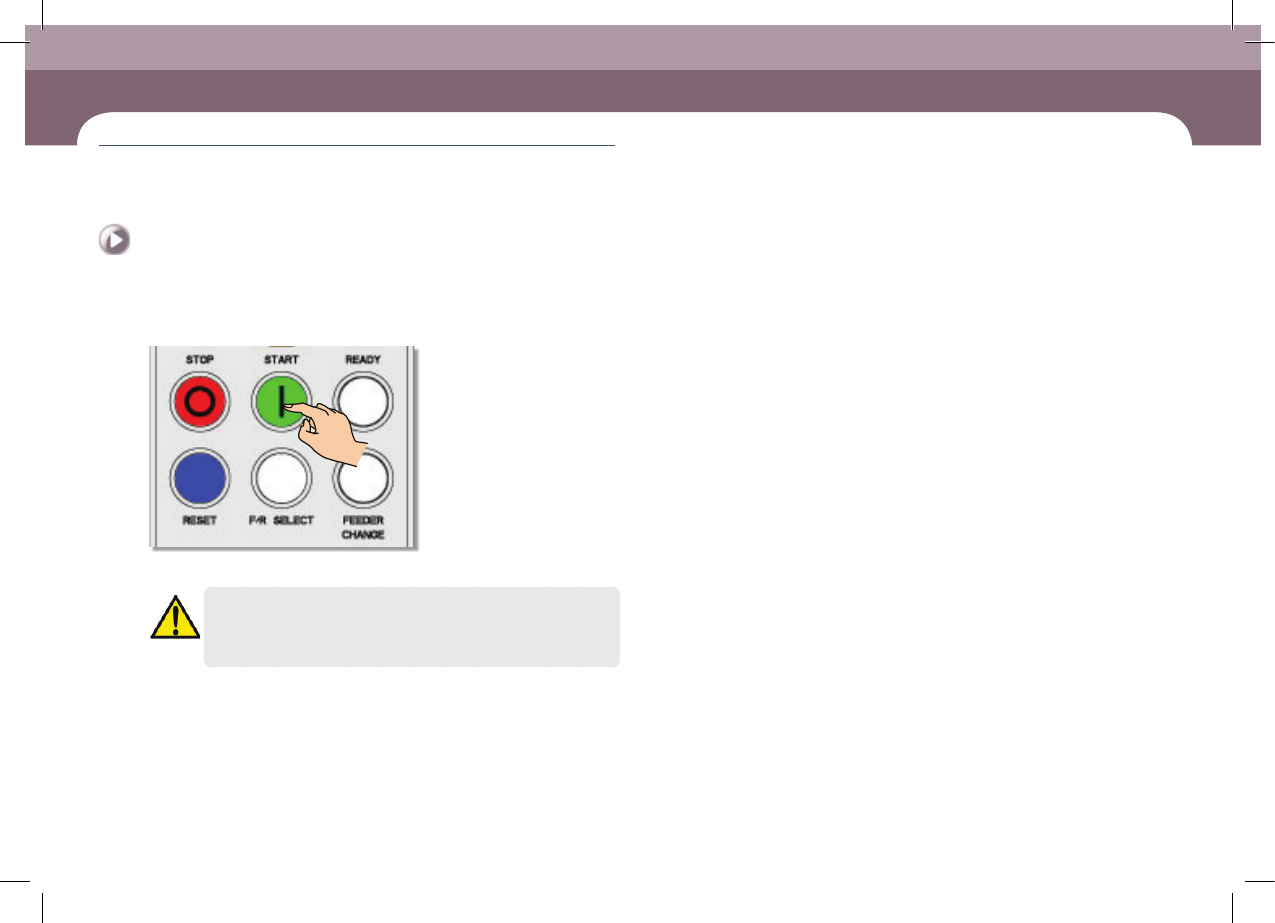
2. Starting production (Automatic production)
Step 1.
Press 'START' button in the operation pannel
ㆍ Starts production.
Warning
Check if there is a worker around the machine before starting
production.