DECAN_S2_Operation(ENG_Ver4.1).pdf - 第32页
DE CAN S2 O pe rat ion H an db ook 3-13 Chap ter 3 This chapter describes the production procedure. Pr oduction Advanced Chip Shooter Pr epara tion F or Oper atio n Ⅱ > Adju stin g the conv eyor wi dth Preparation F o…
DECAN S2 Operation Handbook
3-12
Chapter 3
This chapter describes the production procedure.
Production
Advanced Chip Shooter
Preparation For Operation Ⅱ > Download the PCB file
Preparation For Operation Ⅱ
Production
Step 5.
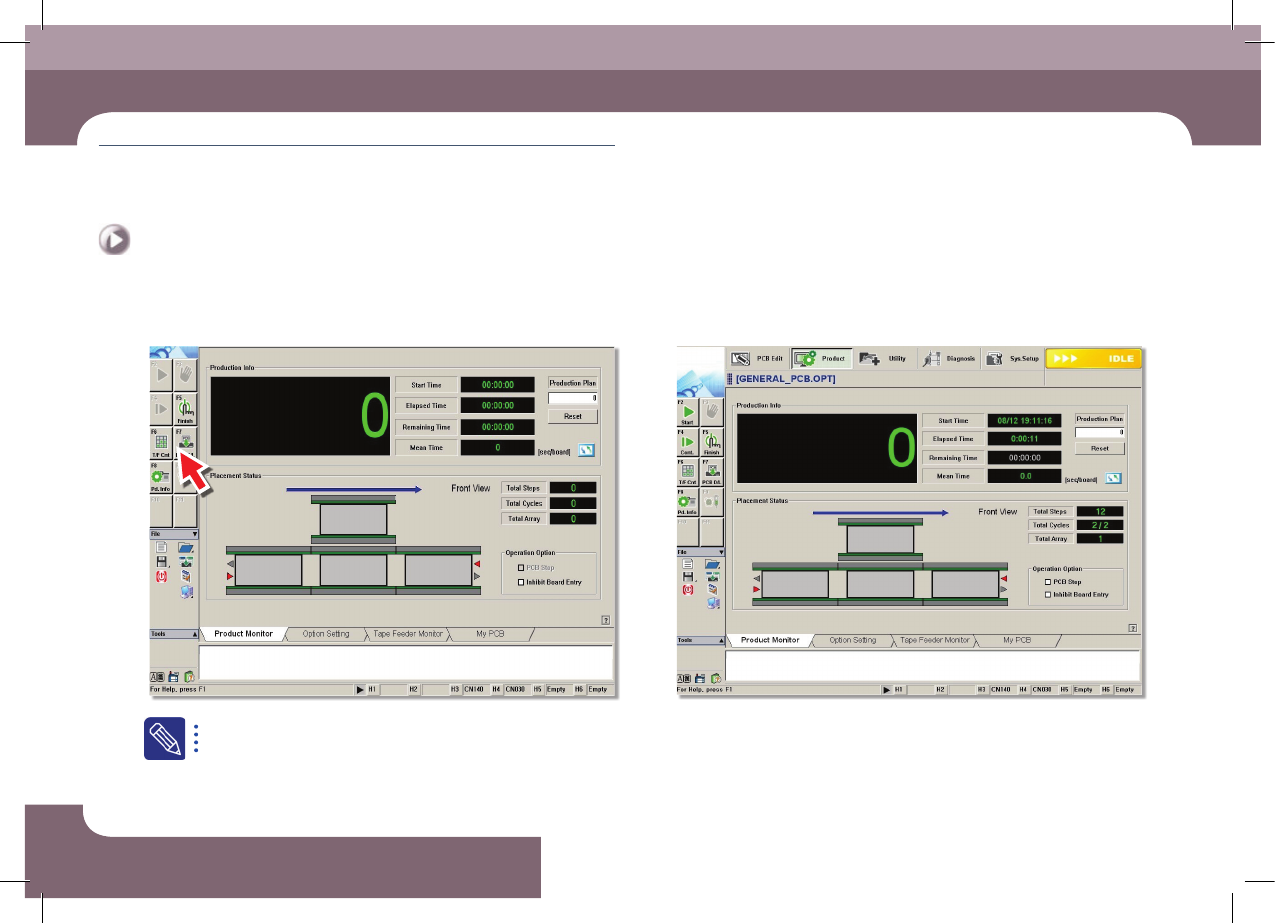
Select 'PCB D/L'
The file with extension of .opt is the optimization completed file.
Step 6.
The completion of Download the PCB file
ㆍ The PCB file Download is complete.
DECAN S2 Operation Handbook
3-13
Chapter 3
This chapter describes the production procedure.
Production
Advanced Chip Shooter
Preparation For Operation Ⅱ > Adjusting the conveyor width
Preparation For Operation Ⅱ
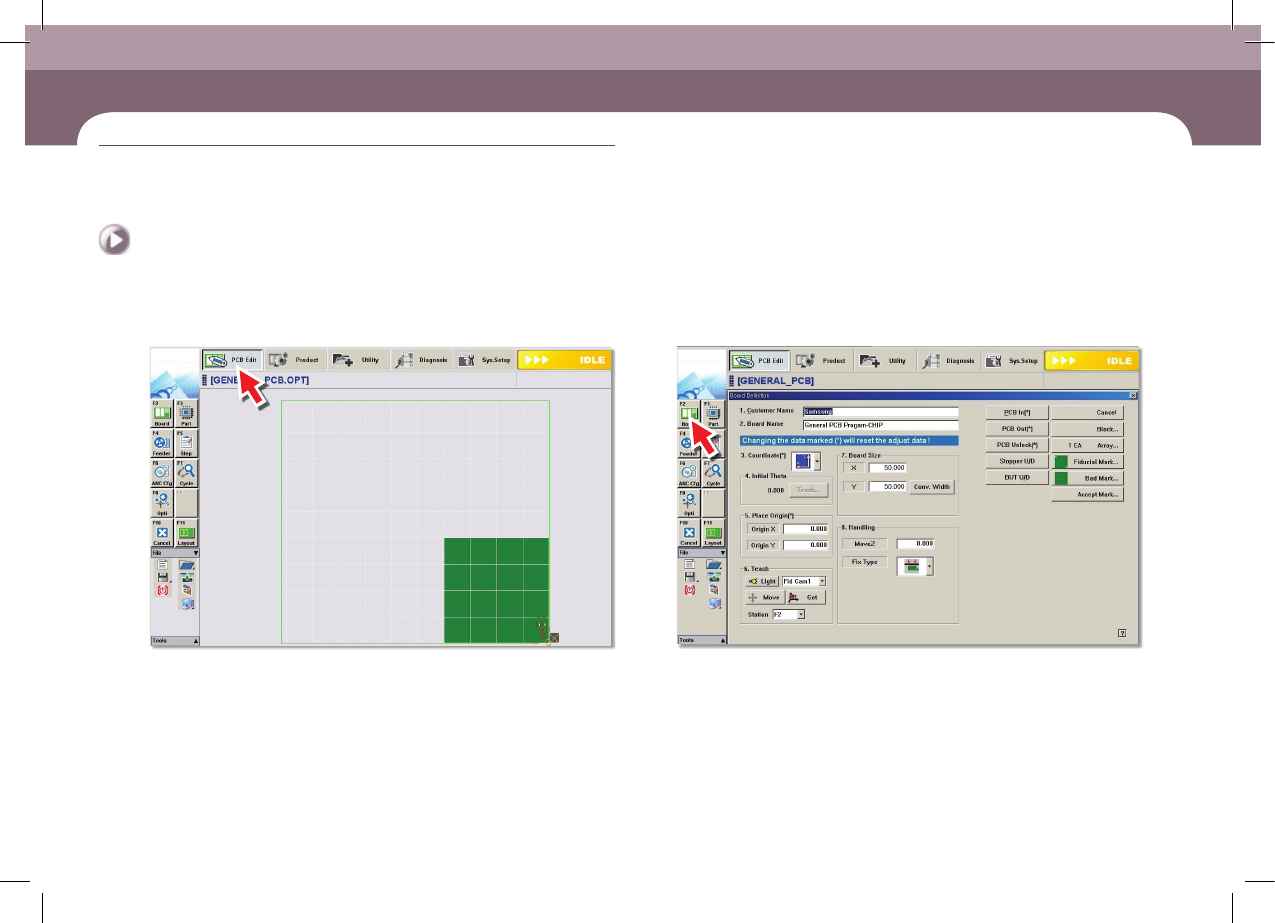
2. Adjusting the conveyor width
Step 1.
Select the 'PCB Edit' menu
Step 2.
Select the 'Board' submenu
DECAN S2 Operation Handbook
3-14
Chapter 3
This chapter describes the production procedure.
Production
Advanced Chip Shooter
Preparation For Operation Ⅱ > Adjusting the conveyor width
Preparation For Operation Ⅱ
Production
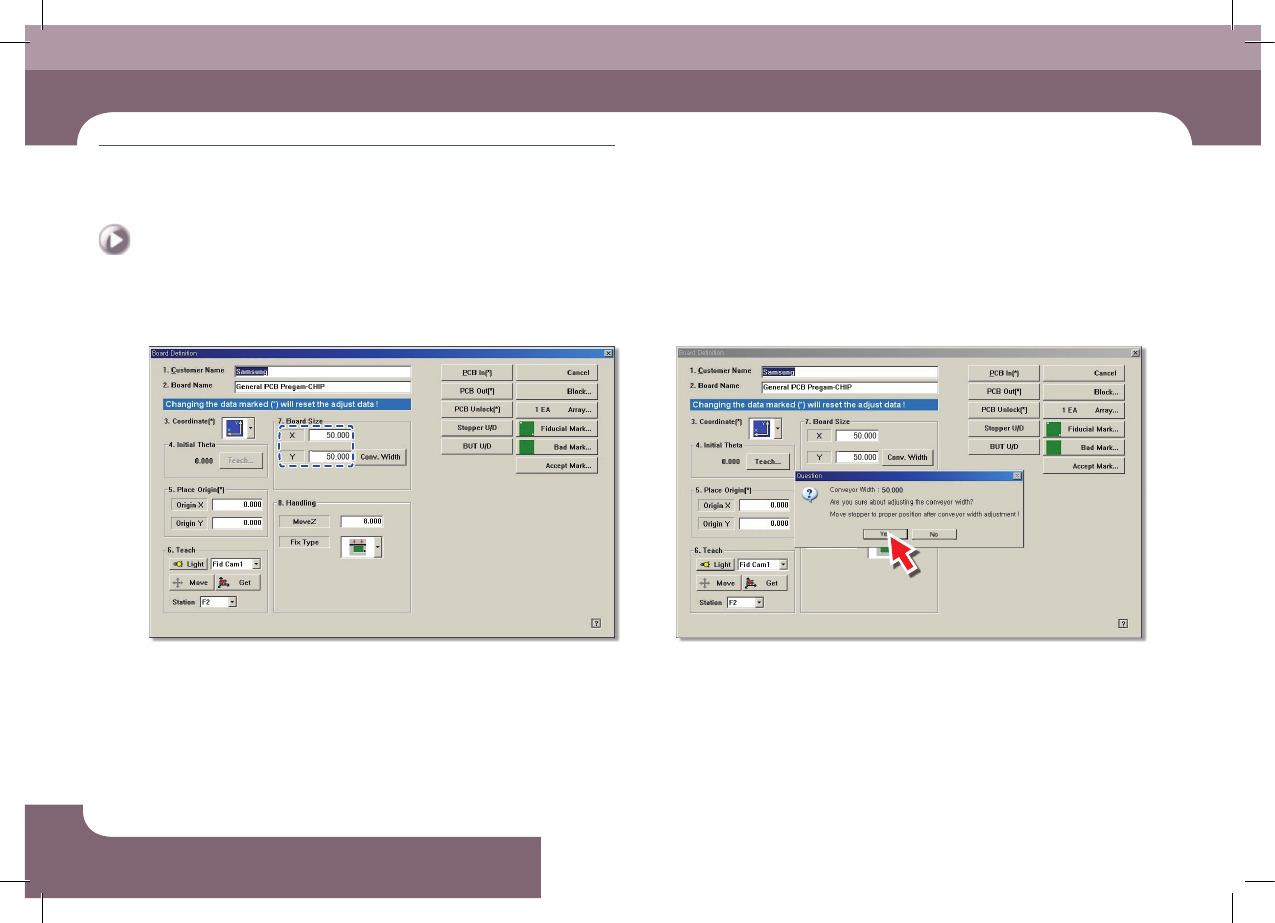
Step 3.
Enter Y size of PCB in the <7.Board Size> group
Step 4.
Click the <Conv. Width> button