DECAN_S2_Operation(ENG_Ver4.1).pdf - 第83页
Ch e ck o th e r s and r e plac e e xhaus t e d part s Chap ter 6 Advanced Chip Shooter DE CAN S2 O pe rat ion H an db ook 6-1 2 This Chapter describes the items for which care must be exercised while using thetape feede…
Check others and replace exhausted parts
Chapter 6
Advanced Chip Shooter
DECAN S2 Operation Handbook
6-11
This Chapter describes the items for which care must be exercised while
using thetape feeder as well as the method to take measures when
parts are exhausted.
Arranging Backup Pins > Determining the positions of the backup pins
Arranging Backup Pins
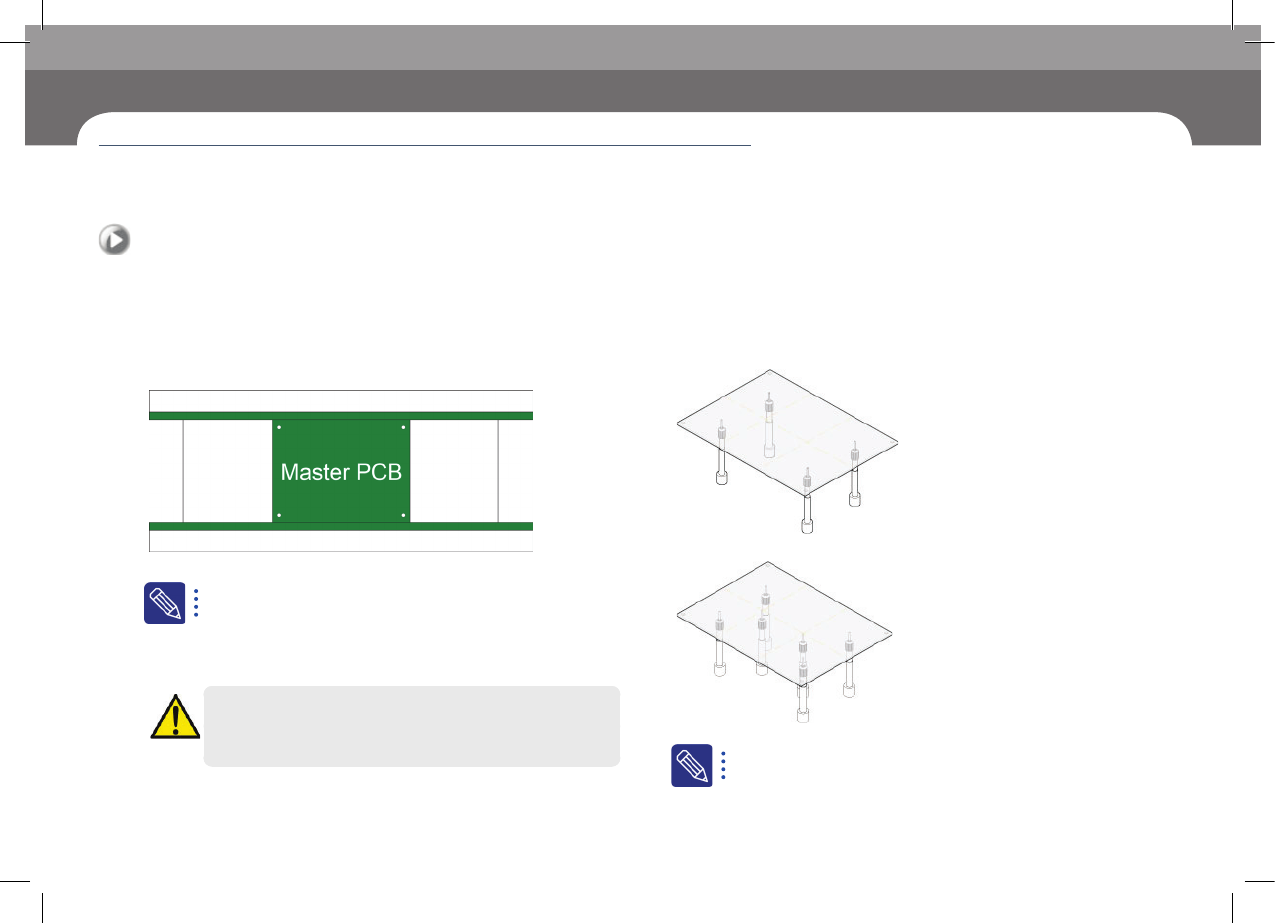
1. Determining the positions of the backup pins
When you place the backup pins, you should avoid the hole
in the PCB.
Step 1.
Place the master PCB in the conveyer.
Manufacturing master PCB
ㆍ Master PCB prevents interference between backup pins and parts.
ㆍ For a double-faced PCB, a master PCB is manufactured which has
a hole in the bottom area where the parts are mounted.
Warning
Before removing the backup-pin, power off the motor.
Step 2.
Arrange backup pins.
① Place the backup pins on both sides where the PCB is bent the least.
② Place the backup pins where the parts are mounted in the central area .
The number of backup pins
ㆍ For a 200 mm-wide PCB, usually 6 backup pins are used.
Arranging Backup Pins
Check others and replace exhausted parts
Chapter 6
Advanced Chip Shooter
DECAN S2 Operation Handbook
6-12
This Chapter describes the items for which care must be exercised while
using thetape feeder as well as the method to take measures when
parts are exhausted.
Arranging Backup Pins > Setting the height of backup pins
Arranging Backup Pins
Check others and replace exhausted parts
2. Setting the height of backup pins
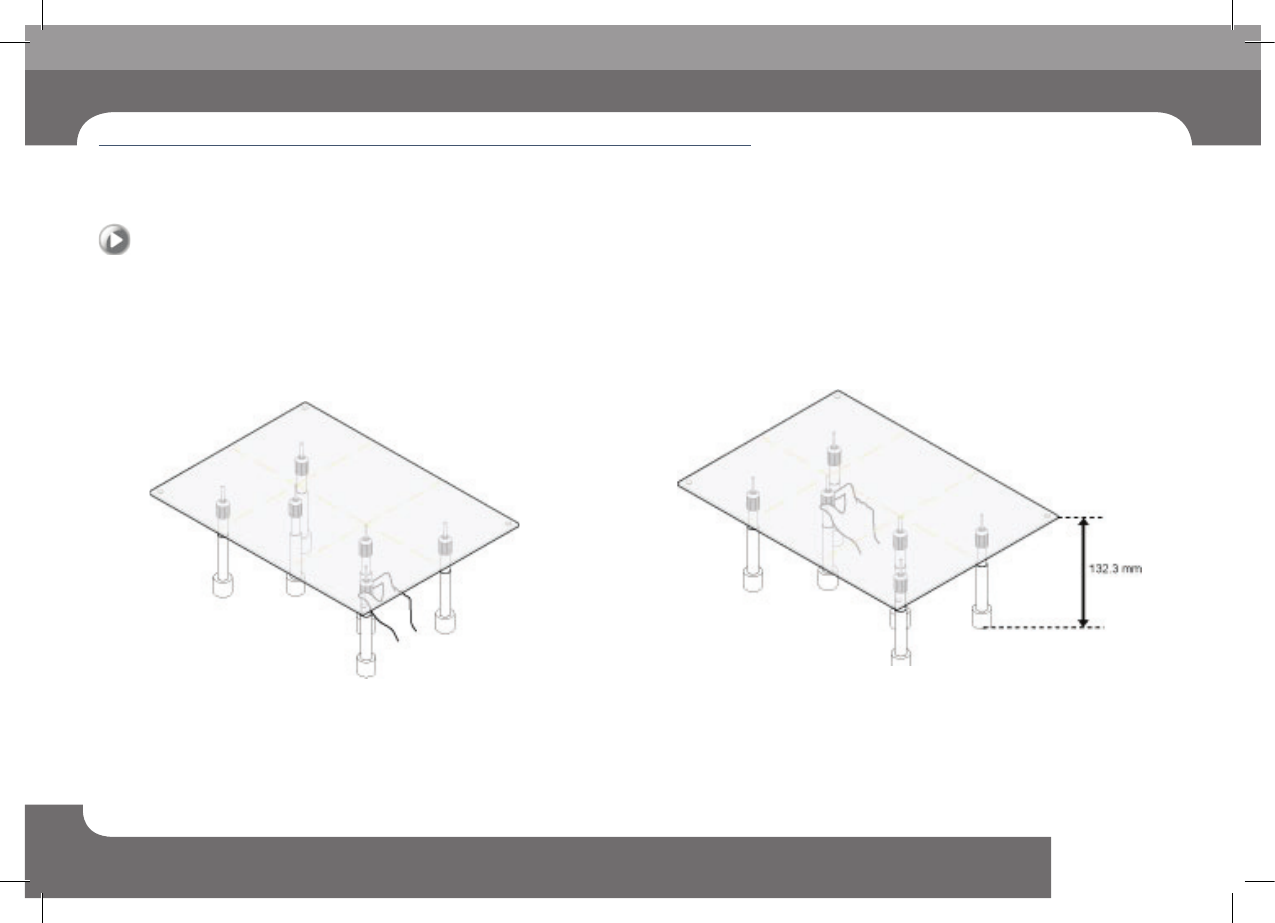
You should set the height of backup pins after securing the
master PCB in the conveyer.(Height of backup pin: 132.3
mm in general)
Step 1.
Set the height of the backup pins in the sides.
Set the height so that the pins are in contact with the sides of the PCB.
Step 2.
Set the height of the backup pins in the central area.
Set the height of the central backup pins so that they are on the same level with
the pins on both sides.
Check others and replace exhausted parts
Chapter 6
Advanced Chip Shooter
DECAN S2 Operation Handbook
6-13
This Chapter describes the items for which care must be exercised while
using thetape feeder as well as the method to take measures when
parts are exhausted.
Arranging Backup Pins > Checking the flatness of the PCB
Arranging Backup Pins
3. Checking the flatness of the PCB
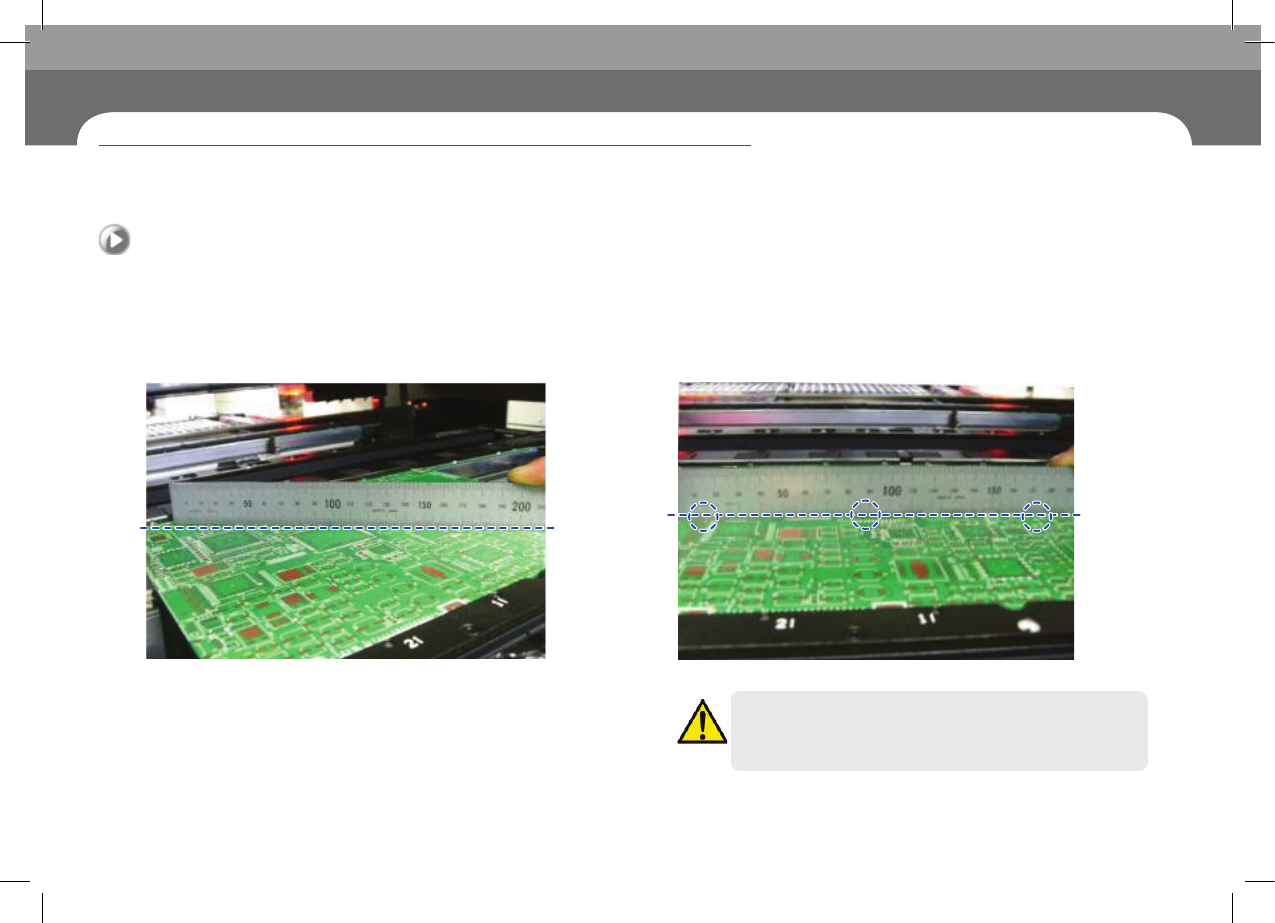
Place and secure the PCB in the conveyer. Then, check if
the PCB is flat using a ruler.
Step 1.
Checking the flatness of the PCB in a diagonal direction
Use a ruler to check if the PCB is flat diagonally.
Step 2.
Checking the flatness of the PCB in a horizontal direction
Use a ruler to check if the PCB is flat in three horizontal positions.
Caution
If the PCB is not flat, the parts may not be properly placed. If the
PCB is not flat, reset the height of the backup pins.