DECAN_S2_Operation(ENG_Ver4.1).pdf - 第36页
DE CAN S2 O pe rat ion H an db ook 3-1 7 Chap ter 3 This chapter describes the production procedure. Pr oduction Advanced Chip Shooter Pr epara tion F or Oper atio n Ⅱ > A rrangi ng the backup -pi ns Preparation F or …
DECAN S2 Operation Handbook
3-16
Chapter 3
This chapter describes the production procedure.
Production
Advanced Chip Shooter
Preparation For Operation Ⅱ > Arranging the backup-pins
Preparation For Operation Ⅱ
Production
3. Arranging the backup-pins
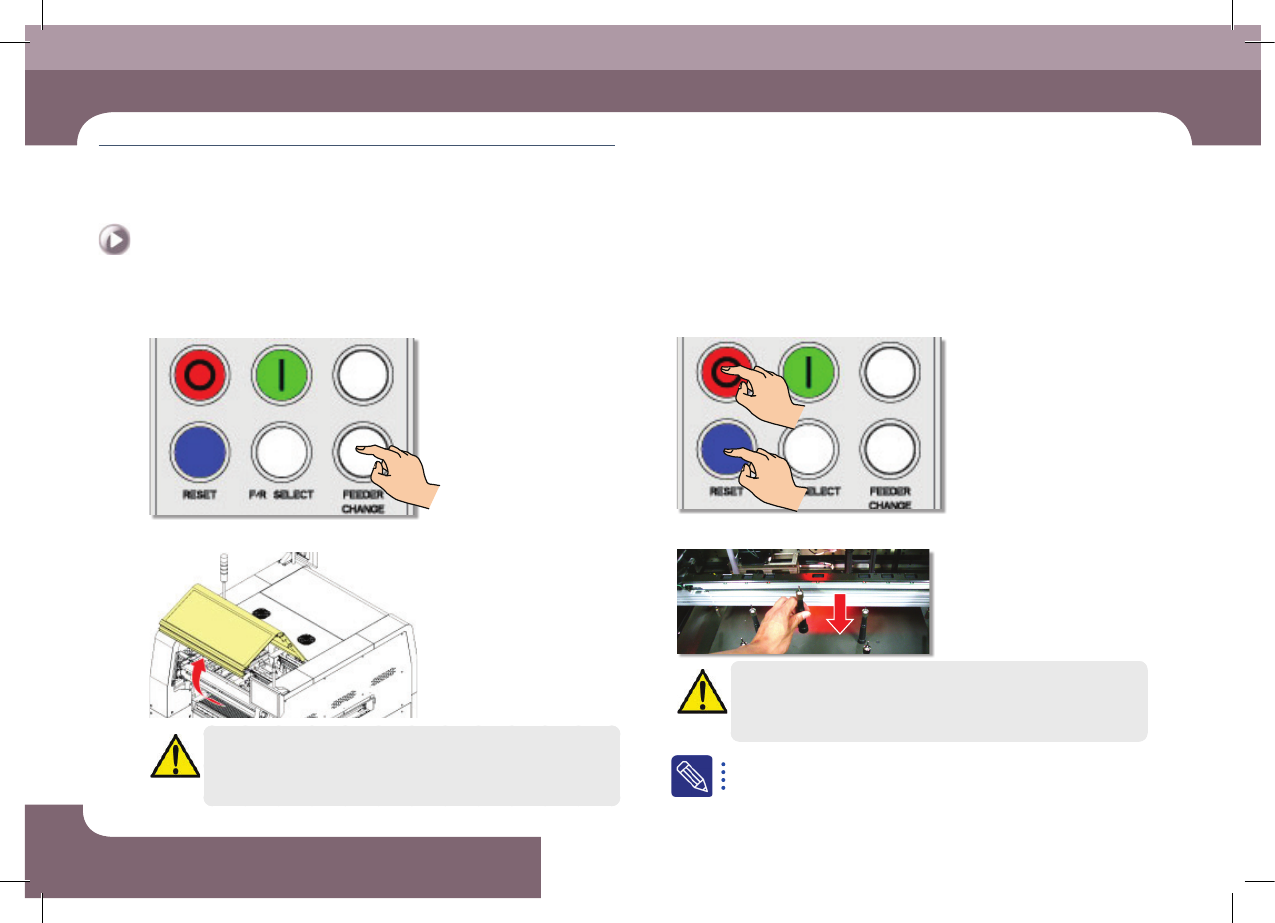
Step 1.
Press the 'FEEDER CHANGE' button
Step 2.
Open front/rear safety door
Danger
Before remove the backup pins, press the EMG switch to turn off
the power supply to the servo motor before performing work.
Step 3.
Press the 'STOP', 'RESET' button
Step 4.
Install the backup pins to support the PCB
Warning
Arrange the backup pins after moving the backup able up.
For more details regarding the backup pin arrangement, refer to
"Arranging Backup Pins" (page 6-11).
DECAN S2 Operation Handbook
3-17
Chapter 3
This chapter describes the production procedure.
Production
Advanced Chip Shooter
Preparation For Operation Ⅱ > Arranging the backup-pins
Preparation For Operation Ⅱ
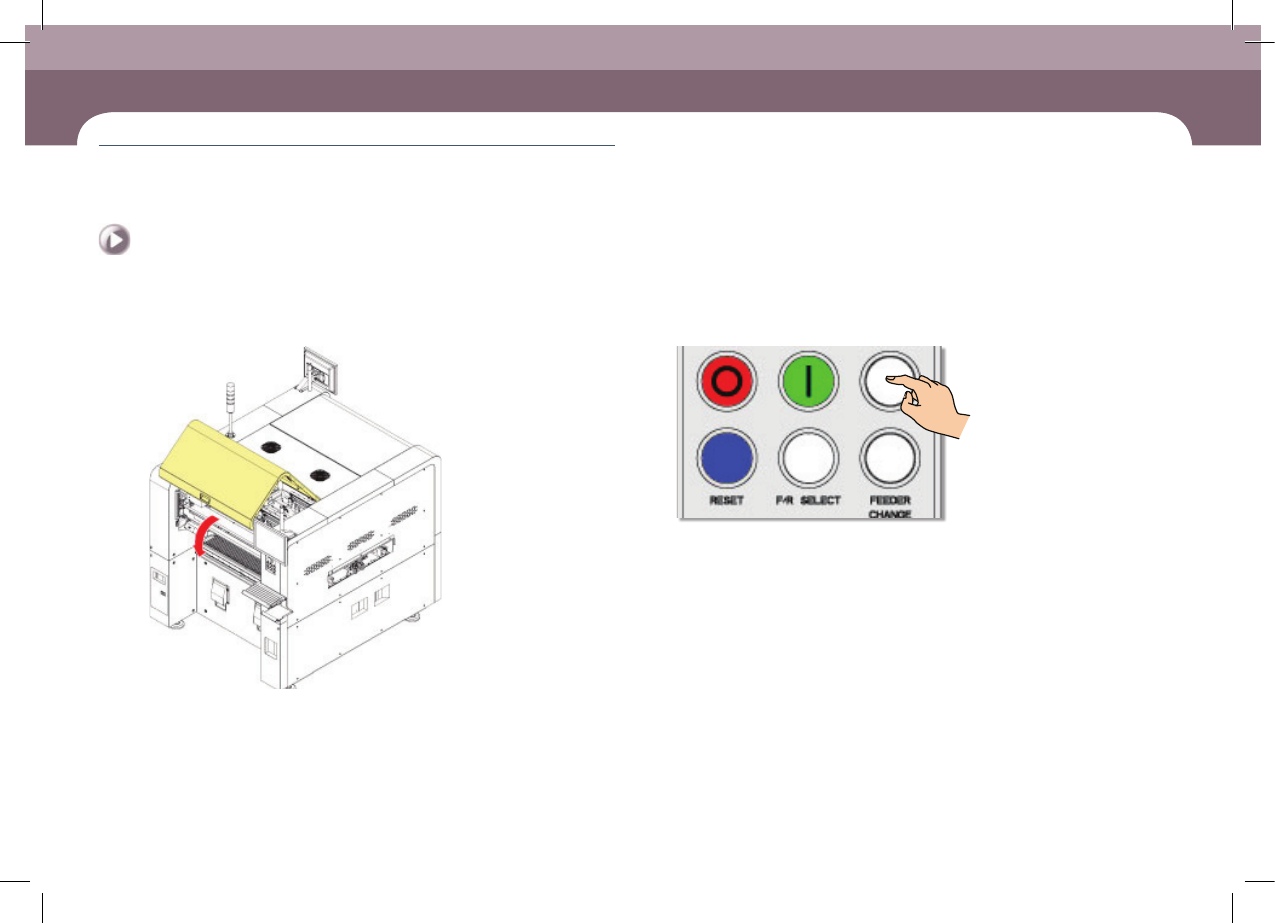
Step 5.
Close the front/rear safety door
Step 6.
Press the 'READY' button
DECAN S2 Operation Handbook
3-18
Chapter 3
This chapter describes the production procedure.
Production
Advanced Chip Shooter
Preparation For Operation Ⅱ > Check and teach positions
Preparation For Operation Ⅱ
Production
4. Check and teach positions
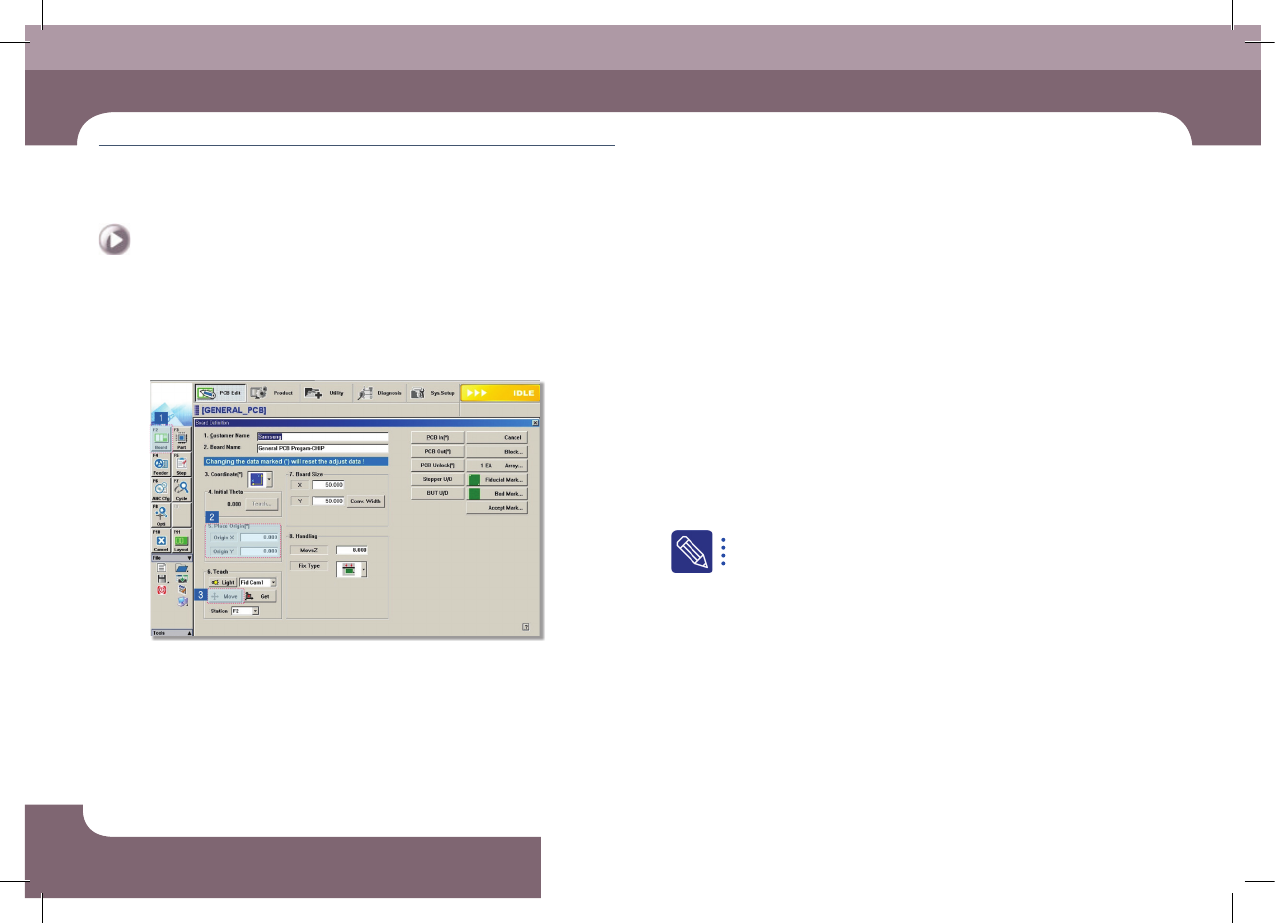
1. Check the PCB origin
Step 1.
Check the currently set PCB origin
① Select the 'Board Define' submenu in the 'PCB Edit' menu
② Select <5. Place Origin> group
③ Select the <Move> Button
④ Check the placement origin of the currently set PCB
Step 2.
Teach PCB origin
If the currently set placement origin position is incorrect, teach the placement
origin again.
For further details, refer to '6.1. Basic Setup' in the Administrator's
Guide.