DECAN_S2_Operation(ENG_Ver4.1).pdf - 第45页
It ems t o b e inspe ct e d du r ing p r oduction Chap ter 4 Advanced Chip Shooter DE CAN S2 O pe rat ion H an db ook 4-2 This chapter describes the methods for temporary stop of the machine(Continue / Start mode), emerg…
Items to be inspected during production
Chapter 4
Advanced Chip Shooter
DECAN S2 Operation Handbook
4-1
This chapter describes the methods for temporary stop of the
machine(Continue / Start mode), emergency stop (by manual/ by
system) and the restarting the production after emergency stop when
checking errors or other items and taking measures during production.
Items to be inspected during production > Check the remaining part quantity
Items to be inspected during production
1. Check the remaining part quantity
(continuous monitoring)
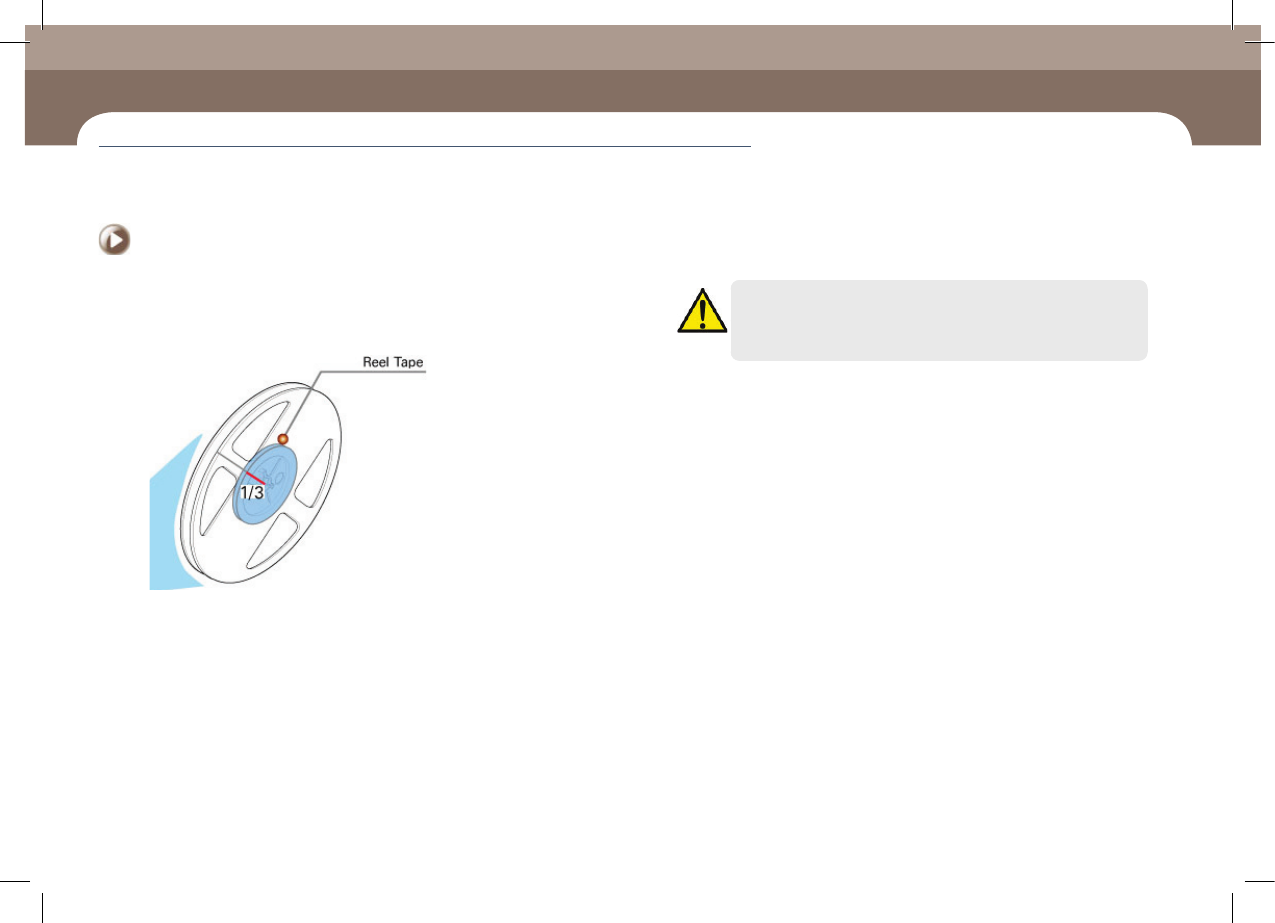
ㆍ In general cases, check whether more than one third of the parts remain in the reel
tape continuously. Then, for parts whose remaining quantity is less than one third,
prepare a part order list and send it to the material supply department.
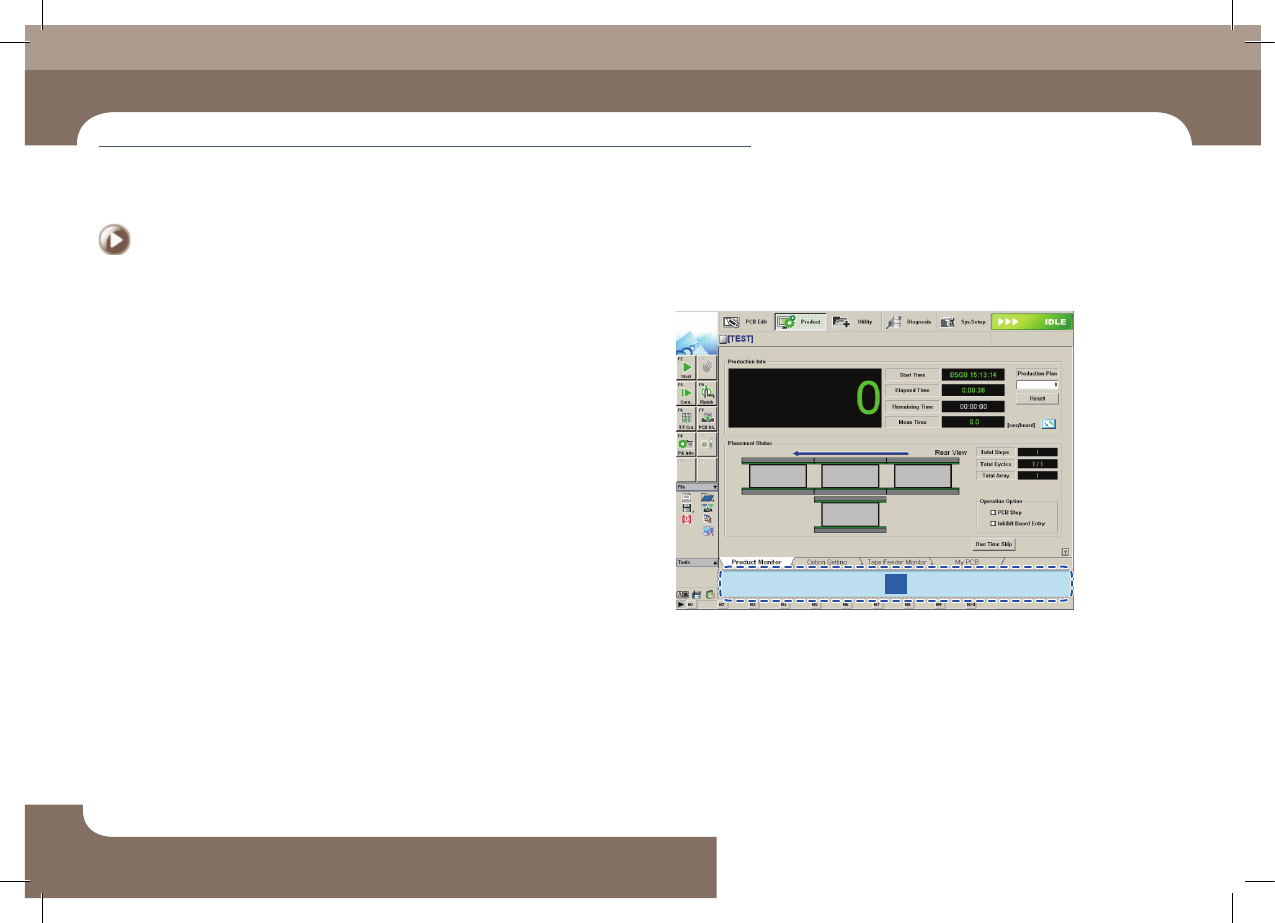
ㆍ If an IT feeder is used, order the parts expected to be exhausted referring to the
remaining part count indicated in the <Remain> column in the machines' MMI
production screen as well as the time in the <Time> column. Order the corresponding
parts from the material supply department within 20 minutes of the time at which
the parts are expected to be exhausted.
Chapter 4
Items to be inspected during production
This chapter describes the methods for temporary stop of the machine(Continue / Start mode), emergency stop (by manual/ by system) and the
restarting the production after emergency stop when checking errors or other items and taking measures during production.
Caution
When using a part remaining count in the MMI, perform splicing or
after reel change, reflect the result to the part count correctly.
2. Check conformity of the part (at 2 hour interval)
After changing the reel, check the conformity of the part by comparing the new
reel with the existing reel. There are two methods to compare reels as follows:
ㆍ In general, the user checks the conformity by comparing the parts one by one visually.
ㆍ If the IT System is used, check the conformity by scanning the barcode of the feeder
with barcode reader.
Then check the part conformity every two hours. There are two methods to check
the conformity as follows:
ㆍ In general, the user checks conformity by comparing the parts one by one visually.
ㆍ If the IT System is used, scan the command barcode for a material check first using
the barcode reader and check the reel barcodes of the installed feeders by scanning
them in order.
For further details about the conformity check using the IT System, refer to the IT
System User Manual.
Recognize the Check Part command barcode or execute the Check Part dialog box
in the MMI. Then using the scanner, recognize the corresponding reel barcodes
from right to left in the order in which feeders are installed.
Items to be inspected during production
Items to be inspected during production
Chapter 4
Advanced Chip Shooter
DECAN S2 Operation Handbook
4-2
This chapter describes the methods for temporary stop of the
machine(Continue / Start mode), emergency stop (by manual/ by
system) and the restarting the production after emergency stop when
checking errors or other items and taking measures during production.
Items to be inspected during production > Check the waste tape and dump box
Items to be inspected during production
Items to be inspected during production
3. Check the waste tape and dump box
Step 1.
Remove tape and vinyl from the feeder
ㆍ When using the tape cutter supplied by us, it is not necessary for the user remove the
tape in the feeder at certain time intervals separately.
ㆍ When the automatic tape cutter is not used, remove the discharged tape and vinyl
periodically according to your standards so that a tape feeder feeding error may not
occur.
Step 2.
Remove waste tape and vinyl
ㆍ When using the tape cutter supplied by us, if the collection box at the bottom
becomes full of feeder tape and vinyl, remove the contents of the box.
ㆍ When the automatic tape cutter is not used, the collection box arranged to collect
the waste tape and vinyl becomes full, remove the contents of the box.
4. Monitor the feeder with a defective pickup
1
① Monitor the feeder information indicated in the <Error Warning> group
Items to be inspected during production
Chapter 4
Advanced Chip Shooter
DECAN S2 Operation Handbook
4-3
This chapter describes the methods for temporary stop of the
machine(Continue / Start mode), emergency stop (by manual/ by
system) and the restarting the production after emergency stop when
checking errors or other items and taking measures during production.
Take measures of instantaneous stop > Take measures against defective pickup
Take measures of instantaneous stop
1. Take measures against defective pickup
(check the cause of the defect)
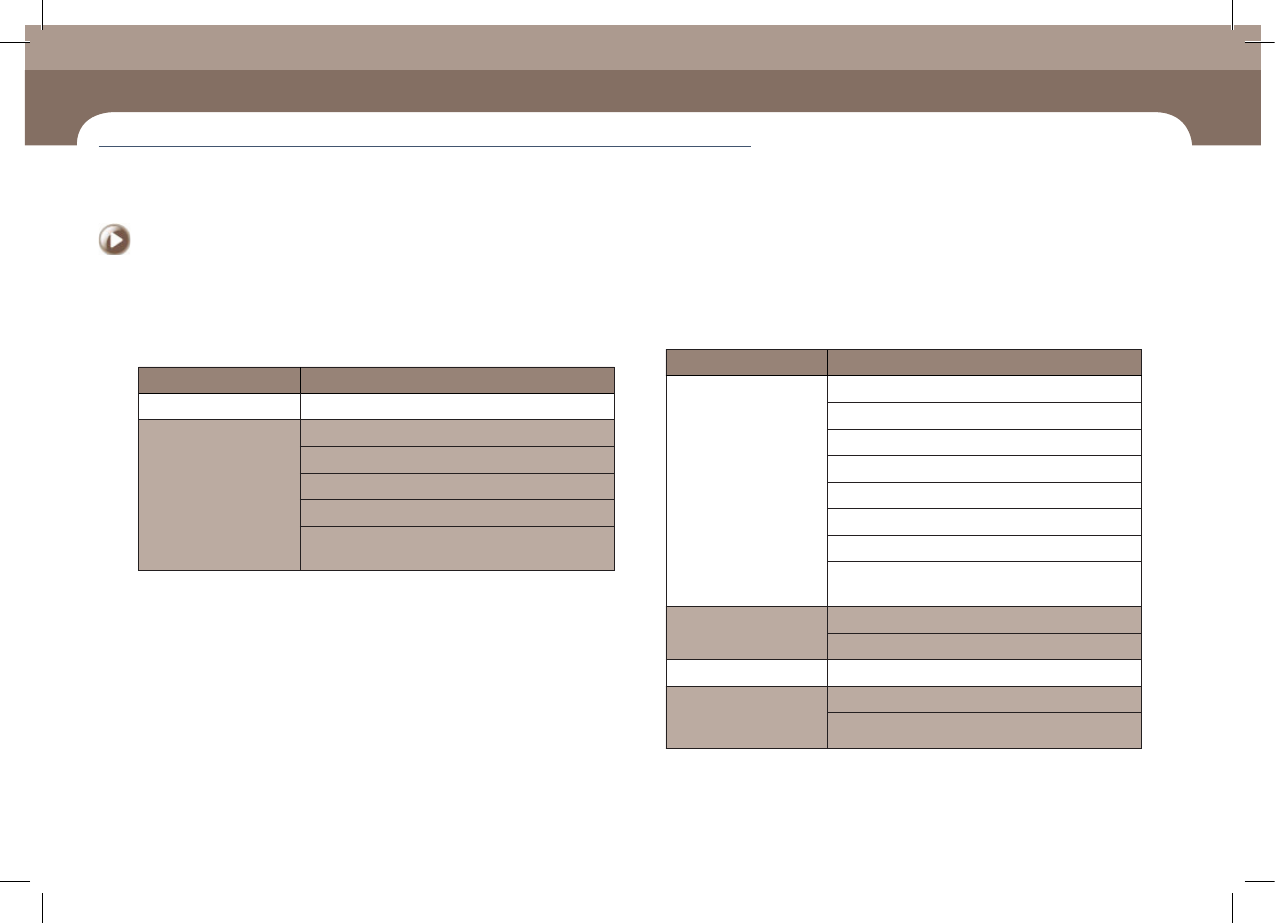
◈Part supply error
Classification of Causes Sub-classification of Causes
Tape installation error Incorrect installation of tape reel in the tape feeder
Part turnover/
edgestanding
Defective reel
The tape guide has been magnetized
Tape guide/Tape guide shutter deformation
Defective tape feeder shutter operation
Defective part feeding speed (odd shaped part
feeder)
Classification of Causes Sub-classification of Causes
Defective feeding
Insufficient tape feeder maintenance
Defective tape feeder motor operation
Defective tape feeder cylinder operation
Insufficient feeding force of the feeder
Spring damage and separation
Pitch error
Defective index sensor
Part has not been fed due to insufficient vibration of
the vibration feeder
Defective vinyl discharge
The tape vinyl has been curled inside the tape guide
Abnormal vinyl discharge
Tape jamming A part is stuck in the tape discharge path
A part beside the
corresponding part
jumped off
Pickup Z setup error
Fast down movement for pickup
Take measures of instantaneous stop