EUS0153210_YFact_Standard_E.pdf - 第143页
3-23 3 Board Editor • Arrange Horizontal Arranges the currently open Board Editor windows horizontally, left to right on the screen. "Arrangement of Board Editors" submenu Arrange Horizontal 64330-S0-00 • Arran…
3-22
3
Board Editor
2.6 Working with multiple board data
WithoneBoardEditor,youcanworkwithmultipleboarddataregisteredwiththesameproductionline.To
edit board data registered in a different line, however, you must start another Board Editor. For details on how
to start the Board Editor for each line, refer to 1.1, “Starting the Board Editor”, in this chapter.
2.6.1 Arranging the Board Editor windows
WhenyouareworkingwithmultipleBoardEditorwindows,youcanarrangetheminaneasiertoviewpattern.
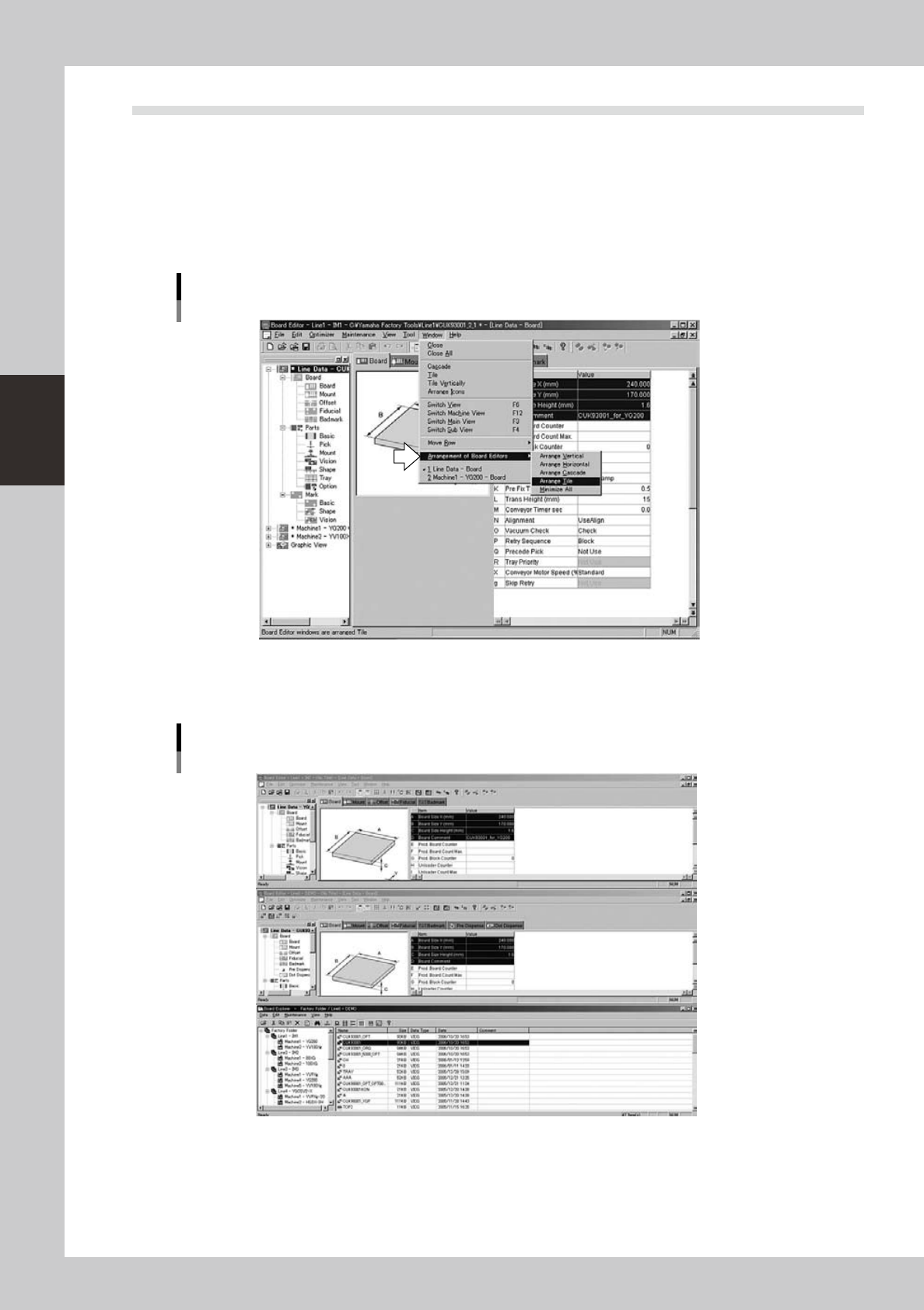
Selectthedesiredpatternfromthe“ArrangementofBoardEditors”submenuontheWindowmenu.
"Arrangement of Board Editors" submenu
64328-S0-00
• Arrange Vertical
Arranges the Board Editor windows vertically, top to bottom on the screen.
"Arrangement of Board Editors" submenu
Arrange Vertical
64329-S0-00
3-23
3
Board Editor
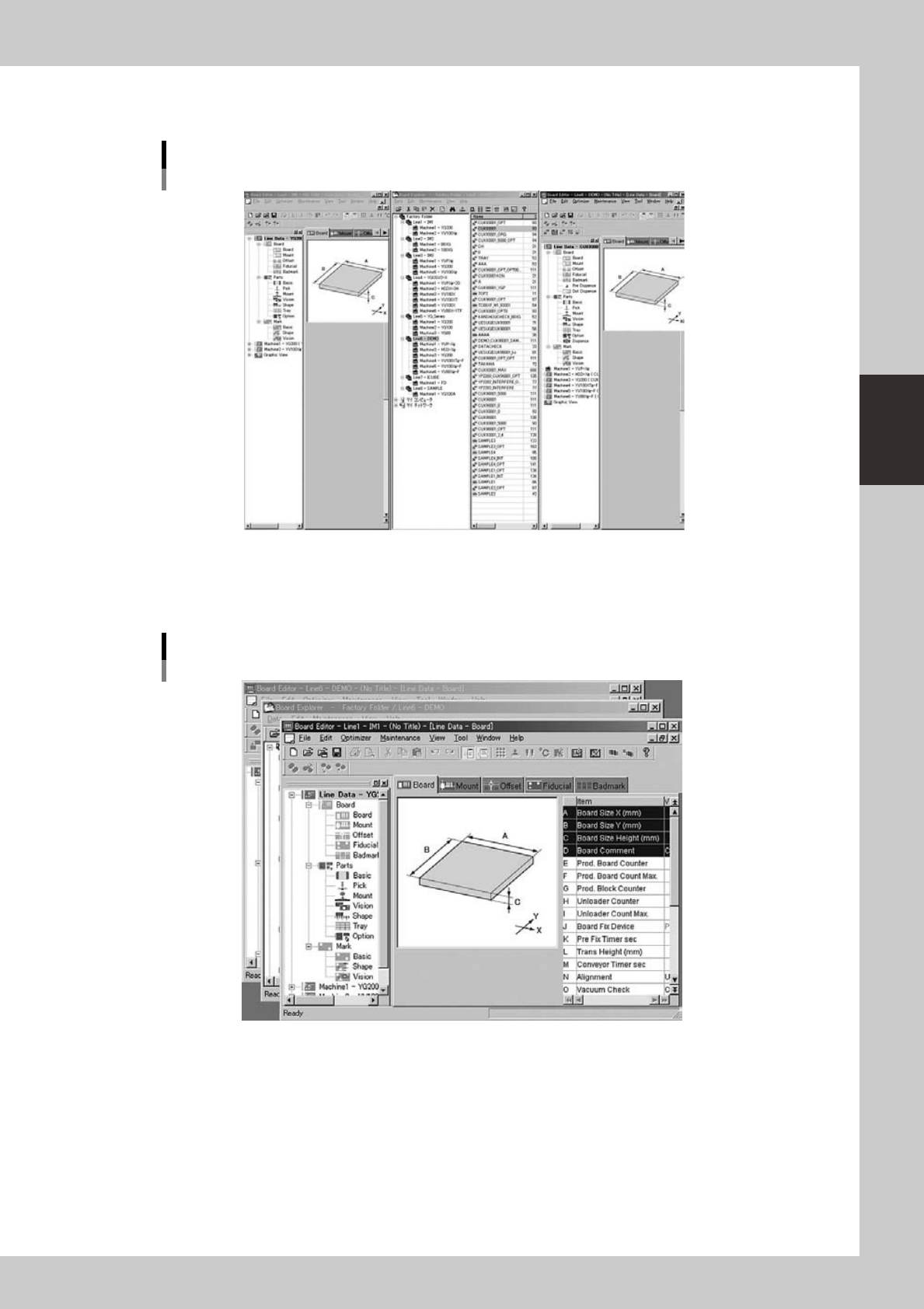
• Arrange Horizontal
Arranges the currently open Board Editor windows horizontally, left to right on the screen.
"Arrangement of Board Editors" submenu
Arrange Horizontal
64330-S0-00
• Arrange Cascade
Arranges the currently open Board Editor windows in a “cascade” pattern so that they overlap and the title bar of each
window is visible.
"Arrangement of Board Editors" submenu
Arrange Cascade
64331-S0-00
3-24
3
Board Editor
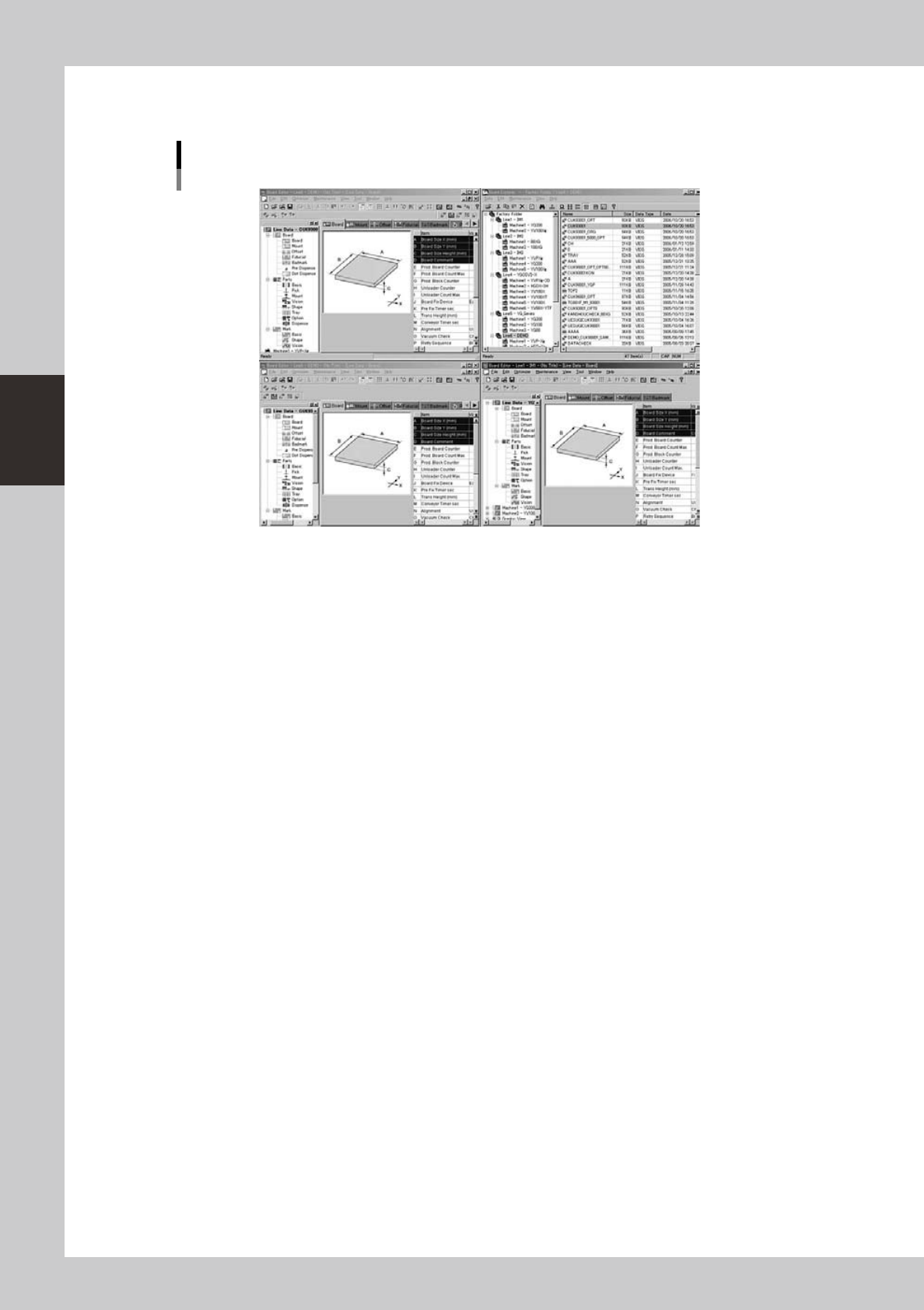
• Arrange Tile
Arranges the currently open Board Editor windows in a “tile” pattern so that they do not overlap.
"Arrangement of Board Editors" submenu
Arrange Tile
64332-S0-00
• Minimize All
Minimizes all the currently open windows into the taskbar.