EUS0153210_YFact_Standard_E.pdf - 第55页
2-21 2 Board Explorer 1. Use Database Selectwhethertousethedatabaseandtheconditionfromthe“UseDatabase”drop-downlist. Item Description NotUse Select when not using the database. FDX/MDX Select when using fdx…
2-20
2
Board Explorer
3
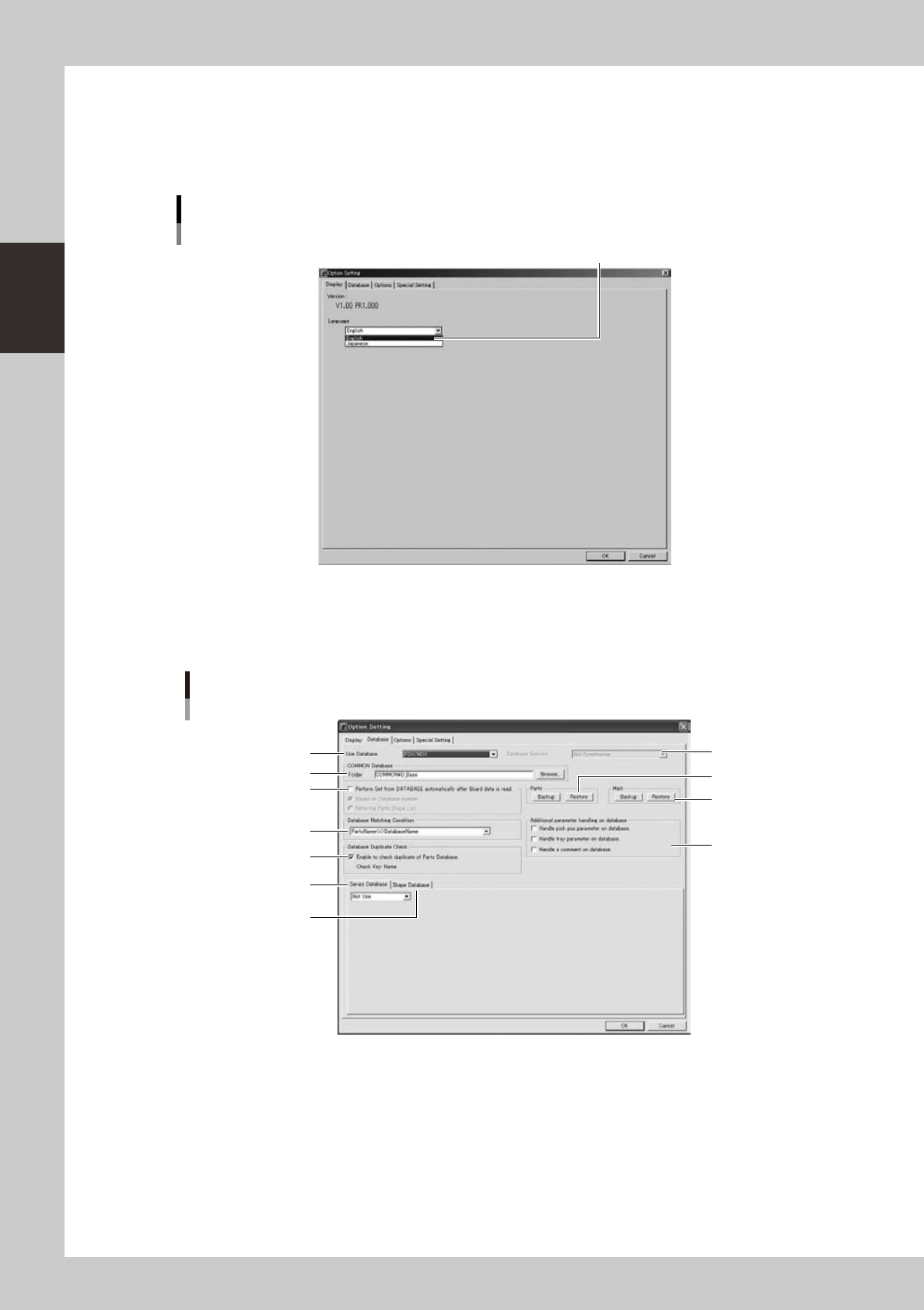
Change the language.
Select the desired language from the Language drop-down list.
4
Click the [OK] button.
The change you have made is enabled after restarting the Board Explorer.
"Option Setting" dialog box
[Display] tab for changing the language
Select the language and click [OK].
64232-S0-00
4.1.2 [Database] tab
Clickingthe[Database]tabopensthefollowingscreenforthedatabase option setting.
Factory Tools option setting
[Database] tab
2
1
4
3
11
7
5
6
10
8
9
64233-S0-20

2-21
2
Board Explorer
1. Use Database
Selectwhethertousethedatabaseandtheconditionfromthe“UseDatabase”drop-downlist.
Item Description
NotUse Select when not using the database.
FDX/MDX Select when using fdx/mdx database.
FDX/MDX (with saving FD/MS) Select when using both fdx/mdx and fd/md database.
FD/MD Select when using fd/md database.
2. Database folder
Shows the path to the registered database.
Youcanalsousethe[Browse]buttontocheckthelocationwherethedatabaseisstored.
3. Parts
Backs up and restores Parts database.
4. Mark
Backs up and restores Mark database.
5. Perform All Set
“All Set” is conducted when loading circuit board with editor or when optimization is performed.
6. Database matching condition
Selects whether a name or key is selected as a key term to match parts and database.
7. Synchronous operation setting
Select the use of database synchronization. “Database use” is only valid for “FDX/MDX (also saved on FD/MD)”.
8. Database by models
SelectifDatabasebymodelsistobeused/nottobeused.Formoreinformation,pleaserefertoP-ToolUser'sManual
"Chapter 6, Database".
9. Database by types
SelectifDatabasebytypesistobeused/nottobeused.Formoreinformation,pleaserefertoP-ToolUser'sManual
"Chapter 6, Database".
10. Database duplicate check
SelectifDatabaseduplicatecheckistobeused/nottobeused.Formoreinformation,pleaserefertoP-ToolUser's
Manual "Chapter 6, Database".
11. Additional parameter database management
Add parameters to be included in the management objects for database setting, setting from board. For more information,
pleaserefertoP-ToolUser'sManual"Chapter6,Database".
4.1.3 [Option] tab
Clicking the “Option” tab in the “Option Settings” window displays the option settings. Hardware key options
and available tools are listed and can be confirmed.
4.1.4 [Special Setting] tab
Clickingthe[SpecialSetting]tabshowsalistofspecialfunctionsavailablefortheFactoryTools.
2-22
2
Board Explorer
4.2 Inspection program conversion setting
Sets up a setting for converting board data to the Inspection program with the board explorer.
The converted Inspection program can be imported with the inspector and YViOS or YSiOS, the offline
software of the inspector.
4.2.1 Conversion of Inspection program
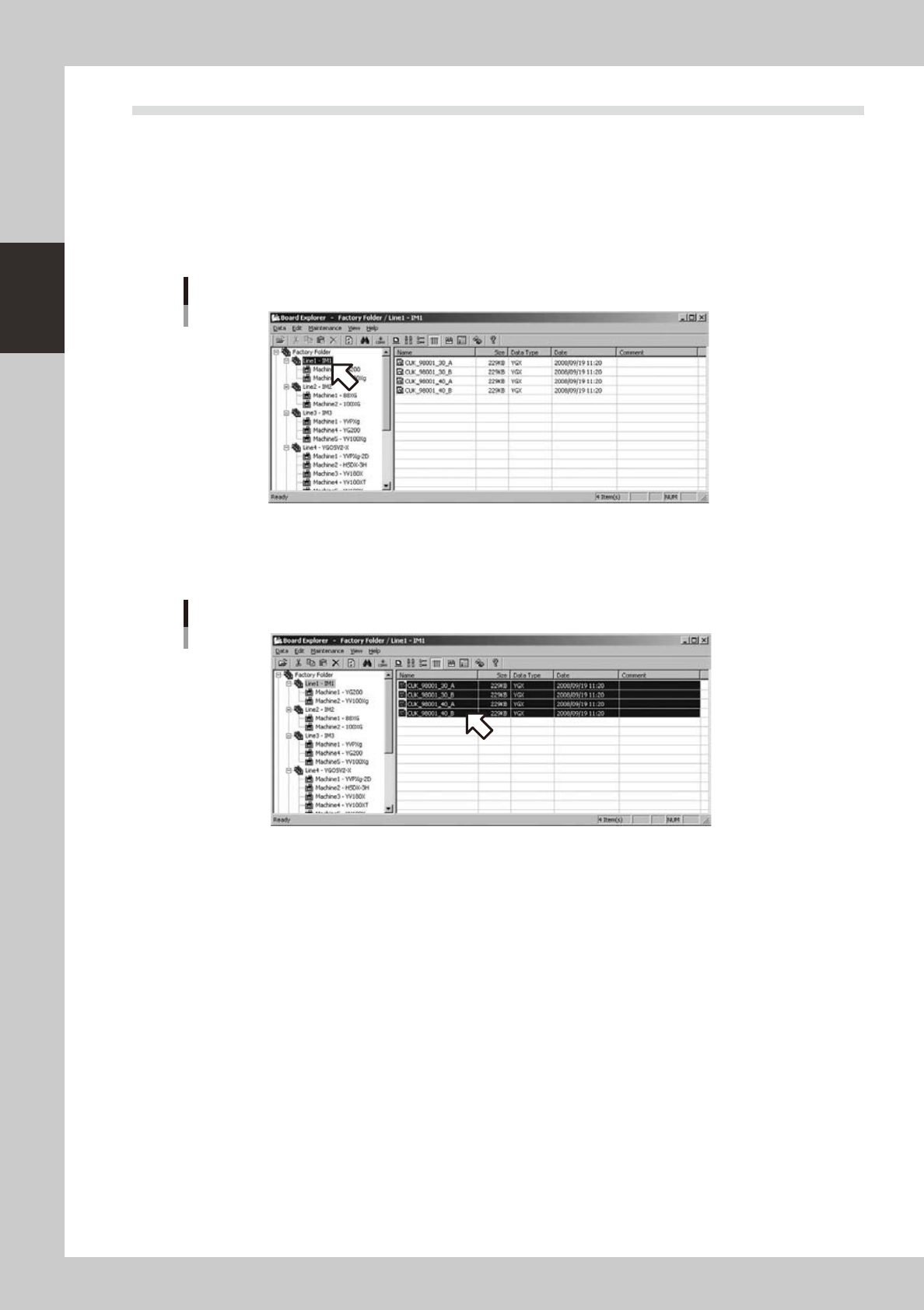
1
Select a line folder with the tree view of the Board explorer.
Selection of line folder
642A1-S0-00
2
Select a board data to be converted with the list view. (Multiple data can be
selected)
Selection of board data
642A2-S0-00