EUS0153210_YFact_Standard_E.pdf - 第228页
5-1 5 Rank T able Editor 1. Over view Use the BIN T able Editor to create BIN tables. The BIN T able Editor consists of a view area and an edit area. The view area shows information such as "Production T ype/Board N…

5-1
5
Rank Table Editor
1. Overview
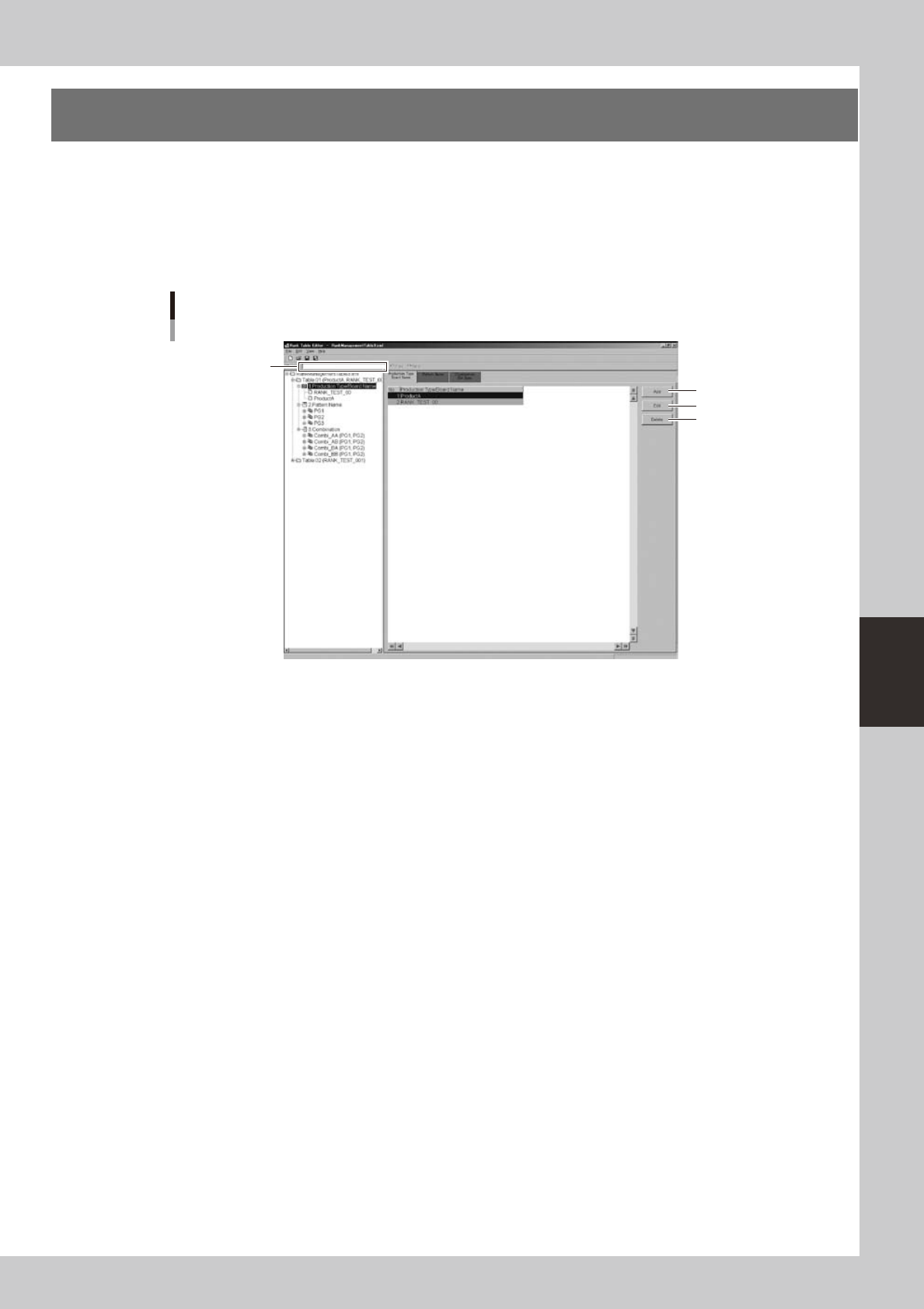
Use the BIN Table Editor to create BIN tables. The BIN Table Editor consists of a view area and an edit area.
The view area shows information such as "Production Type/Board Name" in a tree structure. You can also
select the item that you want to edit from the view area.
The edit area lets you edit information required by the BIN table, such as the "Production model / Board
name, "Pattern name group," and "Combination."
BIN Table Editor
1
2
3
4
64501-S0-00
1. Find
Allows you to search for parameter names and pattern names in the BIN table file. Enter the search string and click the
[Forward]or[Backward]button.
2. [Add] button
Adds a record named New and opens the edit dialog box.
3. [Edit] button
Edits the selected record.
4. [Delete] button
Deletes the record.
5-2
5
Rank Table Editor
1.1 Contents of a BIN Table
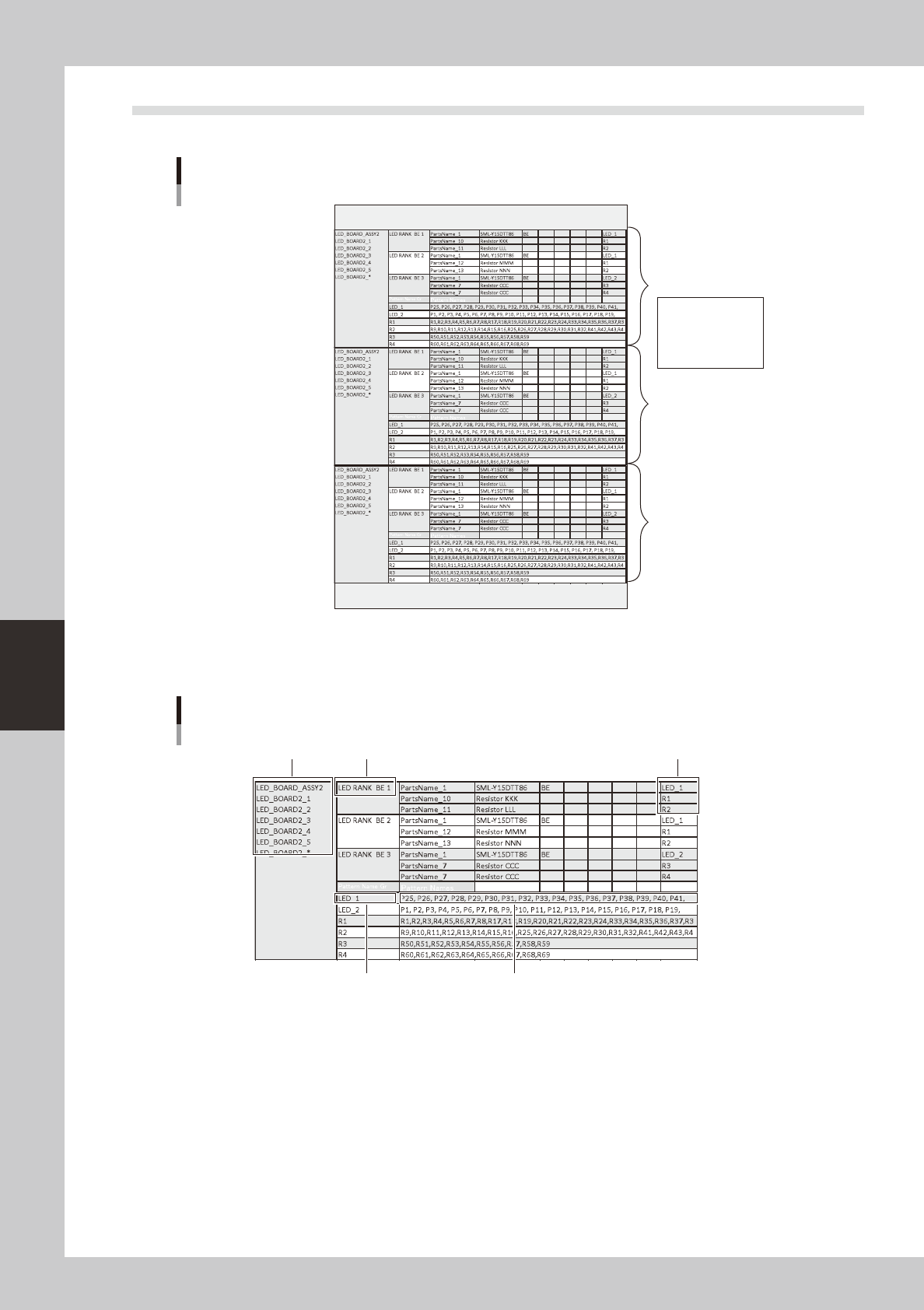
A BIN table file can contain multiple BIN tables, one for each production model or board data.
BIN table
BIN table
BIN table
Board name
Combination
Pattern name group
Pattern name
BIN table file
64756-T2-00
The BIN table contains the board name ("production model (ASSY)" in Plan mode, or "board data name" in
Machine mode), combination, pattern name group, and pattern name. For more about the combination, pattern
name group, and pattern name, refer to the sections below.
CombinationBoard name
Pattern name group Pattern names
Pattern name group that is linked
with the combination (LED BIN BE1)
BIN table
64757-T2-00