EUS0153210_YFact_Standard_E.pdf - 第34页
6. Creating a pr oduction plan (plan file) 2-6 5 6.1 Production Plan window 2-6 5 6.2 Creating a new production plan 2-6 7 7. Creating the backup folders 2-6 9 8. File table restoration tool 2-7 1 8.1 About the file tabl…

Chapter 2 Board Explorer
Contents
1. Starting and quitting the Board Explorer 2-1
1.1 Starting the Board Explorer 2-1
1.2 Quitting the Board Explorer 2-2
2. Basic operation 2-3
2.1 About the Board Explorer 2-3
2.2 Board Explorer window 2-5
3.
Registering or deleting “lines” and “machines”
2-12
3.1 Registering “lines” and “machines” 2-12
3.2 Deleting the lines and machines 2-18
4. Factory Tools option settings 2-19
4.1 Option setting 2-19
4.1.1 Changing the language 2-19
4.1.2 [Database] tab 2-20
4.1.3 [Option] tab 2-21
4.1.4 [Special Setting] tab 2-21
4.2 Inspection program conversion setting 2-22
4.2.1 Conversion of Inspection program 2-22
4.2.2 Type compatibility table 2-29
4.2.3 About “FAST” (YVi Series) 2-30
4.2.4 How to set up 2-34
4.2.5 Restrictions 2-41
5. Managing the board data 2-42
5.1 Editing board data 2-42
5.1.1 Copying board data 2-42
5.1.2 Renaming board data 2-44
5.1.3 Duplicating board data 2-45
5.1.4 Deleting board data 2-46
5.2 Converting the data type 2-47
5.3 Comparison between folders 2-49
5.4 Database Utility 2-52
5.4.1 Detailed explanation of operation 2-52
5.4.2 Settings 2-63
5.4.3 Limitations 2-63
5.5
'Database Set All' function when Board data is copied from Board Explorer to floppy disk
2-64

6. Creating a production plan (plan file) 2-65
6.1 Production Plan window 2-65
6.2 Creating a new production plan 2-67
7. Creating the backup folders 2-69
8. File table restoration tool 2-71
8.1
About the file table check function of each application
2-71
8.2 Update of File Table 2-72
8.3 About the error kind and method of the restoration 2-74
9. Program List Editor 2-75
9.1 Start of the Program List Editor 2-75
9.2 Open and Save 2-76
9.3 Edit the Program List 2-77
9.4 Option 2-79
9.4.1 Grid View Setting 2-79
9.4.2 Program List Editor Item Edit 2-79
9.5 Limitation 2-80
10. Multi Lane Support 2-81
10.1 Multi Lane View 2-81
10.2 Multi Lane Utility 2-83
10.2.1 Single-Combined Program 2-83
10.2.2 Multi-Combined Program 2-84
10.2.3 Divide Combined Program 2-84
2-1
2
Board Explorer
1. Starting and quitting the Board Explorer
The Board Explorer allows you to register or delete “lines” (production lines) and “machines”, as well as
making data backups.
After installation of the Factory Tools is complete, start up the Board Explorer and be sure to register the lines
and machines.
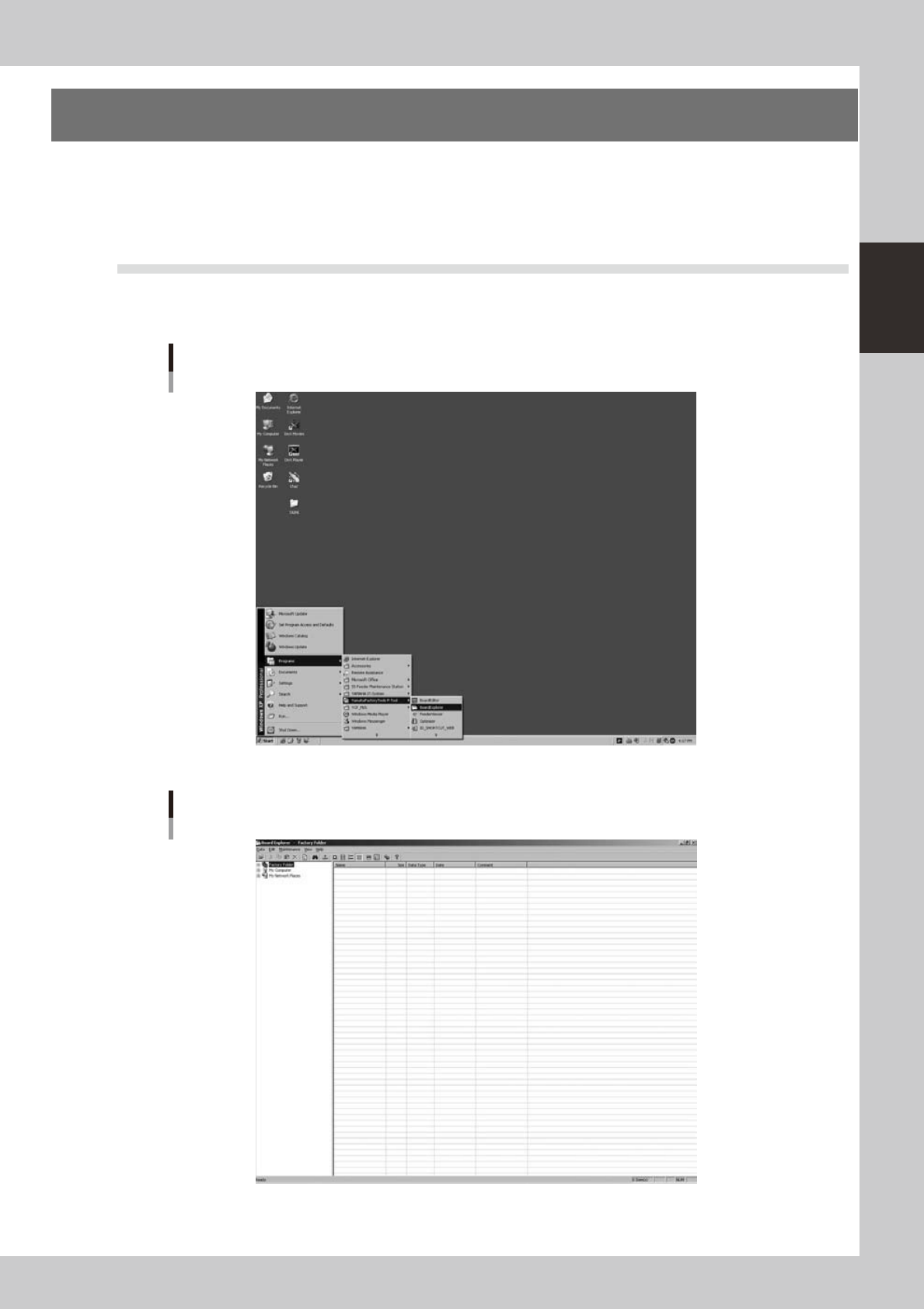
1.1 Starting the Board Explorer
YoucanstartuptheBoardExplorerfromtheStartmenuontheWindowstaskbar.
FromtheStartmenu,select“Programs”-“YAMAHAFactoryToolsP-Tool”andthenclick“BoardExplorer”.
Start menu
Board Explorer
64200-S0-10
Board Explorer initial screen
64201-S0-10