00195166-0402_SM_D4_EN.pdf - 第211页
Settings Checking the Firmware Function Electrical System Service Manual SIPLACE D4 211 6S e t t i n g s The ele ctrical assemb lies ar e in par t se t via jump ers or DIP switches. Th e followin g table s pr ovide a br …
Measuring Equipment and Tools
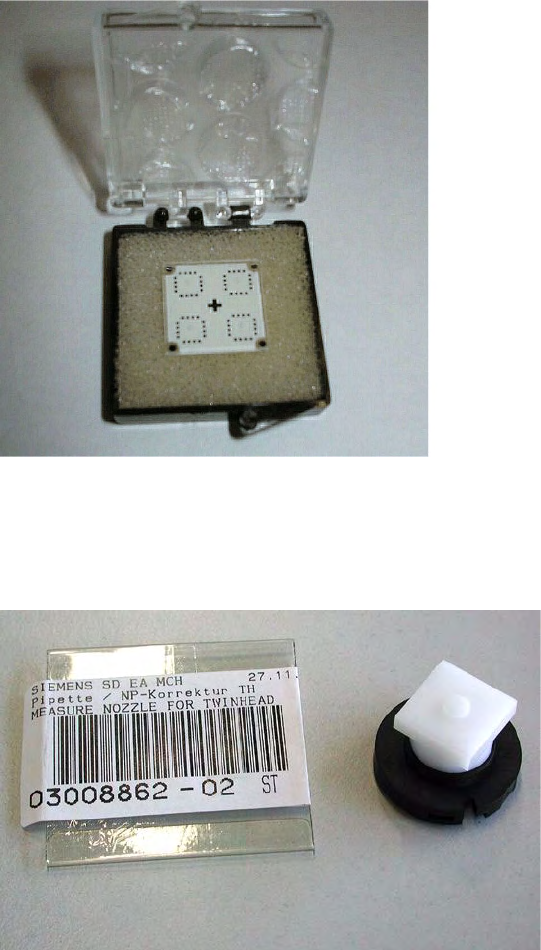
Calibration Tool [03010565-01] Scope of Delivery
210 Service Manual SIPLACE D4
5.11 Calibration Tool [03010565-01]
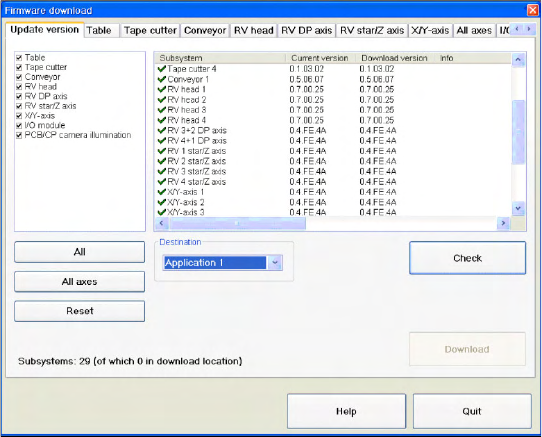
5.12 Calibration Nozzle for Twin Head [03008862-xx]
Application:
The calibration tool [003010565-xx] is used for
calibration of the C&P6/12 placement heads,
P&P and Twin Head (for X series).
Application:
The calibration nozzle is used to calibrate the
D axis of the Twin Head or P&P head.
Settings
Checking the Firmware Function Electrical System
Service Manual SIPLACE D4
211
6Settings
The electrical assemblies are in part set via jumpers or DIP switches. The following tables provide a brief
overview of the electrical settings. For details, please consult the setting instructions.
6.1 Electrical System
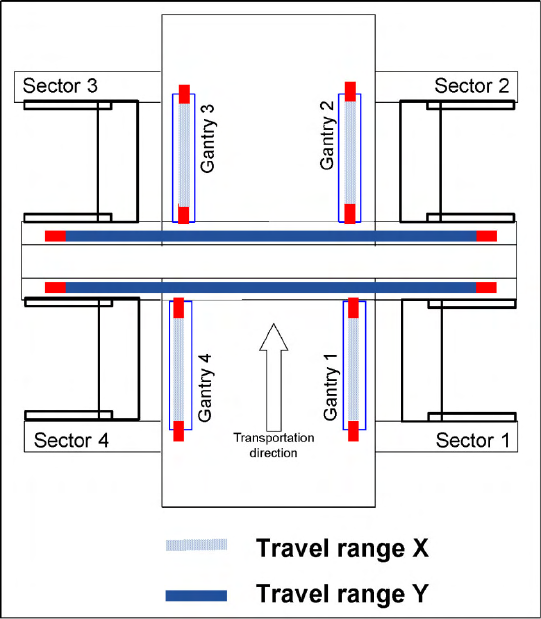
6.1.1 Checking the Firmware Function
6.1.2 Firmware Download Note
From the following station software versions, the firmware download can be performed to all CAN bus
nodes, via the standard SITEST interface.
505.04 SP2
603.01 SP1
604.01 SP1
X Select a
Target
(BIOS/application 1/
application 2) and click on the
Check
.
Settings
Gantry Travel Ranges and Speed Monitoring (A364)
212 Service Manual SIPLACE D4
6.2 Gantry
6.2.1 Travel Ranges and Speed Monitoring (A364)
The travel range of the X and Y axes will be determined automatically with the SITEST program.
This means that, during travel range calibration, the axis concerned moves as far as possible towards
the minimum or maximum position, until the set target value is no longer reached by the axis card. It is
then assumed that the hardware limit switch (bumper) has been reached. In a time window of approx.
10 ms, the greatest actual value achieved is taken to calculate the travel range.
To guarantee an appropriate safety gap before the hardware end switch is touched, a certain distance
is deducted from the set travel range. This enables the axis to brake in time, even when errors occur.
6-1: Travel range for X and Y axes (D4 and X4 shown here)
The end of the X axis travel range is + or -
0.5 mm before the software limit switch, which is
1.5 mm before the bumper. A safety distance of
2.0 mm to the bumper is adequate, if the X axis
moves into this area with excessive speed.
The end of the Y axis travel range is + or -
2.0 mm before the software limit switch. The Y
axis travel range for a particular placement area is
monitored in one direction by the software limit
switch and a bumper. In the other direction, there
is a permanent exchange of communication
between the axes and their positions, via the SPI
Bus (see description of the anticrash function).