T-Solution2_User_Guide(Chi_Ver11.2)_red(1).pdf - 第152页
3-22 {TzYG|˅Gn {TzYG|˅Gn 3.4. 安装 .NET Framework 3.5 / 4.0 需要在拟安装服务器应用程序的 PC 上安装 Microsoft 所提供的 Micros oft .NET Framework V ersion 3.5 / 4.0 。可 以 在 Microsoft Download Center 下载 .NET Framework…
3-21
PC配置及软件前置安装
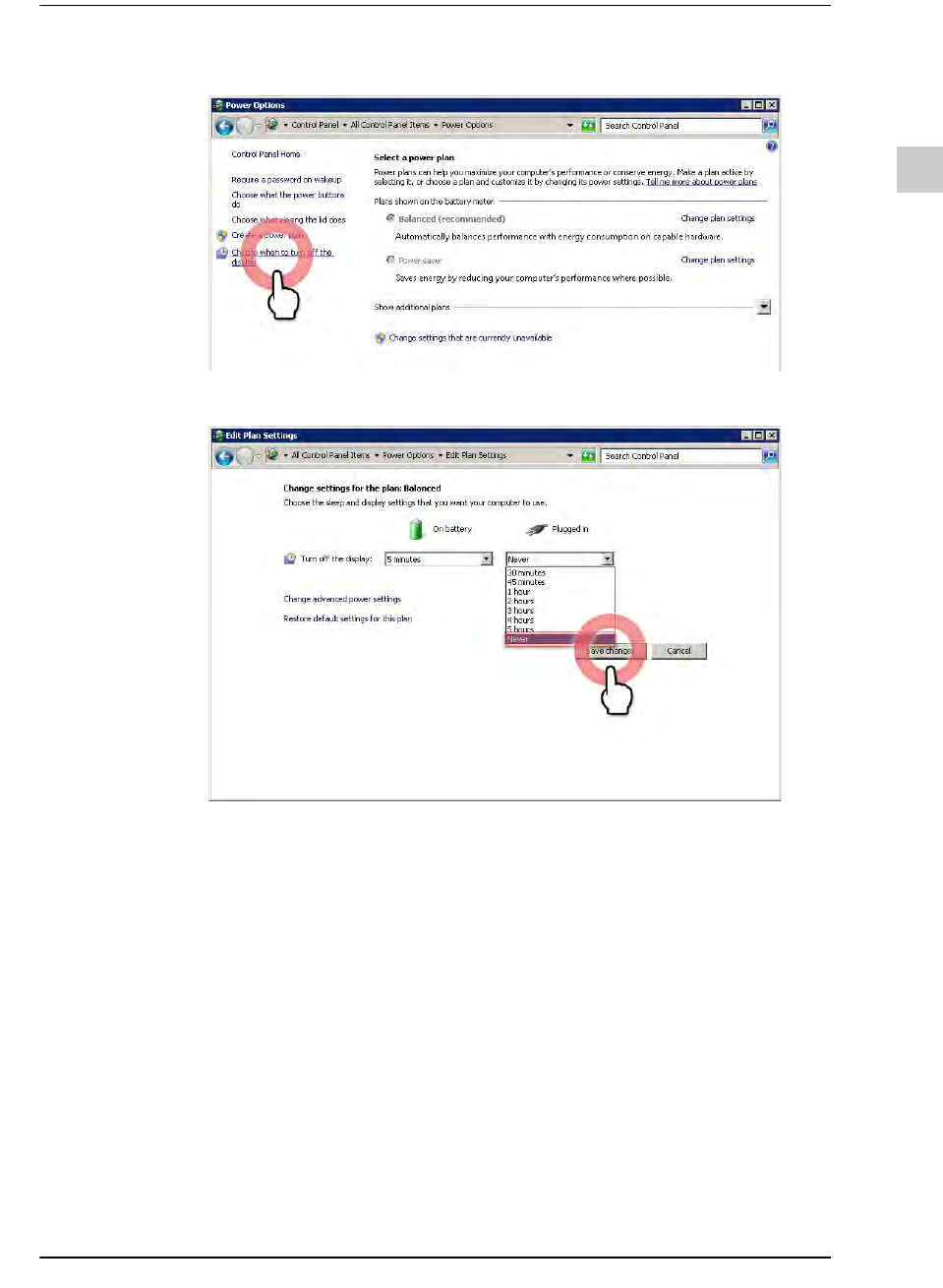
STEP3. 选择“Choose when to turn off the display” 菜单
STEP4. 在<Plugged in>组合框选择了“Never”后,单击 <Save changes>按钮
3.2.
安装Windows Installer 3.1
需要在拟安装服务器应用程序的PC 上安装Microsoft所提供的Microsoft Installer
3.1。可 以 在 Microsoft Download Center 下载Microsoft Installer 3.1。
3.3.
安装Powershell 2.0
需要在拟安装服务器应用程序的PC 上安装Microsoft所提供的Microsoft PowerShell
2.0。可 以 在 Microsoft Download Center 下载Power shell 2.0。
3-22
{TzYG|˅Gn{TzYG|˅Gn
3.4.
安装.NET Framework 3.5 / 4.0
需要在拟安装服务器应用程序的PC 上安装Microsoft所提供的Microsoft .NET
Framework Version 3.5 / 4.0。可 以 在 Microsoft Download Center下载.NET Framework
3.5 / 4.0。
(路径: https://www.microsoft.com/en-US/download/details.aspx?id=21)
备注 在PC 安装了.NET Framework Version 4.0才能使用NPE(New
Part Editor)。
安装T-Solution时会自动安装.NET Framework 4.0,因此不必另
外安装。
3.5.
安装MS-SQL Server 2012 Express
MS-SQL Server 2012 Express的安装过程如下。
备注 利用MS-SQL Server Express版本时,数据保存容量会受到限制
(最大10GB)。
需要保存10GB 以上的数据时,请使用Standard以上的版本。
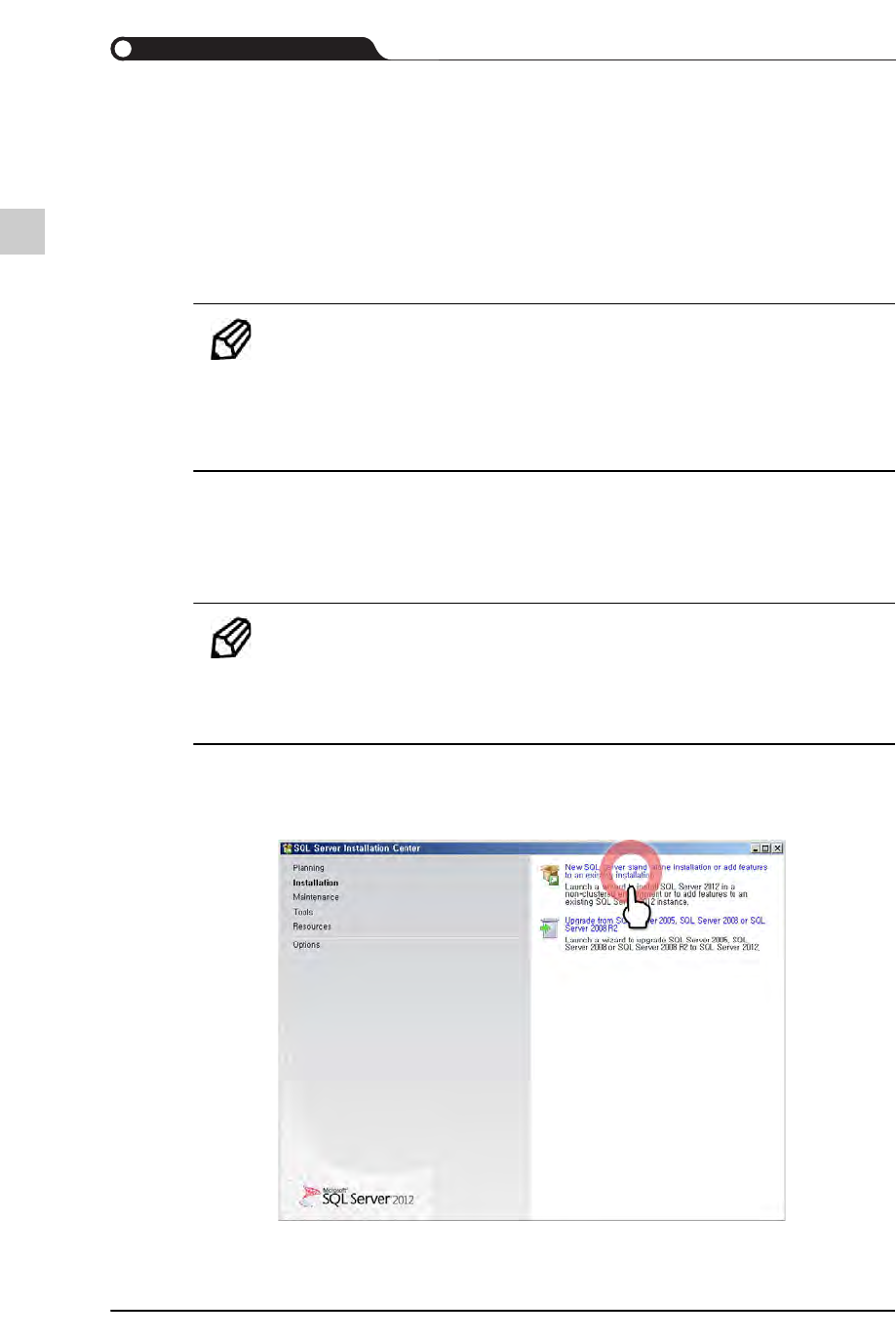
STEP1. 单击“New SQL Server stand-alone installation or add features to an existing
installation”项
3-23
PC配置及软件前置安装
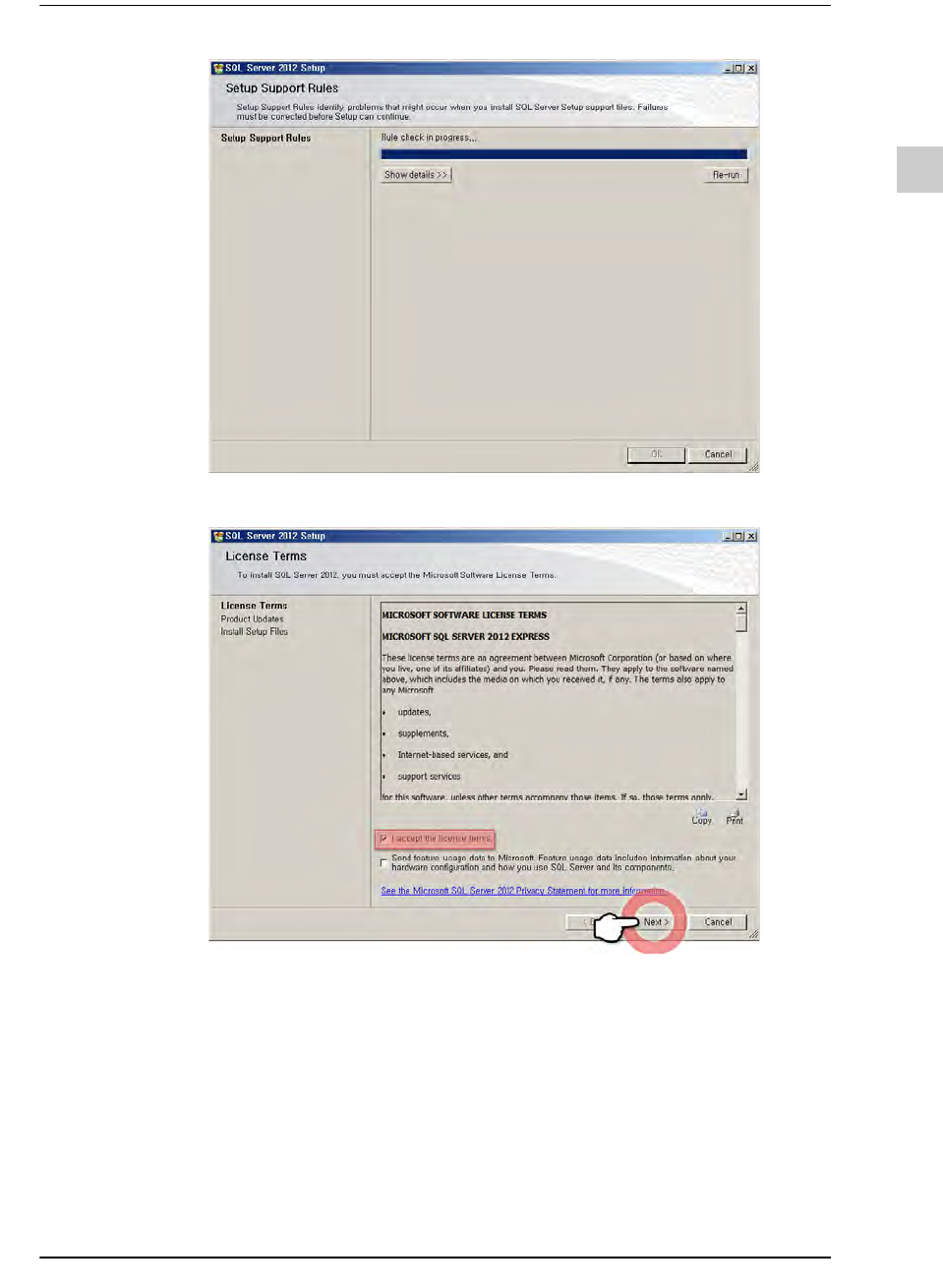
STEP2. 选择<I accept the license terms.> 复选框后,单击<Next>按钮