00195366-01_InstallationManual_EDM_en.pdf - 第13页
Installation Manual SIPLACE EDM Edition 11/2006 4.2 Directory structure In the following, we will discuss the directory structure created by t he default installation. Programme Siemens SIPLACE Siemens EDM config Databas…

Installation Manual SIPLACE EDM Edition 11/2006
Microsoft SQL Server V8.0 SP 4 or MSDE 2000 SP 4 (same as SIPLACE Pro)
.NET Framework V2.0
Table 2 EDM line server software requirements
4.1.3 Clearing pool
Minimum Requirements
Hardware Intel Celeron 1.7 GHz
512 MB RAM
Network connection
Operating system Windows 2003 Server (with SP1)
Windows XP Professional SP2
MSMQ Runtime must be installed
SIPLACE Pro SIPLACE Pro Desk 4.1
Table 3 Clearing pool software requirements
Attention:
Before installing a ClearingPool on your local PC, that has access to a remote EDM master,
you must install SIPLACE Pro Desk on your local system. Thereby, SIPLACE Pro Desk must
also have access to the remote EDM Master.
12 of 66
Installation Manual SIPLACE EDM Edition 11/2006
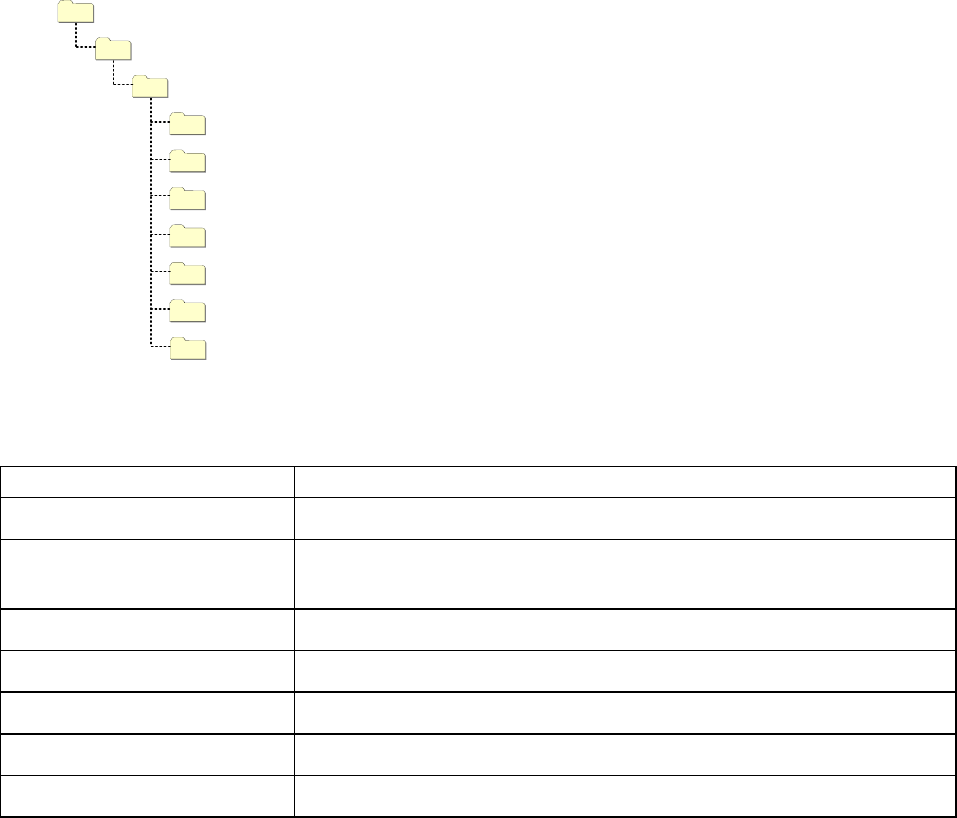
4.2 Directory structure
In the following, we will discuss the directory structure created by the default installation.
Programme
Siemens SIPLACE
Siemens EDM
config
Database
DBScripts
de
en
help
templateStorage
Figure 2 Directory structure of the default installation
Directory Contents
SIPLACE EDM Applications and libraries
config Application configuration, client workflow configuration, filter configuration, email
configuration and logging configuration
Database Database for change notifications and clearing pool (master server only )
DBScripts Scripts to create and access the database (master server only)
de, en, … Language-dependent resources
Help Online documentation
templateStorage Storage location for application templates
Table 4 Directories of the default installation
The installation of the components of the system is performed in the following the order:
1. Installation of the EDM master server
2. The customer-specific application configuration is copied to the master server
3. Installation of the EDM line servers
4. The customer-specific application configuration is copied to the line servers
5. Installation of the clearing pool host
13 of 66
Installation Manual SIPLACE EDM Edition 11/2006
IMPORTANT:
The configuration files created by the customer during the process analysis phase –
currently – need to be distributed manually to the line servers or to the master server
after completing the installation.
IMPORTANT:
If you are migrating from EDM 1.2 to EDM 1.3, please refer to section 4.4 for details of
the installation procedure.
4.3 Setup
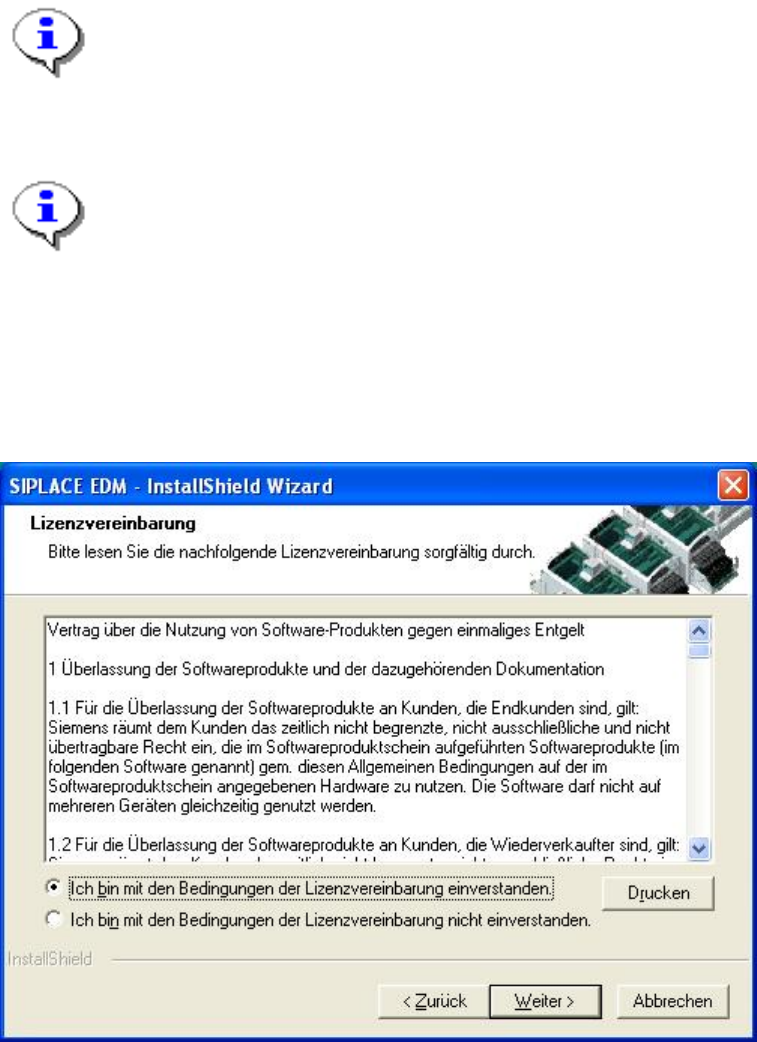
Run the “Setup.Exe” program from the CD. In the dialog box that appears, click on the “Next” button.
Accept the following license agreement:
Figure 3 License agreement
Now click the “Next” button.
The following dialog box asks you to enter your contact information. Enter this information and click
the ”Next” button.
14 of 66