00195366-01_InstallationManual_EDM_en.pdf - 第15页
Installation Manual SIPLACE EDM Edition 11/2006 Figure 4 Contact information Now select the target directory for the SIPLACE EDM installation: Figure 5 Target directory for installation 15 of 66
Installation Manual SIPLACE EDM Edition 11/2006
IMPORTANT:
The configuration files created by the customer during the process analysis phase –
currently – need to be distributed manually to the line servers or to the master server
after completing the installation.
IMPORTANT:
If you are migrating from EDM 1.2 to EDM 1.3, please refer to section 4.4 for details of
the installation procedure.
4.3 Setup
Run the “Setup.Exe” program from the CD. In the dialog box that appears, click on the “Next” button.
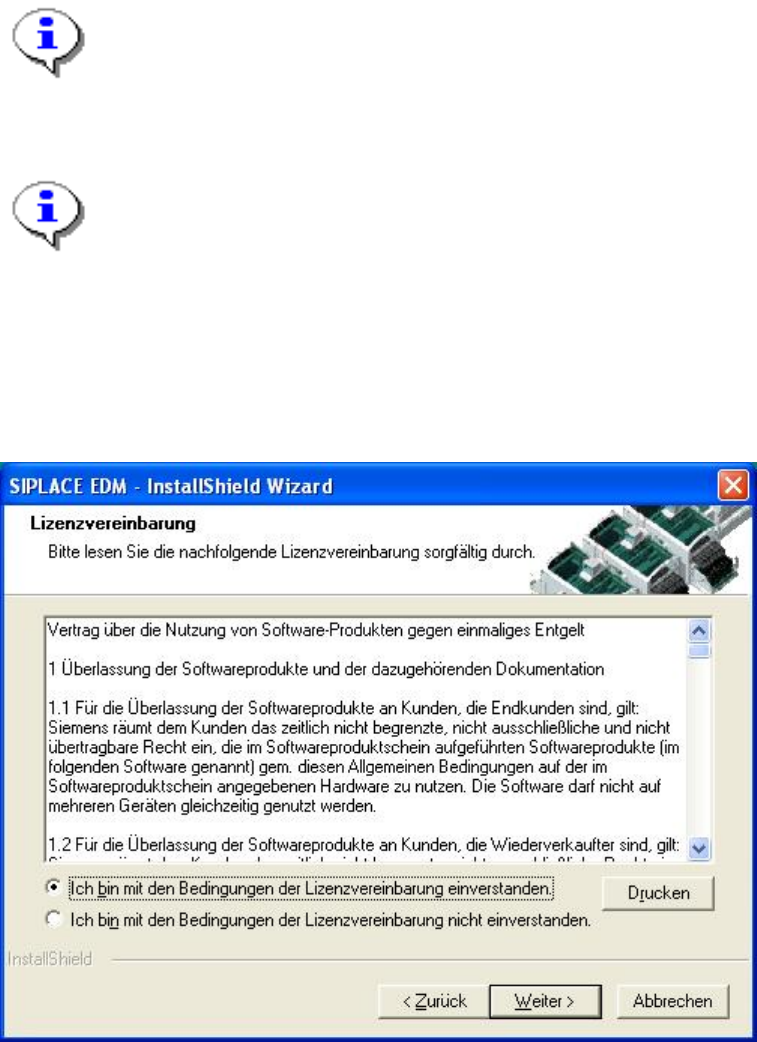
Accept the following license agreement:
Figure 3 License agreement
Now click the “Next” button.
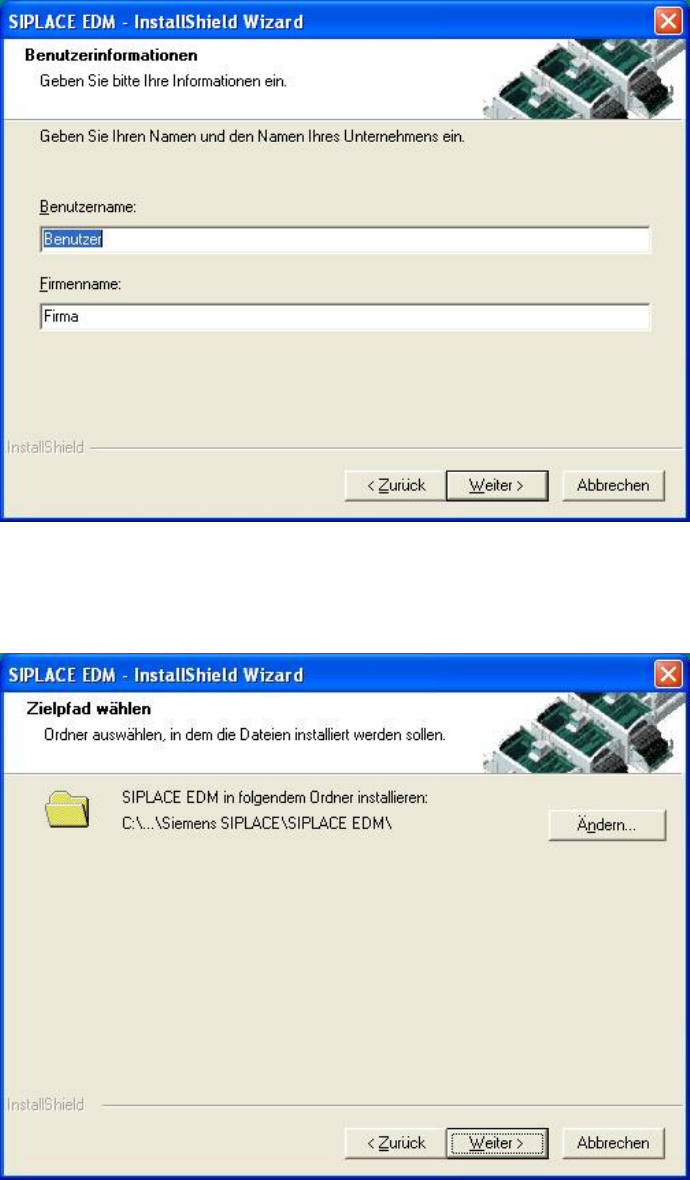
The following dialog box asks you to enter your contact information. Enter this information and click
the ”Next” button.
14 of 66
Installation Manual SIPLACE EDM Edition 11/2006
Figure 4 Contact information
Now select the target directory for the SIPLACE EDM installation:
Figure 5 Target directory for installation
15 of 66
Installation Manual SIPLACE EDM Edition 11/2006
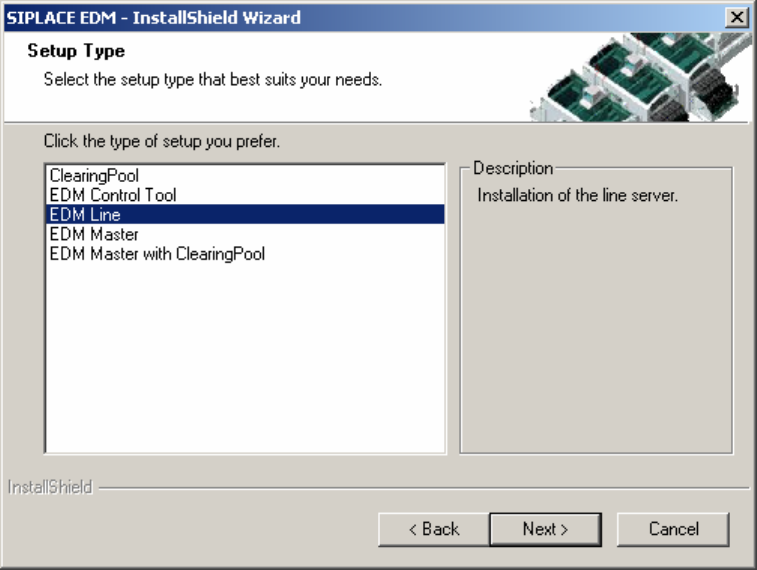
Since SIPLACE EDM comprises several applications whose installation depends on the role of the
workstation, you must select the type of installation you want to perform:
Figure 6 Type of EDM installation
The following are available for selection:
• Clearing Pool. Installs a clearing pool GUI and the EDM Tool. Use this option when you want to
allow a data preparation engineer access to the clearing pool database from his workstation.
• EDM Control Tool. Only installs the EDM Control tool.
• EDM Line (line server). Installs an EDM line server including the EDM client. Use this option
when you want to insert a local SIPLACE Pro installation into a line in your EDM system.
• EDM Master (master server). Installs an EDM master server, the clearing pool database and the
EDM tool. Use this option to install EDM on your central SIPLACE Pro server. There should only
be one master server per EDM system.
• EDM Master with Clearing Pool. Installs one EDM master server, one clearing pool database and
a clearing pool GUI to access the clearing pool database.
16 of 66