00197197-02-IM SetupCenter 5.1.pdf - 第29页
Installation Motorola MC70/MC75 1D/2D barcode scanner Hardware Installation Installation Manual SIPLACE Setup Center 5.1 29 Install ActiveSync ► Click on "Next" to proceed. ► Accept the licensing ag r eements a…
Installation
Hardware Installation Motorola MC70/MC75 1D/2D barcode scanner
28 Installation Manual SIPLACE Setup Center 5.1
4.2.4.3 MC70/MC75 Prerequisites installation
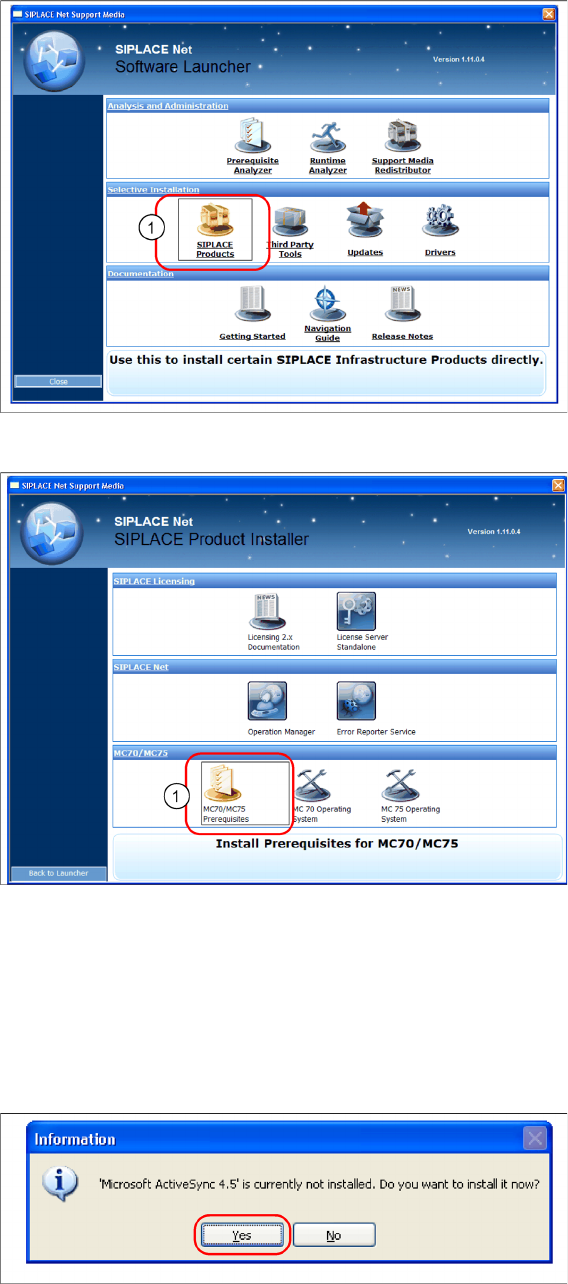
The installation for MC70 Prerequisites is located on the DVD "SIPLACE Support Media DVD1" in the
section SIPLACE Products (1).
► Execute the MC70 / MC75 Prerequisites (1).
Step 1: ActiveSync / Mobile Device Center
The “MC70 / MC75 Prerequisites” setup tool checks if the necessary communication program (Ac
-
tiveSync or Mobile Device Center) is present. If this is not the case, the program can be installed.
Windows XP: ActiveSync
If ActiveSync is not installed on the system, the following message box appears.
► Select Yes to start the installation of Microsoft ActiveSync. Make sure that the scanner is not yet con
-
nected to the basic station.
Installation
Motorola MC70/MC75 1D/2D barcode scanner Hardware Installation
Installation Manual SIPLACE Setup Center 5.1 29
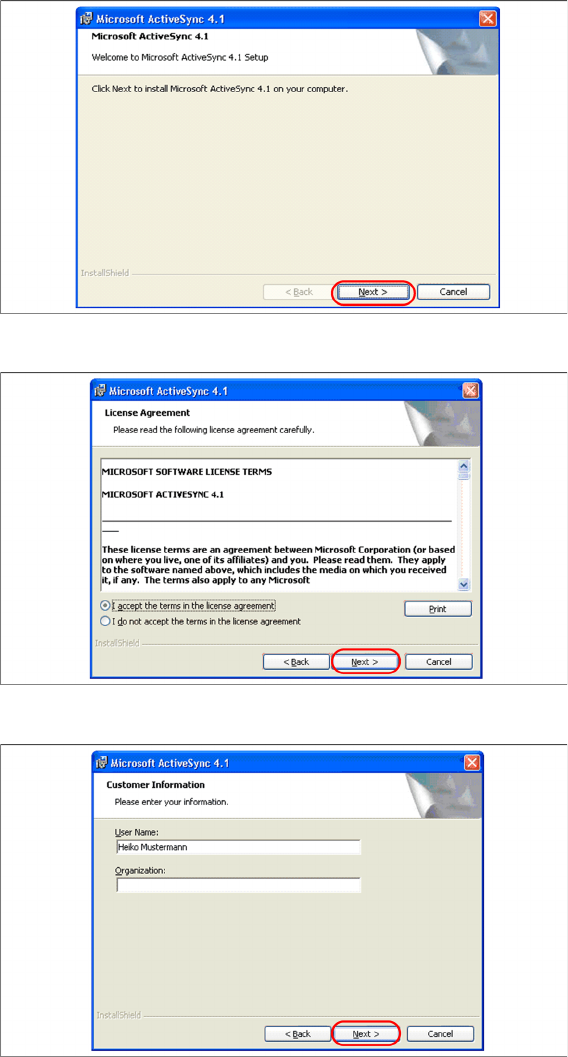
Install ActiveSync
► Click on "Next" to proceed.
► Accept the licensing agreements and select "Next".
► Enter your user information and select "Next".
Installation
Hardware Installation Motorola MC70/MC75 1D/2D barcode scanner
30 Installation Manual SIPLACE Setup Center 5.1
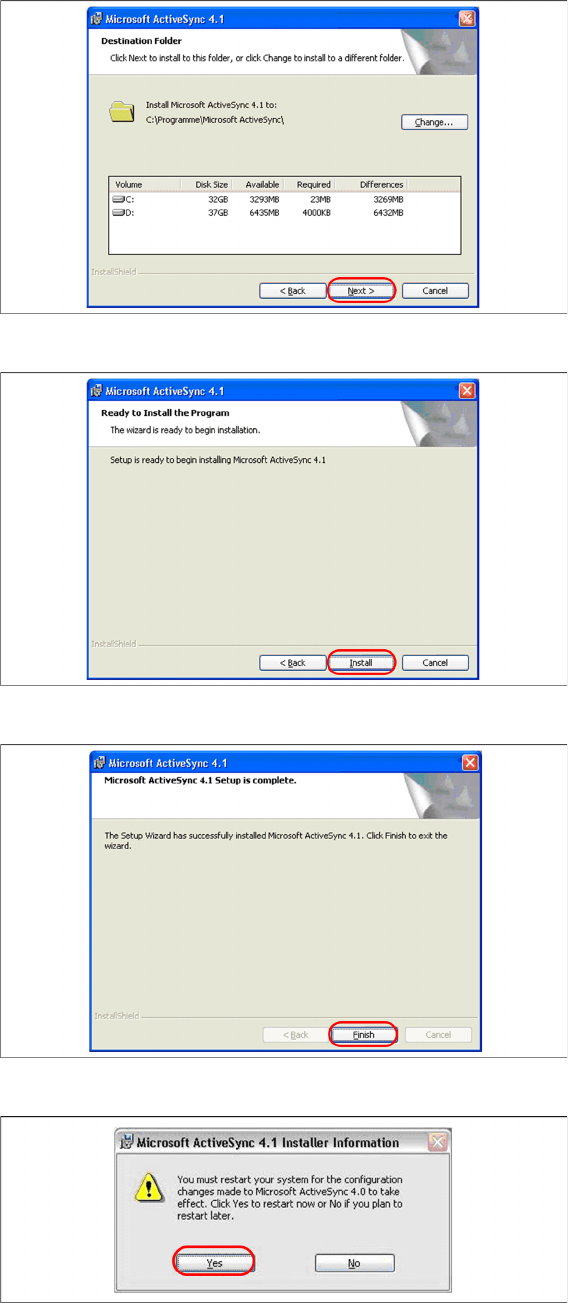
► Select the path for copying the installation files and select "Next".
► Select "Install" to start with the installation of Microsoft ActiveSync.
► Click on "Finish" to terminate the Microsoft ActiveSync Installation.
► In case that a restart is necessary please select "Yes".