00197197-02-IM SetupCenter 5.1.pdf - 第58页
Installation Software Installation Setup Center 58 Installation Manual SIPLACE Setup Center 5.1 Step 6 ► The installation routine starts. ► The " Setup Complete " window appears if the ins talla tion has been c…
Installation
Setup Center Software Installation
Installation Manual SIPLACE Setup Center 5.1 57
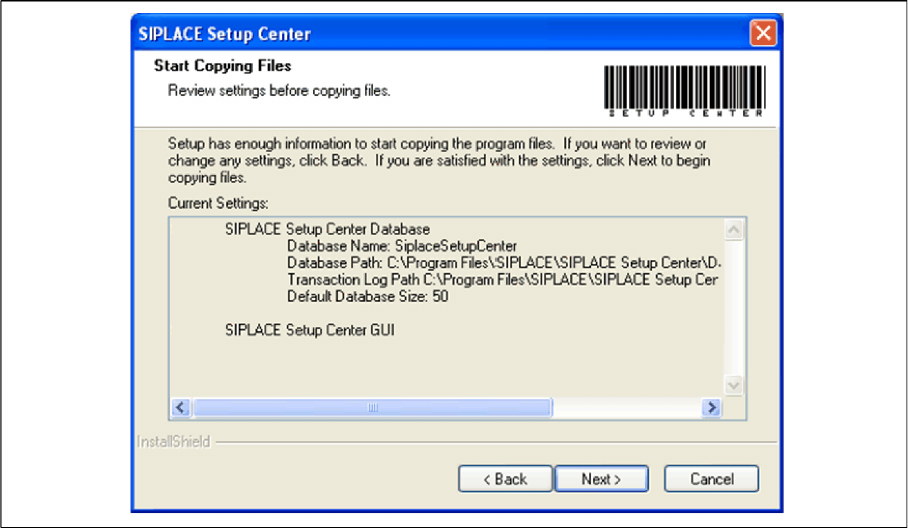
Step 5
► The Start Copying Files dialog box gives you a chance to check the information again, which you
have entered during the previous steps.
► Click Next if you accept all the information entered.
► If you want to change any settings, click the Back button until you get back to the dialog box in ques
-
tion.
► There, enter your changes and click Next to continue as usual.
Installation
Software Installation Setup Center
58 Installation Manual SIPLACE Setup Center 5.1
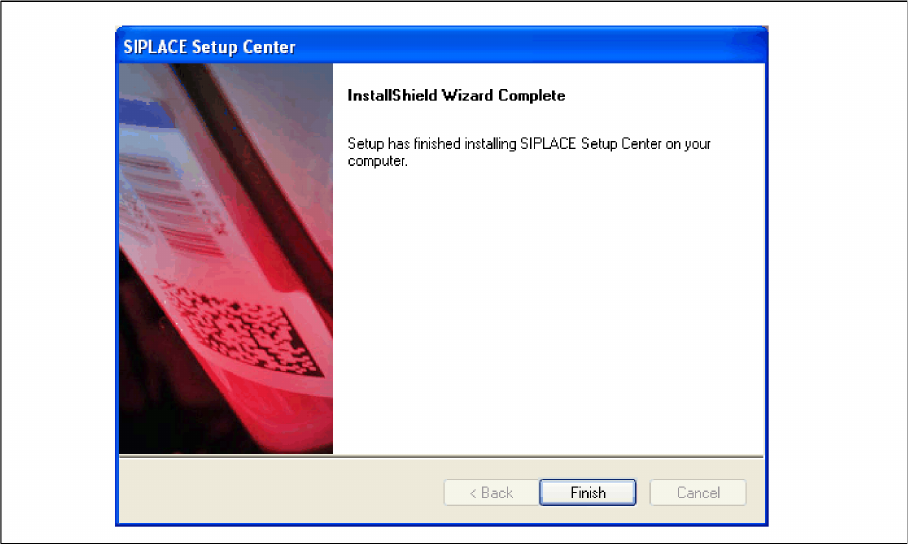
Step 6
► The installation routine starts.
► The "Setup Complete" window appears if the installation has been completed successfully.
► Click Finish.
Installation
Setup Center Software Installation
Installation Manual SIPLACE Setup Center 5.1 59
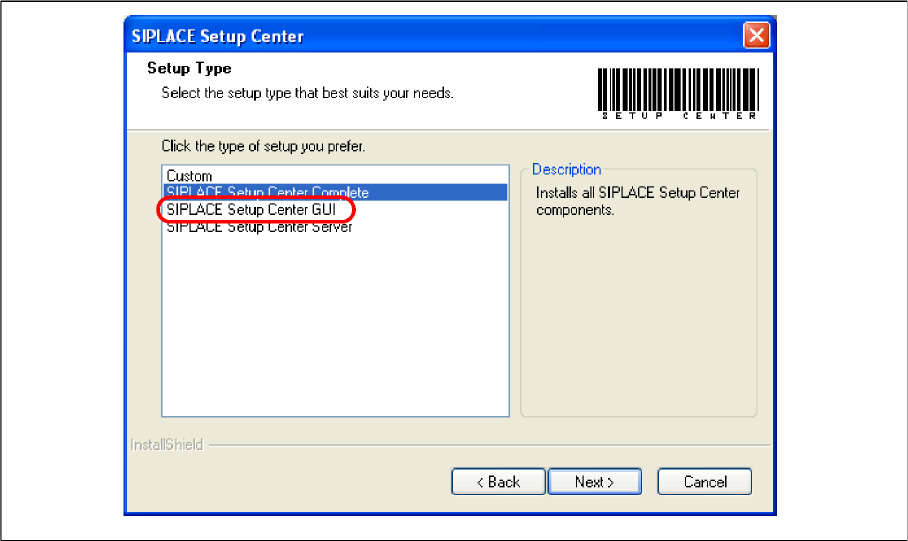
Setup Type – SIPLACE Setup Center GUI
This setup type will install the GUI application of SIPLACE Setup Center. It is used to setup up a client
system while the database is located on a remote system.
Step 1
► Run through the steps in chapter "General Settings".
► Select the SIPLACE Setup Center GUI setup type.
► Click Next.