00197197-02-IM SetupCenter 5.1.pdf - 第80页
Installation Steps to Perform After Installation Datalogic Scanner Configuration 80 Installation Manual SIPLACE Setup Center 5.1 ► Select " fi rmware upgrad e " from the menu " Tools ". ► Select "…
Installation
Datalogic Scanner Configuration Steps to Perform After Installation
Installation Manual SIPLACE Setup Center 5.1 79
Firmware upgrade
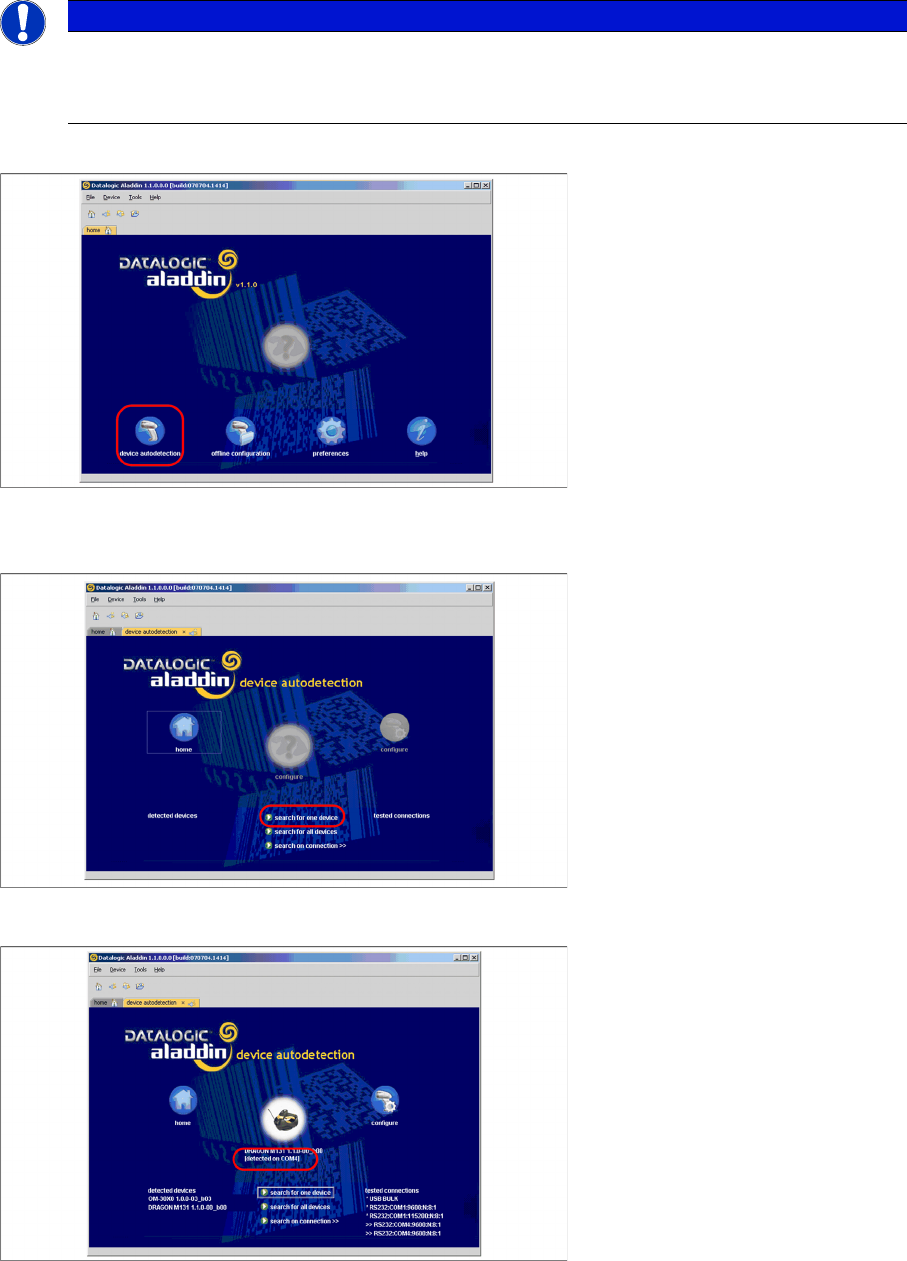
After "Datalogic Aladdin" was started, the following overview will be displayed.
► Select "device autodetection" to find out at which COM port the Datalogic OM30X0 cradle is con
-
nected.
► Select "Search for one device" to start the search.
► The cradle is now detected.
NOTICE
Please make sure that no applications such as SIPLACE Setup Center are accessing the serial
communication.
► Exit these applications before you continue.
Installation
Steps to Perform After Installation Datalogic Scanner Configuration
80 Installation Manual SIPLACE Setup Center 5.1
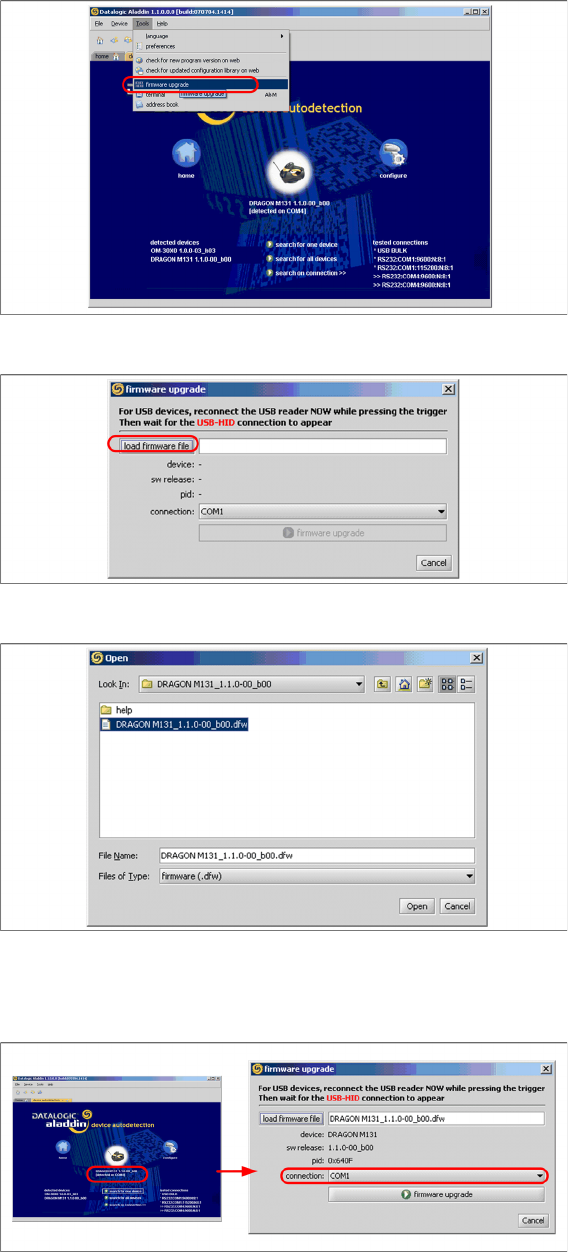
► Select "firmware upgrade" from the menu "Tools".
► Select "load firmware file" in the dialog box.
► Open the folder where the firmware version 1.1.0-00_ b00 for the Datalogic Dragon M131 is stored
(standard path "C:\Program Files\Datalogic\Aladdin\resource\ConfigRepository\DRAGON
M131_1.1.0 00_ b00").
► Choose the right COM port at which the cradle is connected. This was already found out automati
-
cally at the beginning.
Installation
Datalogic Scanner Connection Steps to Perform After Installation
Installation Manual SIPLACE Setup Center 5.1 81
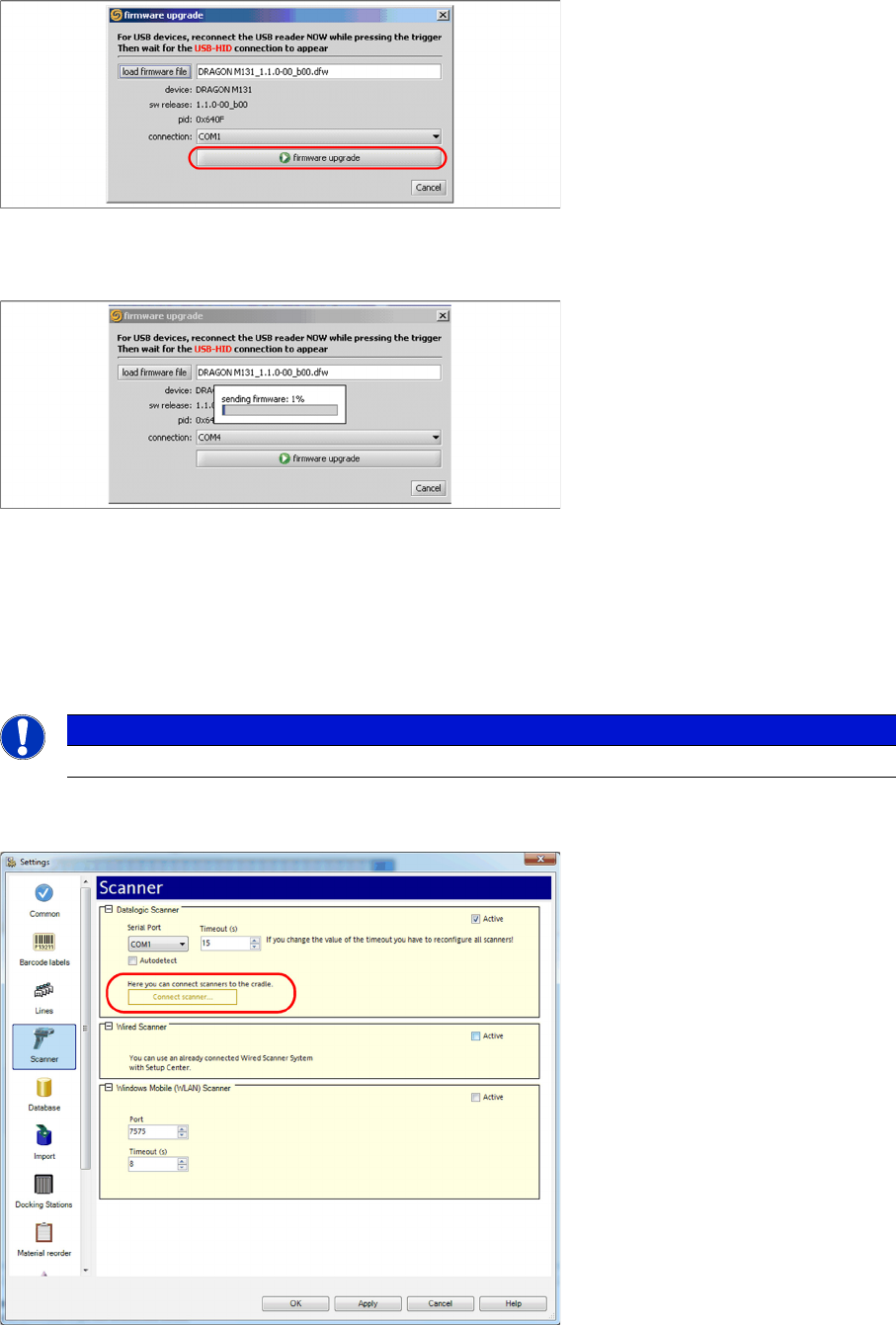
► Activate the scanner by pushing the laser trigger.
► Then select "firmware upgrade" to start the transfer of the new firmware version to the scanner.
► Exit the "Datalogic Aladdin", if the transfer is completed.
4.4.4 Datalogic Scanner Connection
New scanners and scanner base stations require the setup once before the first use.
This doesn’t necessarily need to happen after the Installation of SIPLACE Setup Center, but it is recom
-
mended. The Scanner configuration is independent from the software installation.
You can setup up one or more scanner by Setup Center. To configure scanner, ensure that the Datalogic
Cradle is connected with the Setup Center computer.
► Open the setting dialog for scanner in Setup Center configuration.
► Click “Connect scanner…” to begin.
NOTICE
The scanner powers off after a period of inactivity. Pulling the trigger will power the scanner on.