00197197-02-IM SetupCenter 5.1.pdf - 第71页
Installation Setup Center Software Installation Installation Manual SIPLACE Setup Center 5.1 71 Installing Forced Setup Verification and CLI The dialog boxes shown below will be display ed during the insta llation proce …
Installation
Software Installation Setup Center
70 Installation Manual SIPLACE Setup Center 5.1
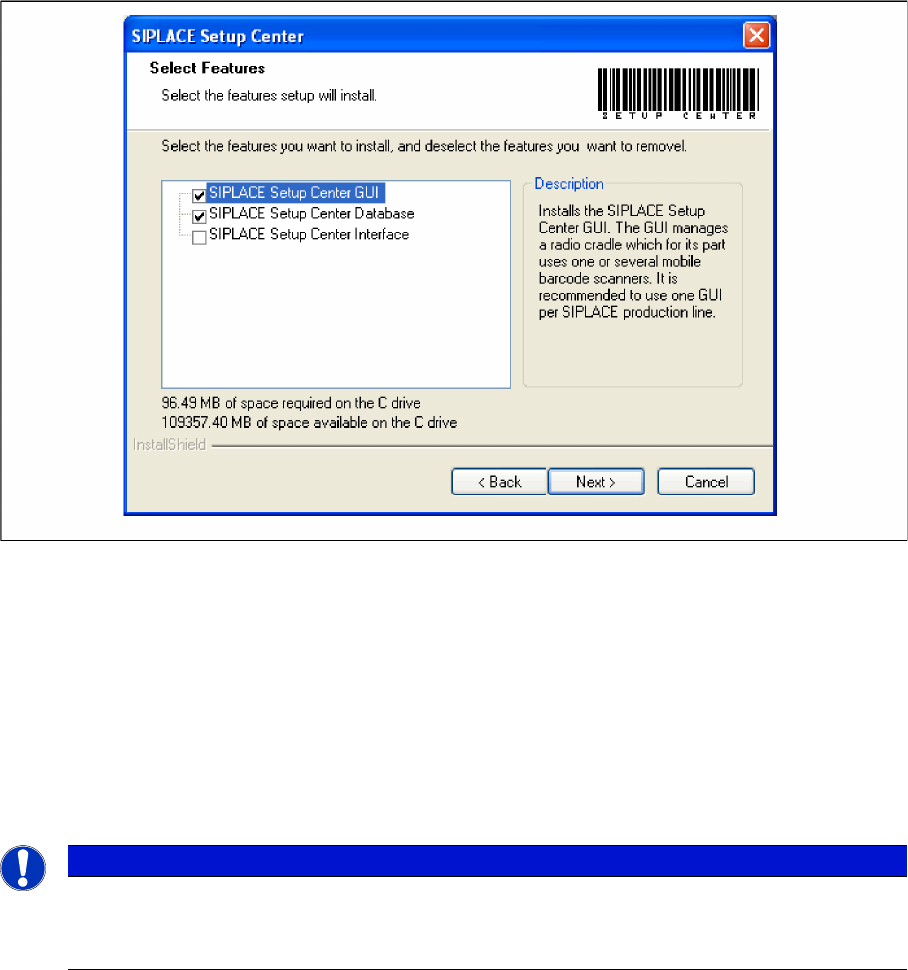
Step 2
► Choose the checkbox in the Select features dialog box.
► The Description field displays detailed information to the selected feature.
► Click Next.
4.3.1.3 Forced Setup Verification
The software CD "SIPLACE Setup Center 3.3" contains the activation of the forced setup verification and
the component level indicator.
The following settings can be configured during the installation at the SIPLACE station:
▪ Configuration of the Splice detection (If not X-machine)
▪ Deactivation of Fill Level Control for “empty running tracks” and Activation for "Filling level correction"
▪ Activation of locked tracks without scanning
▪ Traceability data creation
NOTICE
Activation of forced setup verification and the component level indicator at the station software
70x is set by SIPLACE Pro.
► It is not necessary to activate using the activation CD.
Installation
Setup Center Software Installation
Installation Manual SIPLACE Setup Center 5.1 71
Installing Forced Setup Verification and CLI
The dialog boxes shown below will be displayed during the installation procedure.
Step 1
► Insert the SIPLACE Setup Center installation CD into the CD-ROM drive. The installation routine
starts automatically.
► You can also start the installation by running the Autorun.cmd program located in the root directory
on the installation CD.
► This starts the user-controlled installation of SIPLACE Setup Center; you are prompted to select the
installation language.
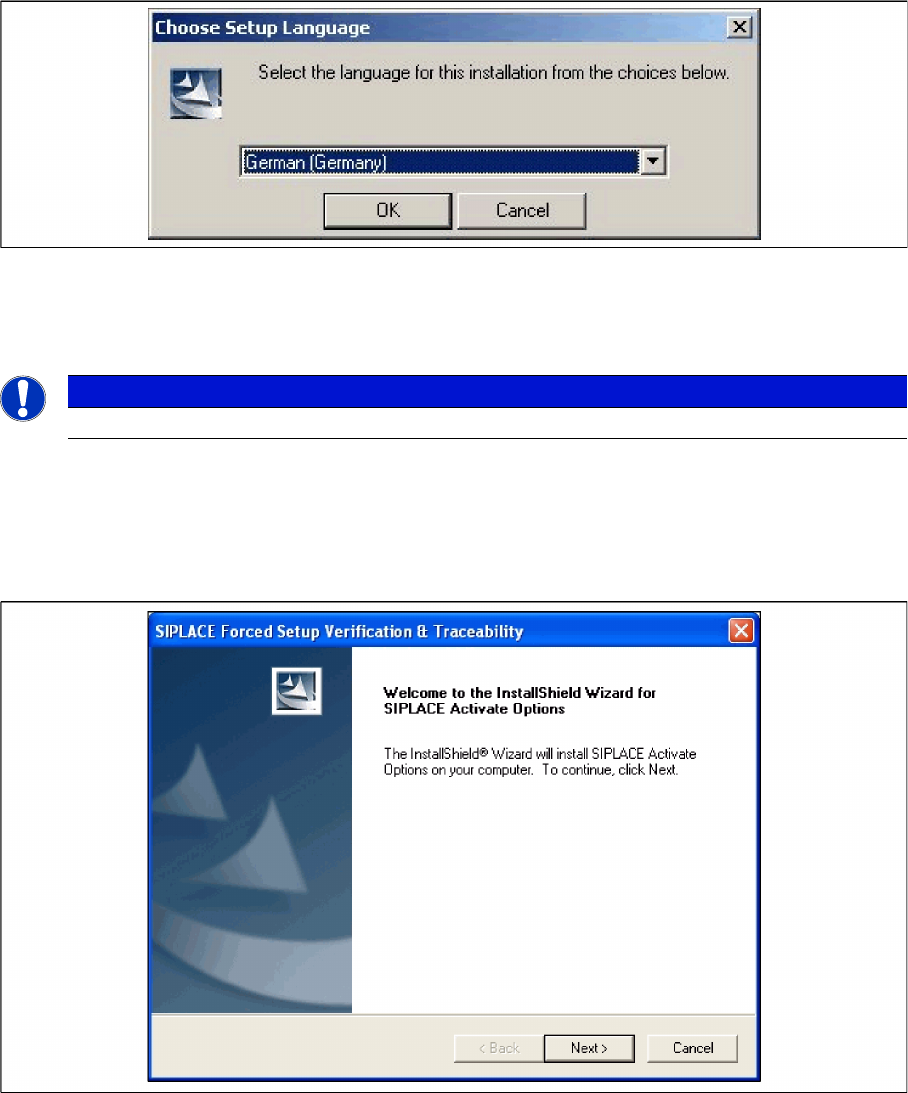
"Choose setup language" dialog box
► Select the language you want.
► Click OK.
Step 2 Welcome dialog
► Log on as administrator to the station PC.
► Place the product CD in your CD-ROM drive.
► The Start screen appears.
NOTICE
This decision only relates to the language used during the installation routine!
Installation
Software Installation Setup Center
72 Installation Manual SIPLACE Setup Center 5.1
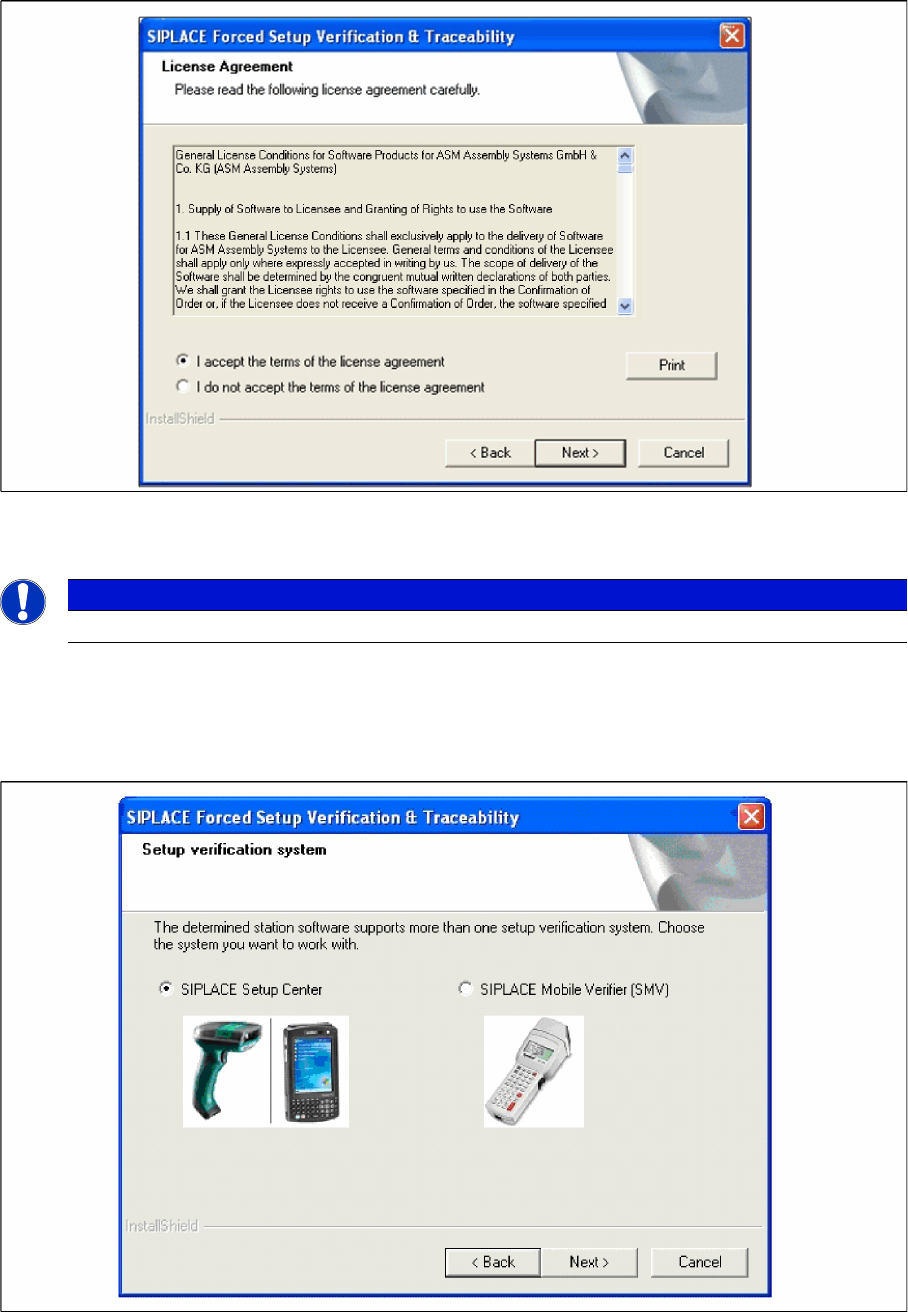
Step 3 Licence dialog
► Read the license agreement. If you agree with the conditions, click I accept ..., otherwise click on I
do not accept.... If you select I do not accept ..., the installation procedure will be terminated.
► Click on Next, to continue the installation procedure.
Step 4 Setup verification system
► The station software version 407 and 505 offers two different interfaces to the Setup verification sys
-
tem. By choosing the corresponding Setup verification system the interface will be configured in the
station-software accordingly.
► Click Next to continue.
NOTICE
This Dialog will only appear for the machine with the station-software version 407 and 505!